Sinopé TH1400ZB
Low-voltage thermostat
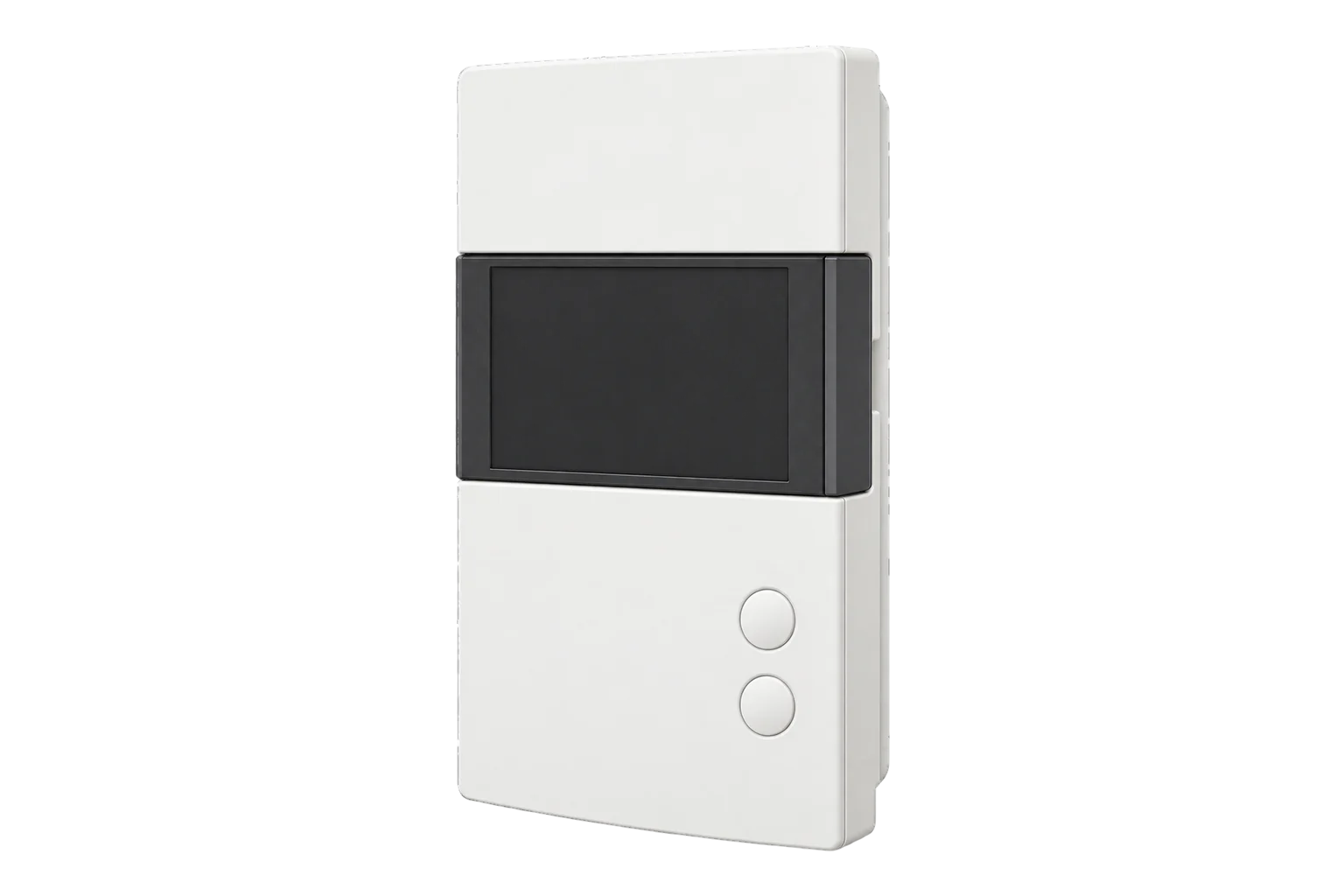
A 24 V AC Zigbee 3.0 thermostat with two 1 A outputs, for hydronic floors and radiators, furnaces without fan control, and electric heaters switched through a relay. It regulates the room or the floor and adds a second heating stage.
Compatibility
Compatible with EpiSensor Edge over Zigbee.
Pair it with the Zigbee radio on an EpiSensor Gateway. Edge reads it locally on the Gateway.
Edge reads 28 values from it, listed under Interface.
Connect it with

Specifications
It suits the heating systems a line-voltage thermostat cannot switch: hydronic underfloor heating, hydronic radiator circuits and furnaces, as well as electric heating on a contactor or solid-state relay. Sinopé states that it cannot be used with a cooling system or a heat pump. A relay may be needed with hydronic floors, hydronic systems and furnaces.13
- Power
- Low-voltage AC supply. Through an external 24 V AC transformer. Maximum consumption 150 mA at 24 V AC.2
- Main output
- 1 A maximum1
- Auxiliary output
- 1 A maximum1
- Compatible heating
- Hydronic floor and radiator systems, furnaces without fan control, electric heaters through a relay or SSR3
- Not for
- Cooling systems and heat pumps3
- Cycle length, main output
- 15 s, or 5 to 30 min in 5 min steps; 15 min default2
- Cycle length, auxiliary output
- Off, 15 s, or 5 to 30 min; off by default2
- Control modes
- A (air, default) or F (floor)2
- Setpoint range
- 5 to 36 °C1
- Display range
- 0 to 70 °C1
- Resolution and accuracy
- ±0.5 °C3
- Floor sensor
- Optional AC1310-01; accepts 10 kΩ or 12 kΩ at 25 °C1
- Output polarity
- Normally open (default) or normally closed2
- Storage temperature
- -20 to 50 °C1
- Wireless
- Zigbee 3.0, 2.4 GHz, +20 dBm transmit, -108 dBm receive sensitivity, AES-1281
- Warranty
- 3 years1
Where it is used
Zone heating demand from hydronic underfloor and radiator circuits, lined up against boiler firing and fuel use.
Boiler performance monitoringRoom and floor temperature records in offices, apartments and hotels with wet heating.
Indoor environmental monitoringChanging setpoints and schedules across many zones from one place, without visiting each thermostat.
Interface
Readings and settings, with units and ranges where Sinopé publishes them. readable, readable and writable.26
| Reading | Unit | Range or values | Access |
|---|---|---|---|
| Measurements 5 | |||
| Regulated temperatureThe thermostat’s main temperature reading. | °C | - | Read only |
| Room temperatureAir temperature at the thermostat. | °C | - | Read only |
| Floor temperatureFrom the floor sensor, when one is fitted. | °C | - | Read only |
| Heating demandHeating output the thermostat’s control loop is calling for. | % | 0 to 100 % | Read only |
| Heating stateWhether the output is heating. | - | idleheat |
Read only |
| Controls 2 | |||
| Occupied setpointTarget temperature while occupied, in 0.5 °C steps. | °C | 5 to 36 °C | Read and write |
| ModeHeating on or off. | - | offheat |
Read and write |
| Settings 21 | |||
| Unoccupied setpointTarget temperature while unoccupied, in 0.5 °C steps. | °C | 5 to 36 °C | Read and write |
| OccupancyWhich of the two setpoints applies. | - | occupiedunoccupied |
Read and write |
| Maximum setpointHighest setpoint a user can choose. | °C | 5 to 36 °C | Read and write |
| Minimum setpointLowest setpoint a user can choose. | °C | 5 to 36 °C | Read and write |
| Control modeRegulate the air (A mode) or the floor (F mode). | - | ambiantfloor |
Read and write |
| Maximum floor temperatureFloor limit in A mode. Needs a floor sensor. | °C | 7 to 36 °C | Read and write |
| Minimum floor temperatureFloor limit in A mode. Needs a floor sensor. | °C | 5 to 34 °C | Read and write |
| Maximum air temperatureAir limit in F mode. | °C | 5 to 36 °C | Read and write |
| Floor sensor type | - | 10k12k |
Read and write |
| Main output cycleCycle length for the heating on the main output. | - | 15_sec5_min10_min15_min20_min30_min |
Read and write |
| Auxiliary output cycleCycle length for the second stage, or off. | - | off15_sec5_min10_min15_min20_min30_min |
Read and write |
| Connected loadHeater wattage on the main output. | W | 1 to 20,000 W | Read and write |
| Auxiliary connected loadHeater wattage on the auxiliary output. | W | 0 to 20,000 W | Read and write |
| Pump protectionRuns the main output for 1 minute every 24 hours when idle. | - | ONOFF |
Read and write |
| Second displayWhat the small line of the display shows. | - | autosetpointoutdoor temp |
Read and write |
| Outdoor temperature shownAn outdoor temperature written to the thermostat for its display. | °C | -99.5 to 99.5 °C | Read and write |
| Outdoor temperature timeoutHow long a written outdoor temperature stays valid. | s | 30 to 64,800 s | Read and write |
| Display unit | - | celsiusfahrenheit |
Read and write |
| Time format | - | 24h12h |
Read and write |
| BacklightBacklight dimming: on demand or sensing. | - | on_demandsensing |
Read and write |
| Keypad lockLocks the thermostat’s buttons. | - | unlocklock1 |
Read and write |
Occupied and unoccupied heating setpoints are written in 0.5 °C steps from 5 to 36 °C, inside the minimum and maximum setpoint limits. System mode is off or heat.6
The Zigbee definition offers main-output cycles of 15 seconds and 5, 10, 15, 20 and 30 minutes. The thermostat’s own menu also has 25 minutes.26
Connected load and auxiliary connected load tell the thermostat the heater wattage on each output, from 1 to 20,000 W. They are settings, not measurements: this model reports no power or energy.6
Setup
-
Wire it with the power off
With the 24 V AC supply off, connect the supply, the main output and, if used, the auxiliary output and floor sensor to the terminals shown in Sinopé’s wiring layout for your heating system. A relay may be needed for hydronic systems and furnaces.2
-
Mount it and power up
Fix the base to the wall with the screws and anchors supplied, replace and lock the cover, and switch on the supply.2
-
Set the cycle and polarity
Set the main output cycle to at least the minimum Sinopé’s guide gives for the equipment on that output. Set the output polarity if the valve or relay needs a normally closed signal. Both can also be changed from Edge after pairing.2
-
Join the Zigbee network
Open pairing on the Gateway’s Zigbee network in Edge, then press the thermostat’s two buttons briefly at the same time. The network icon blinks while it connects and stays lit once it has joined.2
-
Check one reading
Confirm that Edge identifies it as a Sinopé TH1400ZB. Raise the setpoint and check that the heating state changes to heat and the valve or relay operates.
Common questions
- Can it switch an electric baseboard directly?
- Not directly. Its outputs are rated 1 A at 24 V AC, so an electric baseboard, fan heater or floor is switched through a mechanical relay or a solid-state relay. For direct switching at line voltage, Sinopé makes the TH1123ZB and TH1124ZB.13
- Does it report energy use?
- No. It reports temperatures, heating demand and heating state. The connected load values are settings that tell it the heater wattage, not measurements.6
Related devices

Sources
- TH1400ZB smart low-voltage thermostat technical sheet (opens in a new tab) (PDF)
- TH1400ZB installation guide (opens in a new tab) (PDF)
- TH1400ZB submittal datasheet (opens in a new tab) (PDF)
- How do I remove my thermostat from the Zigbee network? (opens in a new tab)
- Sinopé TH1400ZB device documentation (opens in a new tab)
- Sinopé TH1400ZB Zigbee definition (opens in a new tab)
Further reading
Product names and trademarks belong to their owners. Publication does not imply endorsement or a commercial relationship.