Ubisys H1
Radiator thermostat
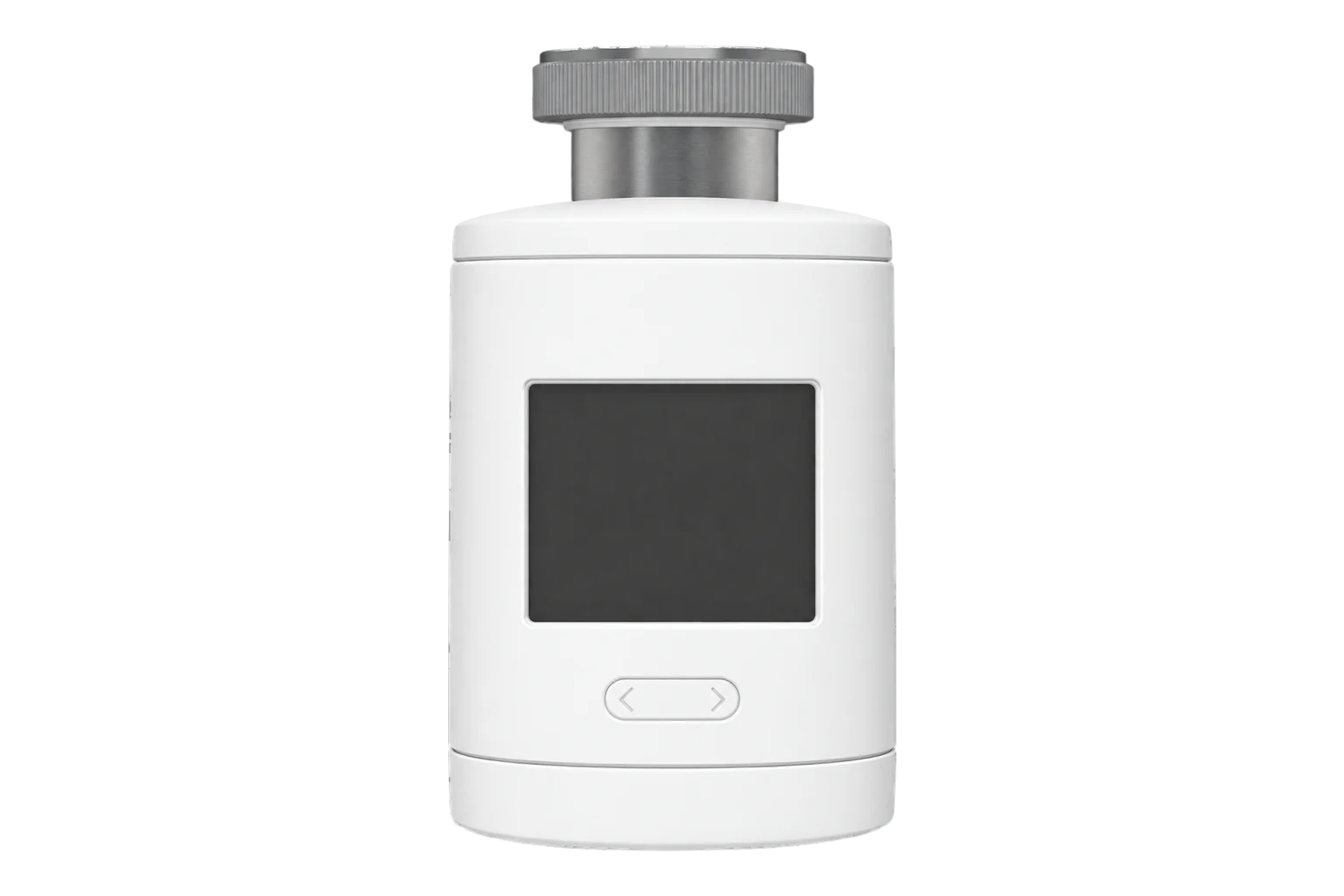
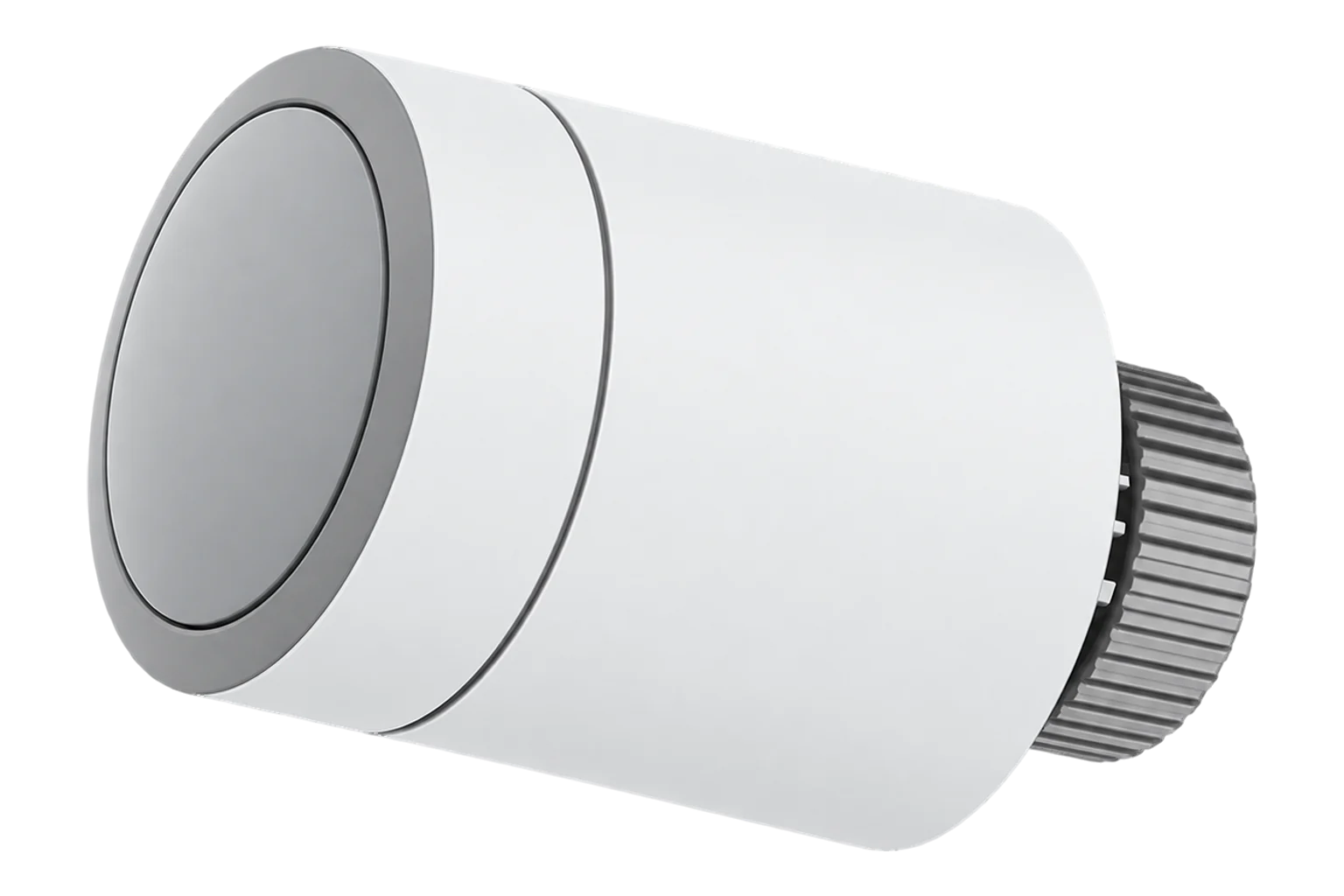
A battery-powered Zigbee 3.0 radiator thermostat made in Germany, for M30 × 1.5 valves. It regulates the room with a PI control loop, runs weekly schedules on the valve, detects open windows, and can regulate to a remote room sensor instead of its own.
Compatibility
Compatible with EpiSensor Edge over Zigbee.
Pair it with the Zigbee radio on an EpiSensor Gateway. Edge reads it locally on the Gateway.
Edge reads 18 values from it, listed under Interface.
Connect it with

Specifications
The H1 is a smart radiator thermostat from Ubisys of Düsseldorf. It screws onto a radiator valve with an M30 × 1.5 connection, or onto other valves through an adapter, and drives the valve pin with a force of 100 N over a 5.5 mm stroke. Its integrated sensor measures the room temperature, and a PI control loop sets how far to open the valve. Ubisys designs it for private and commercial buildings with radiator heating.23
- Power
- Battery. Two 1.5 V AA lithium cells (Energizer L91 or similar), rated for up to four years.1
- Valve connection
- M30 × 1.5; adapters for other valve types2
- Setting force
- 100 N2
- Adjusting stroke
- 5.5 mm2
- Flow temperature
- Up to 90 °C2
- Setpoint range
- 7 to 30 °C, in 0.5 °C steps6
- Temperature offset
- -10 to +10 °C3
- Weekly schedule
- Up to 70 transitions a week, 10 a day3
- Batteries
- 2 × 1.5 V AA lithium (Energizer L91 or similar)2
- Battery life
- Up to 4 years1
- Power consumption
- 90 μW standby, 450 mW maximum active2
- Wireless
- Zigbee 3.0, 2.4 GHz, channels 11 to 263
- Radio chip
- Qorvo QPG60953
- Protection
- IP30, protection class III2
- Dimensions
- 55 × 100 mm2
- Weight
- 250 g with batteries2
- Order code
- 12673
Where it is used
Room temperature and valve demand for every radiator in offices, schools and hotels, to find rooms that are overheated or cannot reach setpoint.
Indoor environmental monitoringHeating schedules per room written from one place, with open window detection to stop heating ventilated rooms.
Radiator demand across a building compared with the boiler’s firing and fuel use.
Boiler performance monitoring
Interface
On the Zigbee network it joins as a sleepy end device.3
Readings and settings, with units and ranges where Ubisys publishes them. readable, readable and writable.6
| Reading | Unit | Range or values | Access |
|---|---|---|---|
| Measurements 4 | |||
| Room temperatureThe temperature used for regulation: its own sensor, or a valid remote reading. | °C | - | Read only |
| Heating demandValve opening the PI control loop is calling for. | % | 0 to 100 % | Read only |
| Running modeWhether it is heating now. | - | offheat |
Read only |
| Open windowTrue while an open window is detected. | - | Binary state | Read only |
| Controls 4 | |||
| Occupied setpointTarget temperature while occupied, in 0.5 °C steps. | °C | 7 to 30 °C | Read and write |
| ModeHeating on or off. | - | offheat |
Read and write |
| Weekly scheduleSetpoint transitions for each day of the week. | - | - | Read and write |
| Vacation modeApplies the absence setpoint or vacation schedule. | - | Binary state | Read and write |
| Settings 8 | |||
| Unoccupied setpointTarget temperature while unoccupied. | °C | 7 to 30 °C | Read and write |
| Default setpointSetpoint used when a schedule ends with no follow-up. | °C | 7 to 30 °C | Read and write |
| Temperature offsetCorrection for its own sensor. | °C | -10 to 10 °C | Read and write |
| Remote temperature validityHow long a remote reading stays valid. | s | 0 to 86,400 s | Read and write |
| Open window detectionOff by default. | - | Binary state | Read and write |
| Open window sensitivityTemperature fall that counts as an open window. | °C | 1 to 30 °C | Read and write |
| Open window detection periodTime within which the fall must happen. | min | 1 to 180 min | Read and write |
| Open window timeoutHow long an open window state lasts. | s | 0 to 86,400 s | Read and write |
| Diagnostics 2 | |||
| Battery | % | 0 to 100 % | Read only |
| Battery voltage | mV | - | Read only |
As a sleepy end device it polls its parent for messages. A setpoint or schedule written from Edge arrives at its next poll, and the poll control cluster sets how often it checks in.3
A remote temperature reported to the H1 replaces its own reading for regulation while it is valid. The validity period is a setting, from 0 to 86,400 s. The temperature offset applies only to its own sensor.36
Open window detection is off by default. When on, a fall of 1.5 °C within 5 minutes counts as an open window, the H1 applies its frost protection setpoint, and it returns to normal after 30 minutes. All three values are settings.3
A weekly schedule written over Zigbee replaces any schedule set on the device, and the on-device schedule menu stays disabled until the Zigbee schedule is cleared.3
Setup
-
Fit it to the valve
Unscrew the old thermostat head; no water escapes. Screw the H1 mounting ring onto the valve by hand until it is tight, without tools. Valves without an M30 × 1.5 thread need an adapter from Ubisys’s adapter list.2
-
Open pairing in Edge first
Open pairing on the Gateway’s Zigbee network in Edge before you power the H1. A factory-new H1 looks for an open network as soon as it has power.3
-
Pull the battery foil
Remove the battery protection foil. The H1 starts, calibrates its pin to the valve with a progress bar, and shows a check mark when calibration succeeds.2
-
Confirm the join
It then joins the open network in about 7 seconds. The display shows the target and actual temperature, the Zigbee link quality at top left and the battery level at top right.2
-
Check one reading
Confirm that Edge identifies it as a Ubisys H1 with a plausible room temperature and battery level. Raise the setpoint and check that heating demand rises and the valve opens.
Common questions
- Will the H1 fit my radiator valve?
- It fits valves with an M30 × 1.5 thread directly. Ubisys lists metal adapters for other valves, including Danfoss RA, RAV and RAVL, Comap, Herz, Oventrop M30 × 1.0, Giacomini and Vaillant. Use metal adapters only.24
- How long do the batteries last?
- Ubisys rates two AA lithium cells for up to four years. Edge reports the battery level and voltage. When the batteries run low the H1 holds the valve at its backup opening, 25 % in winter by default, so the room is not left cold.13
- Can it use a separate room sensor?
- Yes. A temperature reported to the H1 from a Zigbee room sensor replaces its own reading for regulation while it is valid. Use this where the head sits in a spot with little air flow.3
- Why does a setpoint change take time to arrive?
- The H1 is a sleepy end device. It saves battery by waking to poll for messages, so a change from Edge takes effect at its next poll.3
- Does it need a Ubisys gateway?
- No. Ubisys describes using the H1 with a Zigbee gateway from another manufacturer. It joins the Zigbee radio on an EpiSensor Gateway and Edge reads it locally.2
- How do I factory reset it?
- Hold the button for 10 seconds to open the second menu, turn the dial to the factory reset symbol and press twice. Turn the dial to the right until a check mark shows, then press the button.2
Related devices

Sources
- Heating Regulator H1 (opens in a new tab)
- Heating Control H1 commissioning and operating instructions (opens in a new tab) (PDF)
- Zigbee Heating Regulator H1 reference manual (opens in a new tab) (PDF)
- Valve adapter list for Heating Control H1 (opens in a new tab) (PDF)
- Ubisys H1 device documentation (opens in a new tab)
- Ubisys H1 Zigbee definition (opens in a new tab)
Further reading
Product names and trademarks belong to their owners. Publication does not imply endorsement or a commercial relationship.