Aqara WT-A03E
Radiator thermostat
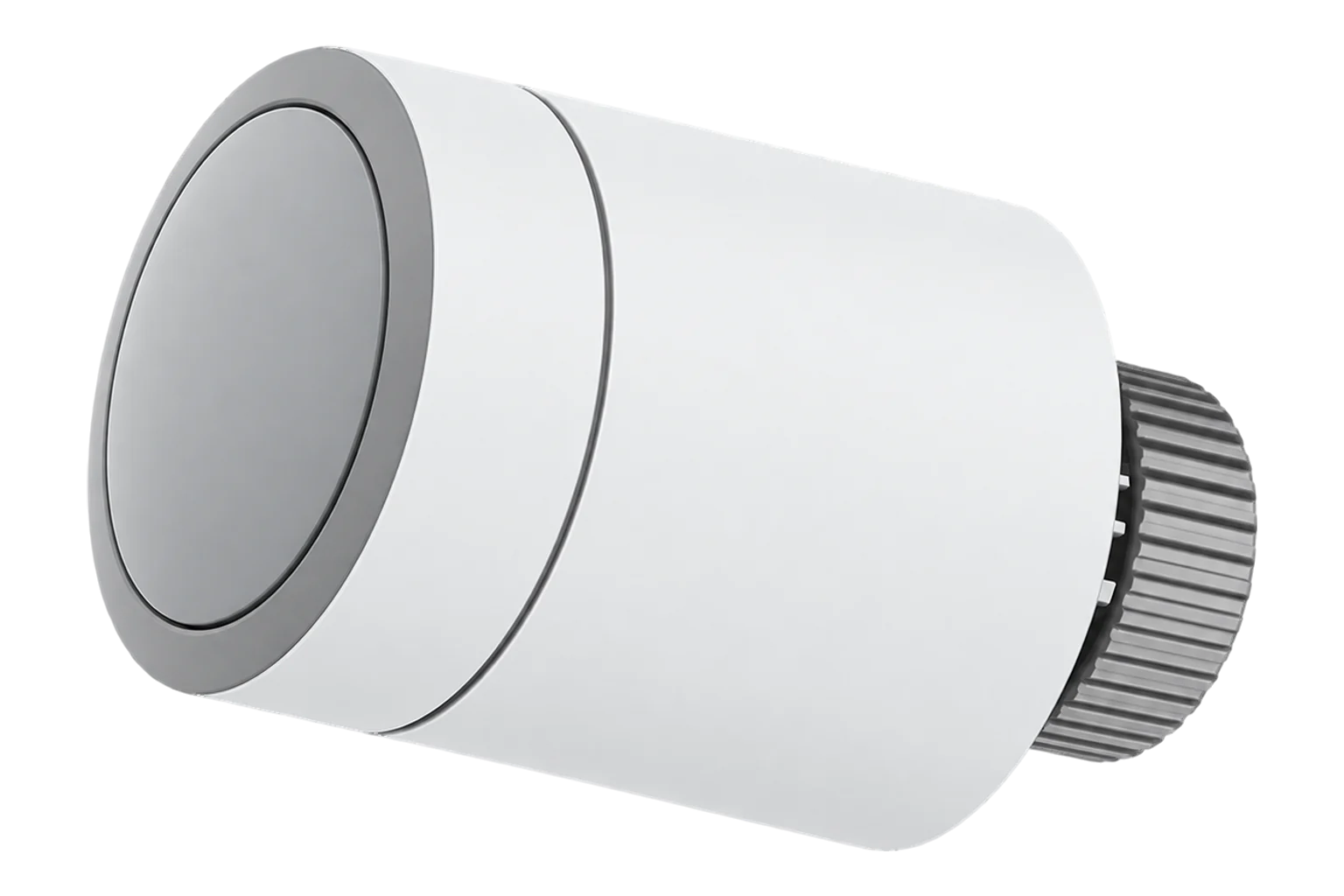
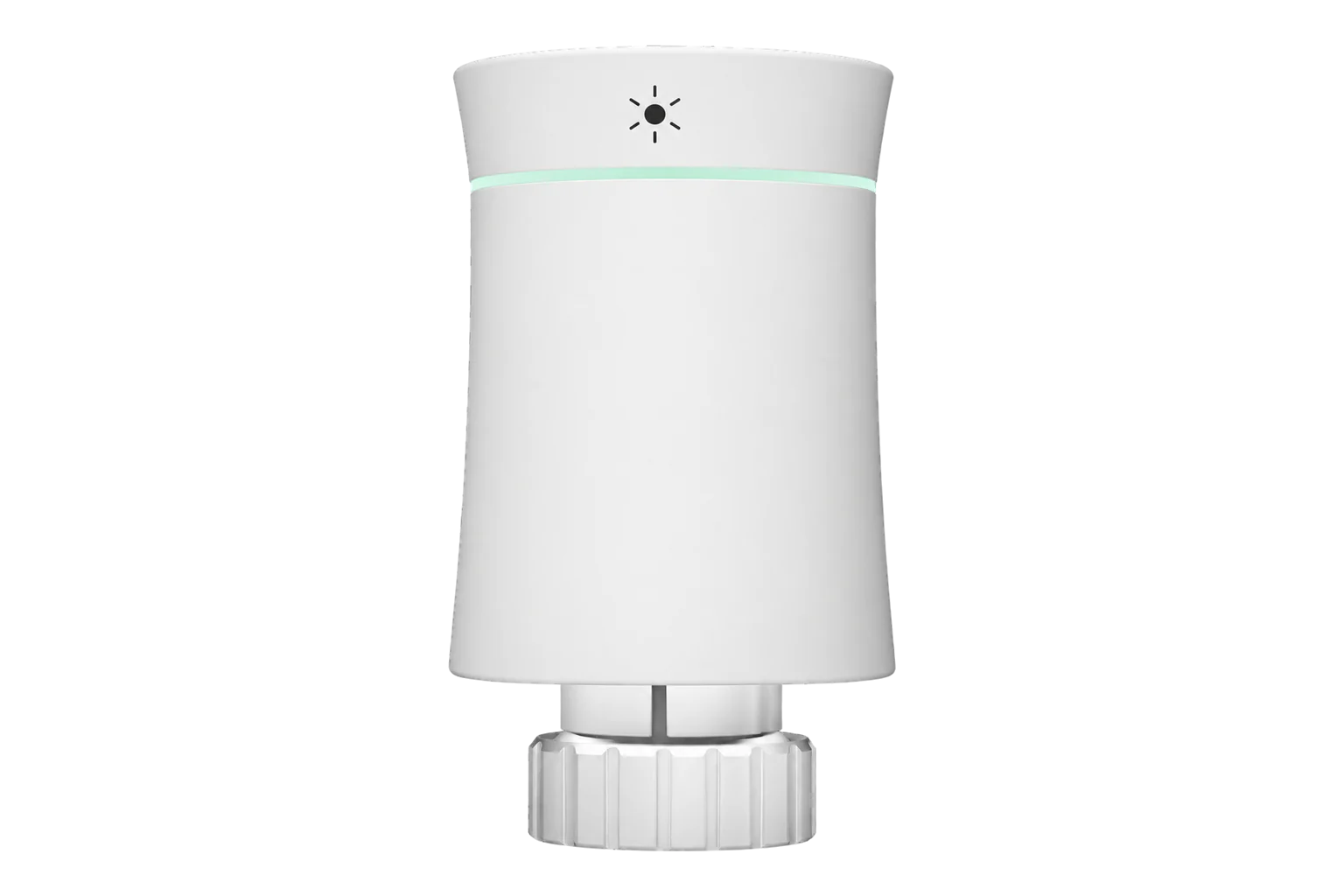
Aqara’s Radiator Thermostat W600 is a battery-powered valve head for wet radiators. It runs on Zigbee or Thread, sets room temperature in 0.5 °C steps from 5 to 30 °C and fits M30 × 1.5 valves directly or through six supplied adapters.
Also sold asAqara Radiator Thermostat W600
Compatibility
Compatible with EpiSensor Edge over Zigbee.
Pair it with the Zigbee radio on an EpiSensor Gateway. Edge reads it locally on the Gateway.
Edge reads 39 values from it, listed under Interface.
Connect it with

Specifications
The W600 is an electronic head for water-filled radiators. It replaces the manual thermostat on the valve, measures room temperature with a built-in sensor and drives the valve pin to hold a setpoint. Aqara sells it as models WT-A03E and WT-A03D, with Thread, Zigbee and Bluetooth radios in one unit. It runs on two AA alkaline cells, which Aqara estimates last up to two years based on eight months of heating use a year.12
- Power
- Battery. Two 1.5 V AA alkaline cells (3 V). Aqara estimates up to two years, based on eight months of typical use a year.2
- Models
- WT-A03E, WT-A03D1
- Wireless
- Zigbee or Thread, plus Bluetooth Low Energy1
- Setpoint range
- 5 to 30 °C3
- Setpoint step
- 0.5 °C on the dial2
- Calibration offset
- -5 to +5 °C1
- Frost protection
- Starts at or below 5 °C, stops above 8 °C; threshold adjustable from 5 to 15 °C in Zigbee mode1
- Valve connection
- M30 × 1.5 mm1
- Adapters in the box
- RA, RAV, RAVL, Caleffi, Giacomini, M28 × 1.51
- Operating temperature
- 0 to 40 °C1
- Operating humidity
- 0 to 95 % RH, non-condensing1
- Operating noise
- Below 30 dB2
- Dimensions
- ⌀57 × 90 mm1
- Display
- LED, rotates 180° for vertical mounting2
Where it is used
Room-by-room heating setpoints in offices, clinics and serviced apartments with wet radiators, with the room temperature logged alongside.
Indoor environmental monitoringChecking which rooms call for heat outside occupied hours, using valve position beside the heating plant’s electricity or gas data.
HVAC energy monitoring for commercial buildingsHolding frost protection in rooms that are closed for long periods, with an adjustable threshold of 5 to 15 °C.
Interface
Readings and settings, with units and ranges where Aqara publishes them. readable, readable and writable, writable only.
| Reading | Unit | Range or values | Access |
|---|---|---|---|
| Measurements 10 | |||
| Valve alarm | - | Binary state | Read only |
| Window open | - | Binary state | Read only |
| Climate | - | - | Read only |
| Local temperature | °C | - | Read only |
| Running state | - | idleheat |
Read only |
| Override active | - | Binary state | Read only |
| Local temperature internal | °C | - | Read only |
| Calibrated | - | not_readyreadyerrorin_progress |
Read only |
| Schedule upload status | - | idlestagedin_progresssuccessfailed |
Read only |
| Position | % | 0 to 100 % | Read only |
| Controls 3 | |||
| Occupied heating setpoint | °C | 5 to 30 °C | Read and write |
| System mode | - | offheatauto |
Read and write |
| Preset | - | homeawaysleepvacationwind_down |
Read and write |
| Settings 25 | |||
| Local temperature calibration | °C | -5 to 5 °C | Read and write |
| Temperature setpoint hold duration | min | 0 to 65,535 min | Read and write |
| Sensor | - | internalexternal |
Read and write |
| External temperature input | °C | -40 to 125 °C | Read and write |
| Calibrate | - | start |
Write only |
| Temperature control abnormal notification | - | Binary state | Read and write |
| Display flip | - | Binary state | Read and write |
| Window detection | - | Binary state | Read and write |
| Child lock | - | Binary state | Read and write |
| Anti freeze temperature | °C | 5 to 15 °C | Read and write |
| Preset home temperature | °C | 5 to 30 °C | Read and write |
| Preset away temperature | °C | 5 to 30 °C | Read and write |
| Preset sleep temperature | °C | 5 to 30 °C | Read and write |
| Preset vacation temperature | °C | 5 to 30 °C | Read and write |
| Preset wind down temperature | °C | 5 to 30 °C | Read and write |
| Weekly schedule sunday | - | - | Read and write |
| Weekly schedule monday | - | - | Read and write |
| Weekly schedule tuesday | - | - | Read and write |
| Weekly schedule wednesday | - | - | Read and write |
| Weekly schedule thursday | - | - | Read and write |
| Weekly schedule friday | - | - | Read and write |
| Weekly schedule saturday | - | - | Read and write |
| Save schedule | - | trigger |
Write only |
| Clear schedule | - | trigger |
Write only |
| Identify | - | identify |
Write only |
| Diagnostics 1 | |||
| Battery | % | 0 to 100 % | Read only |
The valve opening is reported as position, 0 to 100 %. It is the most useful single point for seeing which rooms are calling for heat.3
Set sensor to external and write external_temperature_input (-40 to 125 °C) to control on a remote reading. Keep writing it while the mode is external.3
Open-window detection pauses heating for 30 minutes after a 3 °C drop within 5 minutes.1
Setup
-
Switch it to Zigbee
In the Aqara Home app, select the W600 and choose Zigbee as the connection method. The app loads the Zigbee firmware. A W600 that has been used before needs its button held for 10 seconds first.3
-
Open pairing in Edge
Open pairing on the Gateway’s Zigbee network in Edge, then hold the W600’s button for 10 seconds. It clears its network settings, enters pairing mode and flashes the pairing icon.1
-
Fit it to the valve
Pull the battery tab and fit the head within 5 minutes of power-up. Use the adapter that matches the valve, then tighten the M30 × 1.5 nut by hand.1
-
Calibrate the valve
When the screen shows F1, press the button three times. It shows F2 while it finds the valve travel, and after about 10 seconds it shows the set temperature.1
-
Check one reading
Confirm that Edge identifies it as Aqara WT-A03E, then change the setpoint from Edge and watch the position value move. Compare the room temperature with a reference thermometer and trim the calibration offset if needed.
Common questions
- Does the W600 work over Zigbee out of the box?
- Not always. It carries Thread and Zigbee, and the Aqara Home app has to select Zigbee before it joins a Zigbee network such as the Gateway’s. After that it pairs like any other Zigbee device.13
- What is the difference between WT-A03E and WT-A03D?
- Aqara lists both model numbers for the Radiator Thermostat W600 under one specification: the same radios, size, batteries, valve thread and adapters.1
- Can it use a room sensor instead of its own?
- Yes. Set the temperature source to external and write the room temperature to it from Edge. Aqara recommends an external sensor because the built-in one sits close to the radiator.13
- How long do the batteries last?
- Aqara estimates up to two years on two AA alkaline cells, based on eight months of typical use a year. Edge reports battery level so cells can be changed before the valve stops responding.2
- How do I factory reset it?
- Press the button twice, then hold it for more than 10 seconds. A 10-second hold on its own only clears the network settings and puts it back into pairing mode.1
Related devices
Sources
- Radiator Thermostat W600 user manual (opens in a new tab)
- Aqara Radiator Thermostat W600 (opens in a new tab)
- Aqara WT-A03E device documentation (opens in a new tab)
- Aqara WT-A03E Zigbee definition (opens in a new tab)
Further reading
Product names and trademarks belong to their owners. Publication does not imply endorsement or a commercial relationship.