macOS
Version 0.38.1
System Manager is the EpiSensor app for creating and managing EpiSensor Gateways. Use it to turn a Raspberry Pi into an EpiSensor Gateway for development and evaluation, and to monitor, license, back up, restore and upgrade the Gateways you already have.
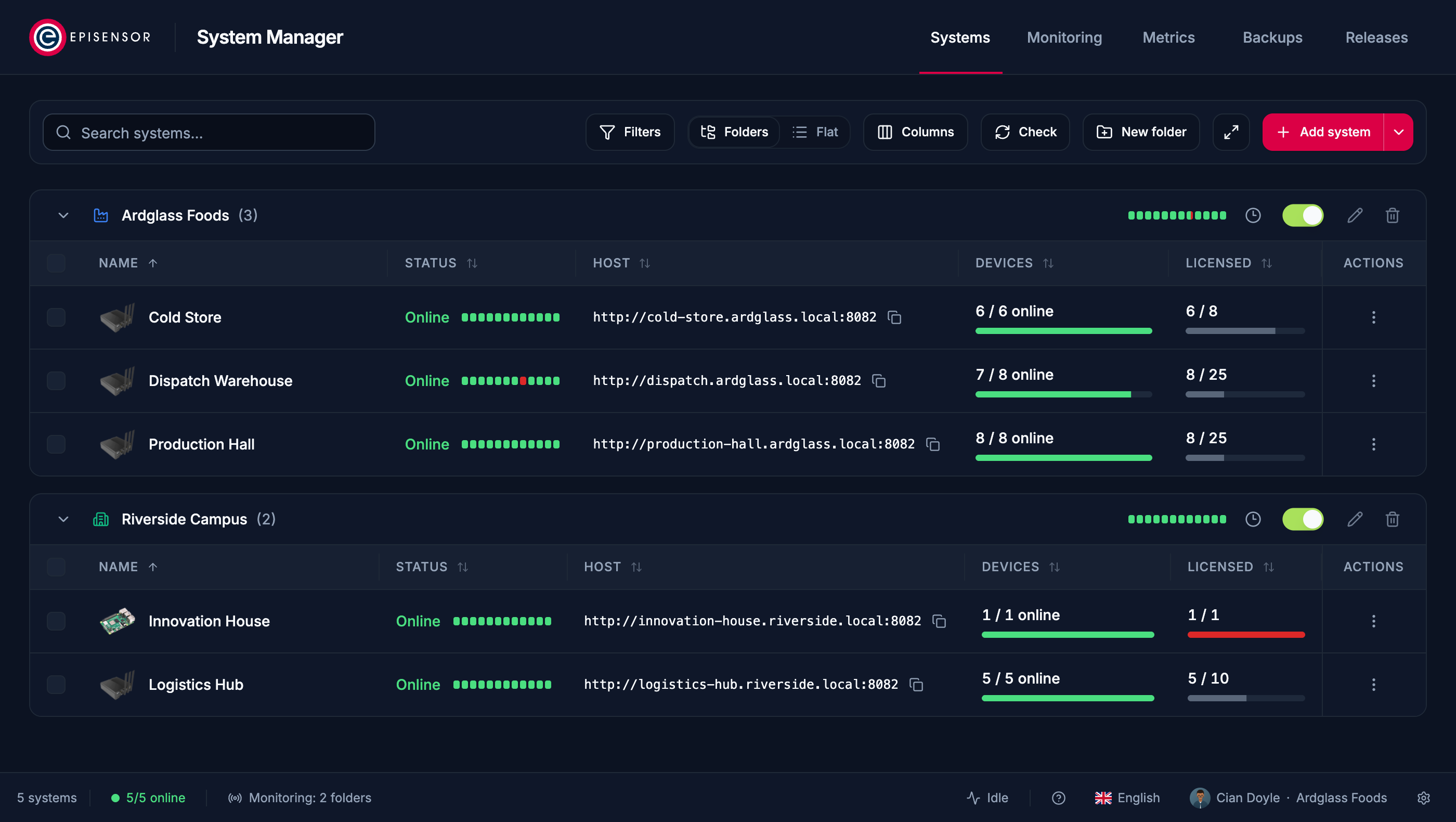
Every Gateway, in folders
A Raspberry Pi, managed like any other
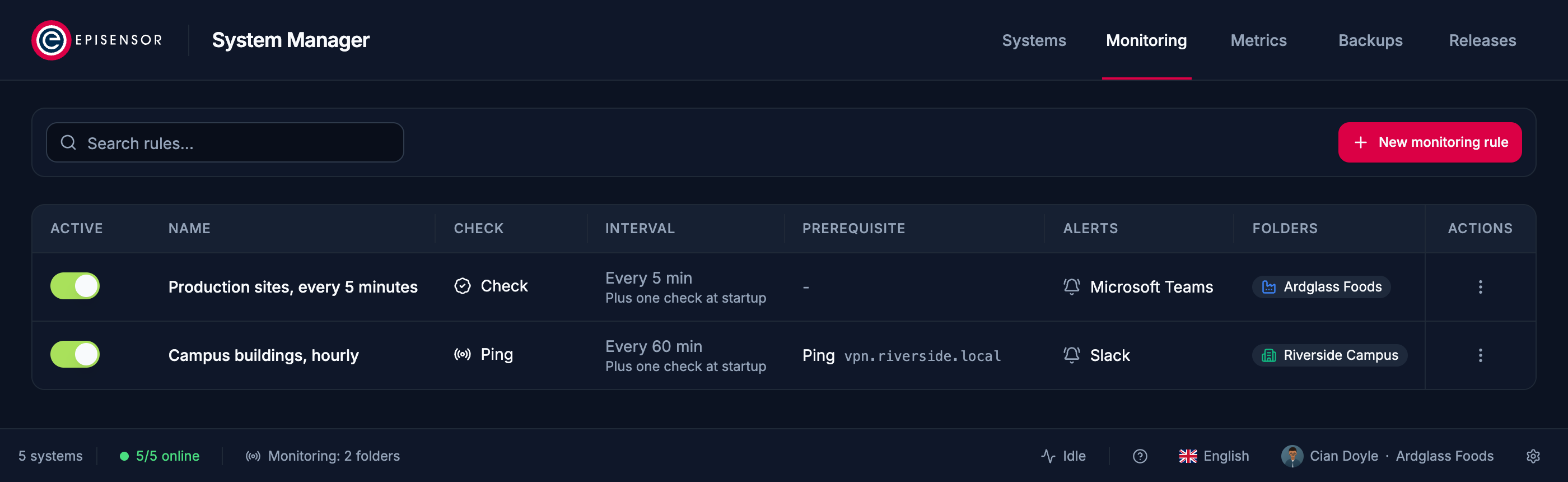
Offline? Teams or Slack hears first
The latest release for each platform, for EpiSensor customers and partners.
Release notes and file labels are in English.
Checking your access…
Could not check your access
The release list did not load. Check your connection and try again.
Sign in to download
We email you a six-digit code. There is no password to create.
Request access for your account
Our team approves each account once. We email you the moment downloads unlock, here and in the app.
Your request is with our team
We email you as soon as it is approved, and downloads unlock here and in the app at the same time.
Downloads unlocked for your account
Sign in to System Manager with the same email and it keeps itself up to date.
Accept the licence agreement to download
EpiSensor Edge is licensed under the EpiSensor Edge End User Licence Agreement. Read it, then accept it once for this account. A new version is accepted again before the next download.
Your access request was not approved
If your situation has changed, contact us or send a new request with a note for our team.
Your access was switched off
Downloads and app sign-ins for this email are turned off. Contact us if you need them back.
Version 0.38.1
Version 0.38.1
Version 0.38.1

Releases built for your company account. Only members of your organisation can see them.
System Manager downloads and installs these on a Raspberry Pi or EpiSensor Gateway for you. Download them here only for a manual or offline installation.
It runs on your own computer and talks to your Gateways directly, over your network or VPN.
Raspberry Pi 4 and 5
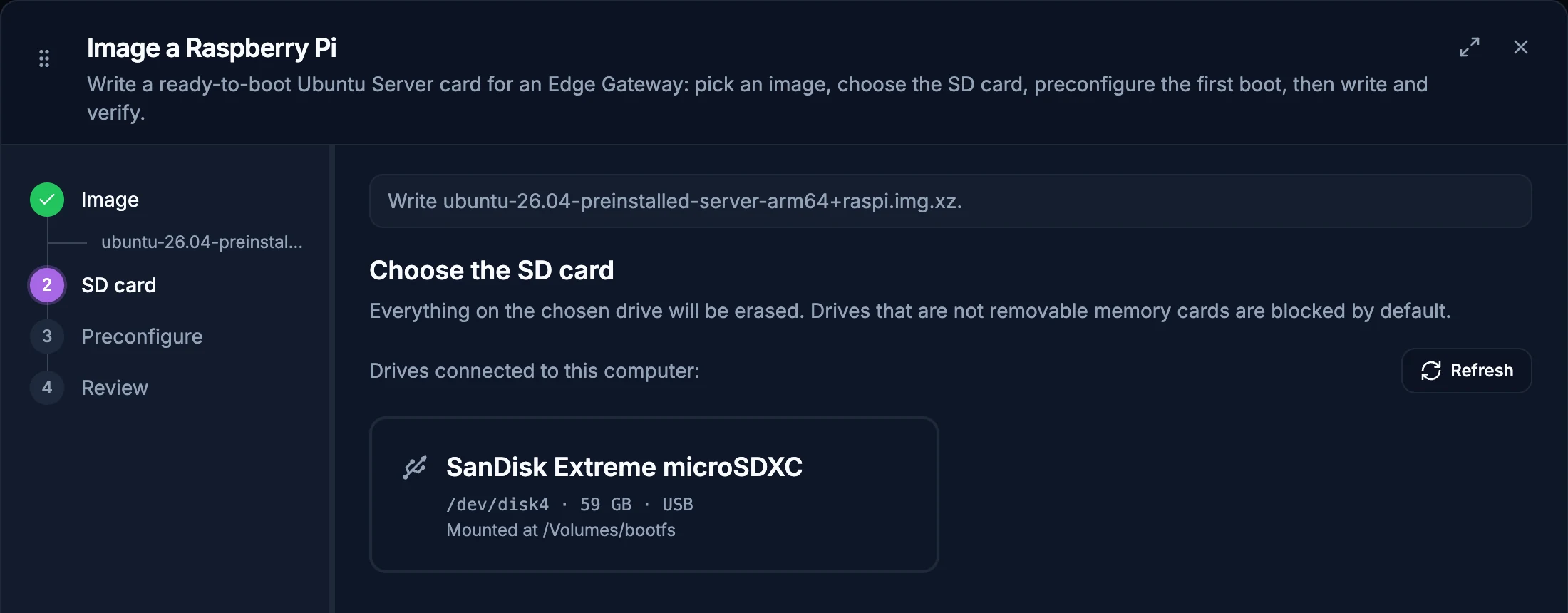
Build a Gateway for development and evaluation from a board you already have. Choose an image and a memory card, and System Manager writes the card, checks it and installs Edge.
Free to evaluate
A Raspberry Pi runs from a microSD card, so use it to evaluate and develop, not for any production site. For production, move to an EpiSensor Gateway: Commercial or Industrial, with Residential coming soon. Edge also runs on your own server with a standalone licence.
 Evaluation Gateway
Online
Evaluation Gateway
Online
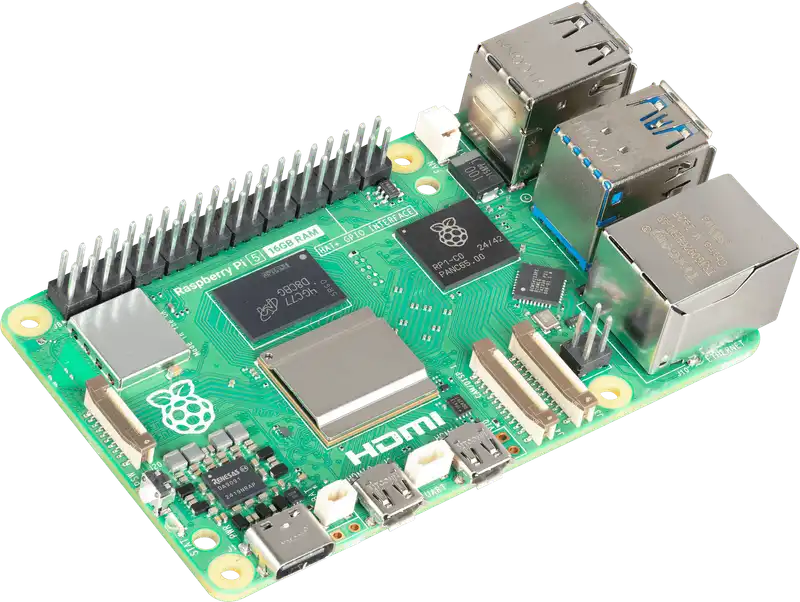
Raspberry Pi 5 photograph by Raspberry Pi Ltd, used under its brand asset guidelines. Raspberry Pi is a trademark of Raspberry Pi Ltd.
Give a folder of Gateways a monitoring rule, and your team hears in Microsoft Teams, Slack or any webhook when one goes offline and when it recovers.
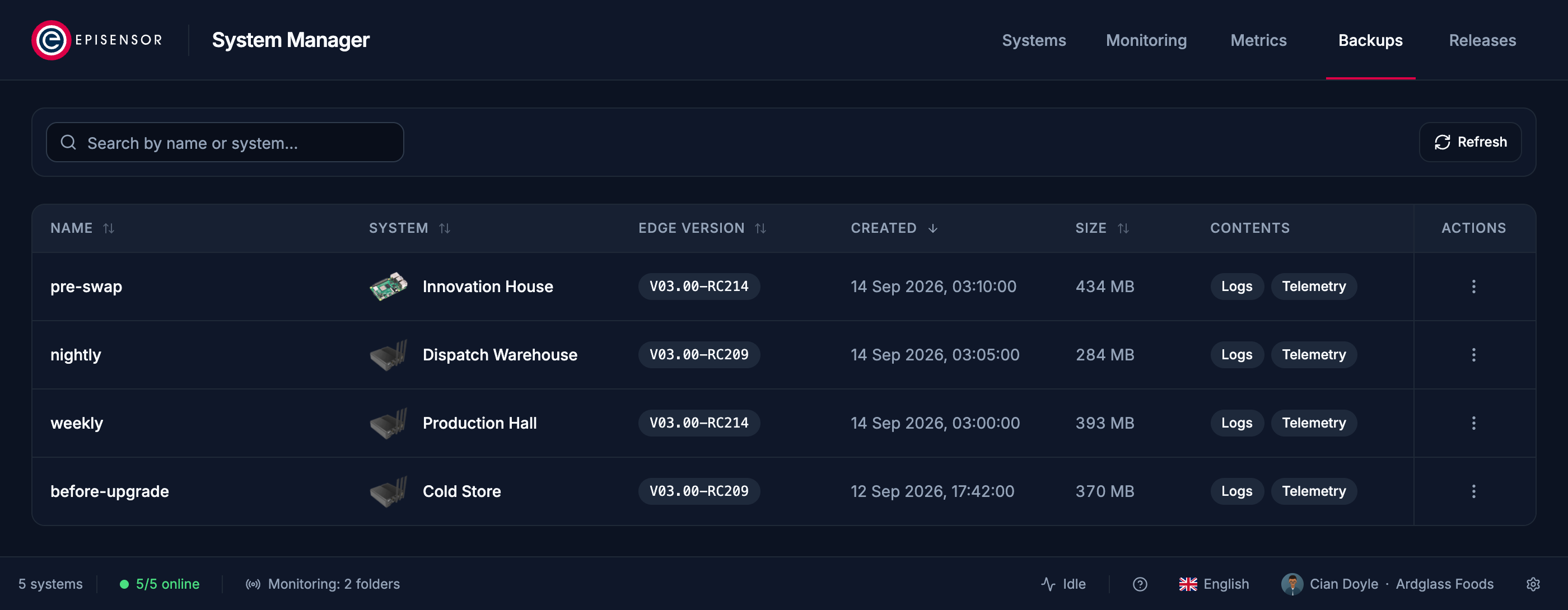
Take a full backup of a Gateway before an upgrade or a hardware swap, and restore it to the same Gateway or a replacement.
Install new Edge releases on one Gateway or a whole folder, and keep System Manager itself up to date automatically.
An Edge licence sets how many devices a Gateway may have. System Manager shows each Gateway's devices against its allowance, and installs a licence file on the Gateway it was issued for.
Scan your network for Gateways, or import a list, and sign in to each one once.
Sign in with your Gateway user to see rooms, devices, charts, rules, alerts and settings.
The app is issued with Edge access. Talk to an engineer to get it.