Aqara SRTS-A01
Radiator thermostat
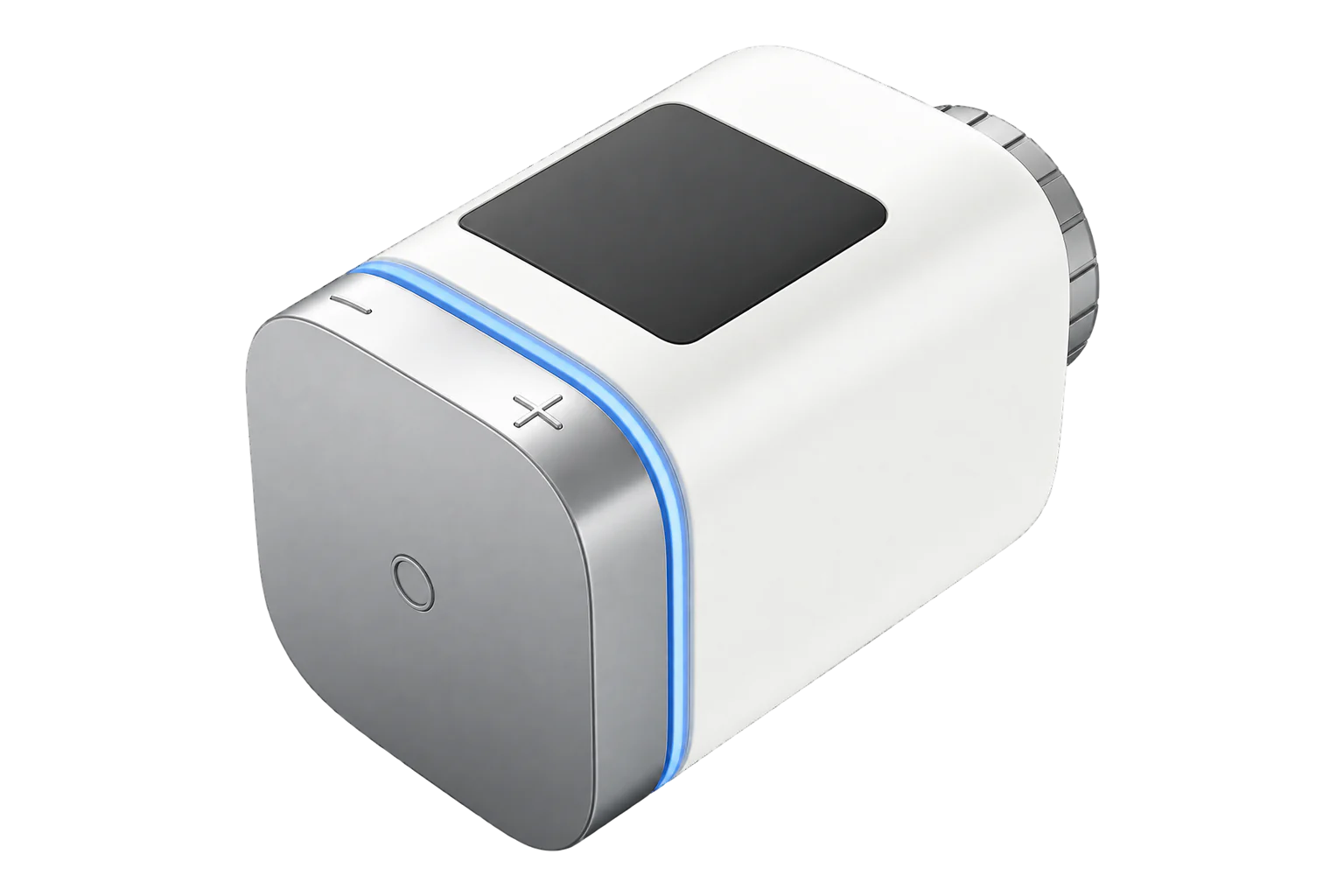
Aqara’s Radiator Thermostat E1: a Zigbee 3.0 valve head for M30 × 1.5 mm valves, with RA, RAV and RAVL adapters in the box, a 5 to 30 °C setpoint, window detection and an input for a room temperature from another sensor. It runs on two AA cells.
Also sold asAqara Smart Radiator Thermostat E1

Compatibility
Compatible with EpiSensor Edge over Zigbee.
Pair it with the Zigbee radio on an EpiSensor Gateway. Edge reads it locally on the Gateway.
Edge reads 23 values from it, listed under Interface.
Connect it with

Specifications
The SRTS-A01 is the model number of Aqara’s Smart Radiator Thermostat E1, a battery-powered head that replaces the thermostatic head on a radiator valve. It screws onto an M30 × 1.5 mm valve body, and the box includes adapters for Danfoss RA, RAV and RAVL valves. Aqara states it works only with thermostatic valves: manual valves, return temperature limiters and monotube systems are not supported without changing the valve.12
- Power
- Battery. Two 1.5 V AA alkaline cells (3 V), supplied and fitted. Aqara rates them for up to one year and says rechargeable cells should not be used.1
- Setpoint range
- 5 to 30 °C3
- Valve connection
- M30 × 1.5 mm thread; RA, RAV and RAVL adapters included1
- Wireless
- Zigbee 3.0, 2405 to 2480 MHz, below 10 dBm1
- Working temperature
- 0 to 40 °C1
- Working humidity
- 0 to 95 % RH, non-condensing1
- Dimensions
- Ø 57 × 89 mm1
- Mounting
- Horizontal or vertical on the valve1
- External temperature input
- 0 to 55 °C3
- Away setpoint
- -10 to 35 °C3
- Valve types
- Thermostatic valves only; not manual, RTL or monotube2
Where it is used
Room-by-room heating setpoints and schedules for radiators in offices, schools and serviced accommodation.
HVAC energy monitoring for commercial buildingsRadiator circuits on a boiler, where the heads’ window and valve alarms show rooms that are losing heat or not controlling.
Boiler performance monitoringRooms left empty for long periods, where the away setpoint and anti-freezing mode protect the pipes without heating the room.
Interface
Readings and settings, with units and ranges where Aqara publishes them. readable, readable and writable, writable only.
| Reading | Unit | Range or values | Access |
|---|---|---|---|
| Measurements 6 | |||
| Setup | - | Binary state | Read only |
| Climate | - | - | Read only |
| Local temperature | °C | - | Read only |
| Calibrated | - | Binary state | Read only |
| Window open | - | Binary state | Read only |
| Valve alarm | - | Binary state | Read only |
| Controls 3 | |||
| Occupied heating setpoint | °C | 5 to 30 °C | Read and write |
| System mode | - | offheat |
Read and write |
| Preset | - | manualawayauto |
Read and write |
| Settings 10 | |||
| Sensor | - | internalexternal |
Read and write |
| External temperature input | °C | 0 to 55 °C | Read and write |
| Calibrate | - | calibrate |
Read and write |
| Child lock | - | Binary state | Read and write |
| Window detection | - | Binary state | Read and write |
| Valve detection | - | Binary state | Read and write |
| Away preset temperature | °C | -10 to 35 °C | Read and write |
| Schedule | - | Binary state | Read and write |
| Schedule settings | - | - | Read and write |
| Identify | - | identify |
Write only |
| Diagnostics 4 | |||
| Voltage | mV | - | Read only |
| Battery | % | 0 to 100 % | Read only |
| Power outage count | - | - | Read only |
| Device temperature | °C | - | Read only |
The local temperature is reported by the head and cannot be requested on demand. It is the internal or the external sensor, whichever is selected.3
The valve alarm only reports when valve detection is enabled. It covers a head that is not fitted properly, a failed valve, a failed calibration and a broken link to an external sensor.3
The setup state shows when the head is in installation mode (E11) and has not yet been fitted and calibrated.3
The battery level can take up to 24 hours to report after pairing. The battery voltage is also reported, in millivolts.3
Setup
-
Fit the head
Pull out the battery insulating tab. Fit the head to the valve within 5 minutes of it starting up, using the RA, RAV or RAVL adapter if the valve needs one, and tighten the nut.1
-
Calibrate the valve
Press the knob 3 times. The display shows F12 during calibration, which takes about 10 seconds, and then the set temperature. The head does not control properly until the valve is calibrated.1
-
Open pairing in Edge
In Edge, open pairing on the Gateway’s Zigbee network. The Gateway accepts new devices while pairing is open.
-
Put the head into pairing mode
Press and hold the knob for 10 seconds until the network indicator flashes. The same press resets the head’s network settings.1
-
Check one reading
Confirm Edge identifies it as Aqara SRTS-A01 and reports it as calibrated. Then compare the local temperature with a reference thermometer in the room.3
Common questions
- Does the SRTS-A01 need an Aqara hub to work with Edge?
- Aqara requires its own Zigbee 3.0 hub for the Aqara Home app, HomeKit and its cloud features. The thermostat itself is a Zigbee 3.0 device with a documented interface, so it joins the Zigbee radio on an EpiSensor Gateway directly and Edge reads and sets it there.13
- Why does the room temperature differ from its reading?
- The head measures next to the radiator, and a vertical fitting sits closer still. Aqara recommends a separate room sensor. Select the external sensor and write the room temperature to the head, and it controls to that value.13
Related devices
Sources
- Smart Radiator Thermostat E1 user manual (opens in a new tab) (PDF)
- Aqara Radiator Thermostat E1 (opens in a new tab)
- Aqara SRTS-A01 device documentation (opens in a new tab)
- Aqara SRTS-A01 Zigbee definition (opens in a new tab)
Further reading
Product names and trademarks belong to their owners. Publication does not imply endorsement or a commercial relationship.