Carlo Gavazzi EM330/EM340
Three-phase energy meter
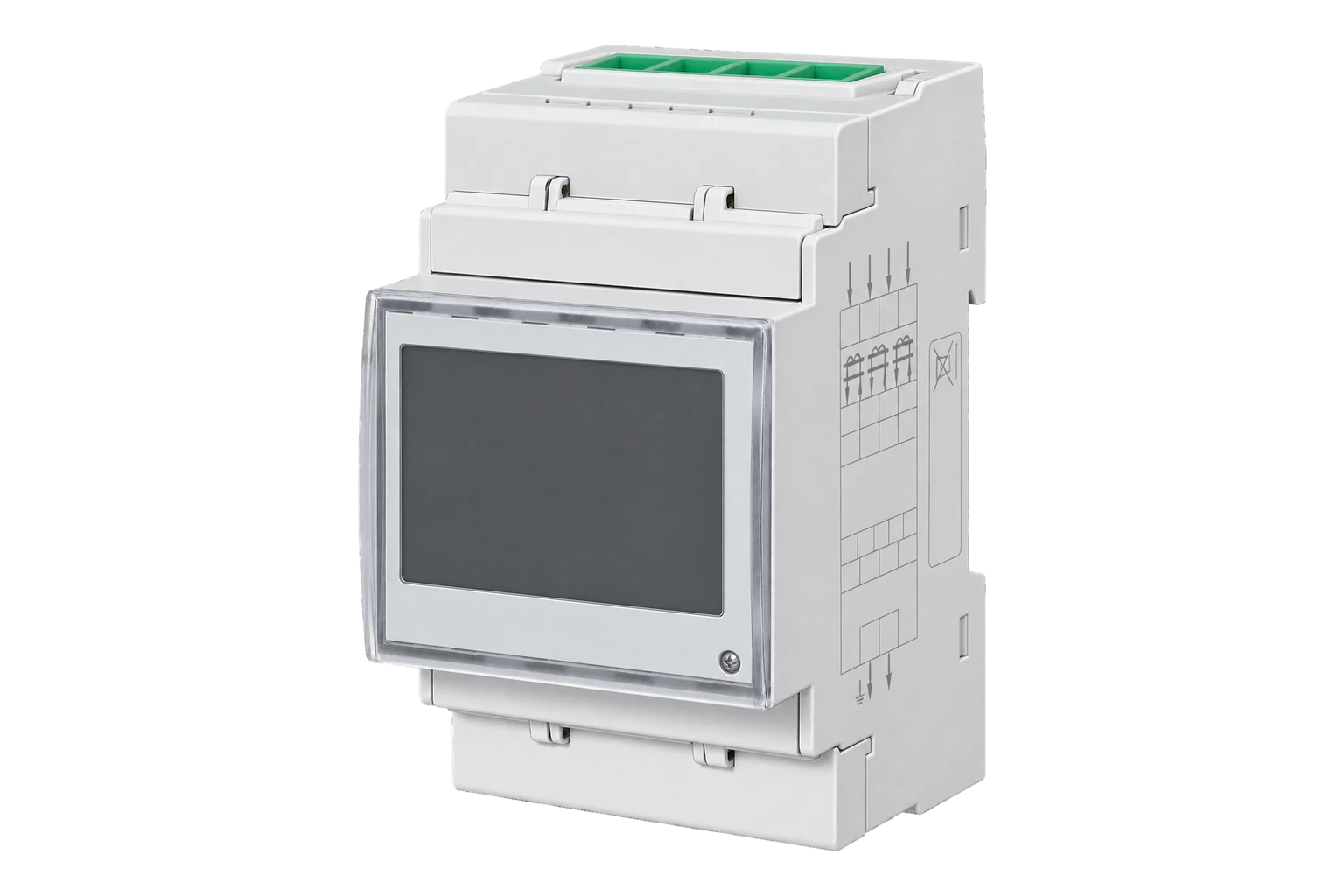
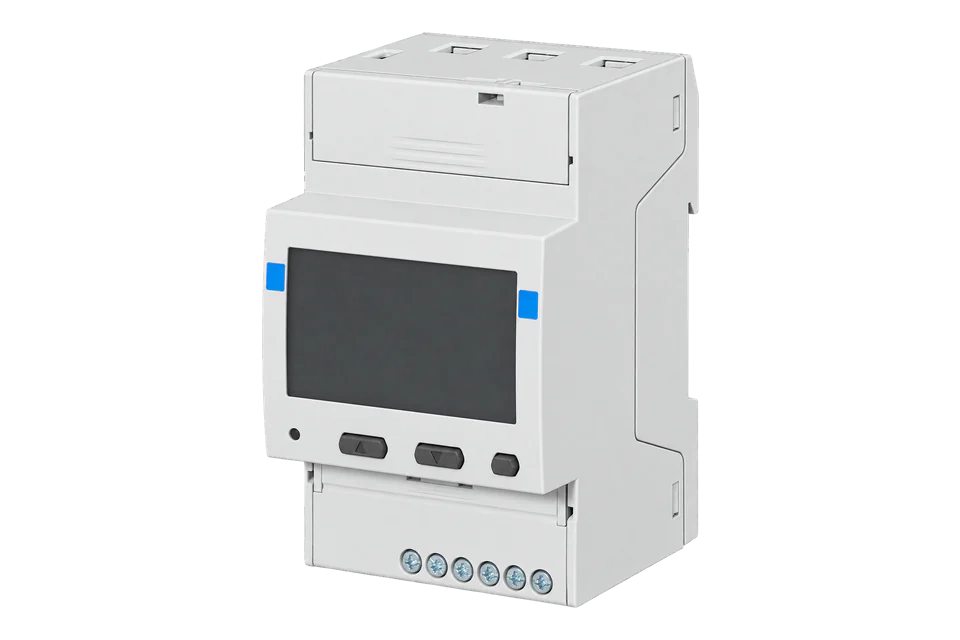
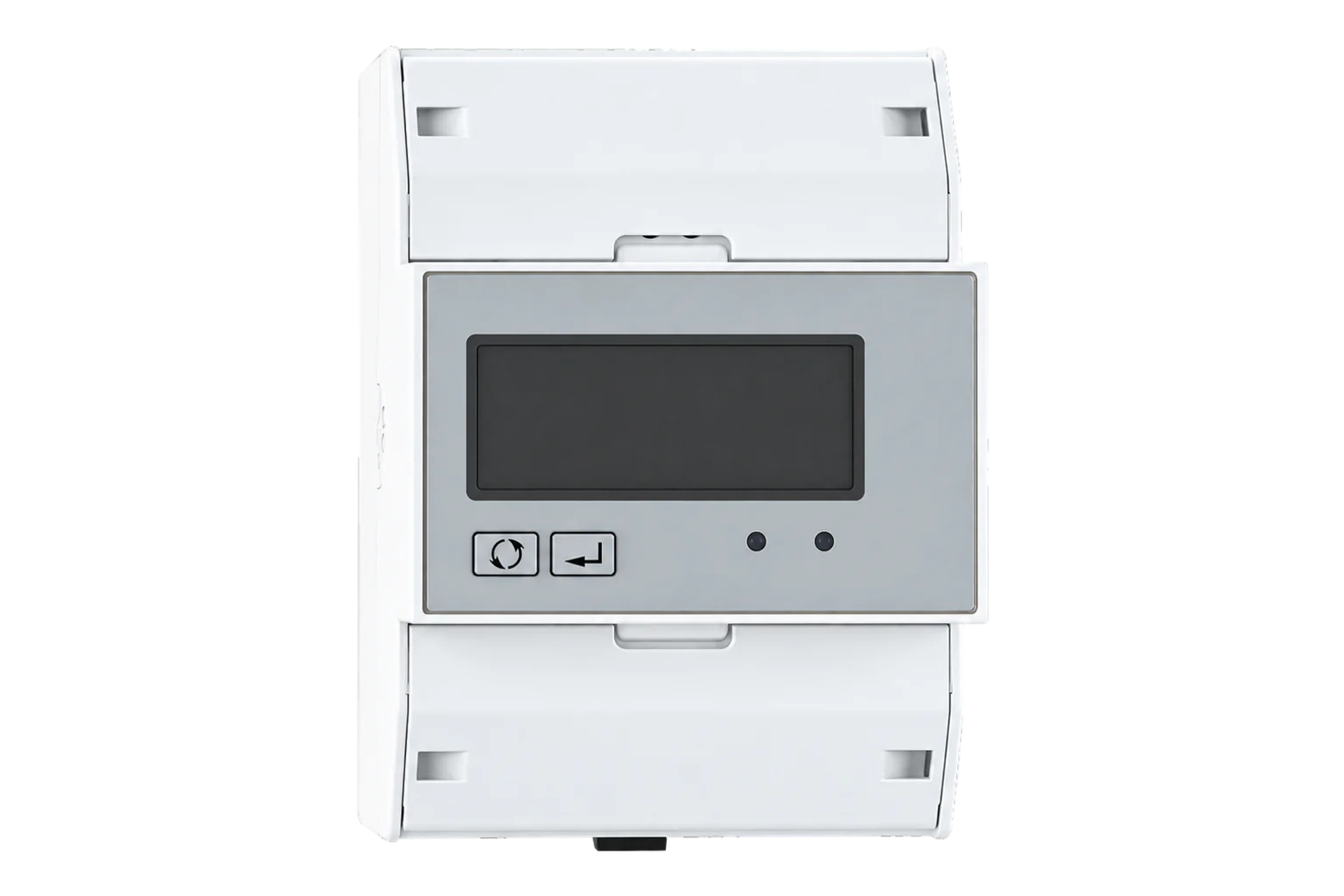
Two three-phase DIN-rail energy meters on one register map: the EM340 connects directly up to 65 A and powers itself, the EM330 reads 5 A current transformers. Both have Class 1 active energy and an optional RS-485 Modbus port.
Also sold asEM340-DINEM330-DIN
Compatibility
Compatible with EpiSensor Edge over Modbus RTU.
Connect its RS-485 port to a Modbus Interface or to a serial interface on the Gateway. Edge polls it with its Modbus client.
Edge reads 30 values from it, listed under Interface.
Connect it with
-
Modbus Interface ZMB-3XFrom €399 ex VAT Configure Modbus Interface
-
Gateway ZGW-20From €899 ex VAT Configure Gateway


Specifications
The EM340 is a three-phase energy meter in a 3-module DIN-rail housing for direct connection up to 65 A. It takes its supply from the measured voltage, so there is nothing else to wire. It measures phase and line voltage, current, active, apparent and reactive power, power factor and frequency, and keeps imported and exported kWh and kvarh, kWh per phase, two tariffs and power demand.1
- Power
- Mains. The EM340 powers itself from the measured voltage, within ±20 % of its rating. The EM330 needs an auxiliary supply of 100 to 240 V AC/DC, drawing up to 1 W.1
- Current (EM340, AV2)
- 5(65) A direct connection1
- Voltage (EM340, AV2)
- 208 to 400 V L-L AC1
- Current (EM330, AV5)
- 5(6) A through current transformers2
- Voltage (EM330, AV5)
- 400 to 480 V L-L, 230 to 277 V L-N AC2
- Active energy accuracy
- Class 1 (EN 62053-21); Class B (EN 50470-3)1
- Reactive energy accuracy
- Class 2 (EN 62053-23)1
- Voltage and current accuracy
- ±0.5 % of reading1
- Systems
- 3-phase 3-wire and 4-wire, 2-phase 3-wire1
- RS-485 port (S1 option)
- Modbus RTU, 9.6 to 115.2 kbit/s, 1/8 unit load, up to 247 meters on one bus1
- Legal metrology
- MID certified with the PF option, for imported energy1
- Digital input
- One voltage-free input for tariff switching1
- Dimensions
- 54 × 90 × 63 mm, 3 DIN modules1
- Protection
- IP51 front, IP20 terminals1
- Operating temperature (EM340)
- -25 to 55 °C (PF), -25 to 65 °C (X)1
Where it is used
Solar PV and battery sites that need imported and exported kWh from one three-phase meter, using the EM340 in bidirectional mode.
Solar PV monitoringTenant and departmental cost allocation, where the MID-certified PF version gives a billing-grade imported kWh register.
Tenant submetering and cost allocationDistribution boards and feeders above 65 A, with the EM330 on 5 A current transformers.
Transformer and distribution board monitoring
Interface
This register map applies to the EM330-DIN S1 and EM340-DIN S1.
Communication settings
- Protocol
- Modbus RTU (JBUS) over RS-485
- Unit address
- 1 to 247
- Baud rate
- 9600 (default), 19200, 38400, 57600 or 115200 bit/s
- Parity and stop bits
- No parity (default) or even parity; 1 stop bit with even parity
- Registers per request
- Up to 50
- Timing
- 500 ms answering time; wait 40 ms before the next query
- Bus termination
- 120 Ω across A and B at the master; link A- to T on the last meter
- Bus length
- A repeater is needed beyond 1,000 m or 160 meters
- Read with
- FC04 (FC03 returns the same values)
- Word order
- Low word first on each 32-bit value
- Addresses
- Zero-based PDU addresses, as sent on the bus
From EM300 Series and ET300 Series communication protocol, version 2 revision 173.
Register map
| Point | Address | Hex | Format | Scale | Unit |
|---|---|---|---|---|---|
| Voltage L1-N | 0 | 0x0000 |
INT32 | ×0.1 | V |
| Voltage L2-N | 2 | 0x0002 |
INT32 | ×0.1 | V |
| Voltage L3-N | 4 | 0x0004 |
INT32 | ×0.1 | V |
| Voltage L1-L2 | 6 | 0x0006 |
INT32 | ×0.1 | V |
| Voltage L2-L3 | 8 | 0x0008 |
INT32 | ×0.1 | V |
| Voltage L3-L1 | 10 | 0x000A |
INT32 | ×0.1 | V |
| Current L1 | 12 | 0x000C |
INT32 | ×0.001 | A |
| Current L2 | 14 | 0x000E |
INT32 | ×0.001 | A |
| Current L3 | 16 | 0x0010 |
INT32 | ×0.001 | A |
| Active Power L1 | 18 | 0x0012 |
INT32 | ×0.1 | W |
| Active Power L2 | 20 | 0x0014 |
INT32 | ×0.1 | W |
| Active Power L3 | 22 | 0x0016 |
INT32 | ×0.1 | W |
| Average Voltage L-N | 36 | 0x0024 |
INT32 | ×0.1 | V |
| Average Voltage L-L | 38 | 0x0026 |
INT32 | ×0.1 | V |
| Total Active Power | 40 | 0x0028 |
INT32 | ×0.1 | W |
| Total Apparent Power | 42 | 0x002A |
INT32 | ×0.1 | VA |
| Total Reactive Power | 44 | 0x002C |
INT32 | ×0.1 | VAr |
| Power Factor L1 | 46 | 0x002E |
INT16 | ×0.001 | - |
| Power Factor L2 | 47 | 0x002F |
INT16 | ×0.001 | - |
| Power Factor L3 | 48 | 0x0030 |
INT16 | ×0.001 | - |
| Total Power Factor | 49 | 0x0031 |
INT16 | ×0.001 | - |
| Frequency | 51 | 0x0033 |
INT16 | ×0.1 | Hz |
| Import Active Energy | 52 | 0x0034 |
INT32 | ×0.1 | kWh |
| Import Reactive Energy | 54 | 0x0036 |
INT32 | ×0.1 | kVArh |
| Active Power Demand | 56 | 0x0038 |
INT32 | ×0.1 | W |
| Peak Active Power Demand | 58 | 0x003A |
INT32 | ×0.1 | W |
| Import Active Energy Tariff 1 | 70 | 0x0046 |
INT32 | ×0.1 | kWh |
| Import Active Energy Tariff 2 | 72 | 0x0048 |
INT32 | ×0.1 | kWh |
| Export Active Energy | 78 | 0x004E |
INT32 | ×0.1 | kWh |
| Export Reactive Energy | 80 | 0x0050 |
INT32 | ×0.1 | kVArh |
Download the EM330-DIN S1 / EM340-DIN S1 register map as CSV
Edge template
This JSON file supplies the register map. Applying it to an existing meter replaces its sensor list while retaining the site connection, unit ID and enable state.
| Model | Connection | Points | Version | Updated | Download |
|---|---|---|---|---|---|
| EM330-DIN S1 / EM340-DIN S1 | Modbus RTU (JBUS) over RS-485 | 30 | 1.0.0 | Download |
Downloads need a signed-in account with Edge download access.
Use the template in Edge
- Import the JSON file
In Edge, open Settings, then Devices and Templates. Choose Import JSON and select the downloaded file. Confirm that the model and template name match your device.
- Load the map for your meter
For a new Modbus device, use Load Template before entering the manufacturer or model; it fills those fields and the register list. Set the name, site connection and unit ID, check the polling enable state, then test before saving. For an existing device, apply only to the matching model; this replaces its sensor list but retains its connection, unit ID and enable state.
- Test a reading
Use Test in the wizard and compare a known reading with the meter display. Check its unit, sign and scale, then confirm that timestamps keep advancing. These starter maps are read-only and leave exports off until you configure them.
Setup
-
Check the order code
Only S1 models have the RS-485 Modbus port, as in EM340-DIN AV2 3 X S1 PF B. O1 is a pulse output and M1 is M-Bus.1
-
Wire and terminate the bus
Run a balanced AWG24 pair with a third wire for ground from a ZMB-31 or the Gateway's serial interface. Fit 120 Ω across A and B at the master end, and link terminal A- to T on the last meter.3
-
Set address and speed
Give each meter a unique address from 1 to 247 and pick the baud rate and parity. The defaults are 9600 bit/s and no parity; set Edge to match.3
-
Choose the measurement mode
For solar PV or any circuit that exports, use bidirectional mode (measurement B, or a PFB meter). In easy connection mode every direction adds to imported kWh and exported kWh stays at zero.3
-
Read the identification code
Import the Edge template, then read register 11 (000Bh) on its own. An EM340 answers 341 and an EM330 answers 331 or 332. Then compare Voltage L1-N at register 0 with the display.3
Common questions
- What is the difference between the EM330 and the EM340?
- The EM340 connects directly up to 65 A and powers itself from the measured supply. The EM330 reads 5 A current transformers, needs a 100 to 240 V AC/DC auxiliary supply, and adds a run-hour meter and neutral current. Both share the register map on this page.123
- Does the EM340 have Modbus TCP?
- No. The only Modbus port is RS-485, on S1 models, and there is no Ethernet version in the EM330 or EM340 order codes. Read it over RS-485, or put an RS-485 to Modbus TCP converter in front of it.12
- How are 32-bit values ordered?
- Least significant word first, with the most significant byte first inside each word. In Edge that is big-endian bytes with word swap on every INT32 register. Power factor and frequency are single 16-bit registers.3
- Why is exported energy always zero?
- The meter is in easy connection mode (measurement A or a PFA meter), which counts every direction as imported. Exported kWh at register 78 only counts in bidirectional mode, measurement B or PFB.3
- How do I read energy with more resolution?
- EM340 meters made from 1 October 2018 also hold total kWh and kvarh as separate integer and decimal parts from register 1024 (0400h), giving 0.001 kWh resolution. The standard registers read in steps of 0.1 kWh.3
- Can the EM340 be used for billing?
- The PF versions are certified under the Measuring Instruments Directive for legal metrology. The certification covers imported active energy only.1
Related devices

Sources
- EM340 three-phase energy meter datasheet (DS 280222) (opens in a new tab) (PDF)
- EM330 three-phase energy meter datasheet (DS 030423) (opens in a new tab) (PDF)
- EM300 Series and ET300 Series communication protocol, version 2 revision 17 (opens in a new tab) (PDF)
- Carlo Gavazzi EM330/EM340 device template (opens in a new tab)
Further reading
Product names and trademarks belong to their owners. Publication does not imply endorsement or a commercial relationship.