Tuya ZF24Pro
Presence, temperature and humidity sensor
A Zigbee presence sensor that also reports room temperature, humidity, light level and the distance to the person it detects, with a maximum detection distance you set from 0.75 to 9 m.
Also sold asTuya ZT24Pro
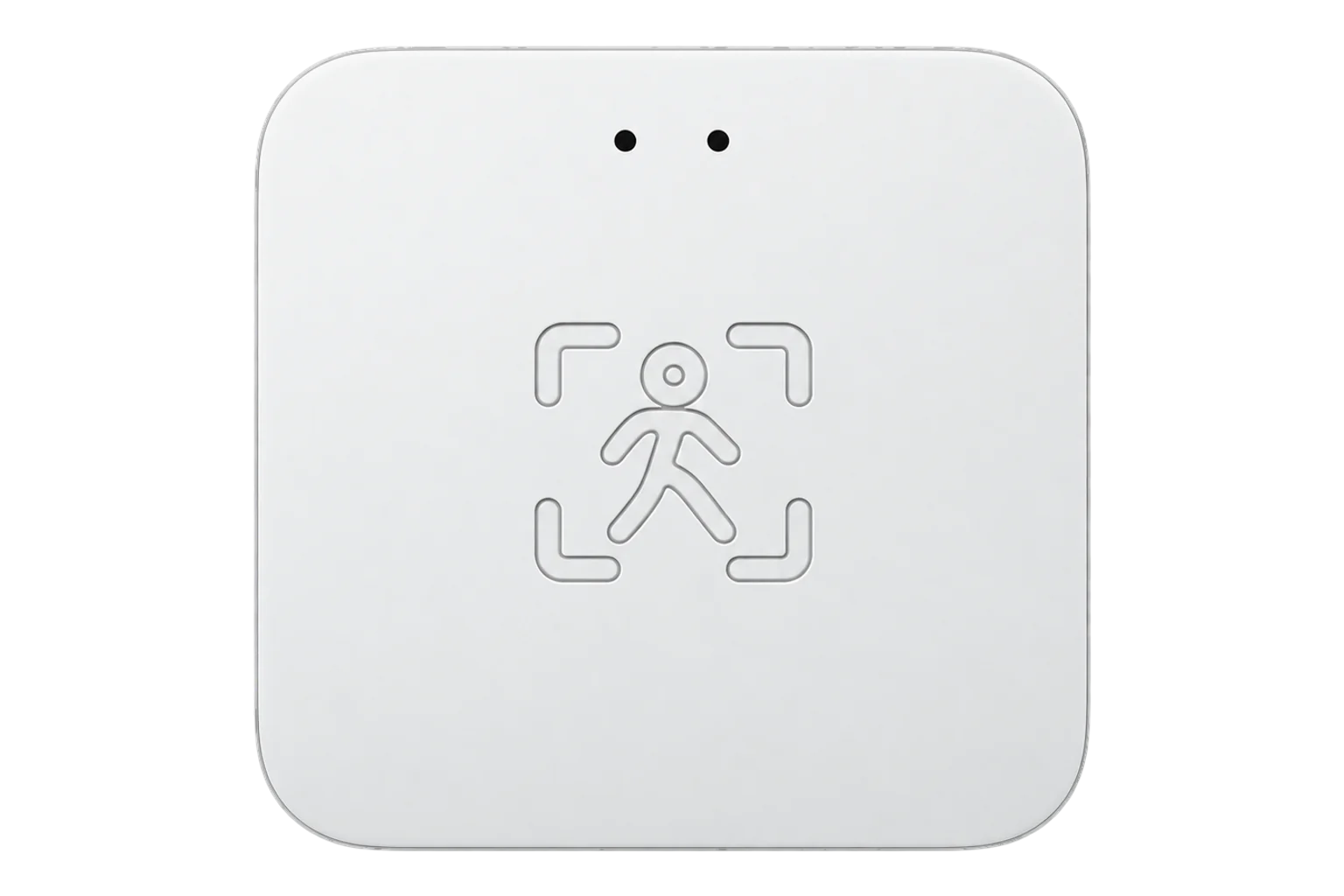
- Zigbee
Presence, temperature and humidity sensor
Compatibility
Compatible with EpiSensor Edge over Zigbee.
Pair it with the Zigbee radio on an EpiSensor Gateway. Edge reads it locally on the Gateway.
Edge reads 17 values from it, listed under Interface.
Connect it with
-
Gateway ZGW-20From €899 ex VAT Configure Gateway

Specifications
It is a Tuya device, so its readings travel as numbered data points in Tuya's private cluster 0xEF00 rather than in the standard Zigbee occupancy and measurement clusters. Data point 1 is presence, 9 the target distance in centimetres, 22 the temperature in tenths of a degree, 23 the relative humidity and 102 the light level. Edge reads them as named readings for the fingerprints _TZE28C1000000_vosmoqsg and _TZE28C1000000_ewn672ef.12
- Readings
- Presence, target distance, temperature, humidity and light level2
- Maximum detection distance
- 0.75 to 9 m, set in 0.75 m steps2
- Presence timeout
- 1 to 600 s2
- Sensitivity
- 1 to 10, separately for movement and for presence2
- Temperature offset
- -1.5 to 1.5 °C in 0.5 °C steps2
- Humidity offset
- -10 to 10 %2
- Data transport
- Tuya private cluster 0xEF00, numbered data points1
- Zigbee identity
- TS0601, _TZE28C1000000_vosmoqsg, or _TZE28C1000000_ewn672ef as the ZT24Pro2
Where it is used
Meeting rooms and offices, to compare heating, cooling and lighting run hours with the hours a room is actually used, with the room temperature from the same device.
HVAC energy monitoring for commercial buildingsRoom temperature and humidity beside presence, so a warm or humid reading can be read against whether the room was occupied.
Indoor environmental monitoringSmall rooms where one device should cover presence and climate, and a separate temperature sensor would be one more thing to fit.
Interface
Readings and settings, with units and ranges where Tuya publishes them. readable, readable and writable.2
| Reading | Unit | Range or values | Access |
|---|---|---|---|
| Measurements 5 | |||
| PresenceData point 1 | - | Binary state | Read only |
| Target distanceDistance to the detected person. Data point 9. | m | - | Read only |
| TemperatureReported in tenths of a degree. Data point 22. | °C | - | Read only |
| Relative humidityData point 23 | % | - | Read only |
| IlluminanceData point 102 | lx | - | Read only |
| Controls 1 | |||
| RadarRadar on or off. Data point 109. | - | ONOFF |
Read and write |
| Settings 11 | |||
| Maximum detection distance0.75 m steps. Data point 4. | m | 0.75 to 9 m | Read and write |
| Presence timeoutTime before presence clears. Data point 101. | s | 1 to 600 s | Read and write |
| Movement sensitivityData point 2 | - | 1 to 10 | Read and write |
| Presence sensitivityData point 103 | - | 1 to 10 | Read and write |
| Temperature offset0.5 °C steps. Data point 110. | °C | -1.5 to 1.5 °C | Read and write |
| Humidity offsetData point 111 | % | -10 to 10 % | Read and write |
| Function switchEffect not documented. Data point 104. | - | ONOFF |
Read and write |
| Living room modeData point 105 | - | ONOFF |
Read and write |
| Bedroom modeData point 106 | - | ONOFF |
Read and write |
| Bathroom modeData point 107 | - | ONOFF |
Read and write |
| Sleep modeData point 108 | - | ONOFF |
Read and write |
Tuya devices carry their readings as data points in the private cluster 0xEF00. Each data point has an id, a type (raw, bool, value, string, enum or bitmap) and a value.1
Temperature arrives in tenths of a degree and distances in centimetres, and both are scaled on decode. The temperature offset is written in tenths of a degree too.2
The ZF24, ZT24 and ZX24 are presence-only models with different fingerprints. The climate data points on this page apply to the ZF24Pro and ZT24Pro only.2
Setup
-
Open pairing in Edge
In Edge, open pairing on the Gateway’s Zigbee network. The Gateway accepts new devices while pairing is open.
-
Power it and start pairing
Power the sensor and put it into pairing mode as its instruction card describes.
-
Confirm the join
Check that Edge identifies it as Tuya ZF24Pro, with the fingerprint _TZE28C1000000_vosmoqsg, or _TZE28C1000000_ewn672ef for a ZT24Pro. A presence-only ZF24 has no temperature or humidity readings.2
-
Set the zone
Set the maximum detection distance to the room in 0.75 m steps, and a presence timeout between 1 and 600 s. Sit still inside the zone and confirm presence holds.2
-
Check the climate readings
Compare temperature and humidity with a reference instrument placed beside the sensor. If they differ, write the offsets from Edge, up to ±1.5 °C and ±10 %.2
Common questions
- Does the ZF24Pro need a Tuya hub?
- No. It is a Zigbee device and joins the Zigbee radio on an EpiSensor Gateway directly. Edge decodes its Tuya data points locally, without a Tuya hub or the Tuya cloud.12
- What is the ZT24Pro?
- The same sensor under another name. It reports the fingerprint _TZE28C1000000_ewn672ef and uses the same data points, so it reads the same way.2
- How is it different from the ZF24?
- The ZF24 is the presence-only model and uses the same presence data points. The ZF24Pro adds temperature on data point 22, humidity on 23 and the two calibration offsets on 110 and 111.2
Related devices

Sources
- Zigbee Generic Interfaces (opens in a new tab)
- Tuya ZF24Pro device definition (opens in a new tab)
- Tuya ZF24Pro device documentation (opens in a new tab)
Further reading
Product names and trademarks belong to their owners. Publication does not imply endorsement or a commercial relationship.