Tuya PJ-1203A
Two-channel energy meter
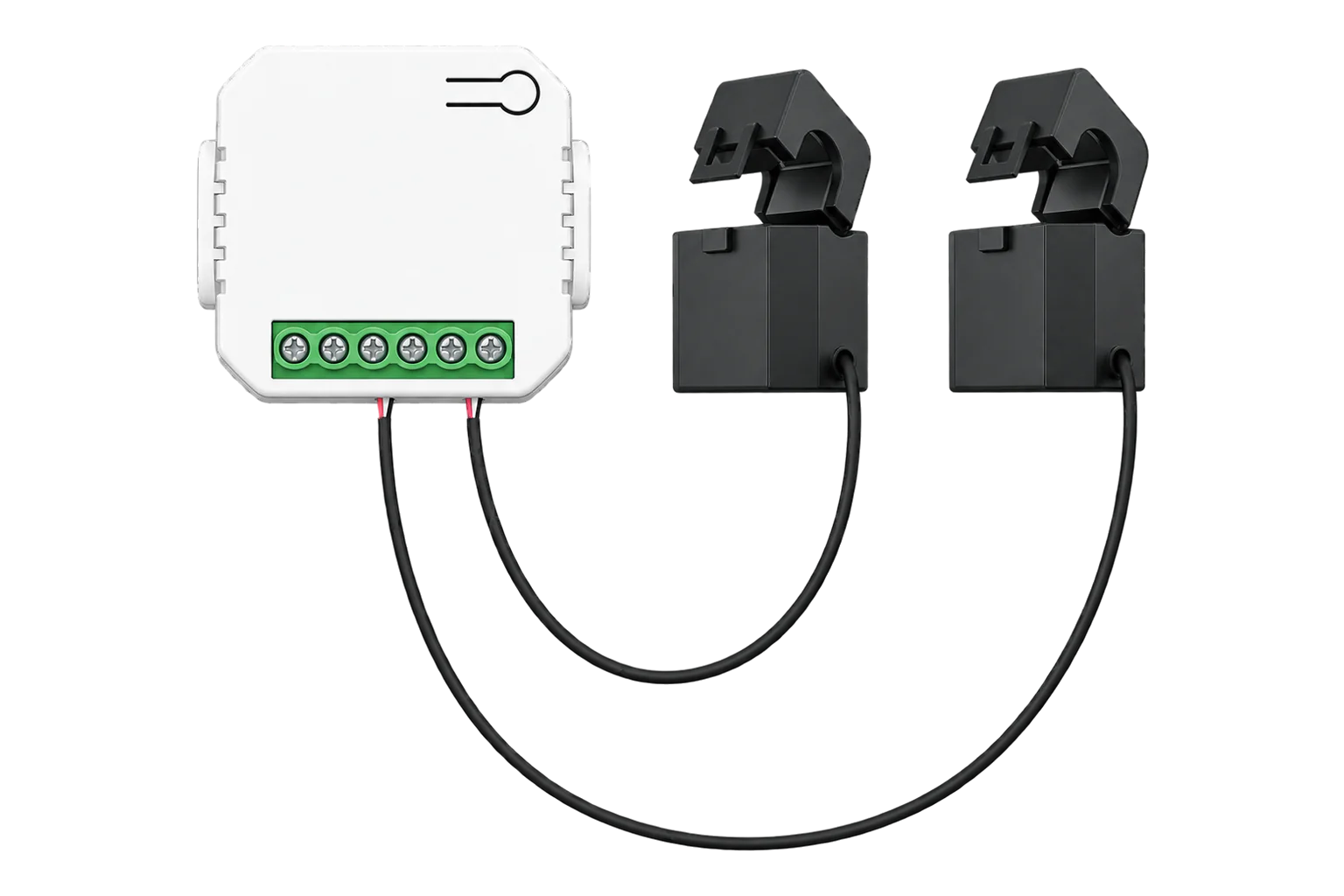
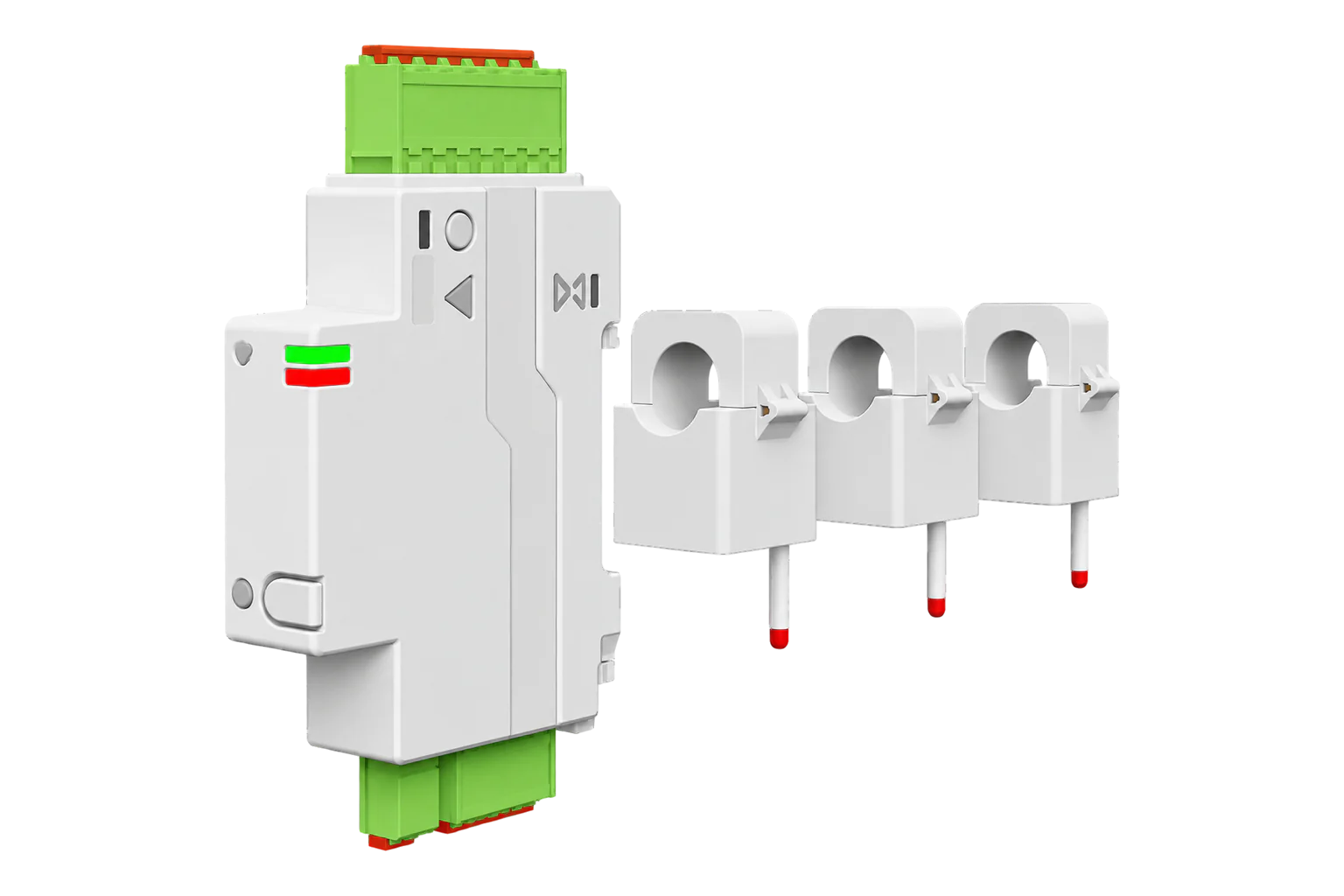
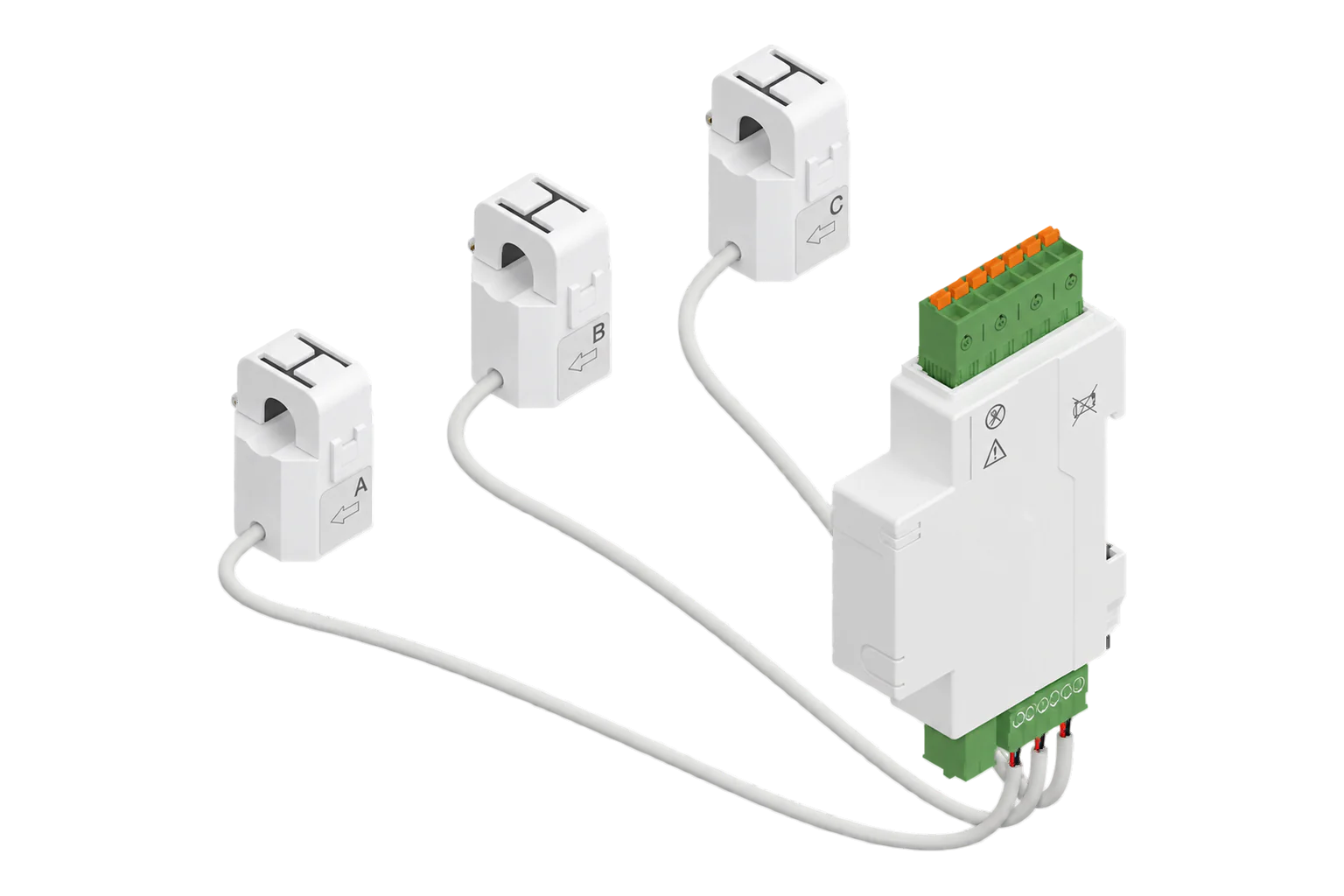
A two-channel Zigbee energy meter with 80 A current clamps. It shares one voltage and frequency measurement between channels A and B, and reports each channel's power, current, power factor, flow direction and imported and exported energy.
Compatibility
Compatible with EpiSensor Edge over Zigbee.
Pair it with the Zigbee radio on an EpiSensor Gateway. Edge reads it locally on the Gateway.
Edge reads 18 values from it, listed under Interface.
Connect it with

Specifications
The PJ-1203A is a single-phase energy meter with two current clamps rated at 80 A. It measures the supply voltage and frequency once, and power, current, power factor and energy separately on channel A and channel B. It measures in both directions, so one clamp can sit on the grid supply and the other on a solar inverter feed.23
- Power
- Mains. Reports a single-phase mains supply as its power source when it joins. No supply voltage range is published for it.4
- Channels
- 2 current channels (A and B), one voltage measurement3
- Current clamps
- 80 A3
- Update interval
- 3 to 60 s, 10 s default3
- Energy totals
- Imported and exported, per channel, in steps of 0.01 kWh3
- Power resolution
- 0.1 W, with a separate direction flag3
- Current resolution
- 0.001 A3
- Voltage resolution
- 0.1 V3
- Frequency resolution
- 0.01 Hz3
- Zigbee role
- Router, mains powered4
- Data transport
- Tuya datapoints on cluster 0xEF001
- Zigbee identity
- TS0601, _TZE204_81yrt3lo, _TZE284_81yrt3lo, _TZE28C1000000_81yrt3lo3
Where it is used
Solar generation and grid import and export on a single-phase supply, with one clamp on each.
Solar PV monitoringTrend monitoring of two circuits on the same phase, such as a heat pump and an immersion heater.
Heat pump performance monitoring
Interface
On the Zigbee network it joins as a router and extends the mesh for other devices.4
Readings and settings, with units and ranges where Tuya publishes them. readable, readable and writable.
| Reading | Unit | Range or values | Access |
|---|---|---|---|
| Measurements 17 | |||
| AC frequency | Hz | - | Read only |
| Voltage | V | - | Read only |
| Power a | W | - | Read only |
| Power b | W | - | Read only |
| Power ab | W | - | Read only |
| Current a | A | - | Read only |
| Current b | A | - | Read only |
| Power factor a | % | - | Read only |
| Power factor b | % | - | Read only |
| Energy flow a | - | consumingproducingsign |
Read only |
| Energy flow b | - | consumingproducingsign |
Read only |
| Energy a | kWh | - | Read only |
| Energy b | kWh | - | Read only |
| Energy produced a | kWh | - | Read only |
| Energy produced b | kWh | - | Read only |
| Timestamp a | - | - | Read only |
| Timestamp b | - | - | Read only |
| Settings 1 | |||
| Update frequency | s | 3 to 60 s | Read and write |
Every reading and setting travels as a Tuya datapoint on the private cluster 0xEF00 on endpoint 1, not on the standard Zigbee metering clusters. Edge decodes them through the PJ-1203A definition, which is why the manufacturer name has to match.14
Direction is a separate datapoint for each channel. Read power together with its energy flow value: a producing channel is exporting even though its power reads as a positive number.3
The direction can lag by one update interval after a change between consuming and producing. Confirm a change of direction on the next update before you act on it.2
Ignore the meter's own A plus B power datapoint, which is wrong on this model, and add the two channels in Edge instead.3
Setup
-
Open pairing in Edge
Open pairing on the Gateway's Zigbee network in Edge, then put the meter into pairing mode as its instructions describe.
-
Check the identity
Edge should report model TS0601 and manufacturer _TZE204_81yrt3lo, _TZE284_81yrt3lo or _TZE28C1000000_81yrt3lo. Other two-clamp meters also report TS0601 but use different datapoints, so the manufacturer name decides which definition applies.3
-
Set the update interval
The meter reports every 10 seconds by default. Set it anywhere from 3 to 60 seconds from Edge; a longer interval means less Zigbee traffic.3
-
Check each channel's direction
Switch on a known load on each clamped circuit. The channel should read consuming, with power close to the load's rating. A channel that reads producing on a pure load has its clamp the wrong way round. Give it one more update before you judge, because the direction can arrive one interval late.2
Common questions
- Why does the direction sometimes read wrong for a few seconds?
- Some PJ-1203A units report the direction of flow one update late. For one update interval after the flow changes between consuming and producing, the direction can be wrong. The next update corrects it.2
- How does it report exported energy?
- Each channel has two energy totals: energy consumed and energy produced, both in kWh. Power is reported as a magnitude with a separate consuming or producing flag.3
- Can I use its combined A plus B power?
- No. The meter's own combined value is wrong on this model. Add channel A and channel B instead.3
- Why does it need its own definition?
- It does not use the standard Zigbee metering clusters. It sends Tuya datapoints on cluster 0xEF00 and reports the generic model TS0601. Tuya's manufacturer name is a prefix followed by the product ID, here 81yrt3lo, and the definition matches on it to know what each datapoint means.13
Related devices
Sources
- Zigbee Generic Interfaces (opens in a new tab)
- Tuya PJ-1203A device documentation (opens in a new tab)
- Tuya device definitions, PJ-1203A (opens in a new tab)
- New device support request for TS0601 _TZE204_81yrt3lo, with the device interview (opens in a new tab)
Further reading
Product names and trademarks belong to their owners. Publication does not imply endorsement or a commercial relationship.