Aqara TH-S04D
Climate sensor with display and buttons
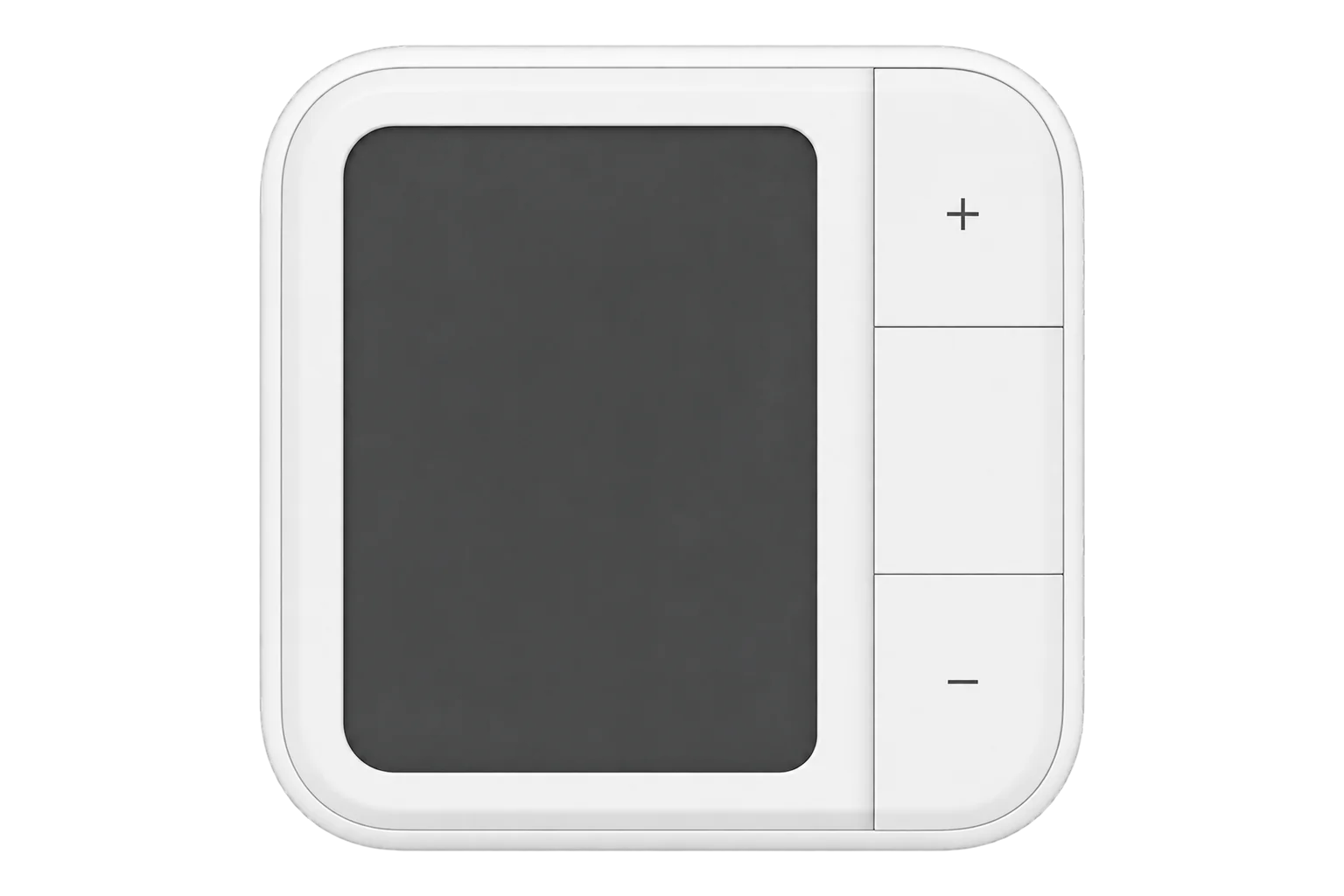
The Aqara Climate Sensor W100: a temperature and humidity sensor with a 3.4-inch LCD and three buttons, rated ±0.2 °C and ±2 % RH. It ships on Thread and switches to Zigbee, and runs on two CR2450 cells for up to 2.4 years on Zigbee.
Also sold asAqara Climate Sensor W100
Compatibility
Compatible with EpiSensor Edge over Zigbee.
Pair it with the Zigbee radio on an EpiSensor Gateway. Edge reads it locally on the Gateway.
Edge reads 27 values from it, listed under Interface.
Connect it with

Specifications
The TH-S04D is the Aqara Climate Sensor W100 with its wall bracket and screw kit; the TH-S04E is the same sensor without them. It measures air temperature and relative humidity, which Aqara rates at ±0.2 °C and ±2 % RH, and shows them on a 3.4-inch LCD. It works from -20 to 60 °C and 0 to 98 % RH without condensation, indoors only.13
- Power
- Battery. Two 3 V CR2450 coin cells, rated for up to 2.4 years on Zigbee in typical use.1
- Temperature accuracy
- ±0.2 °C1
- Humidity accuracy
- ±2 % RH1
- Operating temperature
- -20 to 60 °C2
- Operating humidity
- 0 to 98 % RH, non-condensing2
- Display
- 3.4-inch LCD1
- Wireless
- Zigbee or Thread, plus Bluetooth; ships on Thread2
- Buttons
- Three, for thermostat settings or as wireless switches3
- Setpoint range
- 5 to 30 °C, in 0.5 °C steps4
- Sampling period
- 0.5 to 600 s4
- Reporting thresholds
- 0.2 to 3 °C and 2 to 10 % RH4
- Reporting periods
- 1 to 600 s4
- Dimensions
- 86 × 86 × 13.65 mm2
- Mounting
- Desk stand, or wall bracket and screws (TH-S04D only)3
- Enclosure
- Indoor only, not waterproof3
- Firmware updates
- Over the air4
Where it is used
Room temperature and humidity in offices, meeting rooms and hotel rooms, on a screen people can read.
Indoor environmental monitoringA room control point: occupants change a setpoint, mode or fan speed on the buttons, and an automation passes the change to the heating or cooling plant.
Wireless buttons beside a room reading, with each press reported as an event for an automation to act on.
Interface
Readings and settings, with units and ranges where Aqara publishes them. readable, readable and writable, writable only.134
| Reading | Unit | Range or values | Access |
|---|---|---|---|
| Measurements 5 | |||
| TemperatureAir temperature, ±0.2 °C. | °C | - | Read only |
| Relative humidityRelative humidity, ±2 %. | % | - | Read only |
| Thermostat temperatureThe temperature the thermostat function uses. | °C | - | Read only |
| Button eventWhat was pressed, when thermostat mode is off. | - | single_plussingle_centersingle_minusdouble_plusdouble_centerdouble_minushold_plushold_centerand 5 more |
Read only |
| Thermostat state from the sensorThe setpoint, mode and fan speed last changed on the buttons, as a timestamped text string. | - | - | Read only |
| Controls 5 | |||
| Thermostat modeOn: the buttons set the thermostat values. Off: they send button events. | - | ONOFF |
Read and write |
| SetpointTarget temperature shown on the screen, in 0.5 °C steps. | °C | 5 to 30 °C | Read and write |
| ModeThermostat mode shown on the screen. | - | offheatcoolauto |
Read and write |
| Fan speedFan speed shown on the screen. | - | autolowmediumhigh |
Read and write |
| IdentifyMakes the lit icons flash slowly for 2 seconds, so the sensor can be found. | - | identify |
Write only |
| Settings 16 | |||
| Displayed sensorShow its own reading only, or an external one as well. | - | internalexternal |
Read and write |
| External temperatureA temperature from another sensor, for the screen. | °C | -100 to 100 °C | Write only |
| External humidityA humidity from another sensor, for the screen. | % | 0 to 100 % | Write only |
| Hide thermostat lineIn thermostat mode, hides the middle line after 30 seconds without a press. | - | truefalse |
Read and write |
| High temperature alert | °C | 26 to 60 °C | Read and write |
| Low temperature alert | °C | -20 to 20 °C | Read and write |
| High humidity alert | % | 65 to 100 % | Read and write |
| Low humidity alert | % | 0 to 30 % | Read and write |
| SamplingHow often it measures. Custom uses the sampling period. | - | lowstandardhighcustom |
Read and write |
| Sampling period | s | 0.5 to 600 s | Read and write |
| Temperature report modeReport on a change, on a period, both, or not at all. | - | nothresholdperiodthreshold_period |
Read and write |
| Temperature report period | s | 1 to 600 s | Read and write |
| Temperature report threshold | °C | 0.2 to 3 °C | Read and write |
| Humidity report modeReport on a change, on a period, both, or not at all. | - | nothresholdperiodthreshold_period |
Read and write |
| Humidity report period | s | 1 to 600 s | Read and write |
| Humidity report threshold | % | 2 to 10 % | Read and write |
| Diagnostics 1 | |||
| BatteryRemaining charge. Can take up to 24 hours to appear. | % | 0 to 100 % | Read only |
Thermostat mode decides what the buttons send. On, they change the setpoint, mode and fan speed, and the sensor reports the latest values as one timestamped text string. Off, they send button events such as single_plus or hold_center.4
Sampling sets how often it measures; the report modes set whether it sends on a change, on a period, or both. A shorter period drains the cells faster.14
Setup
-
Switch it to Zigbee
The sensor ships running Thread. Install the Aqara Home app and sign in, let the app find the sensor, and choose the option to switch it to the Zigbee protocol instead of setting it up on Thread.4
-
Open pairing in Edge
In Edge, open pairing on the Gateway’s Zigbee network. After the switch the sensor is already in pairing mode.
-
Or start pairing by hand
Hold the Reset button for 5 seconds. This clears its network settings and keeps its other settings, and the signal-strength icon flashes slowly.3
-
Confirm the join
While it pairs, the signal-strength icon lights up bar by bar. It flashes quickly once the sensor has joined, and on Zigbee it shows two bars. Check that Edge identifies it as Aqara TH-S04D.3
-
Mount it and set reporting
Stand it on its desk stand, or fix the wall bracket with the screw kit or to a magnetic surface. Then choose the sampling and report settings in Edge, balancing update rate against battery life.3
Common questions
- Does the W100 work with Edge over Zigbee?
- Yes, once it runs Zigbee. It ships on Thread, so switch it to Zigbee in the Aqara Home app first, then pair it with the Zigbee radio on an EpiSensor Gateway.14
- How long do the batteries last?
- Aqara rates its two CR2450 cells for up to 2.4 years on Zigbee and 2.3 years on Thread in typical use. Faster sampling and reporting shorten that.1
Related devices

Sources
- Aqara Climate Sensor W100 (opens in a new tab)
- Climate Sensor W100 specifications (opens in a new tab)
- Climate Sensor W100 user manual (opens in a new tab) (PDF)
- Aqara TH-S04D device documentation (opens in a new tab)
- Aqara TH-S04D Zigbee definition (opens in a new tab)
Further reading
Product names and trademarks belong to their owners. Publication does not imply endorsement or a commercial relationship.