Develco HMSZB-110
Temperature and humidity sensor
A wall-mounted Zigbee sensor for room temperature and relative humidity, running on two AA cells for up to five years at a five-minute reporting rate. It reads 0 to 50 °C at 0.1 °C resolution and 0 to 100 % RH at 1 % RH.
Also sold asfrient Smart Humidity Sensor
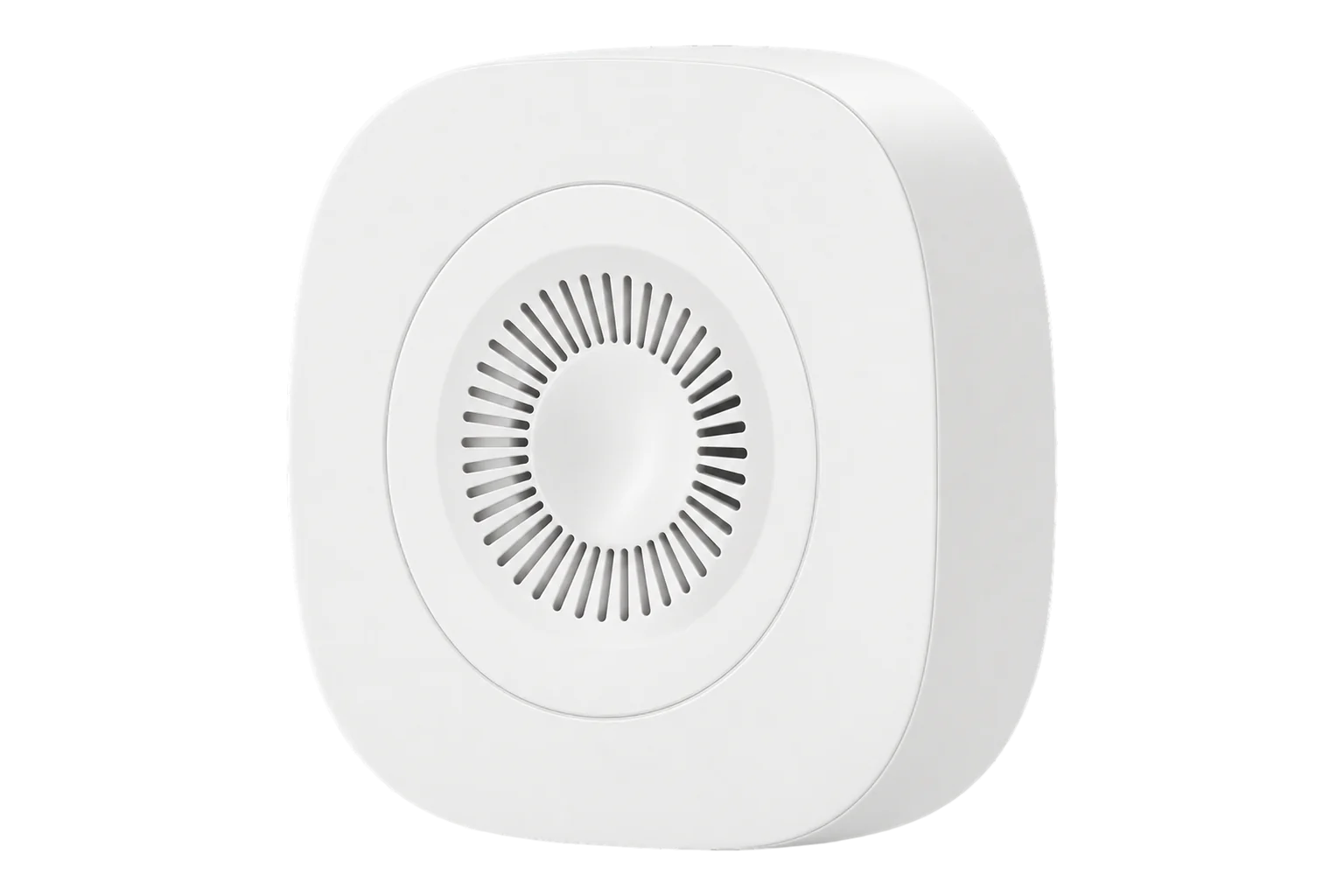
- Zigbee
Temperature and humidity sensor
Compatibility
Compatible with EpiSensor Edge over Zigbee.
Pair it with the Zigbee radio on an EpiSensor Gateway. Edge reads it locally on the Gateway.
Edge reads 5 values from it, listed under Interface.
Connect it with
-
Gateway ZGW-20From €899 ex VAT Configure Gateway

Specifications
The HMSZB-110 is Develco's indoor temperature and humidity sensor, sold under the frient brand as the Smart Humidity Sensor. Develco Products now trades as Onics, and newer units report Onics A/S as the manufacturer name. It measures temperature from 0 to 50 °C at 0.1 °C resolution and relative humidity from 0 to 100 % RH at 1 % RH resolution. Onics gives a typical accuracy of ±0.5 °C (±2 °C maximum) and ±3.5 % RH between 20 and 80 % RH.1
- Power
- Battery. Two exchangeable AA cells, rated for up to five years when reporting every five minutes. Replace them at 2.45 V.1
- Temperature range
- 0 to 50 °C1
- Temperature resolution
- 0.1 °C1
- Temperature accuracy
- ±0.5 °C typical, ±2 °C maximum1
- Humidity range
- 0 to 100 % RH1
- Humidity resolution
- 1 % RH1
- Humidity accuracy
- ±3.5 % RH typical, 20 to 80 % RH1
- Sample time
- Configurable, 2 to 65,000 s1
- Operating conditions
- 0 to 50 °C, 10 to 95 % RH non-condensing1
- Wireless
- Zigbee Home Automation 1.21
- Radio
- -92 dBm sensitivity, +3 dBm output power1
- Ingress protection
- IP201
- Dimensions
- 70 × 70 × 21 mm2
- Mounting
- Adhesive tape or screws, both included1
Where it is used
Room temperature and humidity in offices, schools and homes, for comfort, ventilation control and early warning of damp and mould.
Indoor environmental monitoringAmbient conditions in comms rooms and small server rooms, where a battery sensor avoids new cabling.
Server room and rack temperature monitoringArchives, stores and rooms holding humidity-sensitive stock, furniture or instruments, where a slow drift in relative humidity is the thing to catch.
Interface
On the Zigbee network it joins as an end device.1
Readings and settings, with units and ranges where Develco publishes them.
| Reading | Unit | Range or values | Access |
|---|---|---|---|
| Measurements 2 | |||
| Temperature | °C | - | Read only |
| Humidity | % | - | Read only |
| Diagnostics 3 | |||
| Battery | % | 0 to 100 % | Read only |
| Voltage | mV | - | Read only |
| Battery low | - | Binary state | Read only |
Temperature and humidity sit on endpoint 38 (0x26), in the standard Temperature Measurement (0x0402) and Relative Humidity Measurement (0x0405) clusters. Battery voltage comes from the Power Configuration cluster in units of 100 mV.1
Default reporting uses a 60 s minimum interval, a 600 s maximum interval and a reportable change of 0.1 °C or 3 % RH. A stable room therefore produces one report of each value every 10 minutes.1
The low-battery flag turns on at 2.5 V or less. Onics advises replacing the cells at 2.45 V, and the red LED blinks twice every 60 seconds when the battery is low.13
The sensor sends a keep-alive every 15 minutes. After five unanswered keep-alives, up to 1 hour 15 minutes, it starts scanning for its network again.1
Setup
-
Open pairing in Edge
In Edge, open pairing on the Gateway's Zigbee network. The Gateway accepts new devices while pairing is open.
-
Insert the batteries
Fit the two AA cells. A sensor that has never joined a network starts searching straight away, scanning Zigbee channels 11 to 24, and its LED flashes once a second while it searches.1
-
Reset a used sensor first
If it has been on another network, press and hold the button. The LED blinks once, then twice, then continuously. Release it while the LED blinks continuously to reset it to factory settings, after which it searches for a network.1
-
Confirm the join
The LED stops flashing once the sensor has joined. Check that Edge identifies it as model HMSZB-110. If it gives up searching, it sleeps for 15 minutes between scans: hold the button until the LED blinks once and release it to start a fresh three-minute search.1
-
Check one reading
Place a reference thermometer and hygrometer beside it and compare. Allow for the first scheduled report, which can take up to 10 minutes in a stable room.1
Common questions
- Does the HMSZB-110 need a frient hub to work with Edge?
- No. It is a standard Zigbee Home Automation sensor using the standard temperature and humidity clusters, so it joins the Zigbee radio on an EpiSensor Gateway and Edge reads it directly.1
- How long do the batteries last, and when should I change them?
- Onics rates the two AA cells for up to five years when the sensor reports every five minutes. Replace them when the battery voltage reaches 2.45 V. The red LED blinks twice every 60 seconds once the battery is low.1
- What is the difference between the HMSZB-110 and the HMSZB-120?
- The HMSZB-120 is the model sold under the frient brand. The Zigbee2MQTT converter handles both model identifiers with the same definition, so they expose the same temperature, humidity and battery readings.3
Related devices

Sources
- Smart Humidity Sensor HMSZB-110 technical manual, revised 29.08.2025 (opens in a new tab) (PDF)
- Smart Humidity Sensor (opens in a new tab)
- Develco device definitions (HMSZB-110 and HMSZB-120) (opens in a new tab)
- Develco HMSZB-110 device documentation (opens in a new tab)
Further reading
Product names and trademarks belong to their owners. Publication does not imply endorsement or a commercial relationship.