Tuya TS0201 LCD
Temperature and humidity sensor with display
The battery Zigbee temperature and humidity sensor that reports the model identifier TS0201, most often a small round unit with an LCD. It is a Tuya design sold under many brands, and it uses the standard Zigbee temperature and humidity clusters.
Also sold asBlitzWolf BW-IS4
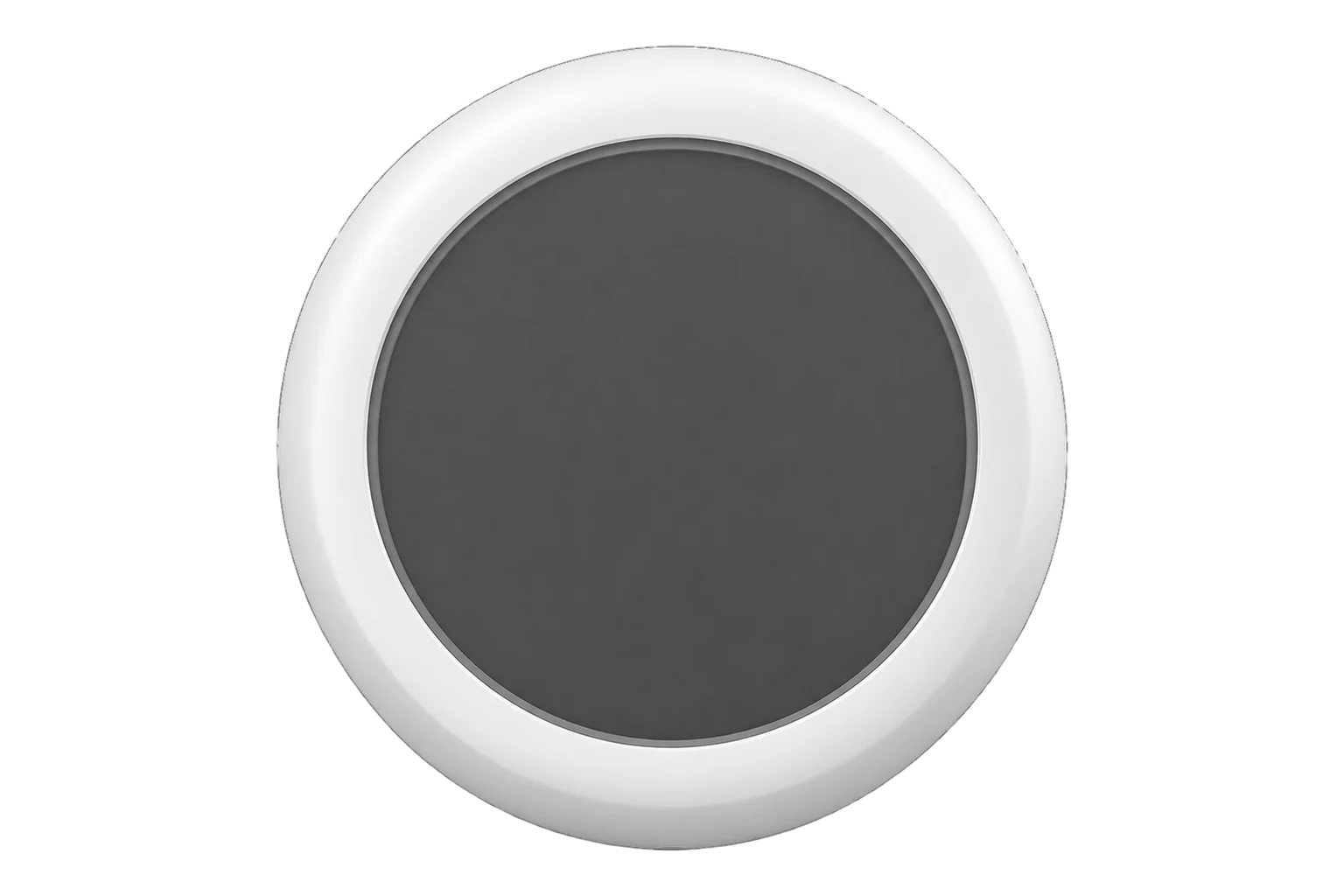
- Zigbee
Temperature and humidity sensor with display
Compatibility
Compatible with EpiSensor Edge over Zigbee.
Pair it with the Zigbee radio on an EpiSensor Gateway. Edge reads it locally on the Gateway.
Edge reads 4 values from it, listed under Interface.
Connect it with
-
Gateway ZGW-20From €899 ex VAT Configure Gateway

Specifications
TS0201 is the Zigbee model identifier that Tuya-based temperature and humidity sensors report when they join a network. The same identifier covers many retail products: BlitzWolf, Moes, Nedis, SEDEA and others sell their own versions, and each maker is told apart by a manufacturer name such as _TZ3000_f2bw0b6k. The unit pictured is the common round version with an LCD showing temperature and humidity.23
- Power
- Battery. The cell type and life depend on the maker, so check the unit you buy. Battery voltage and percentage are reported at least every 4 hours.1
- Zigbee model identifiers
- TS0201, also TY0201 and SNTZ0033
- Zigbee profile
- Home Automation (0x0104), device type 0x0302 temperature sensor1
- Endpoint
- 11
- Measurement clusters
- Temperature Measurement 0x0402, Relative Humidity Measurement 0x04051
- Humidity value
- 0 to 0x2710, 0 to 100.00 % RH in 0.01 % steps1
- Battery reporting
- Voltage in 0.1 V steps and percentage in 0.5 % steps, at least every 4 hours1
- Firmware updates
- Zigbee OTA Upgrade client (0x0019)1
Where it is used
Low-cost room temperature and humidity in offices, homes and meeting rooms, where the display lets occupants see the reading.
Indoor environmental monitoringSpotting cold, damp rooms in housing and small buildings before condensation and mould set in, across many rooms at low cost per point.
A second opinion beside a better-specified sensor in comms cupboards, where a visible reading on the door side helps whoever opens it.
Server room and rack temperature monitoring
Interface
Readings and settings, with units and ranges where Tuya publishes them.
| Reading | Unit | Range or values | Access |
|---|---|---|---|
| Measurements 2 | |||
| Temperature | °C | - | Read only |
| Humidity | % | - | Read only |
| Diagnostics 2 | |||
| Battery | % | 0 to 100 % | Read only |
| Voltage | mV | - | Read only |
Temperature is attribute 0x0000 of cluster 0x0402 and humidity attribute 0x0000 of cluster 0x0405, both on endpoint 1. Battery voltage (0x0020) and percentage remaining (0x0021) come from the Power Configuration cluster: a voltage value of 30 means 3.0 V and a percentage value of 180 means 90 %.1
The battery percentage can take up to 24 hours to appear after pairing, because it arrives with the device's slower battery heartbeat.12
Units from five makers (manufacturer names _TZ3210_ncw88jfq, _TZ3000_ywagc4rj, _TZ3000_isw9u95y, _TZ3000_yupc0pb7 and _TZ3000_wol32olt) report humidity ten times too small, and the Zigbee definition multiplies it by 10. A report of 200 % battery with a voltage under 3.0 V is ignored for most makers.3
Do not apply the latest firmware image offered for this device. Zigbee2MQTT's device notes warn that it leaves the sensor unusable.2
Setup
-
Open pairing in Edge
In Edge, open pairing on the Gateway's Zigbee network. The Gateway accepts new devices while pairing is open.
-
Put the sensor into pairing mode
Insert or connect the battery, then press and hold the reset button for about 5 seconds until the network indicator blinks. The sensor then joins the open network by itself.2
-
Confirm the join
Check that Edge identifies it as TS0201 and note the manufacturer name it reports, such as _TZ3000_f2bw0b6k. That name tells you which maker's variant you have.3
-
Check one reading
Compare temperature and humidity with a reference instrument beside it. If the humidity reads around a tenth of the reference, the unit is one of the variants that needs scaling; confirm its manufacturer name before relying on the data.3
Common questions
- Is every TS0201 the same device?
- No. TS0201 is the model identifier reported by many Tuya-based sensors from different makers, told apart by their manufacturer name. They share the Zigbee interface, but the case, display, battery and accuracy vary, so take those figures from the maker of your unit.13
- Does it need a Tuya hub or the Smart Life app to work with Edge?
- No. It reports temperature, humidity and battery in the standard Zigbee Home Automation clusters, so it pairs with the Zigbee radio on an EpiSensor Gateway and Edge reads it directly.1
- Should I update its firmware?
- No. Zigbee2MQTT's device notes warn that the latest firmware image for the TS0201 leaves it unusable. Leave the firmware as shipped.2
- Why does the battery level not appear straight away?
- The battery percentage is sent with a slower heartbeat, at least every 4 hours in Tuya's standard, and can take up to 24 hours to arrive after pairing. Temperature and humidity report independently.12
- Why is my humidity reading about ten times too low?
- Some makers' units report humidity at a tenth of the true value. The Zigbee definition corrects this for the five manufacturer names known to do it; check the manufacturer name your unit reports if the reading looks wrong.3
Related devices

Sources
- Zigbee connection standard for temperature and humidity sensor (opens in a new tab)
- Tuya TS0201 device notes (opens in a new tab)
- Tuya device definitions (TS0201 and white-label variants) (opens in a new tab)
Further reading
Product names and trademarks belong to their owners. Publication does not imply endorsement or a commercial relationship.