BITUO TECHNIK SDM01
Three-phase energy monitor
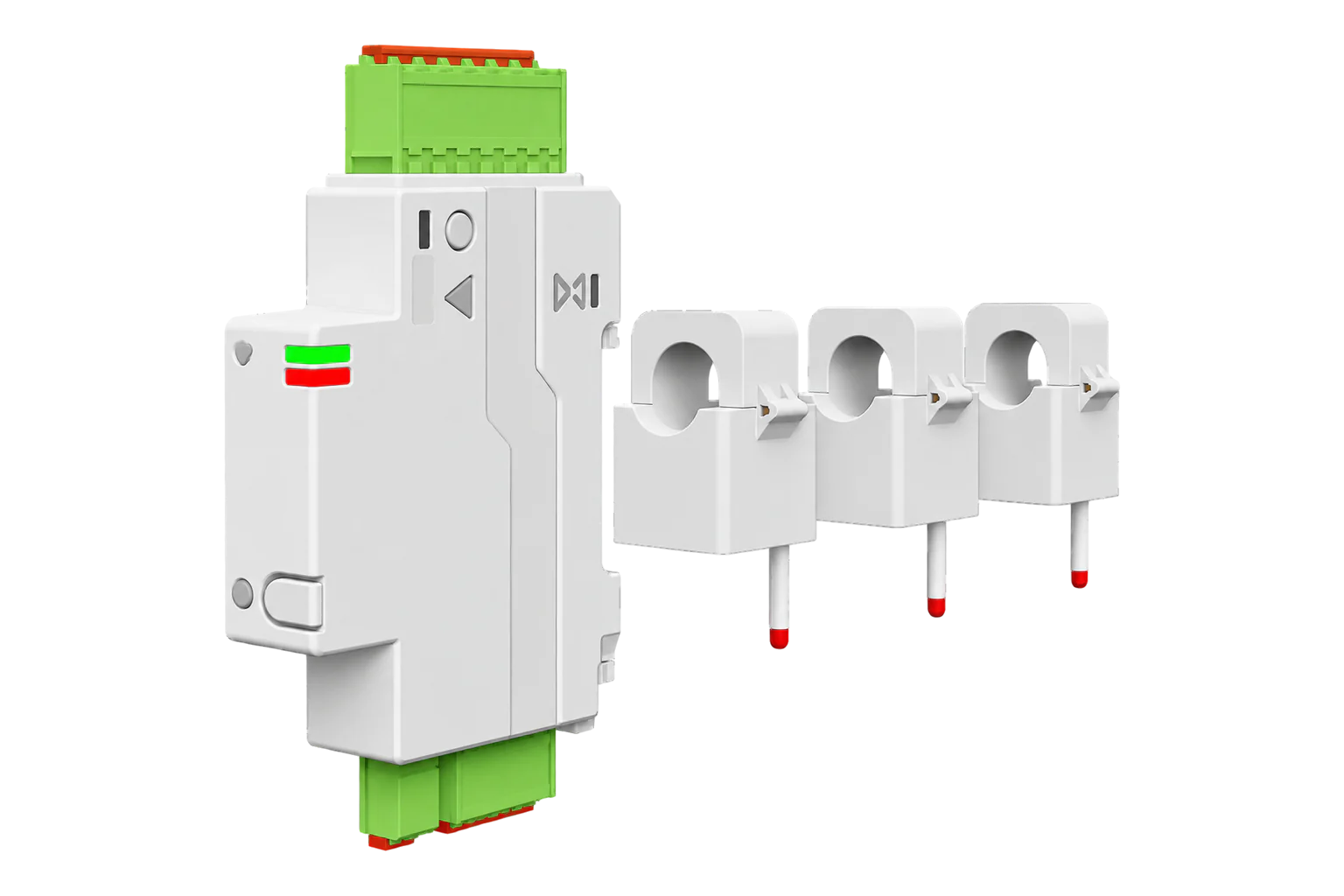
An 18 mm DIN-rail energy monitor with three split-core current transformers, for 3P+N supplies up to 120 A or 200 A per phase or three single-phase circuits. Class 1 active energy to IEC 61557-12, in both directions, over Zigbee.
Compatibility
Compatible with EpiSensor Edge over Zigbee.
Pair it with the Zigbee radio on an EpiSensor Gateway. Edge reads it locally on the Gateway.
Edge reads 24 values from it, listed under Interface.
Connect it with

Specifications
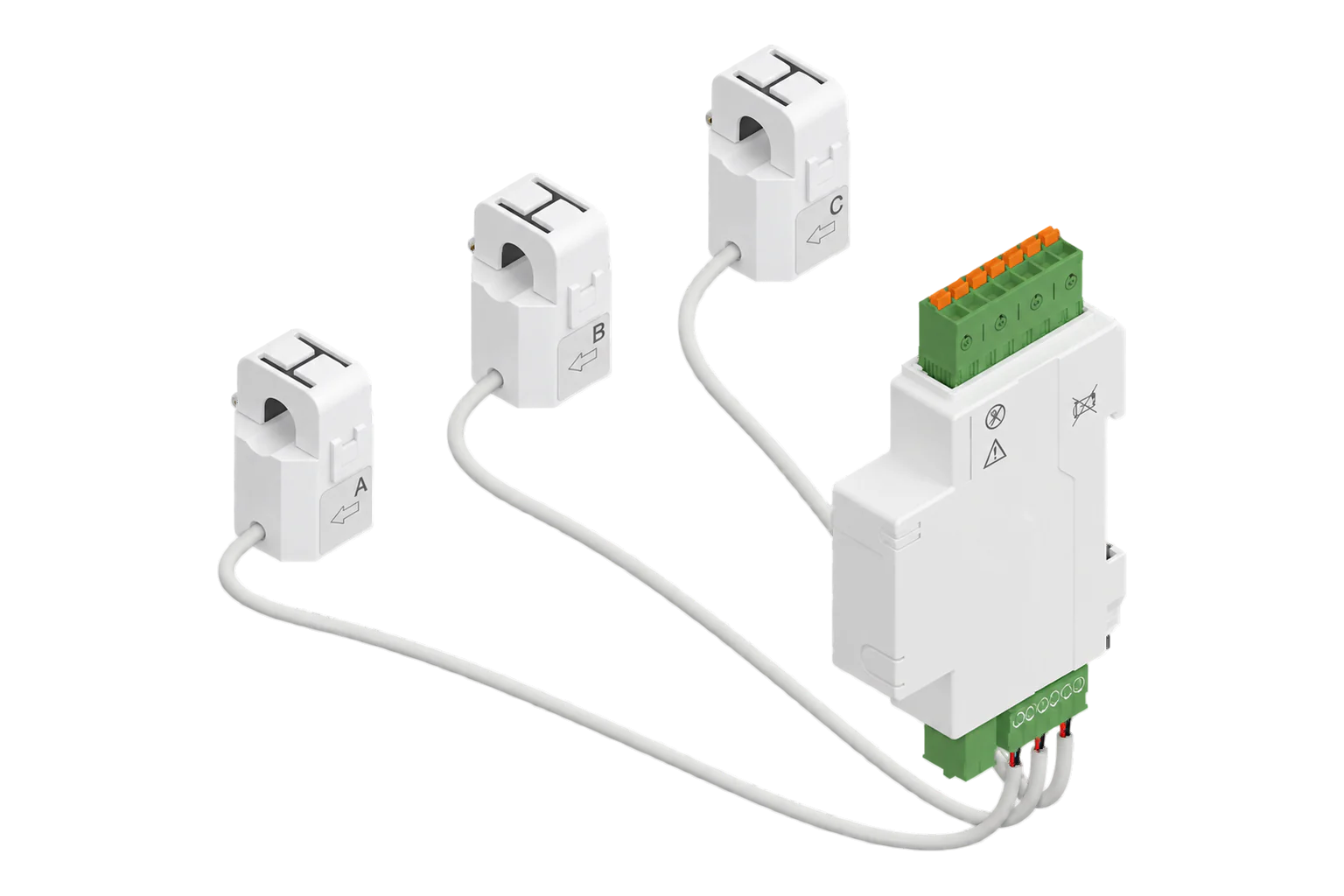
The SDM01 is a three-phase energy monitor made by Shanghai Bituo Electric under the BITUO TECHNIK name. One 18 mm module sits on the DIN rail and takes four voltage leads, X, Y, Z and N. Three split-core current transformers clip around the phase conductors, so nothing has to be disconnected to fit them. It measures voltage, current, power and energy on each phase, in both directions.1
- Power
- Mains. Powered from its voltage leads at 220 to 240 V AC, drawing no more than 2 VA.1
- System
- 3P+N, or up to three 1P+N branch circuits; not for three-phase three-wire1
- Rated voltage
- 220 to 240 V AC phase to neutral, 380 to 415 V AC phase to phase, 50/60 Hz1
- Maximum current
- 120 A or 200 A per phase, by current transformer1
- Current transformers
- Three split-core: 120 A with 16 mm opening, or 200 A with 20 mm opening1
- Accuracy (IEC 61557-12)
- Voltage Class 0.5; current, active power and forward active energy Class 11
- Own consumption
- 2 VA maximum1
- Operating temperature
- -25 to 70 °C1
- Monitor dimensions (H × W × D)
- 113.7 × 18.0 × 65.9 mm1
- Mounting
- 35 mm DIN rail, one module wide1
- Protection
- IP20, overvoltage category III, pollution degree 31
- Insulation
- 440 V rated insulation, 4 kV impulse withstand1
- Zigbee module
- Tuya ZS3L (Silicon Labs EFR32MG21)1
- Standards
- IEC 61557-12, IEC 61326-1, ETSI EN 300 328, ETSI EN 301 489-1 and -171
- Reporting interval
- 5 to 3600 s, set from Edge3
Where it is used
The incomer and main feeders of a small commercial board, up to 200 A per phase, without breaking the circuit to fit the transformers.
Transformer and distribution board monitoringExport limitation and self-consumption on a site with solar generation, from the energy measured in both directions.
Solar PV monitoringDynamic load balancing for EV chargers against the capacity of the supply.
EV charging load management
Interface
Readings and settings, with units and ranges where BITUO TECHNIK publishes them. readable, writable only.
| Reading | Unit | Range or values | Access |
|---|---|---|---|
| Measurements 23 | |||
| Voltage a | V | - | Read only |
| Voltage b | V | - | Read only |
| Voltage c | V | - | Read only |
| Power a | W | - | Read only |
| Power b | W | - | Read only |
| Power c | W | - | Read only |
| Current a | A | - | Read only |
| Current b | A | - | Read only |
| Current c | A | - | Read only |
| Energy | kWh | - | Read only |
| Produced energy | kWh | - | Read only |
| Power factor | % | - | Read only |
| Power | W | - | Read only |
| AC frequency | Hz | - | Read only |
| Energy a | kWh | - | Read only |
| Energy b | kWh | - | Read only |
| Energy c | kWh | - | Read only |
| Energy produced a | kWh | - | Read only |
| Energy produced b | kWh | - | Read only |
| Energy produced c | kWh | - | Read only |
| Power factor a | % | - | Read only |
| Power factor b | % | - | Read only |
| Power factor c | % | - | Read only |
| Settings 1 | |||
| Data report duration | - | 5 to 3,600 | Write only |
The Zigbee definition for this firmware is known to be incomplete. Check each phase against a clamp meter after pairing before you rely on the totals.3
The reporting interval is a write-only setting from 5 to 3600 seconds: Edge can set it, but the meter has no datapoint that reads it back.3
Voltage is reported in steps of 0.1 V, current in 0.001 A, energy in 0.01 kWh and frequency in 0.01 Hz. Power factor is a percentage.3
Setup
-
Mount and wire the monitor
With the supply off, clip the monitor onto a 35 mm DIN rail and connect the X, Y, Z and N voltage leads. Bituo says only qualified electricians should install, operate or service it.1
-
Fit the current transformers
Match each transformer's calibration ID to the monitor, connect its red wire to + and black wire to - on the X, Y or Z input, and close it around the matching phase with the arrow in the direction of normal flow. Make sure the clasp locks.1
-
Put it into pairing mode
Open pairing on the Gateway's Zigbee network in Edge, then press and hold the reset button for 3 to 5 seconds. The ACT LED shows the network state and the AL LED flashes on an alarm or error.1
-
Check each phase
Compare each phase voltage and current with a clamp meter. If one phase counts produced energy on a consumption circuit, that transformer faces the wrong way or sits on the wrong phase.
Related devices
More from BITUO TECHNIK
Sources
- SDM01 Smart Energy Monitor with Split-core Current Transformers, datasheet (opens in a new tab) (PDF)
- SDM01 (3PN/3×1PN) (opens in a new tab)
- Tuya device definitions, SDM01 (opens in a new tab)
- SDM01: allow data report duration below 30 seconds (opens in a new tab)
- Tuya SDM01 device documentation (opens in a new tab)
Further reading
Product names and trademarks belong to their owners. Publication does not imply endorsement or a commercial relationship.