SONOFF SNZB-02WD
IP65 temperature and humidity sensor
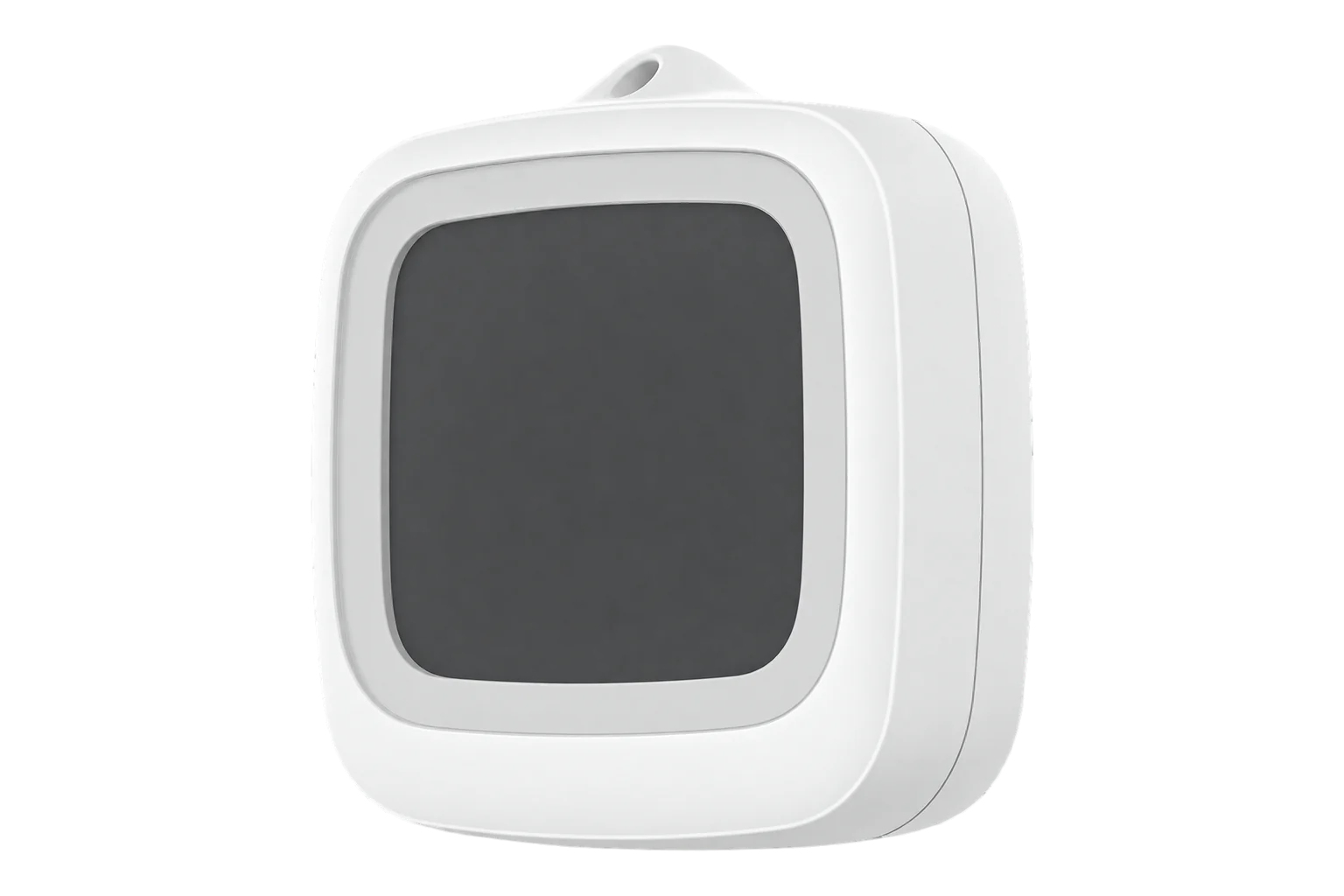
A battery-powered Zigbee 3.0 temperature and humidity sensor in an IP65 housing with a breathable membrane and a 2.2-inch LCD. SONOFF states ±0.2 °C and ±2 % RH, a range of -20 to 60 °C, and over two years from one CR2477 cell.
- Zigbee
IP65 temperature and humidity sensor
Compatibility
Compatible with EpiSensor Edge over Zigbee.
Pair it with the Zigbee radio on an EpiSensor Gateway. Edge reads it locally on the Gateway.
Edge reads 7 values from it, listed under Interface.
Connect it with
-
Gateway ZGW-20From €899 ex VAT Configure Gateway

Specifications
Its housing is rated IP65 and has an internal waterproof, breathable membrane, so the humidity sensor sees the air while splashes stay out. It works from -20 to 60 °C and 0 to 100 % RH. That suits damp rooms, unheated stores, basements and greenhouses. SONOFF limits IP65 to splash-prone places: do not submerge it, aim high-pressure water at it or leave it outdoors where rain can reach it.12
- Power
- Battery. One 3 V CR2477 coin cell, estimated by SONOFF at over two years with the default reporting settings.1
- Temperature accuracy
- ±0.2 °C1
- Humidity accuracy
- ±2 % RH1
- Operating temperature
- -20 to 60 °C1
- Operating humidity
- 0 to 100 % RH1
- Ingress protection
- IP65, with an internal breathable membrane1
- Display
- 2.2-inch LCD1
- Wireless
- Zigbee 3.0 (IEEE 802.15.4)1
- Microcontroller
- TLSR8656F512ET321
- Dimensions
- 62.8 × 58.5 × 21.8 mm1
- Weight
- 65.6 g1
- Enclosure
- PC and ABS1
- Operating altitude
- Up to 2000 m1
- Certification
- CE, FCC, ISED, RoHS1
- Calibration offsets
- -50 to 50 °C and -50 to 50 % RH, in 0.1 steps3
- Firmware updates
- Over the air3
Where it is used
Rooms where humidity is the problem, such as bathrooms and underground stores, which SONOFF names as uses.
Indoor environmental monitoringUnheated stores and chilled rooms down to -20 °C. It is not rated below that, and its error grows as it approaches the limit.
Cold room and cold store temperature monitoringGreenhouses and covered growing areas, where daily temperature and humidity records matter and splashes are likely.
Interface
Readings and settings, with units and ranges where SONOFF publishes them. readable, readable and writable.13
| Reading | Unit | Range or values | Access |
|---|---|---|---|
| Measurements 2 | |||
| TemperatureAir temperature. The range is the sensor’s operating range. | °C | -20 to 60 °C | Read only |
| Relative humidityRelative humidity of the air. | % | 0 to 100 % | Read only |
| Settings 3 | |||
| Display unitThe unit shown on the sensor’s screen. Readings reach Edge in °C either way. | - | celsiusfahrenheit |
Read and write |
| Temperature offsetAdded to each temperature the sensor reports, in 0.1 °C steps. | °C | -50 to 50 °C | Read and write |
| Humidity offsetAdded to each humidity value the sensor reports, in 0.1 % steps. | % | -50 to 50 % | Read and write |
| Diagnostics 2 | |||
| BatteryRemaining battery charge. | % | 0 to 100 % | Read only |
| Battery voltageVoltage of the coin cell. | mV | - | Read only |
The display unit and both calibration offsets are settings held on the sensor. Press the button on the back to wake it before you change them from Edge.3
Setup
-
Open pairing in Edge
In Edge, open pairing on the Gateway’s Zigbee network. The Gateway accepts new devices while pairing is open.
-
Power it on
Twist off the battery cover with a coin and pull out the battery insulation sheet. On its first power-up the sensor enters pairing mode by itself and the signal icon flashes slowly.1
-
Or start pairing by hand
The sensor leaves pairing mode after 3 minutes. To start again, press and hold the button with a card pin for 5 seconds until the signal icon flashes slowly. This also restores its factory settings.1
-
Confirm the join
The signal icon stays on when the sensor has joined and goes off if pairing failed. Check that Edge identifies it as SONOFF SNZB-02WD.1
-
Check one reading
Compare temperature and humidity with a reference instrument placed beside it. If they differ, set the calibration offsets from Edge before you rely on the data.
Common questions
- Does the SNZB-02WD need a SONOFF hub to work with Edge?
- No. It is a Zigbee 3.0 device, so it joins the Zigbee radio on an EpiSensor Gateway directly, and Edge reads it on the Gateway without a SONOFF hub or the eWeLink app.2
- Can it be used outdoors?
- Only under cover. The IP65 housing handles humid and splash-prone places, but SONOFF says not to submerge it, spray it with high-pressure water or leave it where rain can reach it.2
- How long does the battery last?
- SONOFF estimates over two years from the CR2477 cell with the default reporting settings. Cold shortens it: near -20 °C the battery capacity drops significantly and may not fully recover. Edge reports both battery level and voltage.1
- How far can it be from the Gateway?
- SONOFF recommends no more than 50 m through walls. If it drops off the network, move it or the Gateway, or add a mains-powered Zigbee router in between.1
Related devices


Sources
- SNZB-02WD user guide and specifications (opens in a new tab)
- SONOFF SNZB-02WD IP65 Zigbee LCD Smart Temperature Humidity Sensor (opens in a new tab)
- SONOFF SNZB-02WD device documentation (opens in a new tab)
- SONOFF SNZB-02WD Zigbee definition (opens in a new tab)
Further reading
Product names and trademarks belong to their owners. Publication does not imply endorsement or a commercial relationship.