SONOFF SNZB-02LD
Probe temperature sensor
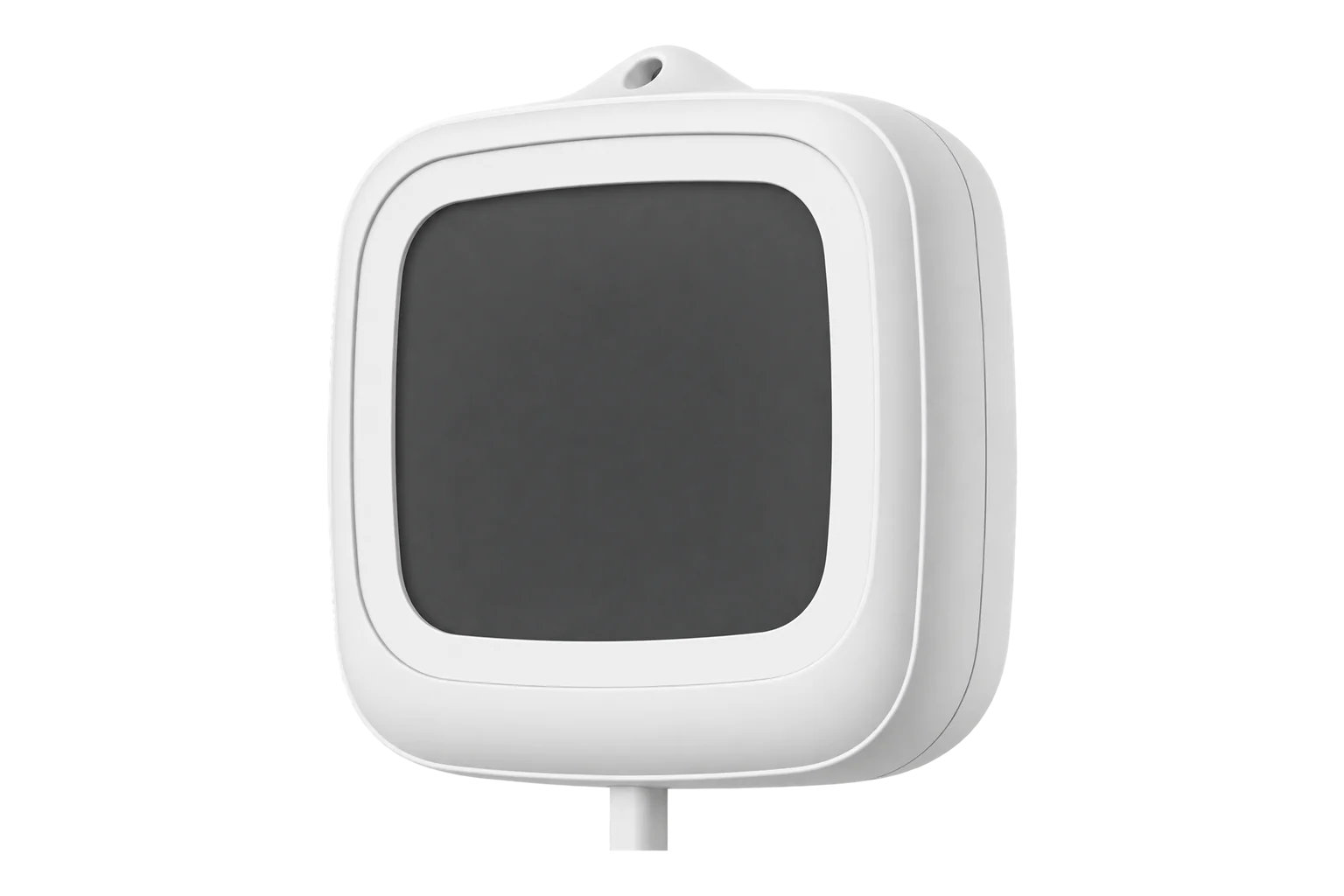
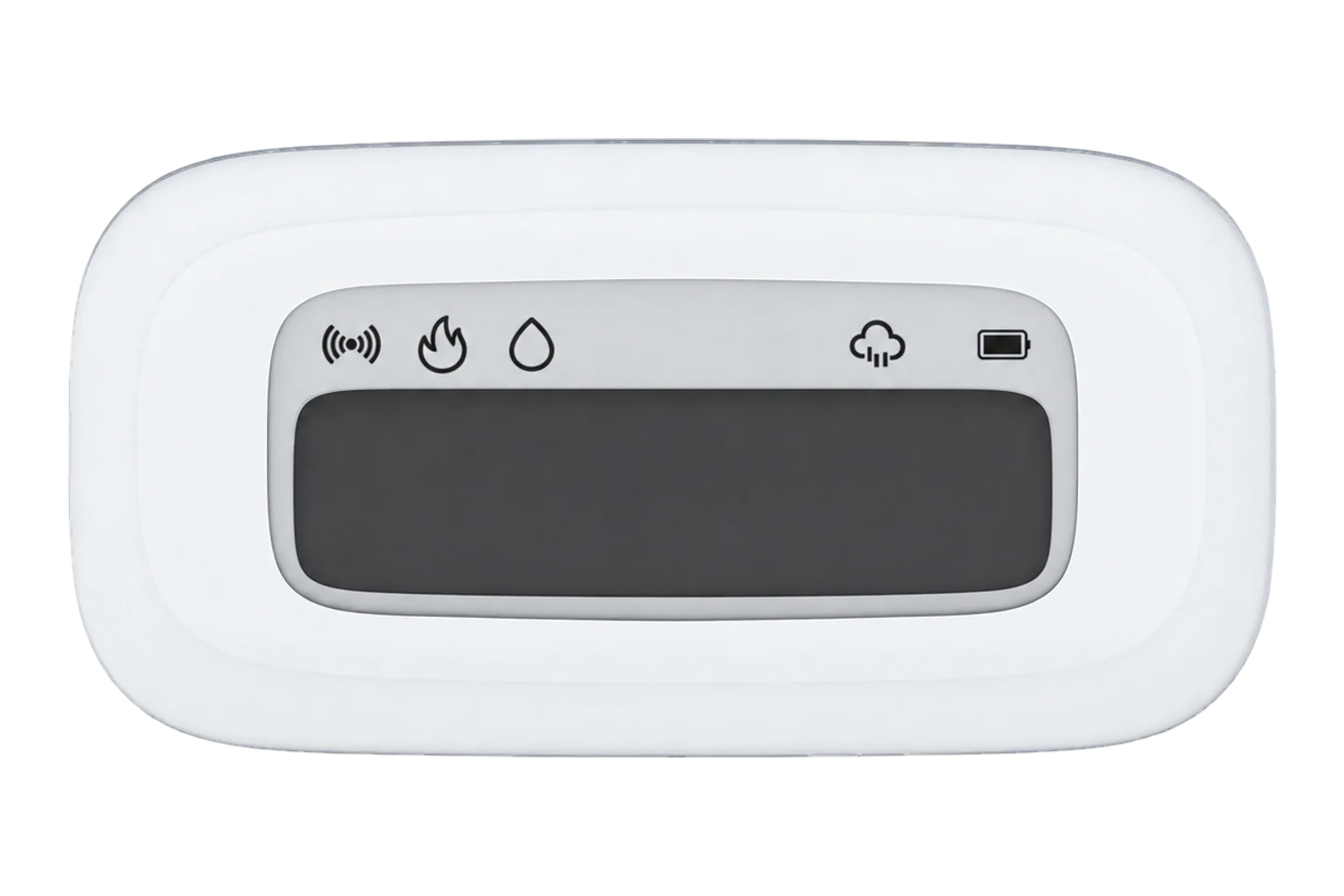
A battery-powered Zigbee 3.0 thermometer with a 1.5 m probe rated from -40 to 115 °C and an IP65 host with a 2.2-inch LCD. It reads liquids and enclosed spaces such as fridges and tanks, and SONOFF states ±0.5 °C.
- Zigbee
Probe temperature sensor
Compatibility
Compatible with EpiSensor Edge over Zigbee.
Pair it with the Zigbee radio on an EpiSensor Gateway. Edge reads it locally on the Gateway.
Edge reads 4 values from it, listed under Interface.
Connect it with
-
Gateway ZGW-20From €899 ex VAT Configure Gateway

Specifications
The host is rated IP65 and for -10 to 60 °C and 0 to 100 % RH. SONOFF limits IP65 to splash-prone places: do not submerge the host, aim high-pressure water at it or leave it outdoors in the rain. The probe fixes in place with a hook-and-loop adhesive pad, and the host mounts on a metal surface with its magnet or hangs from its lanyard hole.12
- Power
- Battery. One 3 V CR2477 coin cell behind a twist-off battery cover.1
- Probe temperature range
- -40 to 115 °C1
- Temperature tolerance
- ±0.5 °C1
- Probe cable length
- 1.5 m1
- Host working temperature
- -10 to 60 °C1
- Host working humidity
- 0 to 100 % RH1
- Ingress protection
- IP65 (host)1
- Display
- 2.2-inch LCD1
- Wireless
- Zigbee 3.0 (IEEE 802.15.4)1
- Microcontroller
- TLSR8656F512ET321
- Dimensions
- 62.8 × 58.5 × 21.8 mm1
- Weight
- 86.2 g, including the probe cable1
- Enclosure
- PC and ABS1
- Working altitude
- Below 2000 m1
- Certification
- CE, FCC, ISED, RoHS1
- Calibration offset
- -50 to 50 °C in 0.1 °C steps3
- Firmware updates
- Over the air3
Where it is used
Fridges, chilled cabinets and incubators, with the probe inside and the host on the outside. The probe reads down to -40 °C, but the host is rated only from -10 °C.
Cold room and cold store temperature monitoringLiquid temperature in tanks and containers, which SONOFF names as a use for the probe.
Legionella temperature monitoringEnclosed spaces such as cabinets, where a probe through the door avoids opening them to read a display.
Interface
Readings and settings, with units and ranges where SONOFF publishes them. readable, readable and writable.13
| Reading | Unit | Range or values | Access |
|---|---|---|---|
| Measurements 1 | |||
| TemperatureMeasured at the probe. The range is the probe’s rating. | °C | -40 to 115 °C | Read only |
| Settings 2 | |||
| Display unitThe unit shown on the sensor’s screen. Readings reach Edge in °C either way. | - | celsiusfahrenheit |
Read and write |
| Temperature offsetAdded to each temperature the sensor reports, in 0.1 °C steps. | °C | -50 to 50 °C | Read and write |
| Diagnostics 1 | |||
| BatteryRemaining battery charge. | % | 0 to 100 % | Read only |
The display unit and the calibration offset are settings held on the sensor. Press the button on the back to wake it before you change either from Edge.3
Setup
-
Open pairing in Edge
In Edge, open pairing on the Gateway’s Zigbee network. The Gateway accepts new devices while pairing is open.
-
Power it on
Twist off the battery cover with a coin and pull out the battery insulation sheet. A new sensor enters pairing mode by itself and the signal icon on its screen flashes slowly.1
-
Or start pairing by hand
The sensor leaves pairing mode after 3 minutes. To start again, press and hold the button with a card pin for 5 seconds until the signal icon flashes slowly. This also restores its factory settings.1
-
Confirm the join
The signal icon stays on when the sensor has joined and goes off if pairing failed. Check that Edge identifies it as SONOFF SNZB-02LD.1
-
Place the probe and check one reading
Fix the probe with its hook-and-loop pad where the temperature matters, then compare the reading with a reference thermometer beside the probe. Set the calibration offset from Edge if they differ.1
Related devices


Sources
- SNZB-02LD user guide and specifications (opens in a new tab)
- SONOFF SNZB-02LD IP65 Zigbee LCD Smart Thermometer (Probe Version) (opens in a new tab)
- SONOFF SNZB-02LD device documentation (opens in a new tab)
- SONOFF SNZB-02LD Zigbee definition (opens in a new tab)
Further reading
Product names and trademarks belong to their owners. Publication does not imply endorsement or a commercial relationship.