Eastron SDM72DM-V2
Three-phase energy meter
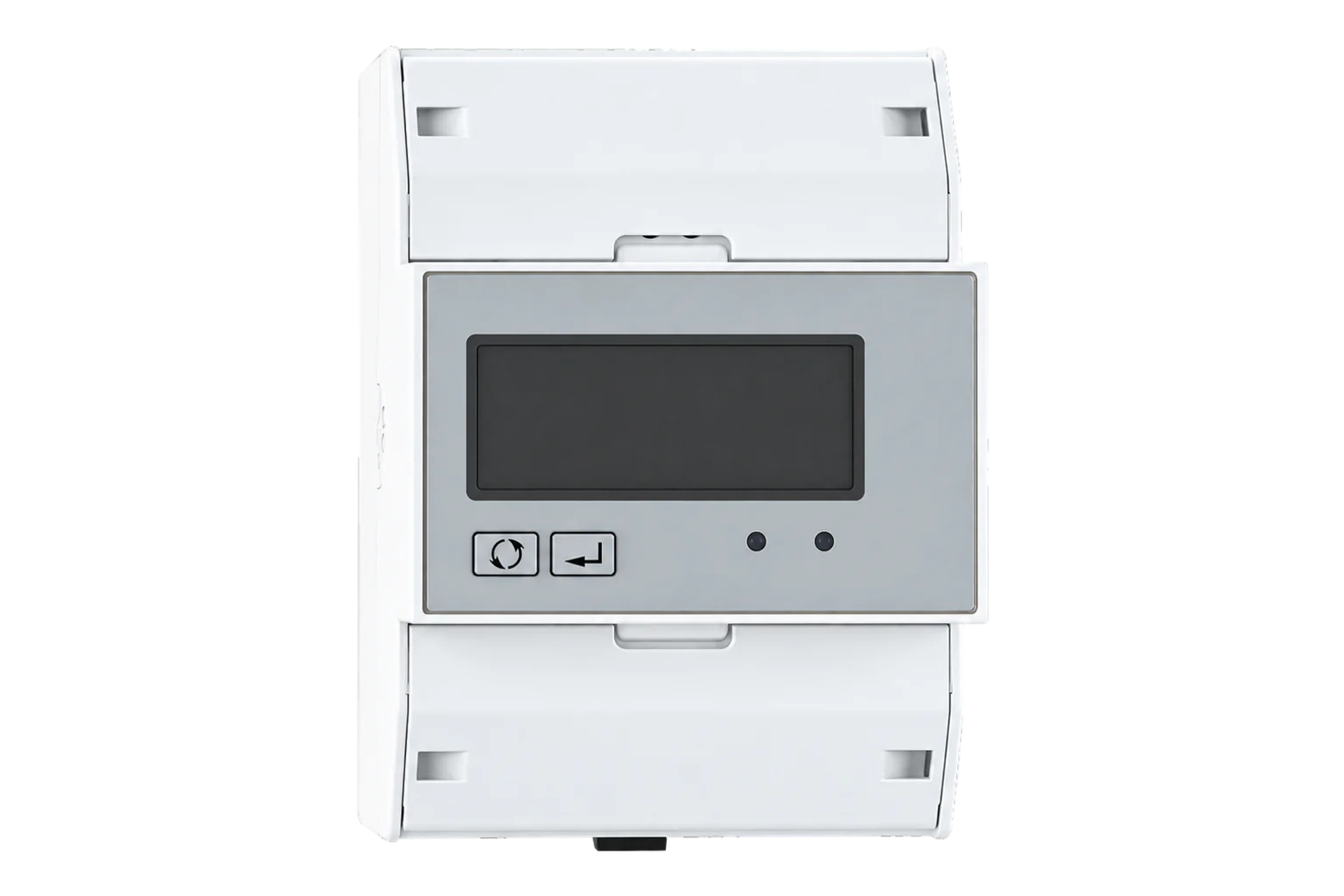
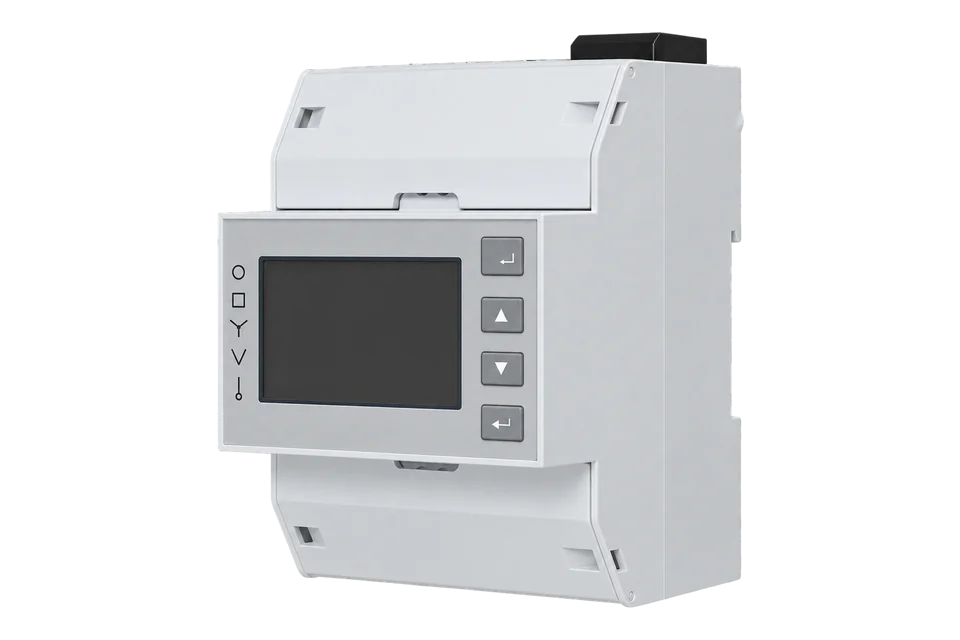
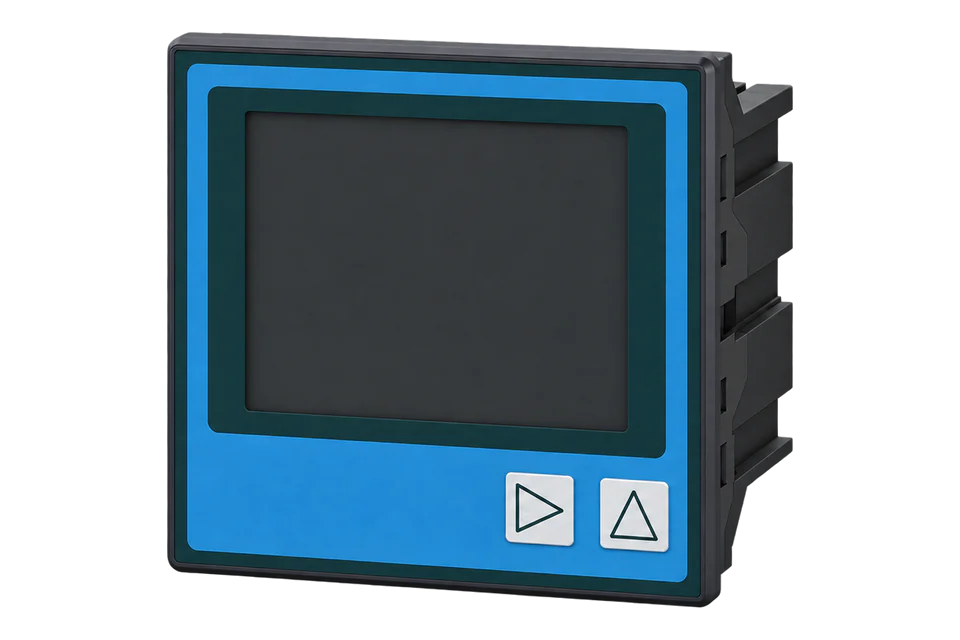
A three-phase, four-wire DIN-rail energy meter for direct connection up to 100 A, with import and export energy, resettable counters and an RS-485 Modbus RTU port, in a 72 mm housing that needs no auxiliary supply.
Also sold asSDM72D-M-2
Compatibility
Compatible with EpiSensor Edge over Modbus RTU.
Connect its RS-485 port to a Modbus Interface or to a serial interface on the Gateway. Edge polls it with its Modbus client.
Edge reads 32 values from it, listed under Interface.
Connect it with
-
Modbus Interface ZMB-3XFrom €399 ex VAT Configure Modbus Interface
-
Gateway ZGW-20From €899 ex VAT Configure Gateway


Specifications
The SDM72DM-V2, which Eastron's manual calls the SDM72D-M-2, is a three-phase, four-wire energy meter four DIN modules wide, for direct connection up to 100 A without current transformers. It measures phase and line voltage, current, active, apparent and reactive power, power factor and frequency, and keeps import, export and total counters for active energy, a total reactive energy counter and resettable partial counters for a chosen period.1
- Power
- Self-powered from the measured supply. Supplied from its live and neutral voltage inputs; it needs no external auxiliary supply.4
- Nominal voltage
- 3 × 230/400 V AC, 80 to 120 % of nominal1
- Current
- 10(100) A direct connected; starts at 0.4 % of 10 A1
- Systems
- 3-phase 4-wire (default) or 1-phase 2-wire1
- Frequency
- 50 or 60 Hz; 50 Hz for MID versions1
- Active energy accuracy
- Class 1 (IEC 62053-21); Class B (EN 50470-1/3) on MID versions1
- Reactive energy accuracy
- Class 2 (IEC 62053-23)1
- Voltage and current accuracy
- 0.5 %1
- Burden
- ≤ 2 W/10 VA voltage circuit, ≤ 4 VA current circuit1
- Pulse output
- Passive, 1000 imp/kWh import, 35 ms1
- Display
- Backlit LCD, up to 999999.9 kWh1
- Dimensions
- 72 × 100 × 66 mm (W × H × D), 35 mm DIN rail1
- Protection
- IP51, indoor use1
- Operating temperature
- -25 to 55 °C; -40 to 70 °C optional1
Where it is used
Three-phase distribution board and sub-feeder metering up to 100 A without current transformers.
Transformer and distribution board monitoringSolar PV self-consumption and export on three-phase supplies, from the separate import and export power and energy registers.
Solar PV monitoringMetering three-phase EV chargers up to 100 A for load management.
EV charging load management
Interface
This register map is for the SDM72DM-V2 (SDM72D-M-2).
Communication settings
- Protocol
- Modbus RTU over RS-485
- Unit address
- 1 to 247, default 1
- Baud rate
- 1200, 2400, 4800, 9600 or 19200 bit/s, default 9600
- Parity and stop bits
- None, even or odd parity, 1 or 2 stop bits; default no parity, 1 stop bit
- Read functions
- FC04 for measurements, FC03 for settings; FC16 writes one setting per message
- Request size
- Up to 30 parameters per request
- Word order
- Set automatically by the meter to normal or reverse
- Read with
- FC04 (input registers)
- Word order
- High word first on every value
- Addresses
- Zero-based PDU addresses, as sent on the bus
From SDM72D-M-2 user manual V1.1.11.
Register map
| Point | Address | Hex | Format | Scale | Unit |
|---|---|---|---|---|---|
| Voltage L1-N | 0 | 0x0000 |
FLOAT32 | ×1 | V |
| Voltage L2-N | 2 | 0x0002 |
FLOAT32 | ×1 | V |
| Voltage L3-N | 4 | 0x0004 |
FLOAT32 | ×1 | V |
| Current L1 | 6 | 0x0006 |
FLOAT32 | ×1 | A |
| Current L2 | 8 | 0x0008 |
FLOAT32 | ×1 | A |
| Current L3 | 10 | 0x000A |
FLOAT32 | ×1 | A |
| Active Power L1 | 12 | 0x000C |
FLOAT32 | ×1 | W |
| Active Power L2 | 14 | 0x000E |
FLOAT32 | ×1 | W |
| Active Power L3 | 16 | 0x0010 |
FLOAT32 | ×1 | W |
| Reactive Power L1 | 24 | 0x0018 |
FLOAT32 | ×1 | VAr |
| Reactive Power L2 | 26 | 0x001A |
FLOAT32 | ×1 | VAr |
| Reactive Power L3 | 28 | 0x001C |
FLOAT32 | ×1 | VAr |
| Power Factor L1 | 30 | 0x001E |
FLOAT32 | ×1 | - |
| Power Factor L2 | 32 | 0x0020 |
FLOAT32 | ×1 | - |
| Power Factor L3 | 34 | 0x0022 |
FLOAT32 | ×1 | - |
| Average Voltage L-N | 42 | 0x002A |
FLOAT32 | ×1 | V |
| Total Active Power | 52 | 0x0034 |
FLOAT32 | ×1 | W |
| Total Apparent Power | 56 | 0x0038 |
FLOAT32 | ×1 | VA |
| Total Reactive Power | 60 | 0x003C |
FLOAT32 | ×1 | VAr |
| Total Power Factor | 62 | 0x003E |
FLOAT32 | ×1 | - |
| Frequency | 70 | 0x0046 |
FLOAT32 | ×1 | Hz |
| Import Active Energy | 72 | 0x0048 |
FLOAT32 | ×1 | kWh |
| Export Active Energy | 74 | 0x004A |
FLOAT32 | ×1 | kWh |
| Voltage L1-L2 | 200 | 0x00C8 |
FLOAT32 | ×1 | V |
| Voltage L2-L3 | 202 | 0x00CA |
FLOAT32 | ×1 | V |
| Voltage L3-L1 | 204 | 0x00CC |
FLOAT32 | ×1 | V |
| Neutral Current | 224 | 0x00E0 |
FLOAT32 | ×1 | A |
| Total Active Energy | 342 | 0x0156 |
FLOAT32 | ×1 | kWh |
| Total Reactive Energy | 344 | 0x0158 |
FLOAT32 | ×1 | kVArh |
| Net Active Energy | 396 | 0x018C |
FLOAT32 | ×1 | kWh |
| Total Import Active Power | 1280 | 0x0500 |
FLOAT32 | ×1 | W |
| Total Export Active Power | 1282 | 0x0502 |
FLOAT32 | ×1 | W |
Edge template
This JSON file supplies the register map. Applying it to an existing meter replaces its sensor list while retaining the site connection, unit ID and enable state.
| Model | Connection | Points | Version | Updated | Download |
|---|---|---|---|---|---|
| SDM72DM-V2 | Modbus RTU over RS-485 | 32 | 1.0.0 | Download |
Downloads need a signed-in account with Edge download access.
Use the template in Edge
- Import the JSON file
In Edge, open Settings, then Devices and Templates. Choose Import JSON and select the downloaded file. Confirm that the model and template name match your device.
- Load the map for your meter
For a new Modbus device, use Load Template before entering the manufacturer or model; it fills those fields and the register list. Set the name, site connection and unit ID, check the polling enable state, then test before saving. For an existing device, apply only to the matching model; this replaces its sensor list but retains its connection, unit ID and enable state.
- Test a reading
Use Test in the wizard and compare a known reading with the meter display. Check its unit, sign and scale, then confirm that timestamps keep advancing. These starter maps are read-only and leave exports off until you configure them.
Setup
-
Check the model
The Modbus versions of the SDM72 range, including this SDM72DM-V2, have the RS-485 port. The SDM72DR and SDM72BI have a pulse output only.4
-
Wire the bus
Run a two-wire RS-485 pair from a ZMB-31 or the Gateway's serial interface to the meter's A+ and B- terminals, A to A and B to B. Eastron rates one bus for 64 meters over up to 1,000 m.2
-
Set the address and speed
Hold the Enter button for 3 seconds, enter the password (1000 by default), then set a unique Modbus address from 1 to 247, the baud rate, parity and stop bits. The defaults are address 1, 9600 bit/s, no parity and 1 stop bit.1
-
Set the system type
Leave the system at 3P4W for a three-phase supply. Choose 1P2W only for a single-phase circuit; the L2 and L3 registers then read zero.1
-
Read one register
Import the Edge template and read Current L1 at input register 6 with a load running. Compare it with the display, then check Voltage L3-N at address 4 before you enable the rest.1
Common questions
- Is the SDM72DM-V2 the same meter as the SDM72D-M-2?
- Yes. Eastron's user manual for this meter is titled SDM72D-M-2, and the meter reports meter code 0089 hex at holding register FC02 hex.1
- Which register holds import and export power?
- Total import active power is at address 1280 (0500 hex) and total export active power at 1282 (0502 hex). Total system power at address 52 is signed, so it combines both directions in one value.1
- Why does the meter return an exception?
- Each request can read at most 30 parameters, and a parameter is two registers. A request for more returns a Modbus exception, so split long reads.1
- Why can I not change the baud rate over Modbus?
- Key settings are password protected. Write the meter's password to the programming authorisation register at 000E hex first; the default password is 1000.1
- What does Total active energy count?
- Import plus export. Net active energy at address 396 is import minus export, which is the figure to use for a site that exports solar power.1
- Can it be used on a single-phase circuit?
- Yes. Set the system type to 1P2W in the set-up menu or write 1 to holding register 000A hex. The L2 and L3 values then read zero.1
Related devices

Sources
- SDM72D-M-2 user manual V1.1.1 (opens in a new tab) (PDF)
- SDM72D-M and -2T DIN rail mounted, three phase, 100A datasheet (opens in a new tab) (PDF)
- SDM72D-M user manual V1.1 (opens in a new tab) (PDF)
- SDM72D series product page (opens in a new tab)
- SDM72V2 register driver (opens in a new tab)
- Eastron SDM72DM-V2 device template (opens in a new tab)
- Eastron SDM72DM-V2 definition (opens in a new tab)
Further reading
Product names and trademarks belong to their owners. Publication does not imply endorsement or a commercial relationship.