Eastron SDM630-TCP
Energy meter
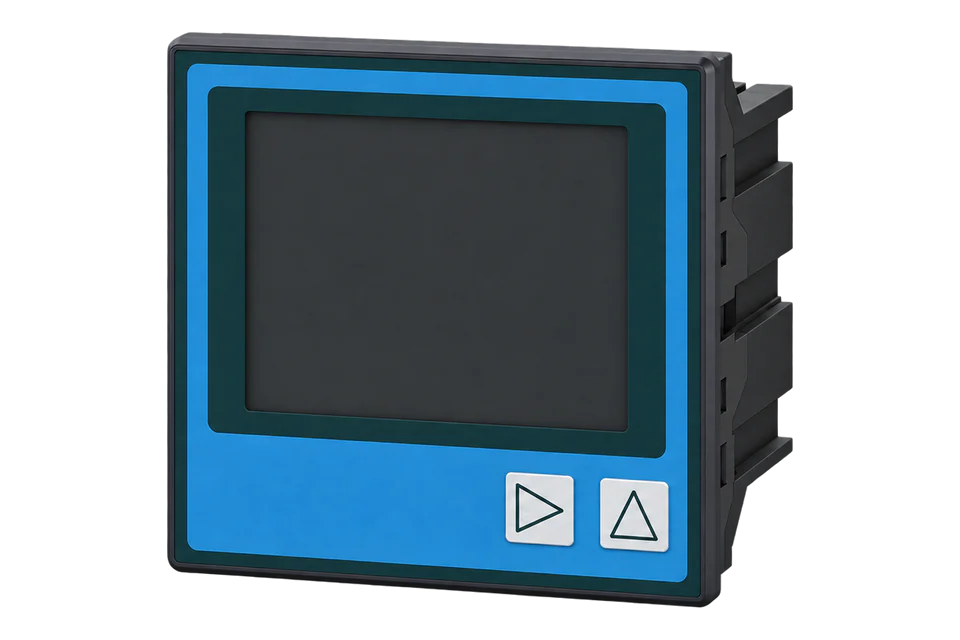
A direct-connected 100 A energy meter with native Ethernet. Set its network address, read complete float measurements and compare them with the display.
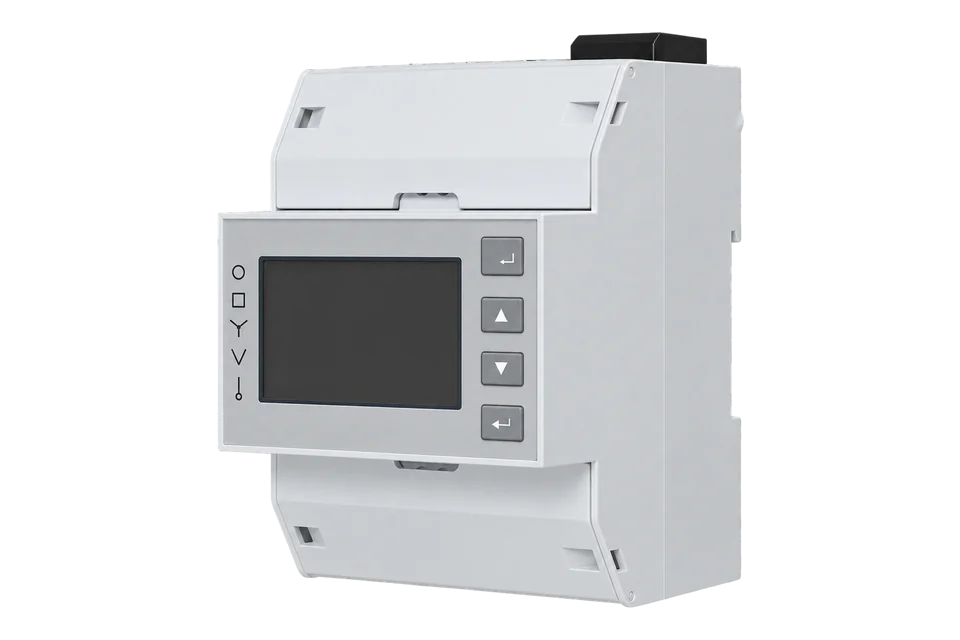
- Modbus TCP
Energy meter
Compatibility
Compatible through Modbus TCP
Manufacturer documentation defines a local Modbus measurement path for configuration in the Edge Modbus client.
Direct-connected SDM630-TCP covered by user manual V2.01. This is not the SDM630MCT-TCP CT-input meter or the serial SDM630-Modbus V2. Accuracy and environmental options depend on the installed variant.
Connect it with
-
Gateway ZGW-20From €899 ex VAT Configure Gateway
-
Evaluation Gateway on a Raspberry Pi Edge with one device licensedFree Set up Evaluation Gateway on a Raspberry Pi

For SDM630-TCP with its built-in Ethernet port
- Modbus
- Edge
- Platforms
Models
| Models | Interface | Route into Edge |
|---|---|---|
| SDM630-TCP | Direct connection up to 100 A; native Ethernet | This page uses the manufacturer’s V2.01 operating and register manual. |
| SDM630MCT-TCP | External CT input; Ethernet | Different measurement input and ratio configuration; use its own manual. |
| SDM630-Modbus V2 | Direct current input; RS-485 | Requires a serial connection path rather than the TCP endpoint described here. |
Specifications
SDM630-TCP combines direct current measurement up to 100 A with an Ethernet interface. It can be useful where an existing network reaches the meter and a separate serial converter would add unnecessary equipment. The Ethernet port changes the communications path, not the electrical installation: the measured load still passes through the meter. A higher-current circuit needing external current transformers requires an appropriate CT-input model instead.12
- Current input
- Direct connection, maximum 100 A1
- Voltage ranges
- 100–276 V L-N; 173–480 V L-L, subject to the documented supply topology1
- Ethernet defaults
- 192.168.1.200, subnet 255.255.255.0, gateway 192.168.1.1; DHCP off1
- Modbus endpoint
- TCP port 502 by default; configurable Modbus address 1–2471
- Input measurements
- FC04; four-byte float values occupy two 16-bit registers1
- Example address
- Phase 1 L-N voltage: reference 30001, PDU offset 0x00001
- Accuracy selection
- V2.01 lists alternative energy classes; verify the exact installed rating rather than assuming every unit is MID1
Interface
Documented measurements and integration boundaries for SDM630-TCP.
- Per-phase voltage and current, active/reactive/apparent power and power factor.
- Import and export active energy as separate kWh readings.
- Frequency, voltage/current THD and maximum demand.
- Topology-dependent availability: line-to-neutral measurements are not valid for every wiring system.
Assessment
Direct-connected SDM630-TCP covered by user manual V2.01. This is not the SDM630MCT-TCP CT-input meter or the serial SDM630-Modbus V2. Accuracy and environmental options depend on the installed variant.
- InteroperabilitySupported with conditions
- A native TCP endpoint and model-specific FC04 float table are documented; actual word order still needs confirmation.1
- AccuracySupported with conditions
- The direct 100 A input and topology-dependent measurement availability are documented; accuracy options need exact-unit identification.1
- SecurityNot yet assessed
- The retained manual describes local configuration, but does not establish authenticated or encrypted measurement transport.1
- ReliabilityNot yet assessed
- Documented commissioning checks identify incorrect values, but do not establish availability during power or network interruptions.1
- RuggednessSupported with conditions
- V2.01 specifies IP51 at the front and IP20 for the body, with a standard -25 to +55 °C range and optional extended temperature variants.1
- ScalabilityNot yet assessed
- Ethernet addressing and Modbus unit IDs are documented, but the manual does not establish a simultaneous-client or polling-capacity limit.1
- LifecycleNot yet assessed
- Current manufacturer documents are available for the selected meter, without a stated support lifetime.1
Setup
Read voltage over native TCP
V2.01 gives phase 1 line-to-neutral voltage at input reference 30001, PDU offset 0x0000, as a four-byte float in V. Use this check only on a topology where the table marks the value available.
- PDU
- 04 00 00 00 02: FC04, offset 0, two registers.
- Illustrative TCP request
- 00 01 00 00 00 06 01 04 00 00 00 02: transaction 1, protocol 0, length 6 and illustrative unit 1. Use the configured unit address.
- Synthetic decoder example
- 43 66 00 00 is IEEE754 float32 230.0 V when the high word is first.
- Word-order boundary
- The cited table does not explicitly state word order. Confirm the installed response against the display; the example is not a claim about the meter’s default.
- Transport
- No RTU CRC is appended to the TCP request. MBAP length includes the unit identifier and PDU.
- 3P3W alternative PDU
- 04 00 C8 00 02: FC04, line 1-to-line 2 voltage at offset 200, two registers in V
Acceptance: This is a synthetic request/decode check, not a device capture. Match transaction and unit identifiers, require a four-byte measurement response, then validate the actual word order and displayed value.
-
Identify the direct-input TCP meter
Record the exact model, hardware/firmware and rating label. Confirm SDM630-TCP rather than MCT-TCP or the serial Modbus version. Match the electrical wiring system to the actual installation.
-
Read and plan the network settings
Inspect the front-panel Ethernet settings. Factory defaults in V2.01 are IP 192.168.1.200 and port 502 with DHCP disabled. Avoid connecting several meters with the same factory IP; assign unique addresses through the normal commissioning process.
-
Create the Edge connection
Configure the Edge Modbus TCP client with the installed IP address, port and Modbus address. When DHCP is enabled, the manual says other TCP parameters are view-only at the meter. Record the assigned address or arrange a reservation through the network owner.
-
Read a complete supported value
For 3P4W or 1P2W, read phase 1 line-to-neutral voltage with FC04 at PDU offset 0, quantity 2. For 3P3W use line 1-to-line 2 voltage at offset 200 (0x00C8), quantity 2, decoded as float32 in V. V2.01 marks line-to-neutral voltage unavailable for 3P3W; select the value supported by the installed wiring mode.
-
Confirm decoding and energy direction
Compare the decoded voltage with the display before expanding the map. The table specifies a four-byte float but does not explicitly define word order; verify the actual order instead of copying a serial-model assumption. Check active-power direction and separate import/export kWh under a known load.
Common questions
- Can I reuse the serial SDM630 template?
- Do not assume the serial version’s entire register map, word order or configuration options apply. V2.01 provides a table for SDM630-TCP. Use those exact measurements and validate a complete value before expanding the read set.1
- Why does the default IP address not respond?
- The meter may have been reconfigured or DHCP may be enabled. Read its Ethernet settings at the front panel and check that the gateway can reach that subnet. A successful ping still does not prove that the configured Modbus port and unit identifier return the intended measurements.1
- What is the difference between IP address and Modbus address?
- The IP address locates the network endpoint. The Modbus address is carried as the unit identifier in the request. V2.01 allows addresses 1–247; use the value configured on the meter rather than assuming all native TCP devices ignore it.1
- Does the SDM630-TCP need CT scaling?
- This direct-connected model measures current through its own terminals. Do not add the external CT ratio from an SDM630MCT configuration. The CT-input TCP model is a separate product with different commissioning requirements.1
- Can the meter’s energy class be assumed from this model name?
- No. V2.01 lists Class 1 or Class 0.5 and Class B or Class C for MID variants. The installed label and applicable approval determine which claim is appropriate; the guide does not assign every SDM630-TCP the best listed class.1
Related devices

Sources
- SDM630-TCP user manual V2.01, 22 April 2025 (opens in a new tab) (PDF)
- SDM630-TCP Ethernet energy meter: product specifications and network defaults (opens in a new tab)
Further reading
Product names and trademarks belong to their owners. Publication does not imply endorsement or a commercial relationship.