SONOFF MINI-ZB1GSP
In-wall switch with energy metering
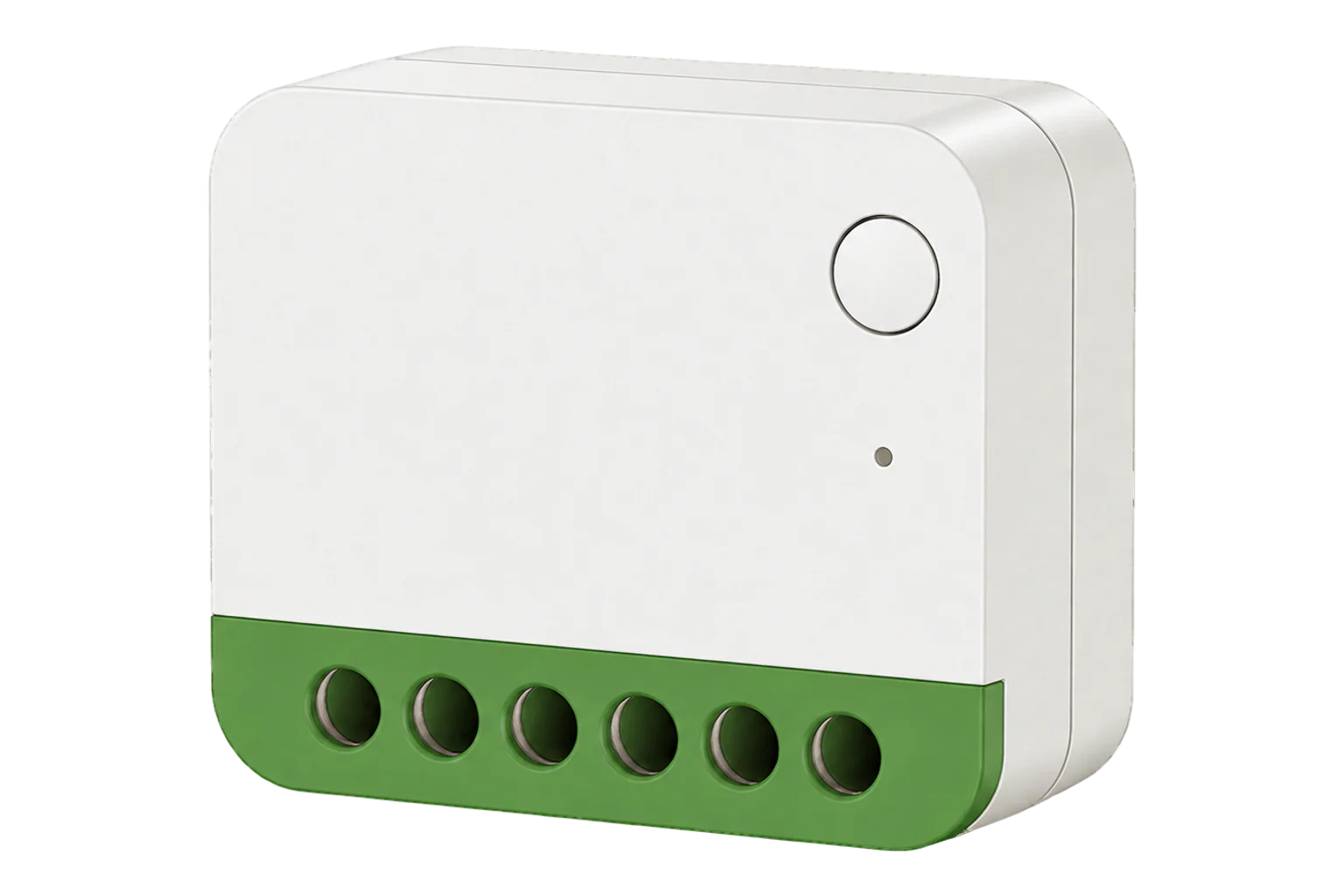
A compact Zigbee 3.0 relay that fits behind a wall switch or in a back box. It switches one 16 A circuit and meters it in both directions, reporting power, current, voltage and imported and exported energy.
Also sold asMINI ONE PM (Zigbee)
Compatibility
Compatible with EpiSensor Edge over Zigbee.
Pair it with the Zigbee radio on an EpiSensor Gateway. Edge reads it locally on the Gateway.
Edge reads 27 values from it, listed under Interface.
Connect it with

Specifications
It meters in both directions. Besides power, current and voltage it keeps import and export energy counters for the day, the month and in total, which SONOFF describes as a way to see what a small solar installation produces. Its protection opens the relay on overcurrent, overvoltage, undervoltage, overload or overheating, with the limits set remotely.12
- Power
- Mains. Powered from the circuit it switches: live and neutral at 110 to 240 V AC, 50/60 Hz. A neutral is required.1
- Rating
- 16 A, 110 to 240 V AC, 50/60 Hz, resistive load1
- Supply
- Live and neutral, single phase only1
- Terminals
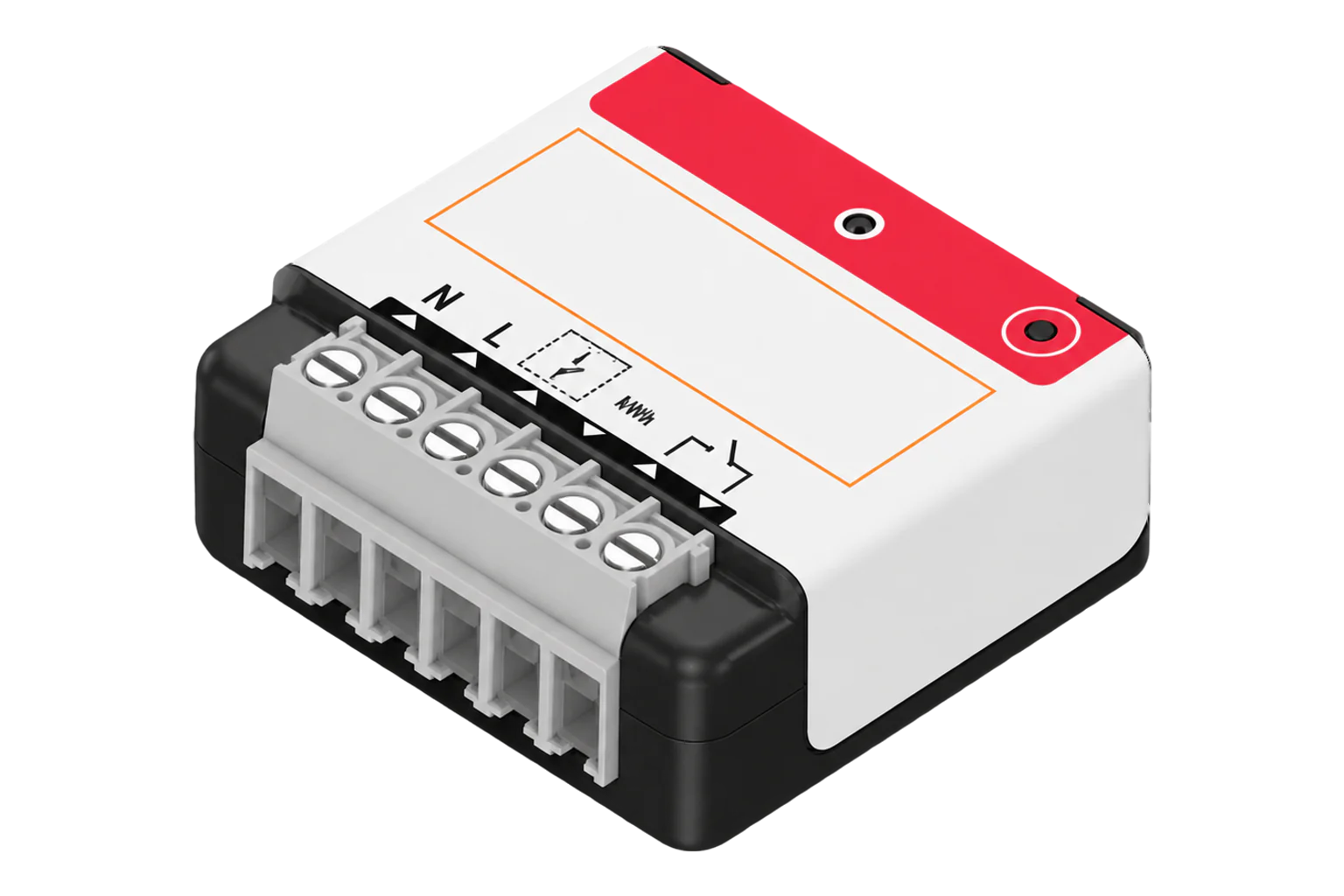
- N, L, L Out (two, linked internally), S1 switch input1
- Switch input
- Toggle or momentary switch, toggle by default1
- Wire size
- 0.75 to 2.5 mm² (18 to 14 AWG), solid or stranded copper1
- Upstream protection
- 16 A MCB or RCBO1
- Wireless
- Zigbee 3.0 (IEEE 802.15.4), repeats traffic for other devices1
- Zigbee chip
- Silicon Labs EFR32MG211
- Operating temperature
- -10 to 40 °C1
- Operating humidity
- 10 to 90 % RH, non-condensing1
- Dimensions
- 39.5 × 33 × 16.8 mm1
- Weight
- 27.3 g1
- Installation
- Indoor, concealed1
- Certification
- CE, RoHS, FCC (ID 2APN5-MINIZB1GSP)1
Where it is used
Output of a small plug-in or balcony PV system, using the export counters, where a dedicated generation meter is not justified.
Solar PV monitoringMetering and switching a fixed load from behind its switch, such as a water heater, panel heater or extractor fan, without a new enclosure.
HVAC energy monitoring for commercial buildingsLighting circuits kept on their wall switches, with the relay giving a remote off and the meter showing when the lights were left on.
Interface
On the Zigbee network it joins as a router and extends the mesh for other devices.1
Readings and settings, with units and ranges where SONOFF publishes them. readable, readable and writable, writable only.2
| Reading | Unit | Range or values | Access |
|---|---|---|---|
| Measurements 10 | |||
| PowerActive power; can read negative when power flows back through the switch | W | - | Read only |
| CurrentCurrent drawn by the connected load | A | - | Read only |
| VoltageSupply voltage | V | - | Read only |
| Energy todayImported energy since midnight | kWh | - | Read only |
| Energy this month | kWh | - | Read only |
| Total energyCumulative imported energy | kWh | - | Read only |
| Export energy todayEnergy fed back through the switch today | kWh | - | Read only |
| Export energy this month | kWh | - | Read only |
| Total export energyCumulative exported energy | kWh | - | Read only |
| Switch inputEvents from the wall switch on S1 | - | single_clickdouble_clicklong_pressswitch_onswitch_off |
Read only |
| Controls 1 | |||
| RelaySwitches the output | - | ONOFFTOGGLE |
Read and write |
| Settings 13 | |||
| Power-on behaviourRelay state when mains returns | - | offontoggleprevious |
Read and write |
| Delayed power-onRestores the output only after a delay | - | ONOFF |
Read and write |
| Power-on delay | s | 0.5 to 3,599.5 s | Read and write |
| Switch input modeHow S1 responds to the wall switch | - | edgepulsefollowing(off)following(on) |
Read and write |
| Detached relayThe wall switch sends events without switching the relay | - | ENABLEDISABLE |
Write only |
| Inching timeSwitches the output back after this time, when inching is enabled | s | 0.5 to 86,399.5 s | Write only |
| Maximum current | A | 0.1 to 16 A | Read and write |
| Maximum power | W | 2 to 3,840 W | Read and write |
| Maximum voltageUsed when the upper voltage limit is enabled | V | 85 to 277 V | Read and write |
| Minimum voltageUsed when the lower voltage limit is enabled | V | 85 to 277 V | Read and write |
| Automatic recovery | - | truefalse |
Read and write |
| Network indicatorTurns the blue status LED on or off | - | ONOFF |
Read and write |
| Turbo modeRaises Zigbee transmit power for range | - | ONOFF |
Read and write |
| Diagnostics 3 | |||
| Overheated | - | NormalAlarm Active |
Read only |
| Metering error | - | NormalAlarm Active |
Read only |
| Protection trippedElectrical protection has opened the relay | - | NormalAlarm Active |
Read only |
All metering comes from a SONOFF manufacturer-specific cluster (0xFC11): power, current and voltage, and the import and export energy counters for today, this month and in total.3
Power is decoded as a signed 32-bit value in milliwatts, so power flowing back through the switch from a generator or small PV system can read as negative, while the export counters accumulate that energy separately.13
One fault attribute carries three alarms: device overheated, a metering communication error and an electrical protection trip. Watch the protection alarm when a circuit drops out, because the relay opens without a command.23
Setup
-
Wire it with the power off
Isolate the circuit. Connect live to L, neutral to N, the load to L Out and the wall switch to S1, with a 16 A MCB or RCBO ahead of the module. Never connect S1 to neutral or earth. SONOFF requires a qualified electrician for this step.1
-
Open pairing in Edge
In Edge, open pairing on the Gateway's Zigbee network, then restore power to the circuit.
-
Let it enter pairing mode
On first power-up the module enters pairing mode and its blue LED flashes slowly for 180 seconds. On a module paired before, press and hold the button for 5 seconds. Holding it for 10 seconds is a factory reset.1
-
Confirm the join
The blue LED stays on once the module is connected to the Gateway. A fast flash means the connection is not working. Check that Edge identifies it as SONOFF MINI-ZB1GSP.1
-
Check the switch and one reading
Operate the wall switch and check that the relay and the switch input event follow it. Then run the load and compare power and voltage with a clamp meter or the load's rating.
Common questions
- Does it need a SONOFF hub to work with Edge?
- No. It is a Zigbee 3.0 device, so it joins the Zigbee radio on an EpiSensor Gateway directly, and Edge reads it on the Gateway without a SONOFF hub or the eWeLink cloud.1
- Can it measure exported energy from solar panels?
- Yes. It meters in both directions and keeps export energy counters for the day, the month and in total, alongside the import counters. Power can read negative while energy flows back.13
- Can I keep the existing wall switch?
- Yes. Wire the switch to S1. It accepts toggle and momentary switches, toggle by default; press the module's button three times to change the type, and the LED flashes three times to confirm.1
Related devices


Sources
- MINI-ZB1GSP product guide, installation and specifications (opens in a new tab)
- SONOFF MINI-ZB1GSP device documentation (opens in a new tab)
- SONOFF MINI-ZB1GSP Zigbee definition (opens in a new tab)
Further reading
Product names and trademarks belong to their owners. Publication does not imply endorsement or a commercial relationship.