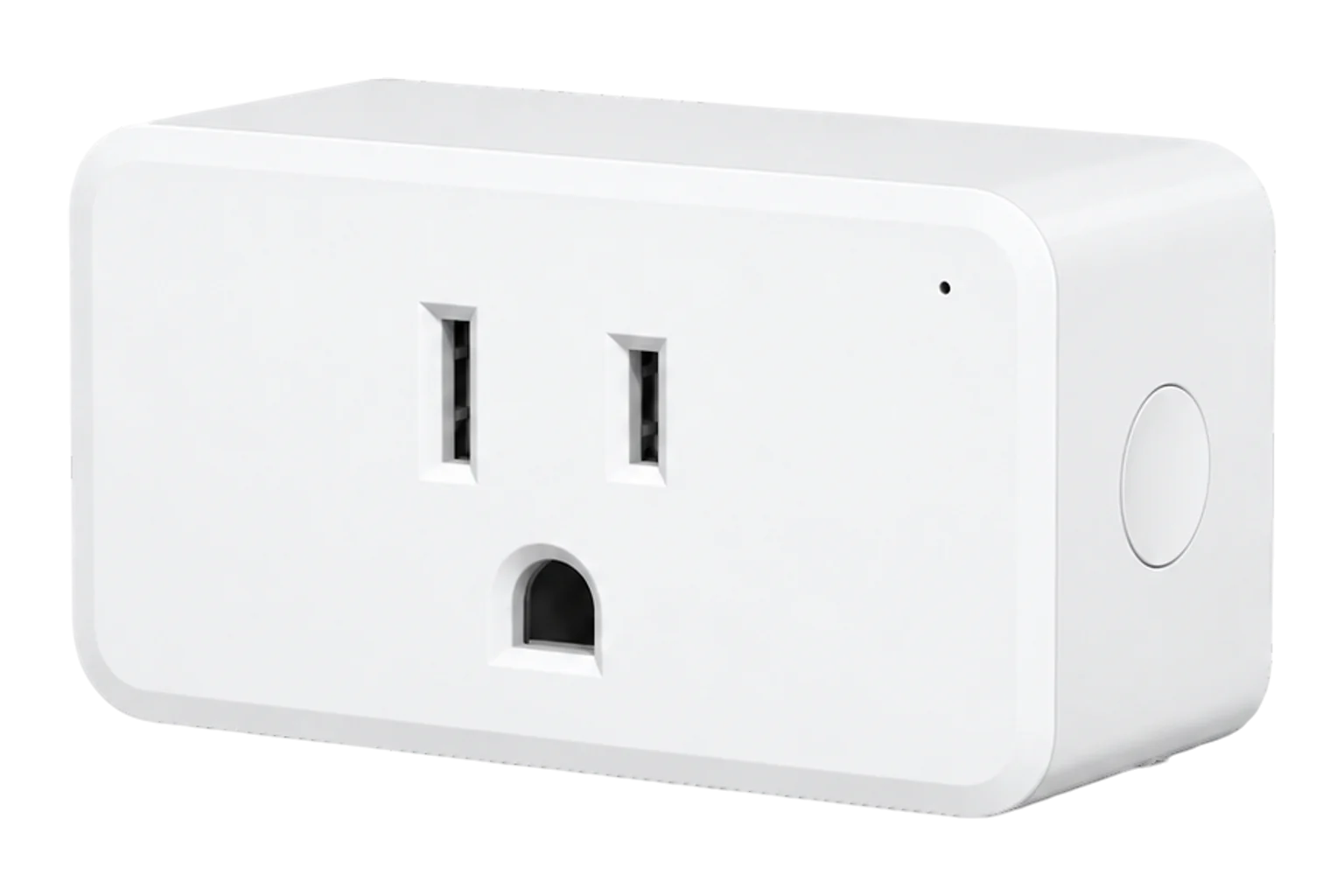
Third Reality 3RSP02064Z
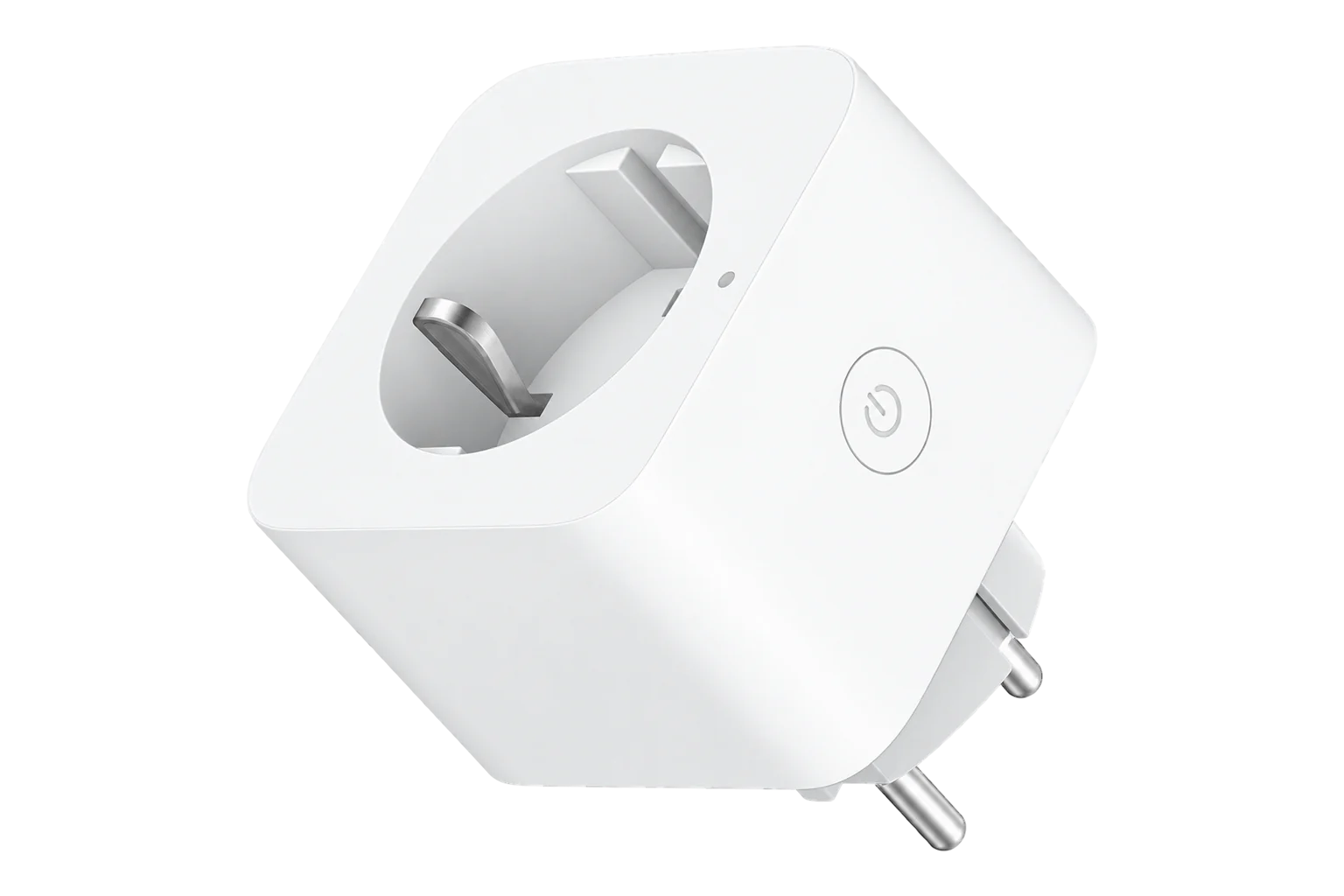
Metering smart plug
THIRDREALITY's third-generation Zigbee 3.0 plug for 100 to 120 V outlets. It switches up to 15 A and reports power, current, voltage, frequency, power factor and energy, with metering calibrated to ±1 %.
Also sold asSmart Plug Gen3
Compatibility
Compatible with EpiSensor Edge over Zigbee.
Pair it with the Zigbee radio on an EpiSensor Gateway. Edge reads it locally on the Gateway.
Edge reads 15 values from it, listed under Interface.
Connect it with

Specifications
The 3RSP02064Z, sold as Smart Plug Gen3, is a single-outlet Zigbee 3.0 plug with a relay and an energy meter. THIRDREALITY rates it at 100 to 120 V AC, 50/60 Hz and 15 A, and states that its power monitoring is calibrated to ±1 %. It repeats Zigbee traffic, and its compact body leaves the neighbouring outlet free.12
- Power
- Mains. Powered from the outlet it plugs into: 100 to 120 V AC, 50/60 Hz.1
- Electrical rating
- 100 to 120 V AC, 50/60 Hz, 15 A maximum1
- Metering accuracy
- ±1 %, as calibrated by the manufacturer2
- Measurements
- Power, current, voltage, frequency, power factor, energy3
- Wireless
- Zigbee 3.0, repeats traffic for other devices1
- Working temperature
- -10 to 40 °C1
- Operating humidity
- 5 to 90 % RH, non-condensing1
- Power-on state
- Configurable: on, off, toggle or previous3
- Firmware updates
- Over the air through the Zigbee network3
- Safety listing
- ETL certified2
Where it is used
Plug-in loads such as water coolers, printers and vending machines in offices and shops, alongside the site meter that shows the total.
Multi-site energy monitoringPower factor and consumption of individual appliances with switch-mode supplies or motors, where a watts-only reading hides the difference.
Measuring a load that must stay on, such as a network cabinet supply, with metering-only mode so the relay cannot be opened remotely.
Interface
On the Zigbee network it joins as a router and extends the mesh for other devices.2
Readings and settings, with units and ranges where Third Reality publishes them. readable, readable and writable.3
| Reading | Unit | Range or values | Access |
|---|---|---|---|
| Measurements 6 | |||
| PowerActive power drawn by the load | W | - | Read only |
| Current | A | - | Read only |
| VoltageSupply voltage at the outlet | V | - | Read only |
| Frequency | Hz | - | Read only |
| Power factorRatio of active to apparent power | - | - | Read only |
| EnergyCumulative energy delivered to the load | kWh | - | Read only |
| Controls 1 | |||
| RelaySwitches the outlet | - | ONOFFTOGGLE |
Read and write |
| Settings 8 | |||
| Metering-only modeForces the relay on so the plug only measures | - | ONOFF |
Read and write |
| Power rise thresholdReports a sudden rise of at least this much | W | 1 to 3,200 W | Read and write |
| Power drop thresholdReports a sudden drop of at least this much | W | 1 to 3,200 W | Read and write |
| Power-on behaviourRelay state when power returns | - | offontoggleprevious |
Read and write |
| Off countdownCountdown from on to off | s | 0 to 65,535 s | Read and write |
| On countdownCountdown from off to on | s | 0 to 65,535 s | Read and write |
| Reset energyClears the cumulative energy total | - | Reset |
Read and write |
| LED brightness | % | 0 to 100 % | Read and write |
Power, current, voltage, frequency and power factor come from the standard Electrical Measurement cluster, and energy from the standard Simple Metering cluster. The public Zigbee definition asks for reports on a change of 5 W, 0.05 A, 5 V or 0.1 kWh.45
Out of the box a power reading can lag by about a minute. Setting the power rise and drop thresholds low, for example to 1 W, makes the plug report changes almost at once.3
Countdowns, the power thresholds, metering-only mode and the energy reset sit in THIRDREALITY's manufacturer-specific cluster (0xFF03).4
The same Zigbee definition also covers THIRDREALITY's Smart Plug UZ1 (3RSPU01080Z), E3 (3RSPE02065Z), C1 (3RSP0186Z) and J1 (3RSPJ0187Z). They share this interface, but their electrical ratings are not the Gen3's, so take those from each model's own manual.4
Setup
-
Open pairing in Edge
In Edge, open pairing on the Gateway's Zigbee network. The Gateway accepts new devices while pairing is open.
-
Plug it in
Insert the plug into an outlet. A new plug enters pairing mode by itself and its LED flashes red.1
-
Or start pairing by hand
With the plug powered, press and hold the On/Off button for more than 10 seconds until the LED flashes red. This is also the factory reset. The plug leaves pairing mode after 3 minutes if it has not joined.1
-
Confirm the join
The LED goes out when pairing completes. Check that Edge identifies the plug as Third Reality 3RSP02064Z.1
-
Tune reporting and check one reading
Set the power rise and drop thresholds so step changes arrive promptly, then run a load of known rating and compare power and voltage with it.3
Common questions
- Does the 3RSP02064Z need a THIRDREALITY hub to work with Edge?
- No. It is a Zigbee 3.0 plug, so it joins the Zigbee radio on an EpiSensor Gateway directly and Edge reads it on the Gateway without a THIRDREALITY hub or app.1
- How accurate is its power metering?
- THIRDREALITY states that the Smart Plug Gen3 is calibrated for ±1 % power detection accuracy. Check it against a load of known rating when you install it.2
- Why do power readings arrive slowly?
- With default settings a new power reading can lag by about a minute. Lower the power rise and drop thresholds, for example to 1 W, and changes are reported almost at once.3
- Can I stop the plug being switched off?
- Yes. Metering-only mode forces the relay on, so the plug keeps measuring and the load stays powered.3
Related devices

Sources
- Smart Plug Gen3 user manual (3RSP02064Z) (opens in a new tab) (PDF)
- Smart Plug Gen3 (opens in a new tab)
- Third Reality 3RSP02064Z device documentation (opens in a new tab)
- Third Reality 3RSP02064Z Zigbee definition (opens in a new tab)
- Electricity meter reporting defaults (opens in a new tab)
Further reading
Product names and trademarks belong to their owners. Publication does not imply endorsement or a commercial relationship.