Schneider Electric PowerLogic PM5300
Power and energy meter
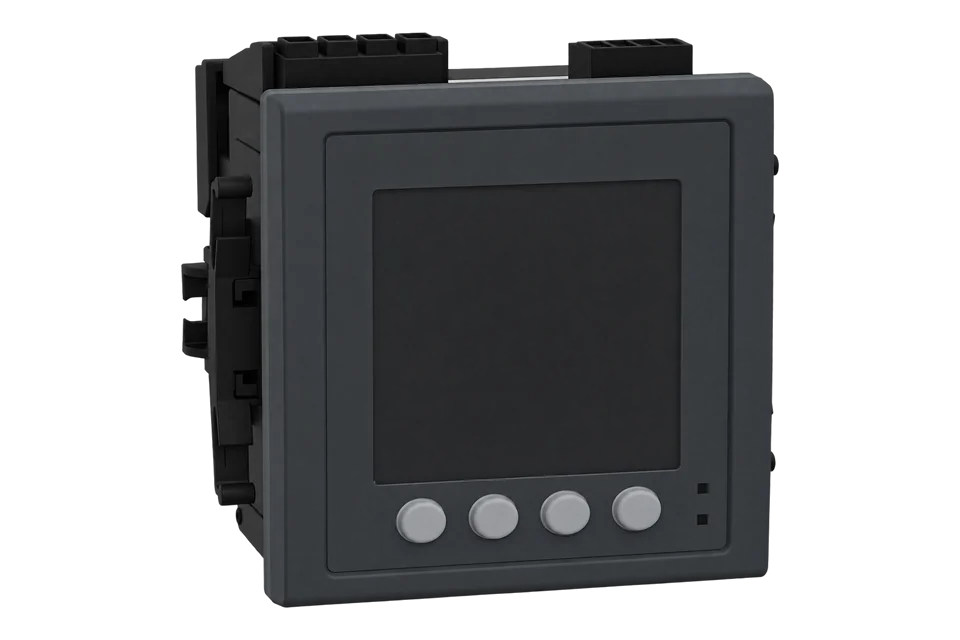
The PowerLogic PM5300 series are three-phase panel meters with class 0.5S active energy, harmonics to the 31st and 2 status inputs and 2 digital outputs; the PM5330 and PM5340 add 2 relays, and the PM5331 and PM5341 are their MID versions. Each meter has one communication port: RS-485 with Modbus RTU on the PM5310, PM5330 and PM5331, or Ethernet with Modbus TCP and BACnet/IP on the PM5320, PM5340 and PM5341. Schneider publishes one register list for all six models, with a column per model. Start with the one-register product ID read below, then add FLOAT32 current, voltage, power and frequency and the INT64 energy counters.
Compatibility
Compatible with EpiSensor Edge over Modbus RTU, Modbus TCP or BACnet/IP
Schneider documents Modbus RTU on the RS-485 port of the PM5310, PM5330 and PM5331, and Modbus TCP and BACnet/IP on the Ethernet port of the PM5320, PM5340 and PM5341. Its PM51xx/PM53xx register list gives register numbers, sizes, data types, units and a product ID for every model.
PM5310, PM5320, PM5330, PM5331, PM5340 and PM5341 with the PM51xx/PM53xx register list v2038_v2066_R01, supplied with firmware package 2.2.4 for hardware B1. Site check: read the product ID at register 90, then compare frequency and one current with the display. Read-only monitoring: no command interface writes.
Connect it with
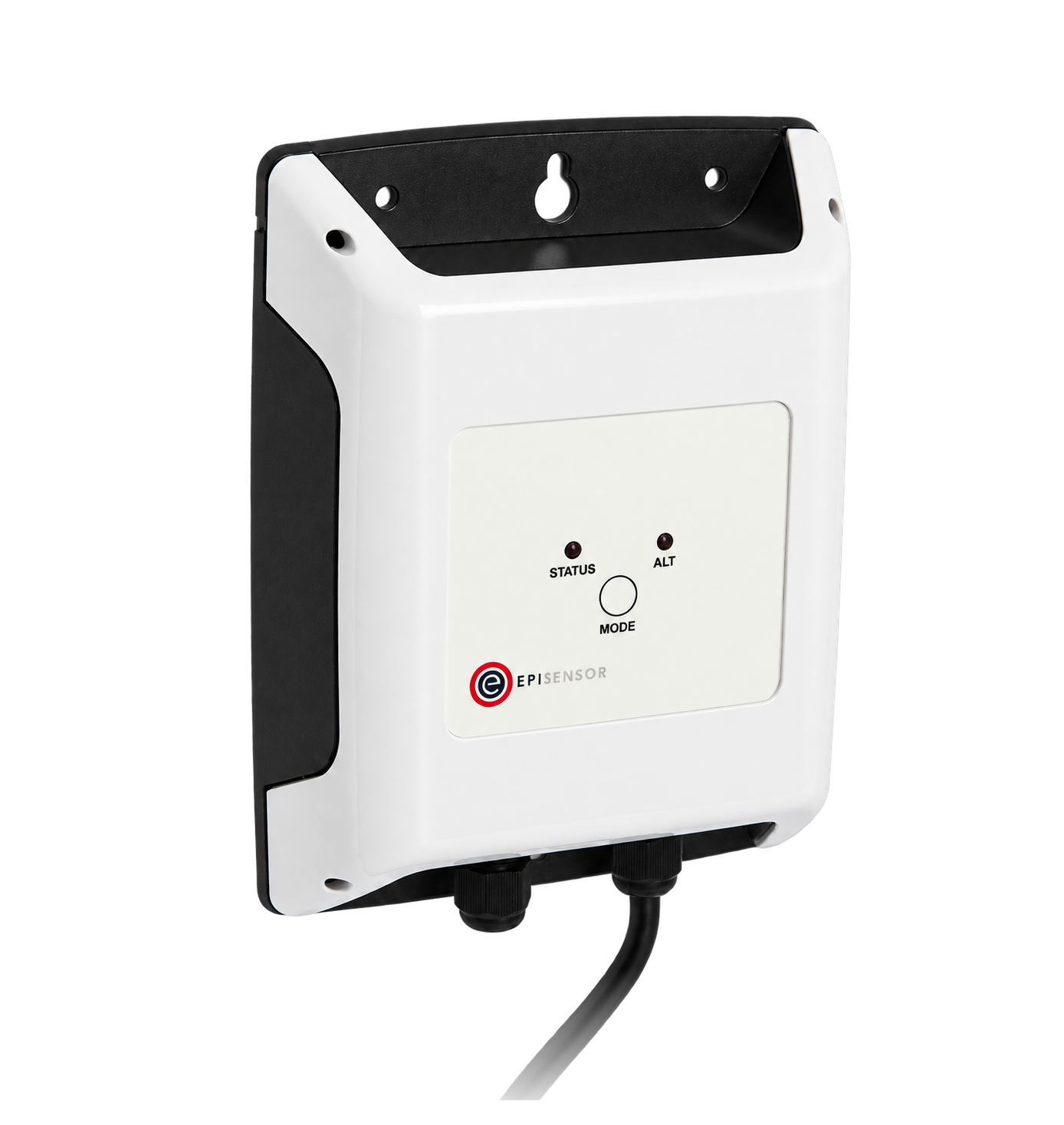
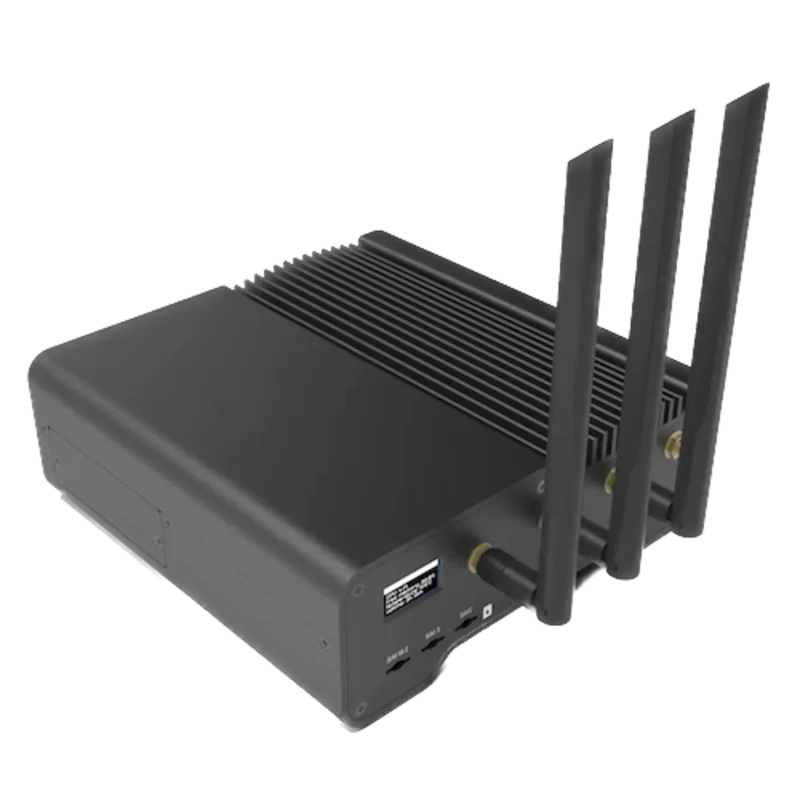
For a PM5310, PM5330 or PM5331 in a switchboard where a wireless link avoids a new data cable back to the Gateway
- Modbus
- Wireless
- Edge
- Platforms
When the Gateway is in the same panel, or several meters share one wired RS-485 bus
- Modbus
- Edge
- Platforms
For a PM5320, PM5340 or PM5341
- Modbus
- Edge
- Platforms
For a PM5320, PM5340 or PM5341 on firmware 2.00 or later where a BACnet/IP read suits the site
- BACnet
- Edge
- Platforms
Models
| Models | Interface | Route into Edge |
|---|---|---|
| PM5310 (METSEPM5310) | RS-485 with Modbus RTU, Modbus ASCII or Jbus; 2 status inputs and 2 digital outputs; no relays | Modbus RTU through a ZMB-31 or a Gateway serial port. Product ID 15272. |
| PM5330 (METSEPM5330) | RS-485 with Modbus RTU, Modbus ASCII or Jbus; 2 status inputs, 2 digital outputs and 2 relays | Modbus RTU through a ZMB-31 or a Gateway serial port. Product ID 15273. |
| PM5331 (METSEPM5331) | MID version of the PM5330: RS-485, 2 status inputs, 2 digital outputs and 2 relays; 4-digit revenue lock | Same Modbus RTU route and register columns as the PM5330. Product ID 15274. Energy resets are refused while revenue security is active. |
| PM5320 (METSEPM5320) | Ethernet with Modbus TCP and BACnet/IP; 2 status inputs and 2 digital outputs; no relays | Modbus TCP or BACnet/IP from the Gateway over the site network. Product ID 15275. |
| PM5340 (METSEPM5340) | Ethernet with Modbus TCP and BACnet/IP; 2 status inputs, 2 digital outputs and 2 relays | Modbus TCP or BACnet/IP from the Gateway over the site network. Product ID 15276. |
| PM5341 (METSEPM5341) | MID version of the PM5340: Ethernet with Modbus TCP and BACnet/IP, 2 status inputs, 2 digital outputs and 2 relays | Same Modbus TCP route and register columns as the PM5340. Product ID 15277. |
| PM5110 and PM5111 | Share the same register list, in their own column | Use the PowerLogic PM5000 guide, which carries the PM5110 map. |
Specifications
The PM5300 is a 96 x 96 mm panel meter that samples at 64 samples per cycle and reads its currents through external 1 A or 5 A CTs. The six models differ in port and outputs: RS-485 on the PM5310, PM5330 and PM5331, Ethernet on the PM5320, PM5340 and PM5341, and 2 relays on the PM5330, PM5331, PM5340 and PM5341. The PM5331 and PM5341 are the MID versions.156
- Models
- PM5310, PM5330 and PM5331 with RS-485; PM5320, PM5340 and PM5341 with Ethernet. All have 2 status inputs and 2 digital outputs; the PM5330, PM5331, PM5340 and PM5341 add 2 form A relays.1
- Accuracy
- IEC 61557-12 PMD/[SD|SS]/K70/0.5; active energy class 0.5S to IEC 62053-22 at 5 A nominal (for 1 A nominal when I > 0.15 A); reactive energy class 2; current and L-N voltage class 0.5; frequency class 0.051
- Voltage inputs
- 20 to 400 V L-N and 35 to 690 V L-L (wye) or 35 to 600 V L-L (delta) within the specified accuracy; UL listed up to 347 V L-N and 600 V L-L; VT primary up to 1.0 MV AC; 45 to 65 Hz1
- Current inputs
- 5 A or 1 A nominal CT secondary; measured current 5 mA to 8.5 A; withstand 20 A continuous, 50 A for 10 s per hour and 500 A for 1 s per hour1
- Measurements
- Per-phase and total voltage, current, power, power factor and frequency; delivered, received, net and absolute energy; demand; THD, thd, TDD and odd harmonics to the 31st; 4 tariffs; 35 alarms; 256 kB of memory1
- RS-485
- PM5310, PM5330 and PM5331: one port; Modbus RTU, Modbus ASCII (7 or 8 bit) or Jbus; 9600, 19200 or 38400 baud; even, odd or no parity (one stop bit with parity, two without); up to 32 devices and 1219 m; 2.5 kV RMS isolation15
- Serial defaults
- Modbus RTU, address 1, 19200 baud, even parity1
- Ethernet
- PM5320, PM5340 and PM5341: one RJ45 port at up to 100 Mbps with Modbus TCP and BACnet/IP; up to 128 concurrent TCP/IP connections; factory IP address 169.254.0.10, mask 255.255.0.0; BACnet/IP on UDP 47808 by default16
- Control power
- 100 to 277 V L-N or 100 to 415 V L-L AC ±10%, 50/60 Hz, 5 W or 11 VA at 415 V AC; 125 to 250 V DC ±20%1
- Environment
- Meter -25 to 70 °C, display -20 to 70 °C; 5 to 95% RH non-condensing at 50 °C; display IP54 (IP65 with kit METSEIP65OP96X96FF), body IP30; indoor use in a stationary panel1
- Housing
- 96 x 96 x 72 mm behind the mounting flange, 13 mm protrusion from the cabinet, 430 g; panel up to 6 mm thick1
- Unavailable values
- FLOAT32 0xFFC00000; INT64 0x8000000000000000; INT16U 0xFFFF2
Interface
Documented measurements and integration boundaries for PowerLogic PM5300.
- Schneider's register list numbers registers from 1. Edge sends the zero-based PDU address, so register 3000 is address 2999 (0x0BB7). Schneider's PM5320 FAQ reads the currents with FC03 Read Holding Registers at address 2999.
- 32-bit and 64-bit values are stored most significant register first (big-endian), per Schneider FAQ FA275749 for the PM5100, PM5300 and PM5500.
- Product ID at register 90: INT16U, one register. 15272 is a PM5310, 15273 a PM5330, 15274 a PM5331, 15275 a PM5320, 15276 a PM5340 and 15277 a PM5341. Meter Model at register 50 holds the same name as 20 registers of UTF8 text.
- Current A, B and C at registers 3000, 3002 and 3004, neutral at 3006 and average at 3010: FLOAT32, two registers each, in A. Neutral current is reported only where the system has a neutral and every wired phase current is metered.
- Voltage A-B, B-C and C-A at 3020, 3022 and 3024 and the L-L average at 3026; A-N, B-N and C-N at 3028, 3030 and 3032 and the L-N average at 3036: FLOAT32 in V. Line-to-neutral values are reported only where the neutral-referenced voltages are connected.
- Active power A, B and C at 3054, 3056 and 3058, total at 3060: FLOAT32 in kW. Reactive power total at 3068 in kVAR and apparent power total at 3076 in kVA, with per-phase values in the two registers before each total.
- Power factor total at 3084 uses Schneider's four-quadrant encoding (4Q FP PF, range -2 to 2): a value above 1 is leading and PF = 2 minus the value, a value below -1 is leading and PF = -2 minus the value, otherwise the value is the lagging PF. Register 3192 holds the total PF as a plain FLOAT32 from -1 to 1 (IEC sign).
- Frequency at 3110: FLOAT32 in Hz, range 42 to 70.
- Active energy delivered (into the load) at 3204 and received (out of the load) at 3208: INT64, four registers, in Wh. Reactive energy delivered and received at 3220 and 3224 in VARh, apparent energy delivered at 3236 in VAh. FLOAT32 copies in kWh, kVARh and kVAh start at 2700 (delivered) and 2702 (received).
- Demand, FLOAT32: active power last, present, predicted and peak demand at 3764, 3766, 3768 and 3770 in kW; reactive power at 3780 to 3786 in kVAR; apparent power at 3796 to 3802 in kVA. The default demand method is timed interval block with a 15 minute interval (registers 3701 and 3702).
- THD, FLOAT32 in percent: current A, B and C at 21300, 21302 and 21304; voltage A-N, B-N and C-N at 21330, 21332 and 21334; voltage A-B, B-C and C-A at 21322, 21324 and 21326.
- Setup registers to read once: number of phases 2014, number of wires 2015, power system configuration 2016 (11 is 3-phase 4-wire wye grounded, the default), nominal frequency 2017, VT primary 2026 (FLOAT32) and CT primary 2030 (INT16U).
- A value the meter cannot supply reads 0xFFC00000 as FLOAT32, 0x8000000000000000 as INT64 and 0xFFFF as INT16U. Record it as missing, not zero.
- Write registers: the protected command interface starts at 5000 and the unprotected command interface at 5250. The register list allows Reset All Energies (command 2020), Energize Digital Output (6003) and Communications Setup (5000) through the unprotected interface. Keep both interfaces out of a monitoring poll.
Assessment
PM5310, PM5320, PM5330, PM5331, PM5340 and PM5341 with the PM51xx/PM53xx register list v2038_v2066_R01, supplied with firmware package 2.2.4 for hardware B1. Site check: read the product ID at register 90, then compare frequency and one current with the display. Read-only monitoring: no command interface writes.
- InteroperabilityWell supported
- Schneider documents Modbus RTU on RS-485 models and Modbus TCP and BACnet/IP on Ethernet models, publishes one register list with a column per model, data types, units and unavailable-value codes, and states the word order in a FAQ. The register list does not name function codes; Schneider's PM5320 FAQ reads with FC03.1234
- AccuracySupported with conditions
- Class 0.5S active energy and IEC 61557-12 PMD class 0.5, with delivered and received INT64 energy counters, demand and harmonics to the 31st. System accuracy also depends on the CTs, VTs and the ratios set on the meter.12
- SecurityLimited
- The manual states that Modbus TCP and BACnet/IP are unsecure, cannot encrypt and are enabled from the factory, and that the display passwords default to 0. The register list carries an unprotected command interface at 5250 that accepts energy resets and output commands. A revenue lock on the PM5331 and PM5341 refuses energy resets. Segment the network, change the passwords and keep the client read-only.12
- ReliabilitySupported with conditions
- The manual lists IEC 61000-4-2 to 4-11 immunity tests, 80 to 100 ms AC ride-through, energy and demand in non-volatile memory and a 3-year clock battery. A poll must still treat 0xFFC00000 and other unavailable codes as missing data.12
- RuggednessSupported with conditions
- Meter rated -25 to 70 °C and 5 to 95% RH non-condensing, display IP54 and body IP30, with conformal coating on the circuit boards. It is for indoor use in a stationary panel.1
- ScalabilitySupported with conditions
- Up to 32 devices on one RS-485 bus of 1219 m at up to 38400 baud, or up to 128 concurrent TCP/IP connections on an Ethernet model. Large sites need several buses or Ethernet models.1
- LifecycleSupported with conditions
- Schneider revised the manual in October 2023 and published firmware 2.2.4 in March 2024 with a revision history back to 2016 and its register list; the manual gives a product life above 15 years at 45 °C and 60% RH. Firmware 1.xx meters cannot take 2.xx firmware. No support term is inferred.12
Setup
Read the PM5300 product ID, then frequency
Schneider's PM51xx/PM53xx register list v2038_v2066_R01, supplied with firmware package 2.2.4, gives Product ID Number at register 90 as INT16U with 15273 for a PM5330, Frequency at register 3110 as FLOAT32 in Hz, and Active Energy Delivered at register 3204 as INT64 in Wh. The list numbers registers from 1, so each wire address is the register number minus one.
- Request
- 01 03 00 59 00 01 54 19: Modbus address 1, FC03, address 0x0059 (register 90 minus one), one register, RTU CRC.
- Address convention
- Register 90 is zero-based address 89 (0x0059) and register 3110 is address 3109 (0x0C25). A client that numbers holding registers from one takes 90 and 3110 (or 40090 and 43110). Sending 0x005A instead reads register 91, the hardware bitmap.
- Synthetic response
- 01 03 02 3B A9 6B 0A: two data bytes, 3B A9.
- Decode
- 0x3BA9 is 15273, unsigned 16-bit with no multiplier: a PM5330. 15272 would be a PM5310 and 15276 a PM5340.
- Frequency read
- 01 03 0C 25 00 02 D6 90 reads two registers from 0x0C25. Synthetic response 01 03 04 42 48 00 00 6E 5D: most significant register 0x4248 first, then 0x0000, so the FLOAT32 is 0x42480000 = 50.0 Hz.
- Energy read
- 01 03 0C 83 00 04 B6 B1 reads four registers from 0x0C83 (register 3204 minus one). Synthetic response 01 03 08 00 00 00 00 07 5B CD 15 70 2F gives the INT64 0x00000000075BCD15 = 123456789 Wh, so 123456.789 kWh.
- Modbus TCP
- On a PM5320, PM5340 or PM5341 the same PDU 03 00 59 00 01 follows the MBAP header 00 01 00 00 00 06 FF: transaction 1, protocol 0, six bytes to follow, unit identifier 255, and no CRC.
- Acceptance
- Keep the points when the product ID matches the label, frequency agrees with the display and active energy delivered agrees with the display's kWh at the same time.
Acceptance: The response bytes are a synthetic decoder check, not a captured meter reply. A real reply must name the installed model and give a frequency that agrees with the display before current, power and energy points are enabled.
-
Identify the model
Read the commercial reference on the label (METSEPM5310 to METSEPM5341). The PM5310, PM5330 and PM5331 have an RS-485 port and the PM5320, PM5340 and PM5341 an RJ45 Ethernet port. Confirm the power system, CT ratio and any VT ratio with the installer.
-
Match the port settings
On an RS-485 model, open Maint > Setup > Comm > Serial (setup password 0 from the factory) and record the protocol, address, baud rate and parity: Modbus RTU, address 1, 19200 baud and even parity from the factory. On an Ethernet model, open Comm > Enet and set a stored IP address, mask and gateway before connecting the meter to the network.
-
Wire the port
Connect RS-485 +, - and common with the shield in a daisy chain, up to 32 devices and 1219 m. Connect an Ethernet model to the site switch and confirm the Link LED is on.
-
Read the product ID
Send one FC03 read of register 90 at zero-based PDU address 89 (0x0059). Expect 15272 to 15277, which names the model, before reading any measurement. Over Modbus TCP use unit identifier 255, as Schneider's PM5320 FAQ does.
-
Add frequency, then the measurements
Read frequency at register 3110 (address 3109, 0x0C25) as two registers, most significant register first, and check it is near 50 or 60 Hz. Then add current at 3000, voltage at 3020 or 3028, total active power at 3060 in kW and active energy delivered at 3204 as INT64 in Wh, comparing each with the display.
-
Keep the poll read-only
Leave the command interface at 5000 and 5250 out of the Edge poll, change the display passwords from their default of 0, and on an Ethernet model disable BACnet/IP if only Modbus TCP is used.
Common questions
- Is register 3000 the address sent on the bus?
- No. The register list numbers registers from 1, so a zero-based client sends 2999 for current A at register 3000, as Schneider's PM5320 FAQ does. The product ID read at register 90 (address 89) proves the convention: it returns 15272 to 15277 only when the offset is right.24
- What word order do PM5300 FLOAT32 and INT64 values use?
- Most significant register first. Schneider's FAQ FA275749 states that PM5000 series meters, including the PM5300, store data big-endian, with the largest part in the lowest address.3
- Which energy register should I log?
- Active energy delivered at register 3204 is a four-register INT64 in Wh. The FLOAT32 copy at 2700 is in kWh and keeps only about seven significant digits, so use the INT64 for totals. Received energy is at 3208 as INT64 and 2702 as FLOAT32.2
- How do I read the power factor at register 3084?
- Register 3084 uses Schneider's four-quadrant encoding from -2 to 2. A value above 1 is leading with PF equal to 2 minus the value, a value below -1 is leading with PF equal to -2 minus the value, and a value between -1 and 1 is the lagging PF. For a plain -1 to 1 value read register 3192 instead.2
- Can Edge read a PM5340 over BACnet/IP?
- Yes. The PM5320, PM5340 and PM5341 on firmware 2.00 or later are BACnet/IP B-ASC devices on UDP port 47808 by default, with Analog Input, Binary Input and Multi-state Input objects, and Edge reads them as a BACnet/IP client. Modbus TCP and BACnet/IP are both enabled from the factory; disable the one the site does not use.1
Related devices



Sources
- PowerLogic PM5300 series user manual EAV15107-EN11, October 2023 (opens in a new tab) (PDF)
- PM5110, PM5310 and PM5330 firmware package 2.2.4 (hardware B1, 27 March 2024) with the PM51xx/PM53xx register list v2038_v2066_R01 and firmware revision history (opens in a new tab)
- Are the PM5000's registers saved as most significant or least significant register? FAQ FA275749, updated 29 April 2026 (opens in a new tab)
- Reading PM5320 currents over Modbus TCP/IP, FAQ FAQ000268374 (Italian), 4 February 2025 (opens in a new tab)
- METSEPM5330 product page, PM5330 meter, Modbus, up to 31st harmonic, 256K, 2DI/2DO, 35 alarms (opens in a new tab)
- METSEPM5340 product page, PM5340 meter, Ethernet, up to 31st harmonic, 256K, 2DI/2DO, 35 alarms (opens in a new tab)
Further reading
- ApplicationModbus meter integration for a BMS or SCADA system
- ApplicationTransformer and distribution-board monitoring
- ToolModbus register address translator
- ToolModbus data decoder
- ToolModbus RTU CRC calculator
- GuideModbus commissioning over RS-485
- GuideModbus TCP or RTU for integration
- GuidePowerLogic PM5000 family and the PM5110 map
- ManufacturerSchneider Electric devices
- ProtocolModbus devices and register maps
- CategoryEnergy meters
Product names and trademarks belong to their owners. Publication does not imply endorsement or a commercial relationship.