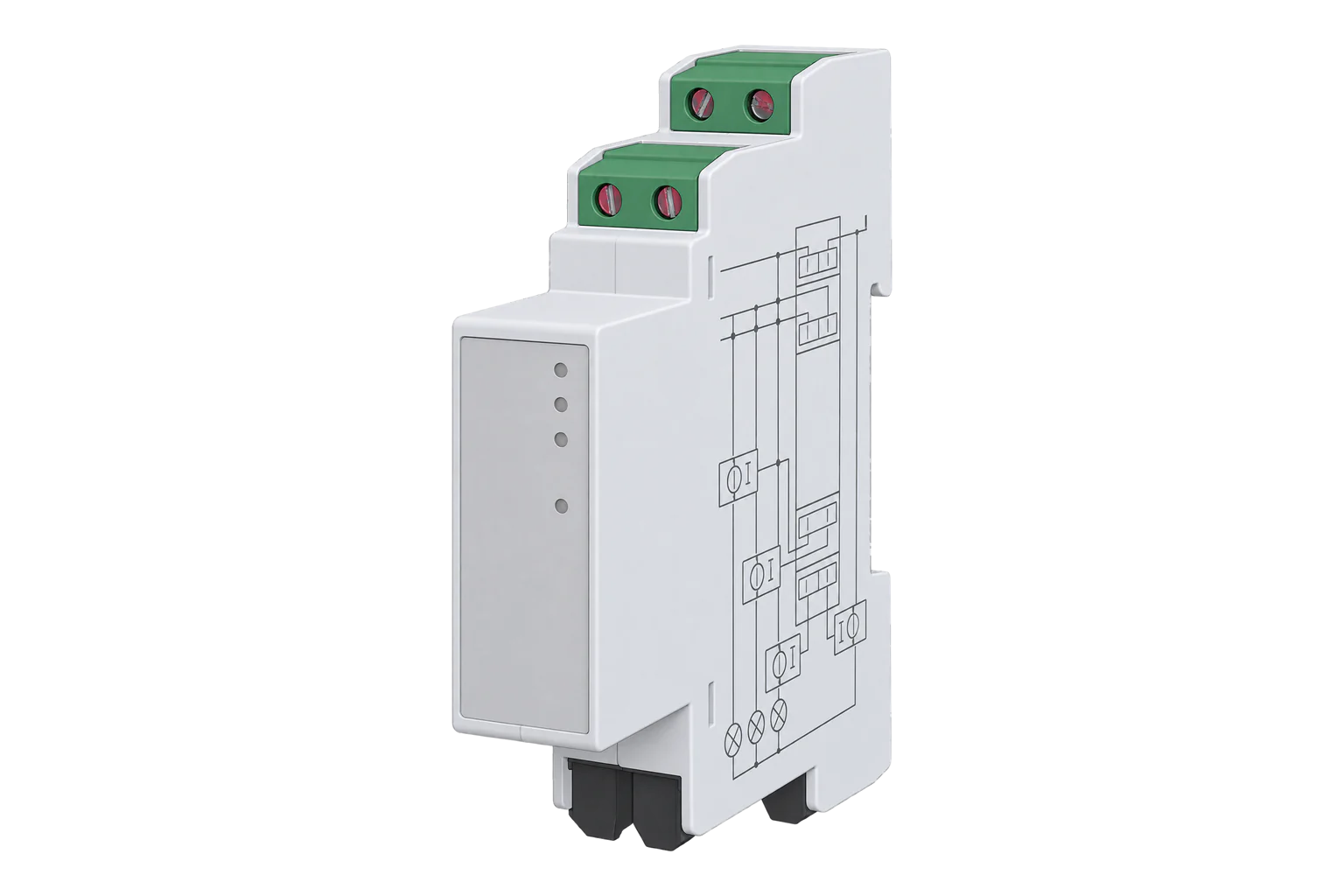
Shelly Pro 3EM
Three-phase power meter
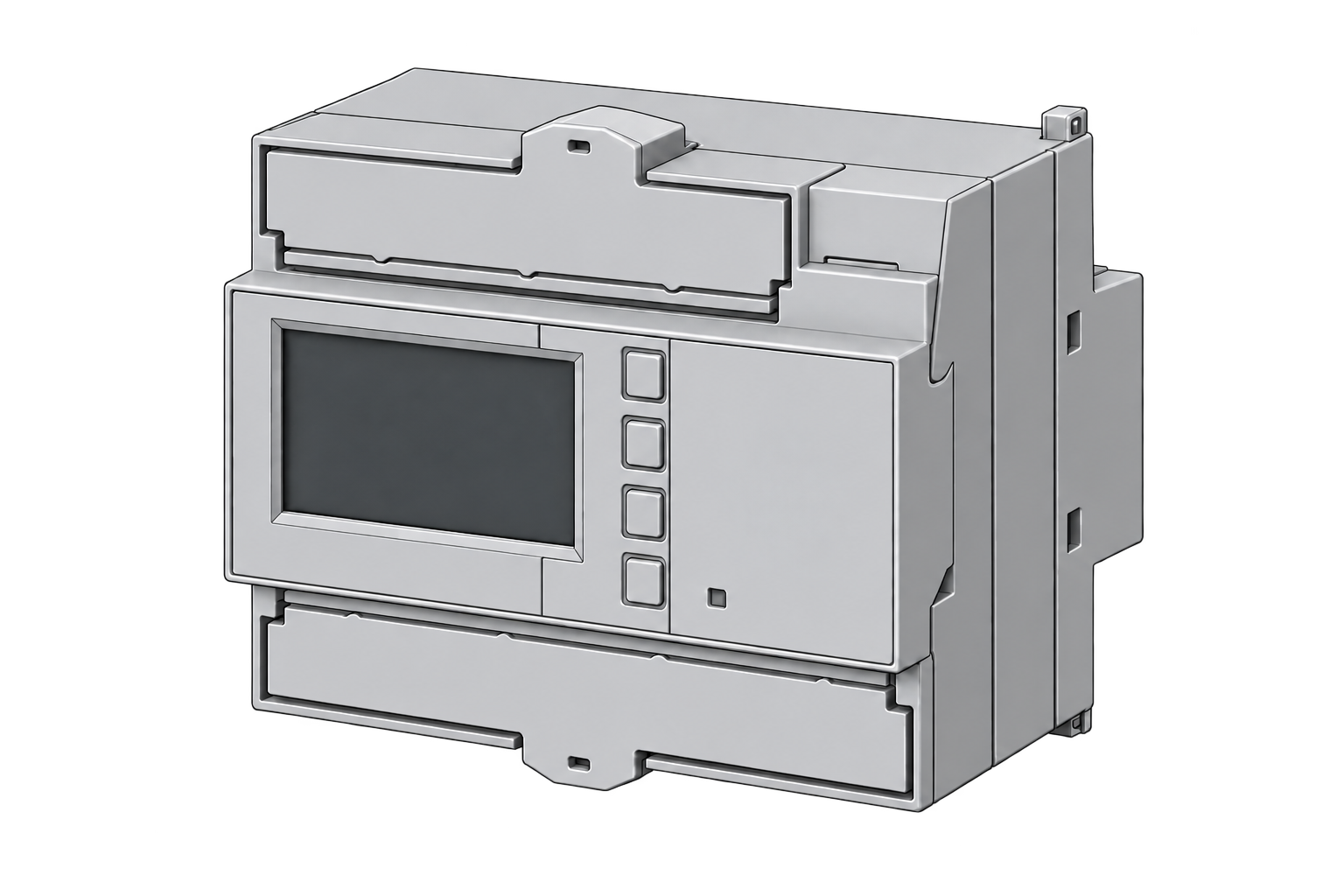
A DIN-rail meter for residential and light-commercial monitoring. Read three-phase electrical measurements over the local network without a cloud service.
Compatibility
Compatible with conditions
Shelly publishes the Modbus TCP register table and a worked voltage read. Edge can import the read-only map provided here; this exact hardware and firmware combination has not been tested on a Gateway.
Only Shelly Pro 3EM SPEM-003CEBEU (120 A), firmware 1.1.0 or later in triphase profile with em:0. This is a documentation-derived map, not a hardware-tested firmware certification. Do not use it for monophase, Gen1 3EM, Gen3 3EM, Pro EM or other Pro 3EM variants.
Connect it with
-
Gateway ZGW-20From €899 ex VAT Configure Gateway
-
Evaluation Gateway on a Raspberry Pi Edge with one device licensedFree Set up Evaluation Gateway on a Raspberry Pi

SPEM-003CEBEU in triphase profile on a protected LAN
- Modbus
- Edge
- Platforms
Specifications
Choose this map for instantaneous local monitoring. For billing, energy settlement or revenue metering, assess certification and counter behaviour separately. A Modbus map establishes neither.14
Interface
This register map is for the SPEM-003CEBEU. other profiles and models has its own interface and is not covered here.
Communication settings
- Interface
- 120 A CT inputs, Modbus TCP, triphase profile
- Read with
- FC04 (input registers)
- Word order
- Low word first on every value
- Addresses
- Zero-based PDU addresses, as sent on the bus
- Route into Edge
- Import the 20-point map after confirming firmware 1.1.0 or later and em:0.
From Shelly Pro 3EM: model and specifications1.
Register map
| Point | Address | Hex | Format | Scale | Unit |
|---|---|---|---|---|---|
| Voltage phase A | 1020 | 0x03FC |
FLOAT32 | ×1 | V |
| Current phase A | 1022 | 0x03FE |
FLOAT32 | ×1 | A |
| Active power phase A | 1024 | 0x0400 |
FLOAT32 | ×1 | W |
| Apparent power phase A | 1026 | 0x0402 |
FLOAT32 | ×1 | VA |
| Power factor phase A | 1028 | 0x0404 |
FLOAT32 | ×1 | - |
| Frequency phase A | 1033 | 0x0409 |
FLOAT32 | ×1 | Hz |
| Voltage phase B | 1040 | 0x0410 |
FLOAT32 | ×1 | V |
| Current phase B | 1042 | 0x0412 |
FLOAT32 | ×1 | A |
| Active power phase B | 1044 | 0x0414 |
FLOAT32 | ×1 | W |
| Apparent power phase B | 1046 | 0x0416 |
FLOAT32 | ×1 | VA |
| Power factor phase B | 1048 | 0x0418 |
FLOAT32 | ×1 | - |
| Frequency phase B | 1053 | 0x041D |
FLOAT32 | ×1 | Hz |
| Voltage phase C | 1060 | 0x0424 |
FLOAT32 | ×1 | V |
| Current phase C | 1062 | 0x0426 |
FLOAT32 | ×1 | A |
| Active power phase C | 1064 | 0x0428 |
FLOAT32 | ×1 | W |
| Apparent power phase C | 1066 | 0x042A |
FLOAT32 | ×1 | VA |
| Power factor phase C | 1068 | 0x042C |
FLOAT32 | ×1 | - |
| Frequency phase C | 1073 | 0x0431 |
FLOAT32 | ×1 | Hz |
| Total active power | 1013 | 0x03F5 |
FLOAT32 | ×1 | W |
| Total apparent power | 1015 | 0x03F7 |
FLOAT32 | ×1 | VA |
Assessment
SPEM-003CEBEU 120 A model in triphase profile; documentary assessment, no physical commissioning claim.
- InteroperabilitySupported with conditions
- The documented TCP interface and exact offsets support a read-only integration; a live verification remains necessary.34
- AccuracySupported with conditions
- Useful instantaneous phase measurements. This map omits accumulated energy and must not be treated as a billing or protection instrument.14
- SecuritySupported with conditions
- Restrict access to the local monitoring hosts. This map uses ordinary Modbus TCP, not an authenticated or encrypted transport.3
- ReliabilitySupported with conditions
- Published 100–260 V AC supply, non-volatile measurement history and local clock continuity support permanent monitoring. Confirm actual recovery and fresh readings after a site interruption.1
- RuggednessSupported with conditions
- A DIN-rail device with published environmental limits; install within the manufacturer enclosure and ambient requirements.1
Edge template
This JSON file supplies the register map. Applying it to an existing meter replaces its sensor list while retaining the site connection, unit ID and enable state.
| Model | Connection | Points | Version | Updated | Download |
|---|---|---|---|---|---|
| SPEM-003CEBEU | 120 A CT inputs, Modbus TCP, triphase profile | 20 | 1.0.0 | Download |
Downloads need a signed-in account with Edge download access.
Use the template in Edge
- Import the JSON file
In Edge, open Settings, then Devices and Templates. Choose Import JSON and select the downloaded file. Confirm that the model and template name match your device.
- Load the map for your meter
For a new Modbus device, use Load Template before entering the manufacturer or model; it fills those fields and the register list. Set the name, site connection and unit ID, check the polling enable state, then test before saving. For an existing device, apply only to the matching model; this replaces its sensor list but retains its connection, unit ID and enable state.
- Test a reading
Use Test in the wizard and compare a known reading with the meter display. Check its unit, sign and scale, then confirm that timestamps keep advancing. These starter maps are read-only and leave exports off until you configure them.
Setup
Read phase A voltage
On a meter that is already commissioned, compare one read with the local EM.GetStatus response for em:0. This checks the decode without changing the meter.
- Function
- FC04: input registers
- Shelly table address
- 31020
- PDU start
- 1020 / 0x03FC, zero-based
- Length
- 2 registers
- Decode
- IEEE-754 float32, CDAB: low word first, big-endian bytes
- Engineering unit
- V; multiplier 1, offset 0
- Independent example
- Words 0000 4366 decode to 230 V; reversing the word order is essential
Acceptance: Compare the first voltage with a fresh a_voltage value from EM.GetStatus?id=0. The 230 V example checks decoding arithmetic; a display or local API comparison confirms the installed measurement.
-
Check the model and profile
Only Shelly Pro 3EM SPEM-003CEBEU (120 A), firmware 1.1.0 or later in triphase profile with em:0. This is a documentation-derived map, not a hardware-tested firmware certification. Do not use it for monophase, Gen1 3EM, Gen3 3EM, Pro EM or other Pro 3EM variants.
-
Read the identity
Record model, firmware version and profile from Shelly.GetDeviceInfo. Firmware 1.1.0 introduced separate triphase and monophase profiles; this map requires em:0, not three em1 components.
-
Match CTs to phases
Follow the manufacturer installation instructions. Match each CT to its voltage phase and direction. This map cannot diagnose incorrect wiring or make an installation safe.
-
Check local access
Confirm the local IP address, TCP 502 reachability, configured client unit ID and Modbus.GetStatus enabled state. The template contains no site connection settings.
-
Use the input-register offsets
Use FC04 with zero-based protocol offsets: Shelly table 31020 is PDU 1020, not 1019 or 31020. Its official example uses mixed order: big-endian bytes within each register, low word first (word_swap true).
-
Load the starter template
Import the JSON into Edge’s device templates, then load the map into the intended Modbus device. Loading replaces that device’s sensor list; review the target before applying.
-
Compare measurements
Compare per-phase voltage and signed power with fresh local RPC readings, then observe multiple polls. A successful TCP connection alone does not validate readings.
-
Keep the polling group read only
All points are read-only instantaneous values. Energy counters, relay/add-on commands, resets, calibration and neutral current are deliberately excluded. Export starts disabled. Confirm a live voltage and signed power against EM.GetStatus before accepting the map.
-
Add current, power and frequency
After voltage, add FC04 reads of two registers at PDU offsets 1022 for phase A current in A, 1024 for active power in W, and 1033 for frequency in Hz. Use the same low-word-first Float32 decoder. Compare a_current, a_act_power and a_freq from EM.GetStatus?id=0 before expanding to the other phases.
Common questions
- Is this the same map as a Shelly 3EM or Pro EM?
- No. This map is only for the 120 A Pro 3EM identified here. Similar product names do not establish matching Modbus registers.12
- Why not put 31020 into Edge?
- Shelly’s own example reads phase A voltage at zero-based input offset 1020. The 3xxxx reference denotes the input-register table. Use FC04 and 1020 in Edge, without subtracting another one.36
- Can I use this for solar import and export?
- The signed active-power readings can help compare direction against the installed CTs. This starter map excludes energy counters, so it does not provide accumulated import or export energy. Confirm direction against the meter before using the readings.4
Related devices

Sources
- Shelly Pro 3EM: model and specifications (opens in a new tab)
- Pro 3EM: triphase and monophase profiles (opens in a new tab)
- Modbus TCP: worked input-register read (opens in a new tab)
- EM: instantaneous measurement register table (opens in a new tab)
- Firmware changelog: 1.0.0 total registers and 1.1.0 profiles (opens in a new tab)
- modbus-cli: mixed byte order and zero-based addresses (opens in a new tab)
Further reading
- ApplicationMulti-site energy monitoring
- ToolModbus data decoder
- ToolModbus register address translator
- GuideSiemens SENTRON PAC2200 Ethernet integration
- GuideEastron SDM630 Modbus integration
- ToolRS-485 termination and bias
- GuideModbus RS-485 commissioning
- ManufacturerShelly devices
- ProtocolModbus devices and register maps
- CategoryEnergy meters
Product names and trademarks belong to their owners. Publication does not imply endorsement or a commercial relationship.