Schneider Electric PowerTag through Panel Server
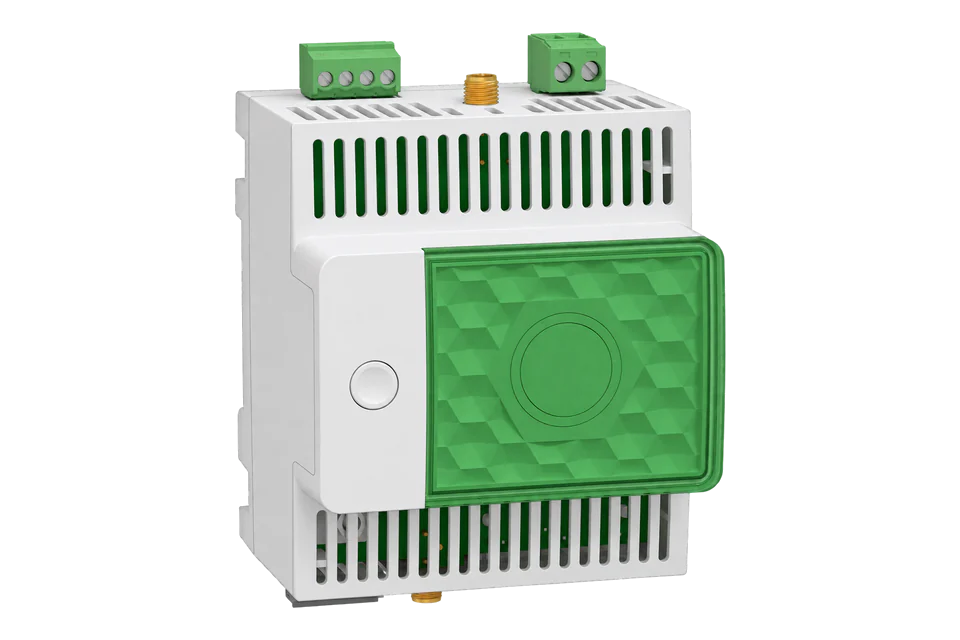
Wireless energy meter gateway
PowerTag Energy sensors measure individual circuits, from 63 A models to the 250 A and 630 A M-series and Rope sensors up to 2000 A, and send their readings by IEEE 802.15.4 radio to an EcoStruxure Panel Server gateway. The Panel Server Universal (PAS600 family) and Advanced (PAS800 family) then serve every paired sensor as a virtual Modbus TCP server: the first sensor answers on unit ID 100, the next on 101, and the gateway itself on 255. Schneider publishes the register tables for each sensor family in its Panel Server Modbus file, with the hex address on the wire and the decimal register number beside it. Start by reading the gateway's list of wireless devices, then the product identifier and energy of each sensor.
Compatibility
Compatible with EpiSensor Edge over Modbus TCP through an EcoStruxure Panel Server
Schneider documents the Panel Server Universal and Advanced as Modbus TCP servers that expose each paired wireless device at its own virtual server ID, and publishes register tables per device family with wire addresses, data types, units, invalid values and function codes. Edge connects to the Panel Server as a Modbus TCP client; the PowerTag radio link stays between the sensor and the Panel Server.
PowerTag Energy 63 (A9MEM15xx), PowerTag M250 and M630 (LV43402x), PowerTag F160 and Rope (A9MEM1580, A9MEM159x) and the PowerLogic Tag sensors, paired to a Panel Server Universal (PAS600, PAS600T, PAS600L) or Advanced (PAS800, PAS800L, PAS800P) on firmware 002.007.000 or later, using Modbus file DOCA0241EN-16. Site check: read the gateway's device list at unit ID 255, then each sensor's product identifier. Read-only monitoring: no writes to the partial energy or peak demand registers.
Connect it with
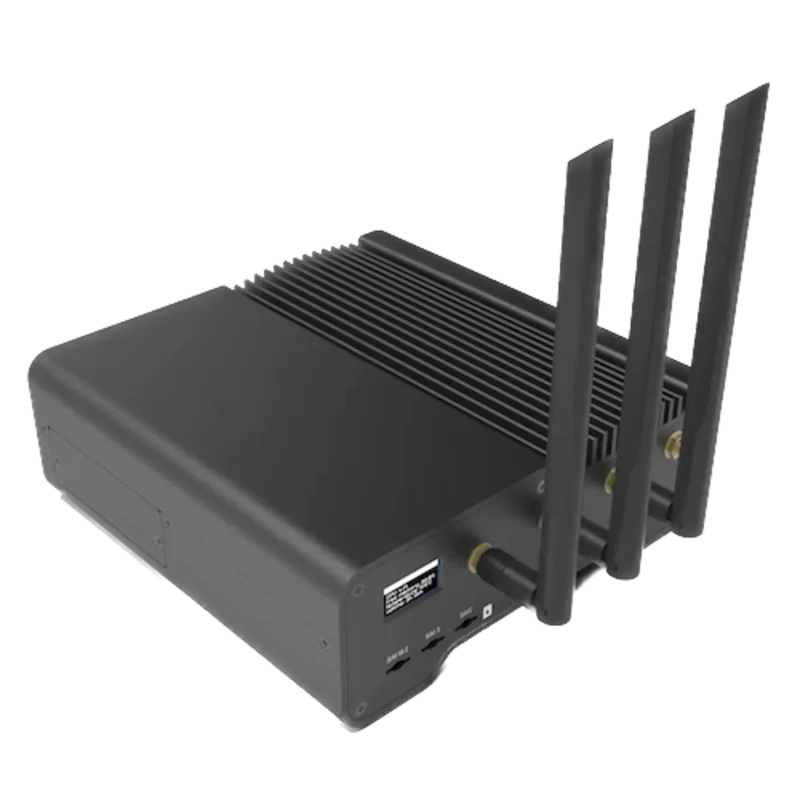
For PowerTag Energy sensors already paired to a Panel Server Universal or Advanced, or a new panel built that way
- Wired
- Edge
- Platforms
Models
| Models | Interface | Route into Edge |
|---|---|---|
| PowerTag Energy 63: A9MEM1520 to A9MEM1575, PowerLogic Tag QO (PLTQO) and E-Frame (PLTE60) | Sensor family tab PTE63-PoTag QO: per-phase current, voltage and active power, total apparent power and power factor, active energy and demand. No frequency or reactive power registers. | Read through the Panel Server at the sensor's virtual unit ID. Wireless product identifier 17210 is an A9MEM1570, 17204 an A9MEM1541. |
| PowerTag M250 and M630: LV434020, LV434021, LV434022, LV434023 | Tab PTEnergy250_630-PoTag Efram: adds total reactive power at 3068, frequency at 3110 and per-phase active energy | Same Panel Server route. Product identifiers 17800 to 17803. |
| PowerTag F160 and Rope: A9MEM1580, A9MEM1590 to A9MEM1593, PowerLogic Tag Rope (PLTR) | Tab PTE Rope-PoTag Rope: neutral current, per-phase reactive and apparent power, per-phase power factor, frequency and reactive and apparent energy | Same Panel Server route. Product identifiers 17980 (F160) and 17973 to 17976 (Rope). |
| Panel Server Universal: PAS600, PAS600T, PAS600L; Advanced: PAS800, PAS800L, PAS800P | Two RJ45 Ethernet ports, Wi-Fi on most models, an RS-485 Modbus-SL client port and the IEEE 802.15.4 radio; up to 85 PowerTag Energy sensors and 64 simultaneous Modbus TCP client connections | Edge is one Modbus TCP client of the Panel Server on port 502. |
| Panel Server Entry PAS400; Universal Wired by Design PAS600LWD and PAS600PWD | The PAS400 has one Ethernet port and the radio; the Wired by Design models have no IEEE 802.15.4 radio | The user guide lists the Modbus TCP/IP server function for Universal and Advanced, so confirm a PAS400 on its webpages before relying on it. Wired by Design models cannot pair PowerTag sensors. |
Specifications
The Panel Server is a DIN-rail wireless concentrator and Modbus gateway. Its Universal and Advanced models collect PowerTag Energy and other Schneider wireless devices over IEEE 802.15.4 and Modbus-SL or Modbus TCP devices by wire, and make all of them available to an upstream Modbus TCP client. The Advanced model adds data logging and trending.23
- Gateways
- Universal PAS600 and PAS600T (110 to 277 V AC/DC and 110 to 240 V AC/DC), PAS600L (24 V DC); Advanced PAS800 (110 to 277 V AC/DC), PAS800L (24 V DC), PAS800P (PoE)12
- Sensors covered
- PowerTag Energy 63 (A9MEM1520 to A9MEM1575), M250 and M630 (LV434020 to LV434023), F160 (A9MEM1580), Rope 200 to 2000 A (A9MEM1590 to A9MEM1593) and the PowerLogic Tag QO, E-Frame and Rope references1
- Capacity
- Universal and Advanced: up to 85 PowerTag Energy sensors, 40 recommended in a mixed wireless configuration; 128 Modbus TCP devices; 64 simultaneous Modbus TCP client connections23
- Modbus TCP
- Server on TCP port 502 by default, enabled or disabled per interface (switched mode, ETH1, ETH2, Wi-Fi); functions 03, 06, 16, 43-14 and 100-4; message timeout 1000 to 320000 ms, default 6000 ms2
- Radio
- IEEE 802.15.4 in the 2.4 to 2.4835 GHz ISM band; external antenna port on PAS600 and PAS600L hardware V2.0 and the PAS800 family; default communication period of the wireless network 5 s2
- Ethernet
- Two 10/100BASE-T RJ45 ports in switched or separated mode on Universal and Advanced; IPv4 by DHCP from the factory23
- Environment
- PAS600L: -25 to 70 °C below 2000 m; IP40 front face, IP20 casing; DIN-rail clip-on, 72 x 93 x 70.2 mm, 181 g3
- Map revision
- Modbus file DOCA0241EN-16 for Panel Server firmware 002.007.000 or later1
Interface
Documented measurements and integration boundaries for PowerTag through Panel Server.
- The Modbus file prints every register twice: the hex address that goes in the Modbus frame and the decimal register number, where register = address + 1. Total active power is hex 0x0BF3, register 3060. Edge sends the hex address.
- INT32, UINT32, INT64 and UINT64 values are big-endian: the most significant register is sent first. Float32 is IEEE 754 in two registers. The file reads all measurement registers with FC03 or FC100 subcode 4.
- Unit IDs: each paired wireless device has a virtual server ID, assigned from 100 upward in discovery order and editable from 1 to 247 on the Panel Server webpages. The Panel Server's own registers answer on unit ID 255, and the synthesis table on 247 by default.
- Discovery at unit ID 255: RFID of wireless device 1 at register 501 (UINT64) and its virtual address at 505 (UINT16), then device 2 at 506 and 510, every five registers. Panel Server firmware version at register 121 (6 registers of ASCII).
- Identity at each sensor's unit ID: wireless product identifier at register 31032 (hex 0x7937, UINT16), commercial reference at 31061 (16 registers of ASCII) and device name at 31001 (10 registers).
- PowerTag 63 measurements, Float32: current A, B and C at registers 3000, 3002 and 3004 in A; voltage A-B, B-C and C-A at 3020, 3022 and 3024 and A-N, B-N and C-N at 3028, 3030 and 3032 in V; active power A, B and C at 3054, 3056 and 3058 and total at 3060 in W; total apparent power at 3076 in VA; total power factor at 3084.
- PowerTag 63 energy, INT64 in Wh, not resettable: active energy delivered plus received at 3204, delivered counted positively at 3208 and received at 3212. The file notes that INT64 energy values are limited to UINT48.
- Demand, Float32 in W: total active power demand at 3766 and peak demand at 3770, with the peak timestamp at 3772 (DATETIME, four registers).
- M250, M630, F160 and Rope sensors add frequency at 3110 (Float32, Hz) and total reactive power at 3068 (Float32, VAR); the F160 and Rope also carry neutral current at 3006 and per-phase power factor at 3078 to 3082.
- Communication health at each sensor's unit ID: register 31146 reads 1 while the Panel Server receives the sensor and 0 after communication loss; RSSI at 31149 (Float32, dBm). Treat readings as stale while it reads 0.
- Invalid values: Float32 0xFFC00000 and INT64 0x8000000000000000. Measurement registers are not saved through a Panel Server power cycle; the energy counters are.
- Write registers: the set-partial-energy registers at 3260, 3268 and 3276, the resettable new-zone energy counters from 5009 and the peak demand reset at 31023 accept FC16. Keep them out of a monitoring poll and log the not-resettable counters.
Assessment
PowerTag Energy 63 (A9MEM15xx), PowerTag M250 and M630 (LV43402x), PowerTag F160 and Rope (A9MEM1580, A9MEM159x) and the PowerLogic Tag sensors, paired to a Panel Server Universal (PAS600, PAS600T, PAS600L) or Advanced (PAS800, PAS800L, PAS800P) on firmware 002.007.000 or later, using Modbus file DOCA0241EN-16. Site check: read the gateway's device list at unit ID 255, then each sensor's product identifier. Read-only monitoring: no writes to the partial energy or peak demand registers.
- InteroperabilityWell supported
- The Modbus file gives hex wire addresses, register numbers, data types, units, invalid values and function codes per sensor family, states the address convention and byte order, and lists a product identifier for every sensor. The user guide documents the unit ID rules and the Modbus TCP server.12
- AccuracySupported with conditions
- Per-phase current, voltage and active power and not-resettable INT64 energy counters for every family. The smallest sensors carry no frequency or reactive power, per-phase values need the neutral voltage connected on some models, and the sensor's own accuracy class comes from its product documentation.12
- SecuritySupported with conditions
- The Modbus TCP/IP server can be enabled or disabled per interface, the webpages use HTTPS and user accounts lock after failed logins. Modbus TCP itself has no authentication, and RW energy and demand registers accept writes from any client the server admits, so restrict the interface and keep Edge read-only.12
- ReliabilitySupported with conditions
- Each sensor's communication status, RSSI, LQI and packet error rate are readable over Modbus, and energy counters survive a Panel Server power cycle. Measurements are not saved through a restart and the radio link can drop, so the poll must watch register 31146.12
- RuggednessSupported with conditions
- The PAS600L operates from -25 to 70 °C below 2000 m with an IP40 front face and IP20 casing, for DIN-rail mounting inside a panel.3
Setup
Find the first PowerTag, identify it, then read its energy over Modbus TCP
Schneider's Panel Server Modbus file DOCA0241EN-16 gives the virtual address of wireless device 1 at hex 0x01F8 (register 505) on unit ID 255, the wireless product identifier at hex 0x7937 (register 31032) as UINT16, total active power at hex 0x0BF3 (register 3060) as Float32 in W and total active energy delivered at hex 0x0C87 (register 3208) as INT64 in Wh. The file states that the hex address is the one used in the Modbus frame.
- Request
- 00 01 00 00 00 06 FF 03 01 F8 00 01: MBAP transaction 1, protocol 0, six bytes to follow, unit ID 255 (the Panel Server), FC03, address 0x01F8, one register, sent to TCP port 502.
- Address convention
- The file prints address 0x01F8 beside register 505 and states that register = address + 1. Send the hex value; a client that takes one-based register numbers takes 505.
- Synthetic response
- 00 01 00 00 00 05 FF 03 02 00 64: two data bytes, 0x0064 = 100, so wireless device 1 answers on unit ID 100.
- Identity read
- 00 02 00 00 00 06 64 03 79 37 00 01 reads register 31032 at unit ID 100. Synthetic response 00 02 00 00 00 05 64 03 02 43 3A gives 0x433A = 17210, which the file lists as A9MEM1570, a PowerTag F63 3P+N, so use the PowerTag 63 register tab.
- Power read
- 00 03 00 00 00 06 64 03 0B F3 00 02 reads two registers from 0x0BF3. Synthetic response 00 03 00 00 00 07 64 03 04 44 FA 00 00 gives Float32 0x44FA0000 = 2000.0 W.
- Energy read
- 00 04 00 00 00 06 64 03 0C 87 00 04 reads four registers from 0x0C87. Synthetic response 00 04 00 00 00 0B 64 03 08 00 00 00 00 00 17 96 92 gives the INT64 0x0000000000179692 = 1545874 Wh, the decode example the Modbus file itself works.
- Acceptance
- Keep the sensor when its product identifier matches the commercial reference on the Panel Server webpages, register 31146 reads 1, and power and energy agree with the webpages at the same time.
Acceptance: The response bytes are a synthetic decoder check, not a captured Panel Server reply. A real reply must list the sensor, name its commercial reference and give power and energy that agree with the Panel Server webpages before more points are enabled.
-
Confirm the gateway and its firmware
Read the Panel Server's commercial reference (PAS600, PAS600T, PAS600L, PAS800, PAS800L or PAS800P) and its firmware on the webpages. The register map used here is for firmware 002.007.000 or later; from that version Power Commission no longer configures the Panel Server, so use its webpages.
-
Enable Modbus TCP on the interface Edge uses
Under Settings > Network communication > Services, check that the Modbus TCP/IP server is enabled on the Ethernet port or mode the Gateway reaches, and disabled on interfaces nothing needs. Note the Panel Server's IP address.
-
List the paired sensors
Read unit ID 255: register 505 (address 0x01F8) holds the virtual address of wireless device 1, register 510 that of device 2, and so on. The webpages show the same list under Settings > Wireless devices, with each device's virtual server ID.
-
Identify each sensor
At each virtual unit ID, read the wireless product identifier at register 31032 (address 0x7937). Use it to pick the register tab: PowerTag 63, M250 and M630, or F160 and Rope.
-
Read power and energy
Read total active power at register 3060 (address 0x0BF3) as Float32 in W and active energy delivered at 3208 (address 0x0C87) as INT64 in Wh, big-endian. Compare them with the Panel Server webpages for the same sensor.
-
Keep the poll read-only
Poll at a period no shorter than the wireless network's communication period, watch register 31146 for communication loss, and leave every RW register out of the poll.
Common questions
- Which Modbus unit ID does a PowerTag have on the Panel Server?
- Each paired wireless device gets a virtual server ID, assigned from 100 upward in the order the Panel Server discovered it. It can be changed on the Panel Server webpages to any free value from 1 to 247. The gateway's own registers, including the list of wireless devices, answer on unit ID 255.12
- Does Edge talk to the PowerTag radio directly in this setup?
- No. The PowerTag sends its readings by IEEE 802.15.4 radio to the Panel Server, and Edge reads the Panel Server over Modbus TCP. The Panel Server holds a virtual register table per sensor and answers for it.2
- Do I send the hex or the decimal address from the Modbus file?
- Send the hex address. The file states that the hex address is the data used in the Modbus frame and that the decimal register number is the address plus one: total active power is 0x0BF3, register 3060.1
- Why is there no frequency register for my PowerTag?
- The PowerTag Energy 63 tab has no frequency or reactive power registers. Frequency at register 3110 and total reactive power at 3068 are in the M250 and M630 tab and the F160 and Rope tab.12
- Which energy register should Edge log?
- Log a not-resettable counter, such as total active energy delivered at register 3208 (INT64, Wh). The partial and new-zone resettable counters can be reset or preset over Modbus by any client, so they do not make a reliable total.1
Related devices



Sources
- EcoStruxure Panel Server Modbus File DOCA0241EN-16, July 2026 (workbook), for Panel Server Entry, Universal and Advanced firmware 002.007.000 or later (opens in a new tab)
- EcoStruxure Panel Server User Guide DOCA0172EN-22, October 2026 (opens in a new tab) (PDF)
- PAS600L product page, EcoStruxure Panel Server Universal wireless concentrator and Modbus gateway, 24 V DC (opens in a new tab)
Further reading
- ApplicationTenant submetering and cost allocation
- ApplicationTransformer and distribution-board monitoring
- ToolModbus register address translator
- ToolModbus data decoder
- GuideModbus TCP or RTU for integration
- GuideModbus and BACnet gateways
- GuidePowerTag A9MEM1570 over Zigbee
- GuidePowerLogic PM5300 panel meter
- ManufacturerSchneider Electric devices
- ProtocolModbus devices and register maps
- CategoryEnergy meters
Product names and trademarks belong to their owners. Publication does not imply endorsement or a commercial relationship.