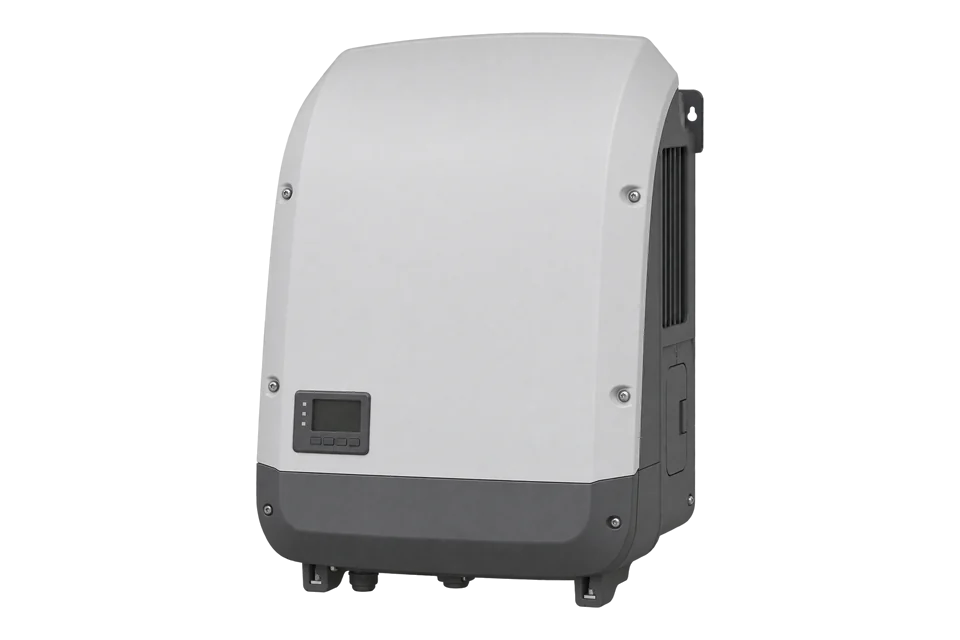
Fronius Eco
Commercial PV inverter
Fronius Eco 25.0-3-S and 27.0-3-S inverters connect to EpiSensor Edge over Modbus TCP or Modbus RTU through their Fronius Datamanager 2.0 card. The card publishes the SunSpec Common block and inverter model 113 (float) or 103 (integer and scale factor). Read the SunS marker and model header first, then AC power, and compare with the inverter display.
Compatibility
Compatible with EpiSensor Edge over Modbus TCP or Modbus RTU
The Eco datasheet lists Modbus TCP SunSpec over Ethernet or WLAN and Modbus RTU SunSpec on RS485, both through the integrated Fronius Datamanager 2.0. Fronius publishes the Datamanager Modbus operating instructions and the SunSpec register maps. Edge reads the maps as a Modbus TCP or RTU client with FC03.
Fronius Eco 25.0-3-S and 27.0-3-S with a Fronius Datamanager 2.0 card, using operating instructions 42,0410,2049 edition 033-24022026 and the Fronius SunSpec map archive 1.1.7-0. The light version has no Datamanager and needs a Datamanager card before Edge can read it. Site check: confirm the SunSpec model type set on the Datamanager and compare the first AC power read with the inverter display.
Connect it with
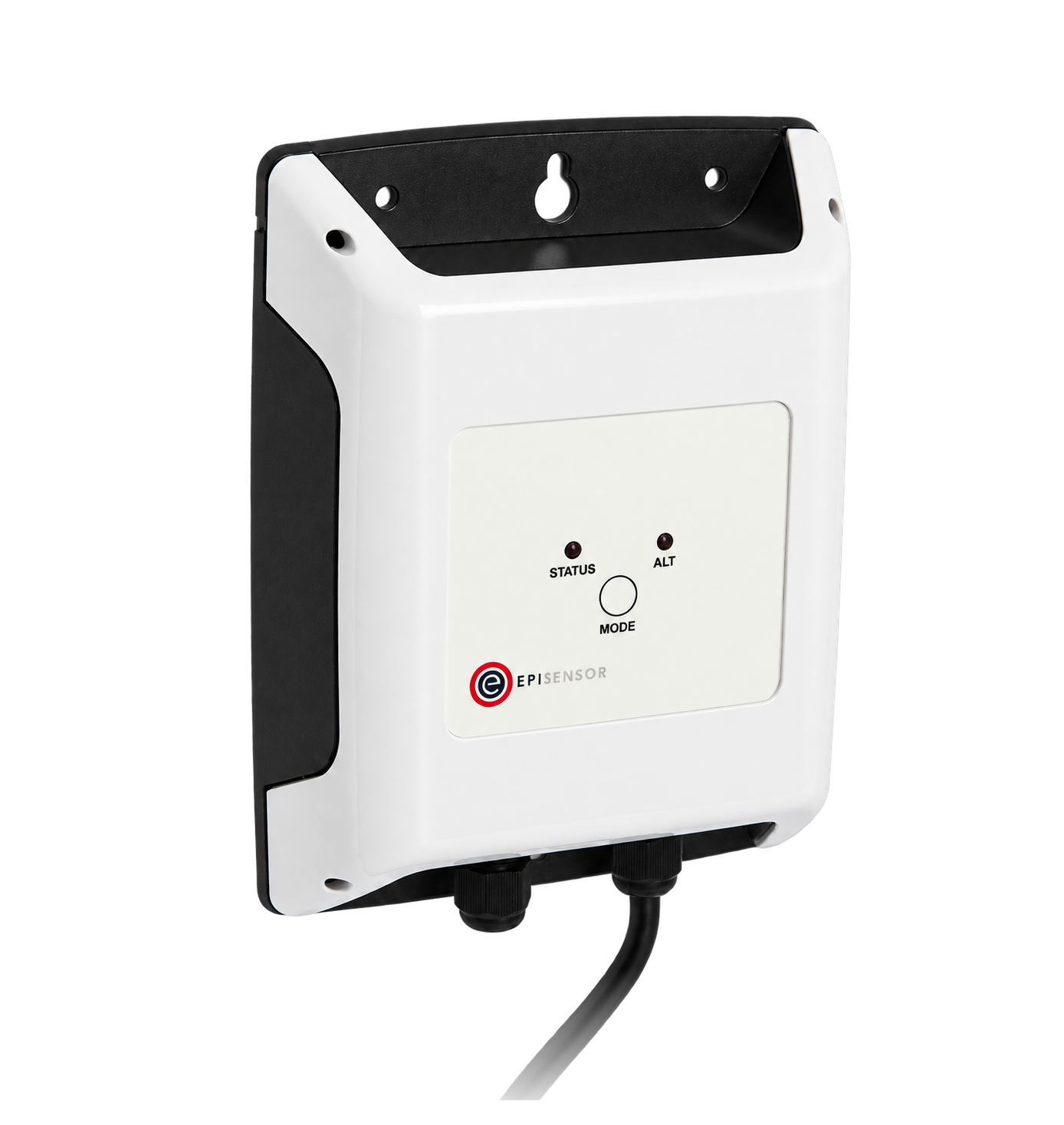
When the Datamanager is on the site network and Modbus data output is set to tcp
- Modbus
- Edge
- Platforms
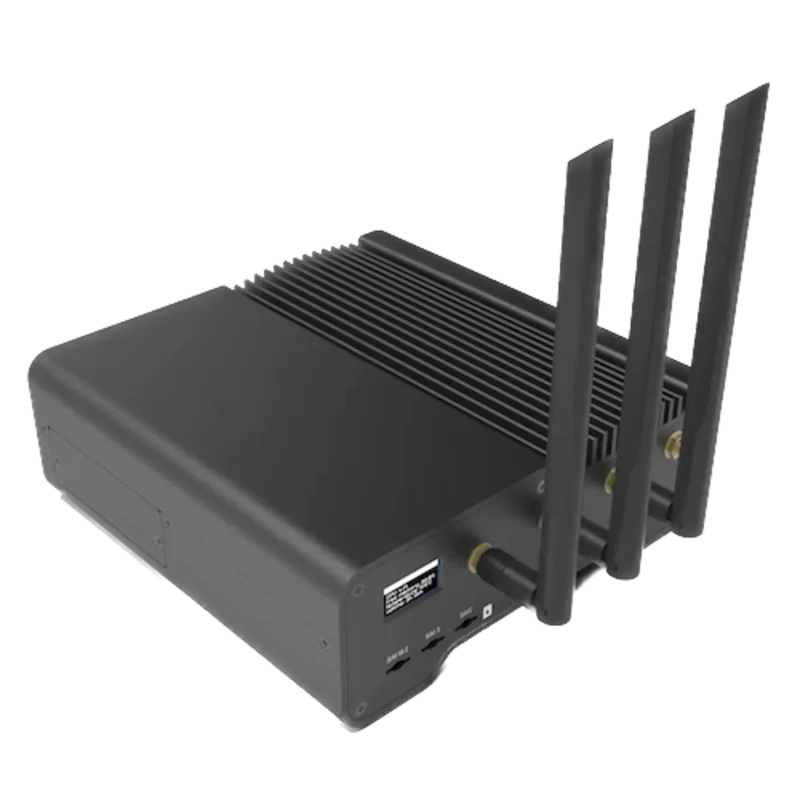
When a wired serial connection is preferred and no Modbus energy meter occupies the Datamanager RS485 port
- Modbus
- Wireless
- Edge
- Platforms
Models
| Models | Interface | Route into Edge |
|---|---|---|
| Fronius Eco 25.0-3-S | 25 kW, one MPP tracker, Datamanager 2.0 with LAN, WLAN and RS485 | Read SunSpec model 113 (float) or 103 (int+SF) on unit ID equal to the inverter number. |
| Fronius Eco 27.0-3-S | 27 kW, one MPP tracker, Datamanager 2.0 with LAN, WLAN and RS485 | Same register map and unit ID rule as the 25.0-3-S; compare power with the 27,000 W nameplate. |
| Fronius Eco light versions | No Fronius Datamanager; Solar Net RS422 and USB only | Fit a Fronius Datamanager 2.0 card, or a Datamanager elsewhere in the Solar Net ring, before using either Modbus path. |
Specifications
The Fronius Eco is a transformerless three-phase string inverter for large rooftop and ground arrays, with one MPP tracker, six DC connections and an IP 66 enclosure. The standard version carries a Fronius Datamanager 2.0 plug-in card, which provides WLAN and Ethernet, the web interface, Modbus TCP SunSpec and Modbus RTU SunSpec.34
- AC nominal output
- 25,000 W (25.0-3-S); 27,000 W (27.0-3-S)3
- MPP trackers
- 1, with 6 DC connections3
- DC input voltage range
- 580 to 1,000 V3
- Grid connection
- 3~NPE 380 V / 220 V or 3~NPE 400 V / 230 V3
- Interfaces
- WLAN / Ethernet LAN (Modbus TCP SunSpec, Solar API JSON), RS485 (Modbus RTU SunSpec or meter), 2x RS422 Solar Net3
- Modbus TCP port
- 502 preset; port 80 not allowed1
- Degree of protection
- IP 663
- Ambient temperature range
- -25 to +60 °C3
Interface
Documented measurements and integration boundaries for Eco.
- Common block, register numbers 40001 to 40069 (wire addresses 40000 to 40068): SID 'SunS' at 40001 and 40002, model ID 1 at 40003, length 65 at 40004, manufacturer, model, Datamanager firmware, inverter software and serial number strings.
- With the float setting, inverter model 113 starts at register 40070 (wire 40069) with length 60. AC power W is float32 at 40092 and 40093, frequency Hz at 40094 and 40095, and AC lifetime energy WH at 40102 and 40103 in Wh. Fronius marks WH as possibly imprecise.
- Phase currents AphA to AphC are float32 at 40074 to 40079 and phase voltages PhVphA to PhVphC at 40086 to 40091. DCW at 40108 and 40109 is the total DC power. Cabinet and heat sink temperatures are not supported.
- Operating state St is enum16 at 40118: 4 means MPPT (feeding in), 5 throttled, 7 fault and 8 standby. F_Active_State_Code at register 214 carries the inverter state code.
- With the int+SF setting the inverter model is 103 and every later model moves to a new start address. Walk the model IDs and lengths after the Common block rather than reusing the float addresses.
- System totals for every inverter on the Datamanager: F_Site_Power uint32 W at registers 500 and 501 (sent as address 499), F_Site_Energy_Total uint64 Wh at 510 to 513. These need no scale factor.
- Unsupported values read as 0x7FC00000 (NaN) for float32, 0x8000 for int16 and 0xFFFF for uint16. Store them as unavailable, not as zero.
Assessment
Fronius Eco 25.0-3-S and 27.0-3-S with a Fronius Datamanager 2.0, operating instructions 42,0410,2049 edition 033-24022026 and SunSpec map archive 1.1.7-0. Record the inverter number and SunSpec model type and compare the first reads with the inverter display.
- InteroperabilityWell supported
- Fronius publishes Modbus TCP and RTU instructions, unit ID rules, worked frames and complete SunSpec register maps for both data types.12
- AccuracySupported with conditions
- AC power, voltage, current, frequency and state are mapped with units. Fronius marks the lifetime energy register as possibly imprecise, so use a meter for billing-grade energy.2
- SecurityLimited
- Modbus TCP has no authentication. The Datamanager can restrict control commands to listed IP addresses, which limits writes but not reads.1
- ReliabilitySupported with conditions
- Fronius documents response-time behaviour, a 10 second timeout, sequential queries and a six-inverter recommendation per Datamanager.1
- RuggednessWell supported
- The datasheet gives IP 66, -25 to +60 °C and 0 to 100 % humidity for indoor and outdoor installation.3
- ScalabilitySupported with conditions
- One Datamanager serves a Solar Net ring by unit ID, with a recommended maximum of six inverters per Datamanager for response time.1
Setup
Find the SunSpec map, then decode AC power
Fronius register numbers start at 1, so the address sent is one less. Unit ID 1 is inverter number 01. These are synthetic decoder checks with correct CRCs, not captured inverter responses. A TCP client sends the same PDU after an MBAP header.
- Address convention
- Register 40001 is wire address 40000 (0x9C40). The instructions read Mn at register 40005 with 01 03 9C 44 00 04 2A 4C and receive 01 03 08 46 72 6F 6E 69 75 73 00 8A 2A, the text Fronius.
- SunS marker
- 01 03 9C 40 00 02 EB 8F reads registers 40001 and 40002. A SunSpec map answers 01 03 04 53 75 6E 53 96 F0, the ASCII text SunS.
- Model header
- 01 03 9C 85 00 02 FB B2 reads registers 40070 and 40071. Synthetic reply 01 03 04 00 71 00 3C AA 39 gives model ID 113 (three-phase float) and length 60.
- AC power
- 01 03 9C 9B 00 02 9B B4 reads W at registers 40092 and 40093. Synthetic reply 01 03 04 46 C3 50 00 23 47 carries float32 0x46C35000, which is 25000 W.
- Unavailable value
- A float32 that reads 7F C0 00 00 is NaN, the value Fronius returns when a data point is not available. Store it as missing data, not as 0 W.
Acceptance: Accept the read when the model ID matches the SunSpec model type set on the Datamanager and W agrees with the inverter display within normal sampling differences. If the model ID is 103, the inverter uses integer values with scale factors and the float addresses above do not apply.
-
Confirm the Datamanager and inverter number
Check that the Eco carries a Fronius Datamanager 2.0 card; the light version does not. On the inverter display, DATCOM shows the inverter number (00 to 99, factory 01). That number is the Modbus unit ID, except 00, which becomes 100.
-
Turn on Modbus data output
On the Datamanager web page, open Settings, Modbus, and set data output to tcp (or rtu for the RS485 terminals). Leave the preset port 502 unless the site uses another. Leave inverter control via Modbus off for a monitoring connection. Note the SunSpec model type: float gives inverter model 113, int+SF gives model 103.
-
Use the register numbering Fronius documents
This guide uses operating instructions 42,0410,2049 edition 033-24022026 and map archive 1.1.7-0. Fronius numbers registers from 1, so register 40001 is sent as address 40000 (0x9C40). The manual's own example reads Mn at register 40005 by sending 01 03 9C 44 00 04 2A 4C. Read with FC03 only.
-
Find the inverter model before reading values
Fronius states that register addresses depend on the dynamic SunSpec list. Read SID at register 40001 (two registers, expect 0x53756E53), then the model ID and length at 40070. With the float setting expect 113 and 60. Then read AC power W at 40092 as one two-register float32, big-endian.
-
Pace requests and keep scopes apart
Send queries one at a time with a timeout of at least 10 seconds when several inverters share the ring, and read neighbouring registers in one request. F_Site_Power at 500 is the sum of all inverters on the Datamanager, not this inverter. Compare the first power read with the inverter display or Solar.web before adding further points.
Common questions
- Why do the register addresses change after switching between float and int+SF?
- The float inverter model 113 has 60 registers and the integer model 103 has a different length. Every model after the inverter model moves when the type changes. Read model IDs and lengths after the Common block and work with offsets, as Fronius instructs.12
Related devices
Sources
- Fronius Datamanager Modbus TCP & RTU operating instructions 42,0410,2049, edition 033-24022026 (opens in a new tab) (PDF)
- Fronius Modbus SunSpec maps, state codes and events, archive version 1.1.7-0 (opens in a new tab)
- Fronius Eco datasheet M,06,0183,EN v21, January 2024 (opens in a new tab) (PDF)
- Fronius Symo / Fronius Eco operating instructions 42,0410,2028, edition 044-12062025 (opens in a new tab) (PDF)
Further reading
- ApplicationSolar inverter monitoring across a PV fleet
- GuideFronius Tauro Eco 100-3-D
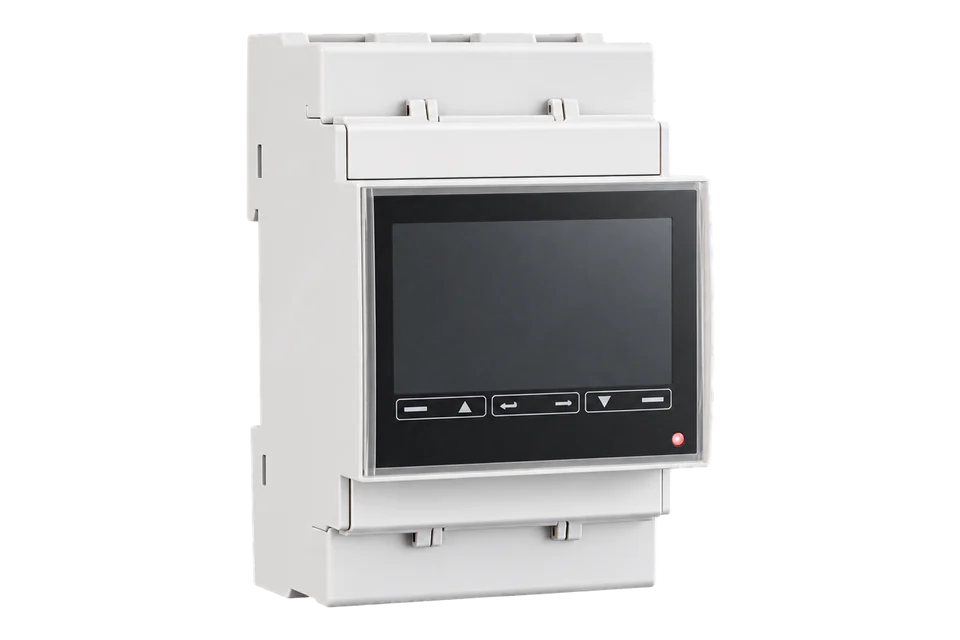
- GuideFronius Smart Meter TS
- GuideEnphase IQ8 Commercial Microinverters
- ToolModbus data decoder
- ToolModbus RTU CRC
- ToolModbus register address converter
- ManufacturerFronius devices
- ProtocolModbus devices and register maps
- CategoryInverters and charge controllers
Product names and trademarks belong to their owners. Publication does not imply endorsement or a commercial relationship.