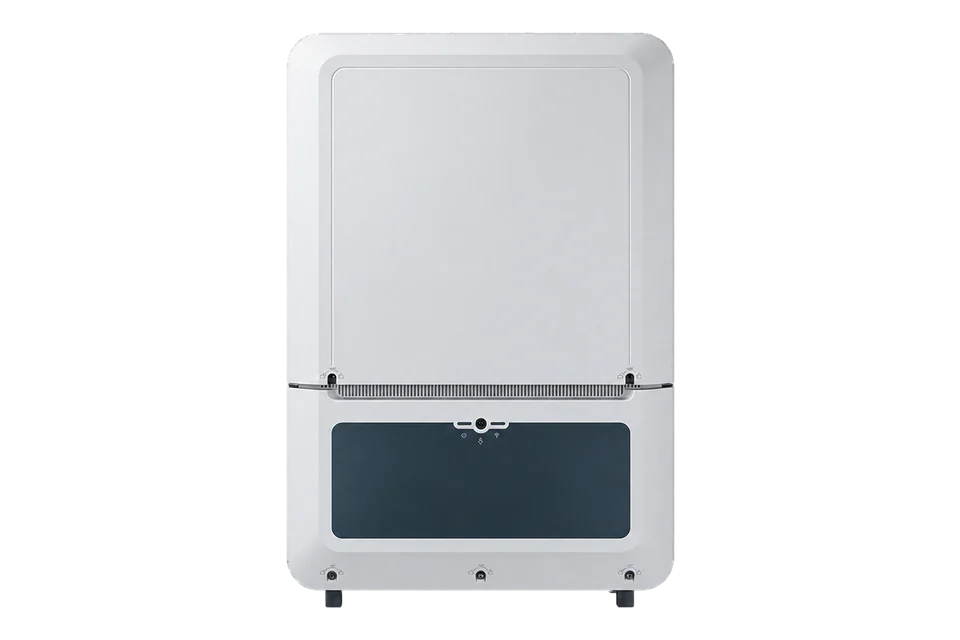
Fronius Verto 30.0
Commercial PV inverter
Verto 30.0 exposes a configurable SunSpec Modbus TCP server for local inverter monitoring. Its meter, RTU participant and cloud VPP settings are distinct. Use the installed inverter's own model list and keep all control permissions under the site's commissioned design.
- Modbus TCP
Commercial PV inverter
Compatibility
Local SunSpec Modbus TCP monitoring
Fronius documents a TCP server, selectable SunSpec representation and ports 502 or 1502 for the Verto 25.0–33.3 family. Read-only identity and measurement checks still require the commissioned settings and discovered models.
This guide covers the non-Plus Verto 30.0 in the 25.0–33.3 operating instructions. Check the nameplate, regional rating, firmware, selected TCP port and float or int + SF model type. Verto Plus battery functions and RTU terminal ownership are separate. Do not enable Allow Control or cloud VPP control for this monitoring procedure.
Connect it with
-
Gateway ZGW-20From €899 ex VAT Configure Gateway
-
Evaluation Gateway on a Raspberry Pi Edge with one device licensedFree Set up Evaluation Gateway on a Raspberry Pi

For inverter production and operating measurements on the approved site network
- Modbus
- Edge
- Platforms
Models
| Models | Interface | Route into Edge |
|---|---|---|
| Verto 30.0 | Non-Plus 25–33.3 family; TCP server with SunSpec model selection | Use the installed TCP port and discovered model list for read-only monitoring. |
| Verto 25.0 / 27.0 / 33.3 | Same operating-instruction family with different nameplate ratings | Do not substitute Verto 30.0's PV or AC limits for these models. |
| Verto Plus | Separate battery-capable product family | Battery control and the Plus manual are outside this Verto 30.0 guide. |
Specifications
The exact Verto 30.0 product listing belongs to the 25.0–33.3 family. Its operating instructions describe a Modbus TCP server with selectable SunSpec float or integer-plus-scale-factor models and ports 502 or 1502. The meter address shown in the TCP settings is separate from the inverter's own measurements.12
- PV design
- Four MPP trackers; the exact site design and nameplate govern input limits2
- TCP server
- Commissioned port 502 or 1502; verify the inverter's configured endpoint1
- SunSpec type
- float models 111/112/113 or 211/212/213; int + SF models 101/102/103 or 201/202/2031
- Meter identity
- Meter address defaults to 200 and is not a substitute for an inverter identity read1
- Security boundary
- Unsecured Modbus TCP/IP; restrict it to the site LAN and avoid Internet port forwarding1
Interface
Documented measurements and integration boundaries for Verto 30.0.
- The selected SunSpec inverter model can provide production power, voltage, current and operating state after its headers and data type are discovered on the installed unit.
- The inverter's TCP server, RTU M0/M1 components, Solar API and Internet-dependent cloud VPP control are separate configuration surfaces.
- A Verto inverter measurement does not by itself identify site import, export or consumption; record the feed-in meter and measurement location separately.
- This guide approves no on/off, curtailment, reactive-power, power-factor or cloud dispatch write.
Assessment
Fronius Verto 30.0 non-Plus using its commissioned local SunSpec Modbus TCP server. Grid meter and Internet-dependent VPP cloud control are separate.
- InteroperabilitySupported with conditions
- Fronius documents the exact-family TCP server and SunSpec model choices; commissioned settings and model discovery are required.1
- AccuracySupported with conditions
- Inverter models can supply production telemetry, but feed-in-point import and export require a separate meter contract.1
- SecurityLimited
- Fronius identifies Modbus TCP/IP as unsecured and advises against Internet port forwarding; use a restricted site LAN.1
- ReliabilityNot yet assessed
- The manual does not establish availability, stale-value detection or historical backfill for this local Edge reader.1
- RuggednessNot yet assessed
- The exact installation environment has not been compared with the Verto 30.0 enclosure limits.2
- ScalabilitySupported with conditions
- Each inverter has its own endpoint; preserve the site's existing controller and meter topology when adding readers.1
- LifecycleNot yet assessed
- The retained manual does not establish a guaranteed software-support or hardware-replacement period.1
Setup
Discover the SunSpec model, then read power
Start with the configured local TCP server and its inverter unit ID. The reads below use FC03; the returned SunSpec model determines the measurement layout. Byte values and the example model position are synthetic.
- Connection
- Use the inverter LAN address and configured TCP port 502 or 1502. Read the inverter identity, not the meter at its default unit ID 200. Leave Allow Control off.
- Signature read
- FC03 at wire address 40000, quantity 2: PDU 03 9C 40 00 02. Expected SunSpec signature bytes 53 75 6E 53 spell SunS. If absent, check endpoint and unit ID before selecting points; the standard also permits bases 0 and 50000.
- Common model discovery
- Read the two-register header after the signature. Synthetic bytes 00 01 00 42 indicate common model 1 and 66 following registers. With its header at wire 40002, the next header is 40002 + 2 + 66 = 40070. Compare manufacturer, model and serial number in the common model.
- Select the returned model
- Only use the power calculation below if the returned header identifies model 103, the three-phase int + SF model. Models 113, 203 or 213 have different definitions; use their own layout without changing the representation another client uses.
- Conditional model-103 power read
- Let H be the discovered model-103 header address. W is at H + 14 and W_SF at H + 15, each signed 16-bit. FC03 quantity 2 reads both. If H = 40070, the wire address is 40084 (0x9C94), PDU 03 9C 94 00 02. H = 40070 is an example, not a fixed Verto address.
- Synthetic decode
- Bytes 30 39 FF FF decode to W = 12345 and W_SF = -1. Calculate 12345 × 10^-1 = 1234.5 W. Decode the scale factor as signed; do not treat this pair as Float32. A signed value 0x8000 is unavailable, not zero power.
- Next monitoring points
- For returned model 103, frequency is at H + 16 with its signed scale factor at H + 17. Keep inverter production separate from the site meter’s import/export reading.
Acceptance: Compare a fresh decoded power value with the inverter interface before adding points. This is a public-documentation starting point and synthetic decoder example, not a physical Verto test or a control procedure.
-
Identify the inverter
Confirm Verto 30.0 non-Plus model, firmware and regional nameplate before selecting a map.
-
Record the TCP settings
Record the configured TCP port and SunSpec representation without changing Allow Control, cloud control or site-controller priorities.
-
Preserve the network boundary
Restrict the unsecured TCP endpoint to an approved site LAN; never expose it through port forwarding.
-
Compare the first reads
Discover the SunSpec signature, common identity and model headers as shown below. For returned model 103, read W and W_SF at header offsets 14 and 15 and compare decoded power with the inverter interface.
-
Keep system roles separate
Treat meter readings and cloud VPP dispatch as separate integration and control contracts.
Common questions
- Does monitoring require the Verto's Allow Control switch?
- No. Fronius lists the TCP server and Allow Control as separate settings. This procedure reads measurements and leaves the control permission unchanged.1
- Is Fronius cloud VPP control the same as local Modbus TCP?
- No. The manual describes cloud VPP control as Internet-dependent and separately documents the local TCP server. Neither setting proves that EpiSensor supplies trading or balancing services.1
- Can the inverter's power value replace a grid meter?
- No. Production at the inverter and import or export at the feed-in point have different measurement boundaries. Read the site meter as a separately identified device.1
- Can I use fixed SunSpec register offsets from a Tauro or GEN24?
- No. The Verto offers different model representations. Discover the installed model headers and lengths before decoding any value.1
Related devices
Sources
- Fronius Verto 25–33.3 kW operating instructions (opens in a new tab)
- Fronius Verto 30.0 product and technical data (opens in a new tab)
- SunSpec Device Information Model Specification 1.1 (opens in a new tab) (PDF)
- SunSpec three-phase inverter model 103 definition (opens in a new tab)
Further reading
Product names and trademarks belong to their owners. Publication does not imply endorsement or a commercial relationship.