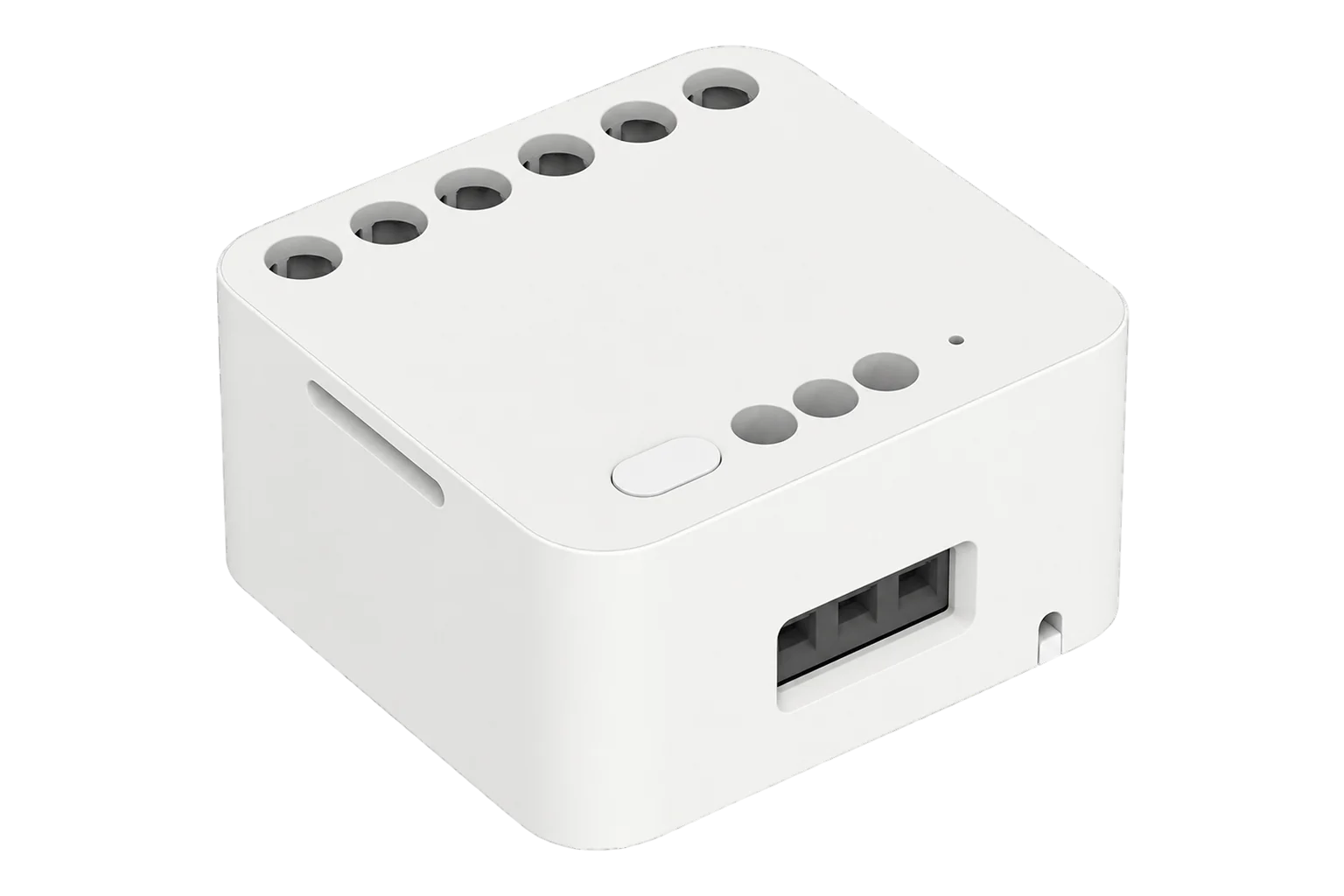
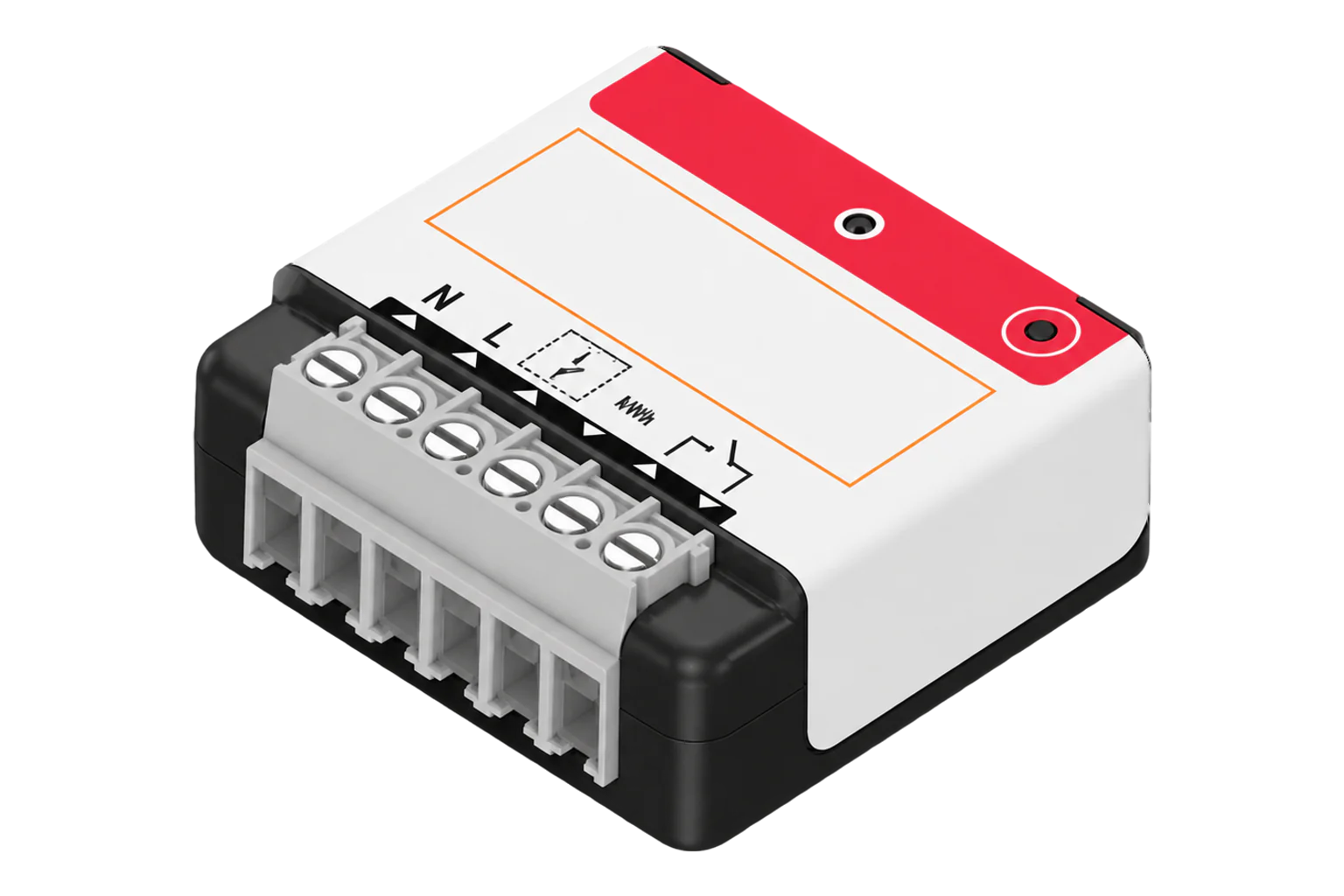
Aqara Dual Relay Module T2
Dual relay module with energy metering
A two-channel Zigbee relay for back boxes and DIN rails. It switches two loads, wet or volt-free, from 100 to 250 V AC or 24 to 60 V DC, and on AC it meters power, current, voltage and energy for the module.
Also sold asDCM-K01
Compatibility
Compatible with EpiSensor Edge over Zigbee.
Pair it with the Zigbee radio on an EpiSensor Gateway. Edge reads it locally on the Gateway.
Edge reads 15 values from it, listed under Interface.
Connect it with

Specifications
A jumper sets the contacts. With LIN linked to LOUT the relays switch the supply through to the loads on L1 and L2 (wet contacts). Without it they are volt-free contacts that can drive a motor controller, a garage door or another device's input, and a pulse mode closes them for 200 to 2,000 ms. Interlock stops both relays closing at once, which Aqara requires for bidirectional motors such as roller shades.2345
- Power
- Mains. Powered from its N and L terminals at 100 to 250 V AC, or from a 24 to 60 V DC supply. Energy metering and the wall-switch inputs work only on AC.2
- AC rating
- 100 to 250 V, 50/60 Hz, 10 A maximum1
- AC loads
- 2500 W incandescent; 1 A and 250 W LED or CFL; 1 A and 1/4 HP motor1
- DC rating
- 24 to 30 V: 10 A, 300 W; 30 to 60 V: 1 A, 60 W (resistive)1
- Current limit
- 10 A in total across both channels2
- Channels
- Two relays, wet or dry contact3
- Switch inputs
- S1 and S2 with COM, AC 85 V or above only4
- Wireless
- Zigbee, 2405 to 2475 MHz, 13 dBm maximum1
- Operating temperature
- -10 to 40 °C1
- Operating humidity
- 0 to 95 % RH, non-condensing1
- Dimensions
- 45.5 × 48 × 24 mm1
- Mounting
- Back box, behind a switch or on a DIN rail (adapter included)2
- Upstream protection
- 10 A overcurrent breaker3
- Wire stripping
- 6 to 8 mm3
Where it is used
Two small heating or ventilation loads, such as a towel rail and an extractor fan, switched from one module with their combined consumption metered.
HVAC energy monitoring for commercial buildingsA volt-free enable or start contact for plant, a door or a motor controller, using pulse mode where the equipment expects a momentary closure.
Two lighting circuits kept on their existing wall switches, with the module on a DIN rail in the distribution board.
Interface
Readings and settings, with units and ranges where Aqara publishes them. readable, readable and writable.5
| Reading | Unit | Range or values | Access |
|---|---|---|---|
| Measurements 5 | |||
| PowerOne value for the module, not per channel | W | - | Read only |
| CurrentOne value for the module | A | - | Read only |
| VoltageSupply voltage | V | - | Read only |
| EnergyCumulative energy for the module | kWh | - | Read only |
| Switch inputA press on S1 or S2 | - | single_l1single_l2 |
Read only |
| Controls 2 | |||
| Relay 1 | - | ONOFFTOGGLE |
Read and write |
| Relay 2 | - | ONOFFTOGGLE |
Read and write |
| Settings 7 | |||
| Work modeWet contacts, dry contacts with a pulse, or dry contacts | - | powerpulsedry |
Read and write |
| Pulse lengthContact closure time in pulse mode | ms | 200 to 2,000 ms | Read and write |
| InterlockStops both relays being on at the same time | - | ONOFF |
Read and write |
| Channel 1 modeWhether S1 switches relay 1 | - | control_relaydecoupled |
Read and write |
| Channel 2 modeWhether S2 switches relay 2 | - | control_relaydecoupled |
Read and write |
| Switch typeThe kind of wall switch on S1 and S2 | - | togglemomentarynone |
Read and write |
| Power-on behaviourRelay state when power returns | - | onpreviousofftoggle |
Read and write |
| Diagnostics 1 | |||
| Internal temperature | °C | - | Read only |
Power, current, voltage and energy are one set of values for the module, not one per relay. To meter two loads separately, use two modules or a separate meter.56
The work mode chooses between power (wet contacts), pulse (dry contacts closed for the pulse length) and dry (volt-free contacts). Settings live in Aqara's manufacturer-specific cluster, and the relays are standard Zigbee on/off endpoints, one per channel.56
In decoupled mode a wall switch on S1 or S2 no longer operates its relay and is reported as an action instead, so the switch can trigger something else in Edge.5
Setup
-
Wire it with the power off
Isolate the circuit and make sure a 10 A breaker protects it. Connect neutral to N and live to L. For wet contacts, link LIN to LOUT with the supplied jumper and connect the loads to L1 and L2. For dry contacts, wire the controlled device to L1, L2 and LOUT as Aqara's diagram shows. Wall switches go to COM, S1 and S2.4
-
Open pairing in Edge
In Edge, open pairing on the Gateway's Zigbee network, then switch the circuit back on.
-
Reset the module
Press and hold the module's button for 5 seconds, which Aqara documents as its reset, so the module is free to join the Gateway's network. Press gently; a tool can damage the button.3
-
Confirm the join
After a successful connection the indicator turns blue and flashes twice slowly. Check that Edge identifies it as the Aqara Dual Relay Module T2 (LLKZMK12LM).3
-
Set the mode, then test
Set the work mode and, for a two-direction motor, interlock before you connect the load. Then switch each relay from Edge and compare power with a load of known rating.
Common questions
- Does the Dual Relay Module T2 need an Aqara hub?
- No. Aqara requires a Zigbee 3.0 hub, and the Zigbee radio on an EpiSensor Gateway fills that role, so Edge controls and reads the module without an Aqara hub or app.4
- Does it meter each channel separately?
- No. It reports one power, current, voltage and energy value for the module. Use two modules, or a separate meter, when each load needs its own reading.56
Related devices

Sources
- Dual Relay Module T2 specifications (opens in a new tab)
- Dual Relay Module T2 (opens in a new tab)
- Dual Relay Module T2 user manual (DCM-K01) (opens in a new tab) (PDF)
- Dual Relay Module T2 installation guide (opens in a new tab) (PDF)
- Aqara LLKZMK12LM device documentation (opens in a new tab)
- Aqara LLKZMK12LM Zigbee definition (opens in a new tab)
Further reading
Product names and trademarks belong to their owners. Publication does not imply endorsement or a commercial relationship.