Bosch BTH-RA
Radiator thermostat
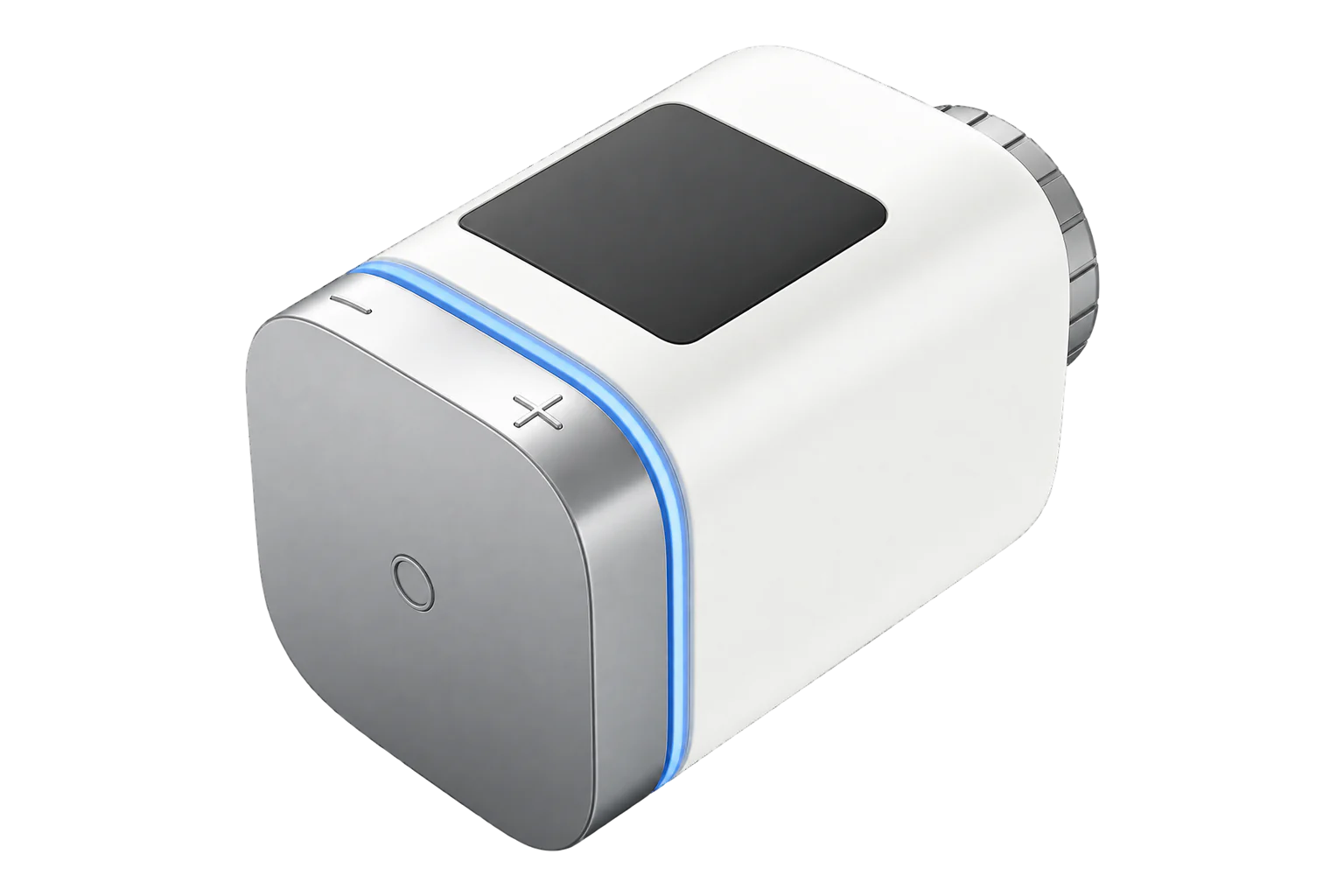
Bosch’s Radiator Thermostat II is a Zigbee 3.0 valve head for wet radiators. It sets 5 to 30 °C, reports its heating demand as a percentage and runs on two AA cells, fitting M30 × 1.5 valves directly or Danfoss RA and RAVL valves with the supplied adapters.
Also sold asBosch Smart Home Radiator Thermostat II
Compatibility
Compatible with EpiSensor Edge over Zigbee.
Pair it with the Zigbee radio on an EpiSensor Gateway. Edge reads it locally on the Gateway.
Edge reads 23 values from it, listed under Interface.
Connect it with

Specifications
The BTH-RA replaces the manual head on a radiator valve. A built-in sensor measures room temperature and a motor drives the valve pin to hold the setpoint. Bosch rates it for 0 to 50 °C and 10 to 80 % humidity, IP20, and quotes a typical battery life of under two years on two AA alkaline cells.1
- Power
- Battery. Two LR6 (AA) alkaline cells. Bosch quotes a typical life of under two years.1
- Type
- BTH-RA1
- Radio
- Zigbee 3.0, 2.4 to 2.4835 GHz1
- Maximum transmit power
- 3 mW1
- Range in the open
- Under 50 m1
- Setpoint range
- 5 to 30 °C4
- Calibration offset
- -5 to +5 °C2
- Valve connection
- M30 × 1.5 mm1
- Adapters in the box
- Danfoss RA and Danfoss RAVL3
- Ambient temperature
- 0 to 50 °C1
- Humidity
- 10 to 80 %1
- Protection
- IP201
- Dimensions (W × H × D)
- 51 × 51 × 87 mm1
- Weight
- 135 g without batteries1
- Maximum consumption
- 220 mA, under 0.8 W1
Where it is used
Room-level heating setpoints and schedules in small offices and meeting rooms with wet radiators, with the room temperature logged beside them.
Indoor environmental monitoringSeeing which rooms demand heat out of hours by trending heating demand beside the boiler or heat pump’s energy use.
HVAC energy monitoring for commercial buildingsTurning heating down while a room is ventilated, with the head’s open-window detection switched on from Edge.
Interface
Readings and settings, with units and ranges where Bosch publishes them. readable, readable and writable, writable only.
| Reading | Unit | Range or values | Access |
|---|---|---|---|
| Measurements 7 | |||
| Climate | - | - | Read only |
| Local temperature | °C | - | Read only |
| Running state | - | idleheat |
Read only |
| Setpoint change source | - | manualscheduleexternally |
Read only |
| Valve adapt status | - | noneready_to_calibratecalibration_in_progresserrorsuccess |
Read only |
| Automatic valve adapt | - | Binary state | Read only |
| Error state | - | - | Read only |
| Controls 2 | |||
| Occupied heating setpoint | °C | 5 to 30 °C | Read and write |
| System mode | - | heat |
Read and write |
| Settings 12 | |||
| Local temperature calibration | °C | -5 to 5 °C | Read and write |
| Pi heating demand | % | 0 to 100 % | Read and write |
| Operating mode | - | schedulemanualpause |
Read and write |
| Window detection | - | Binary state | Read and write |
| Boost heating | - | Binary state | Read and write |
| Remote temperature | °C | 0 to 35 °C | Read and write |
| Child lock | - | Binary state | Read and write |
| Display brightness | % | 0 to 100 % | Read and write |
| Display switch on duration | s | 5 to 30 s | Read and write |
| Display orientation | - | standard_arrangementrotated_by_180_degrees |
Read and write |
| Displayed temperature | - | set_temperaturemeasured_temperature |
Read and write |
| Valve adapt process | - | adapt |
Write only |
| Diagnostics 2 | |||
| Battery | % | 0 to 100 % | Read only |
| Battery low | - | Binary state | Read only |
Heating demand (pi_heating_demand, 0 to 100 %) is the valve opening. It is the point to trend when you want to know which rooms are calling for heat.4
When a remote temperature is written, it has to be refreshed at least every 30 minutes. Without it the head falls back to its internal sensor.4
Operating mode is Bosch’s own setting (schedule, manual or pause) and sits beside the standard system mode.4
Setup
-
Have the install code ready
The thermostat joins with a Zigbee install code. It is in the QR code under the battery cover. The Gateway’s Zigbee network needs that code before it will accept the thermostat.4
-
Put it into Zigbee pairing mode
Insert the batteries. The status LED flashes orange every 1.5 seconds while it is ready to pair over Zigbee, for 3 minutes. On the [+M] version the LED flashes blue at first: hold the button for more than 5 seconds until it flashes orange.2
-
Open pairing in Edge
Open pairing on the Gateway’s Zigbee network in Edge. The LED flashes green once when the thermostat has joined and red once if it has not. After a failure, reset it to factory settings and try again.2
-
Fit it and calibrate the valve
Fit the correct adapter, then screw the head onto the valve by hand while holding it in the orientation you want. Press the button to start the valve calibration and wait until the room temperature is displayed.2
-
Check one reading
Confirm that Edge identifies it as Bosch BTH-RA. Raise the setpoint from Edge and check that the heating demand rises, then compare the room temperature with a reference thermometer.
Common questions
- Does the BTH-RA need a Bosch Smart Home Controller?
- No. It is a Zigbee 3.0 device and joins the Gateway’s Zigbee network directly with its install code. The Bosch app and cloud are not involved when Edge controls it.14
- Where is the install code?
- In the QR code under the battery cover, and on the sticker Bosch supplies with the thermostat. Keep the sticker with the site records in case the thermostat has to be paired again.24
- Can a room sensor control the valve?
- Yes. Write the room temperature to the thermostat’s remote temperature (0 to 35 °C) and refresh it at least every 30 minutes. If the updates stop, the thermostat goes back to its own sensor.4
- How do I reset it to factory settings?
- Remove one battery, then refit it while holding the button until the LED flashes orange quickly and RES appears. Release briefly, then hold again until the LED lights green. The thermostat restarts.1
Related devices
More from Bosch

Sources
- Radiator thermostat II quick instructions (BTH-RA) (opens in a new tab) (PDF)
- Radiator thermostat II [+M] user manual (BTH-RAD) (opens in a new tab)
- Radiator valves and adapter recommendations (TRV AA, BTH-RA, BTH-RAD) (opens in a new tab)
- Bosch BTH-RA device documentation (opens in a new tab)
- Bosch BTH-RA Zigbee definition (opens in a new tab)
Further reading
Product names and trademarks belong to their owners. Publication does not imply endorsement or a commercial relationship.