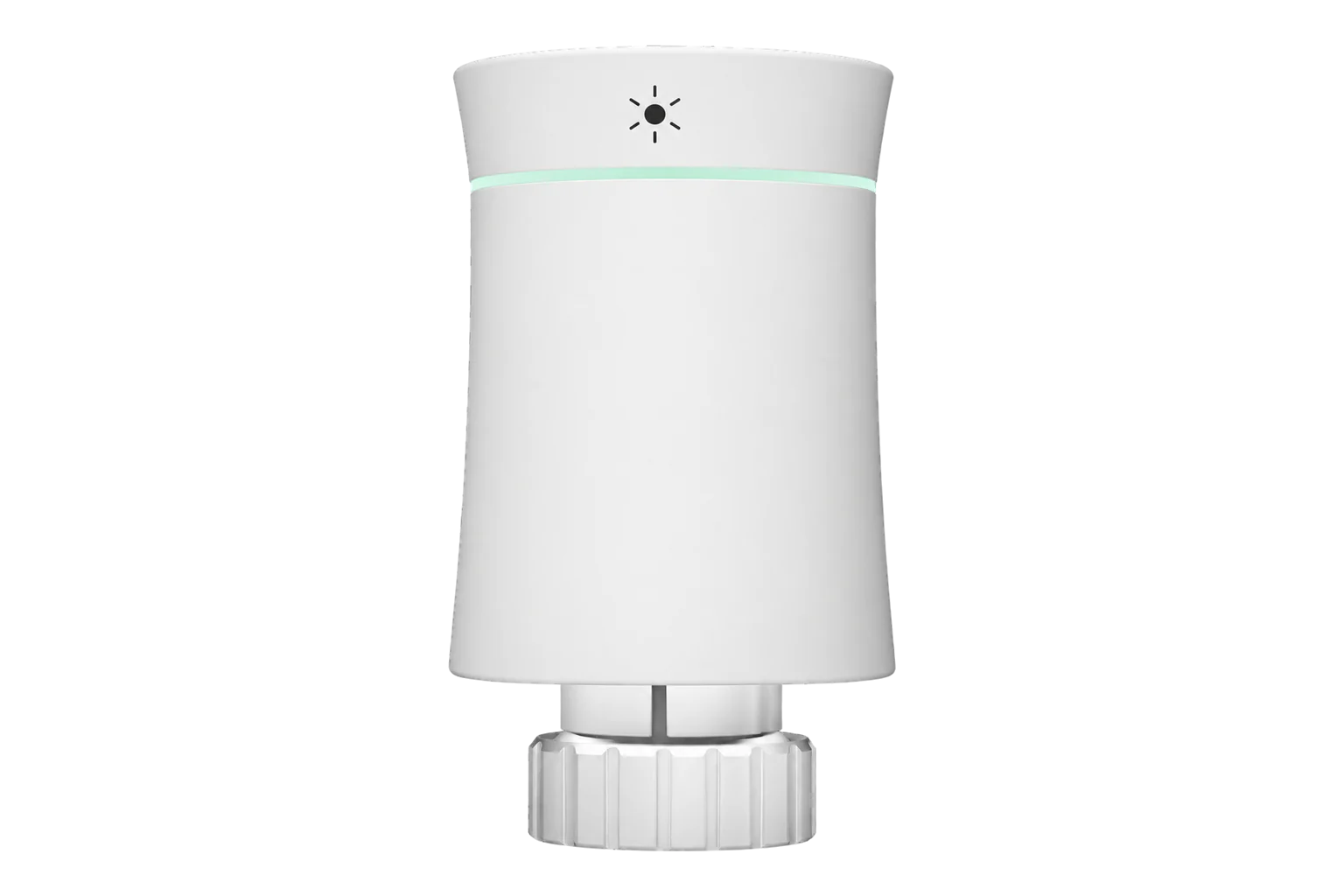
MOES BRT-100-TRV
Thermostatic radiator valve
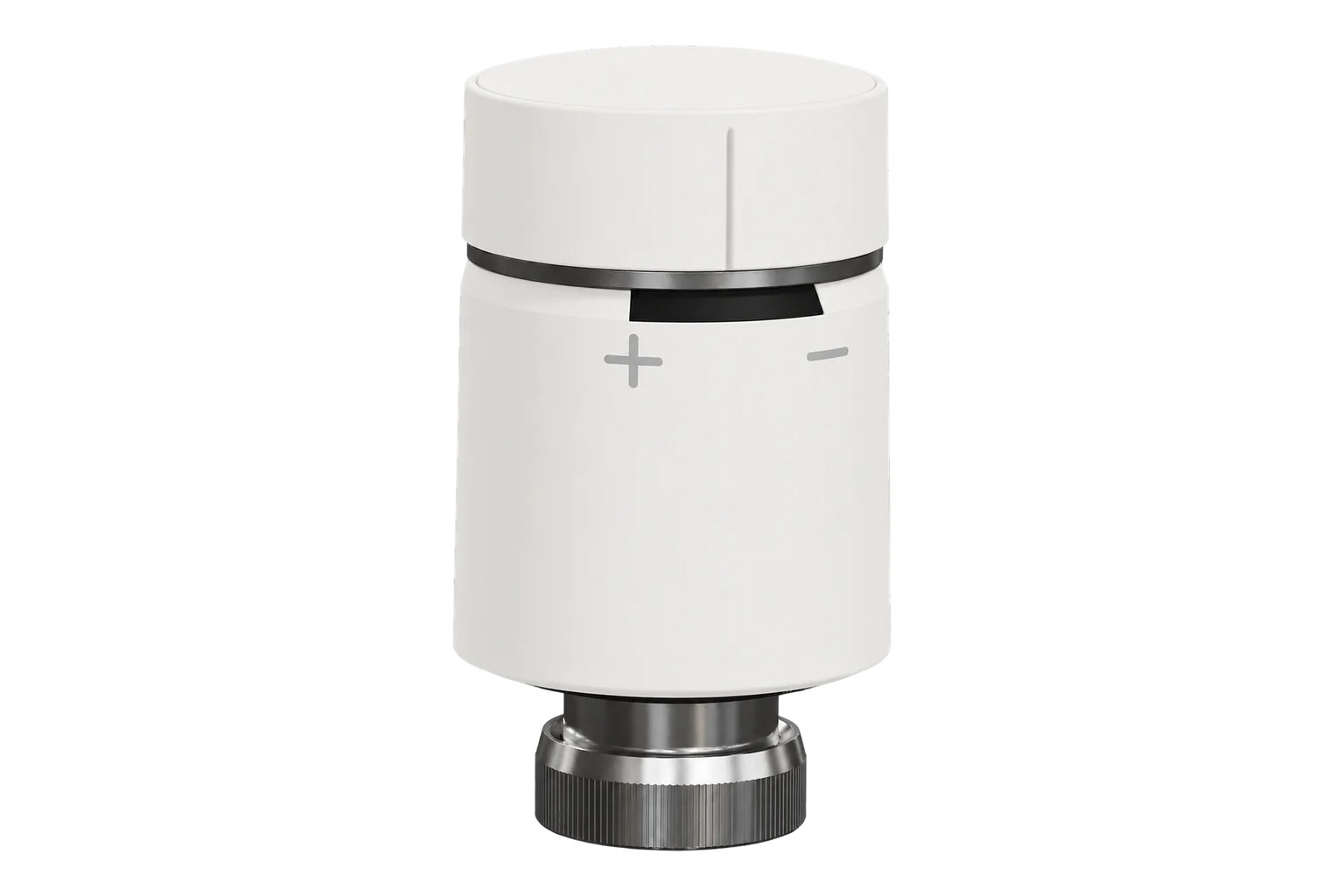
A battery-powered Zigbee radiator valve head for M30 × 1.5 valves, with a 5 to 45 °C setpoint, ±0.5 °C accuracy, open-window detection and a boost mode, running on two AA cells.
Also sold asMOES BRT-100MOES ZTRV-BY-100Sibling Powerswitch-ZK(W)
Compatibility
Compatible with EpiSensor Edge over Zigbee.
Pair it with the Zigbee radio on an EpiSensor Gateway. Edge reads it locally on the Gateway.
Edge reads 22 values from it, listed under Interface.
Connect it with

Specifications
The BRT-100 replaces the manual head on a radiator valve and drives the valve pin with a motor, with a maximum stroke of 4.5 mm. It measures room temperature at the head to ±0.5 °C and holds a setpoint between 5 and 45 °C. It fits M30 × 1.5 valve bodies directly, and the box includes adapters for Danfoss RA, RAV and RAVL, Comap and Herz valves.12
- Power
- Battery. Two 1.5 V AA alkaline cells, not included. MOES rates them for about one year in normal use; the display shows a battery warning below 1.8 V.1
- Setpoint range
- 5 to 45 °C1
- Temperature accuracy
- ±0.5 °C1
- Displayed temperature range
- 0 to 70 °C1
- Maximum stroke
- 4.5 mm1
- Valve connection
- M30 × 1.5, adapters for Danfoss RA, RAV, RAVL, Comap and Herz1
- Operating conditions
- 0 to 45 °C, 5 to 95 % RH non-condensing1
- Storage temperature
- -5 to 45 °C1
- Protection class
- IP201
- Wireless
- Zigbee 3.0, 2.405 to 2.480 GHz, below +10 dBm2
- Controls
- Capacitive touch buttons and LED display1
- Temperature offset
- -9 to 9 °C, -2 °C from the factory1
- Boost duration
- 100 to 900 s, 300 s default1
Where it is used
Room-by-room heating control in offices, schools and rented housing, where each radiator gets its own setpoint and schedule.
Indoor environmental monitoringTrimming boiler load outside occupied hours: setting radiators back to an eco temperature from Edge and reading the valve position to see which rooms still call for heat.
Boiler performance monitoringRooms with opening windows, where open-window detection closes the valve for a set time instead of heating the outside air.
Interface
Readings and settings, with units and ranges where MOES publishes them. readable, readable and writable.
| Reading | Unit | Range or values | Access |
|---|---|---|---|
| Measurements 8 | |||
| Valve state | - | Binary state | Read only |
| Position | % | - | Read only |
| Switch | - | - | Read only |
| Window | - | Binary state | Read only |
| Climate | - | - | Read only |
| Local temperature | °C | - | Read only |
| Running state | - | idleheat |
Read only |
| Boost heating countdown | min | 0 to 15 min | Read only |
| Controls 3 | |||
| Current heating setpoint | °C | 0 to 35 °C | Read and write |
| System mode | - | heat |
Read and write |
| Preset | - | programmingmanualtemporary_manualholiday |
Read and write |
| Settings 10 | |||
| Child lock | - | Binary state | Read and write |
| Eco mode | - | Binary state | Read and write |
| Eco temperature | °C | 5 to 35 °C | Read and write |
| Max temperature | °C | 15 to 45 °C | Read and write |
| Min temperature | °C | 0 to 15 °C | Read and write |
| Window detection | - | Binary state | Read and write |
| Local temperature calibration | °C | -9 to 9 °C | Read and write |
| Programming mode | - | - | Read and write |
| Boost heating | - | Binary state | Read and write |
| Boost heating countdown time set | s | 0 to 900 s | Read and write |
| Diagnostics 1 | |||
| Battery | % | 0 to 100 % | Read only |
The valve identifies as Tuya TS0601 with manufacturer code _TZE200_b6wax7g0, _TZE200_qsoecqlk or _TZE200_6y7kyjga. All three are this model.4
Position is reported as a percentage and valve state as open or closed; neither can be written. Set the setpoint or mode and let the head move the valve.3
Firmware updates over Zigbee are disabled for this model because earlier updates left valves unable to rejoin their network. Leave the firmware as shipped.34
Setup
-
Fit the adapter and insert the batteries
Fit the adapter for the valve if it is not M30 × 1.5, then insert two AA cells. Press the home button once: F1 flashes while the motor retracts so the head can be mounted.1
-
Mount the head and let it learn the stroke
Screw the mounting plate onto the valve, turn the head clockwise onto the plate, then press the home button once. F2 shows while it measures the stroke; the room temperature appears when it has finished.1
-
Open pairing in Edge
In Edge, open pairing on the Gateway’s Zigbee network, with the valve within easy range of the Gateway.
-
Start pairing on the valve
Wake the display, then hold the minus button for 3 seconds until the Zigbee icon flashes on the screen.1
-
Check one reading and one setting
Confirm Edge identifies it as MOES BRT-100-TRV, compare the room temperature with a thermometer beside the radiator and adjust the calibration offset if it differs. Then change the setpoint from Edge and check the display follows.
Common questions
- Does the BRT-100 need a MOES or Tuya hub to work with Edge?
- No. It is a Zigbee device, so it joins the Zigbee radio on an EpiSensor Gateway directly, and Edge reads and controls it without a MOES hub or the MOES app.23
- How long do the batteries last?
- MOES rates two AA alkaline cells for about one year in normal use. A battery icon shows when the voltage falls below 1.8 V, and Edge reports the battery level so cells can be changed before the valve stops.1
- Can I update its firmware over Zigbee?
- No. Over-the-air updates are disabled for this model because earlier updates left valves unable to connect to their Zigbee network.3
- What happens when a window is opened?
- With open-window detection on, the valve checks the room temperature every 5 minutes. When it drops quickly the valve closes, for 15 minutes by default and settable from 5 to 60 minutes. Detection is off from the factory.1
Related devices

Sources
- ZTRV-BY-100 Radiator Thermostat (TRV) user guide, Zigbee type (opens in a new tab) (PDF)
- MOES Zigbee Smart Radiator Valves BY100 (opens in a new tab)
- Moes BRT-100-TRV (opens in a new tab)
- Moes device definitions (moes.ts), v26.111.0 (opens in a new tab)
Further reading
Product names and trademarks belong to their owners. Publication does not imply endorsement or a commercial relationship.