Aqara SJCGQ11LM
Water leak sensor
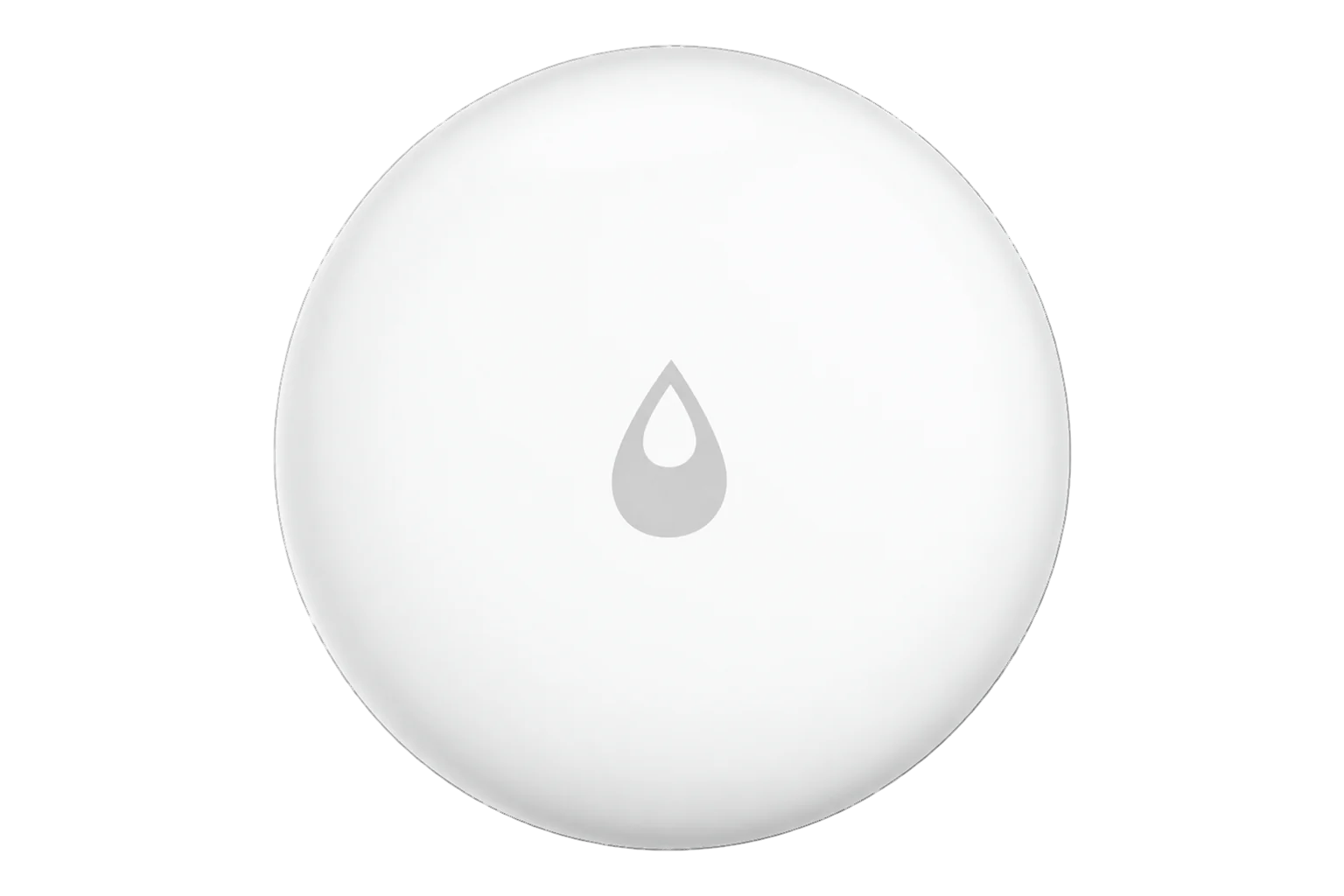
A battery-powered Zigbee water leak sensor that sits on the floor and alarms when water reaches 0.5 mm across its probes, in an IP67 housing with a CR2032 cell Aqara rates for over two years.
Also sold asAqara Water Leak Sensor
- Zigbee
Water leak sensor
Compatibility
Compatible with EpiSensor Edge over Zigbee.
Pair it with the Zigbee radio on an EpiSensor Gateway. Edge reads it locally on the Gateway.
Edge reads 7 values from it, listed under Interface.
Connect it with
-
Gateway ZGW-20From €899 ex VAT Configure Gateway

Specifications
It can be used two ways. Placed flat on the floor, the probes sense water directly. Or the probes can be loosened with a hex screwdriver and wired to a cable, which lets the sensor sit above the floor while the cable reaches the point to watch, such as a drip tray or the base of a tank.3
- Power
- Battery. One CR2032 coin cell, rated for over two years under normal use.2
- Trigger level
- 0.5 mm of water across the probes2
- Ingress protection
- IP672
- Wireless
- Zigbee, 2400 to 2483.5 MHz3
- Maximum transmit power
- 9.99 dBm3
- Operating temperature
- -10 to 55 °C1
- Operating humidity
- 0 to 100 % RH1
- Dimensions
- 50 × 50 × 15 mm1
- Probe options
- On the floor, or wired to a cable from the probe terminals3
- Environment
- Indoor use only3
- FCC ID
- 2AKIT-SJCGQ11LM3
Where it is used
Plant rooms and risers, next to water meters, pumps and tanks, so a consumption anomaly can be checked against a sensor at the likely leak point.
Water consumption monitoring for commercial buildingsData rooms under cooling units and chilled-water pipework, where a leak reaches equipment before anyone sees it.
Server room and rack temperature monitoringUnder water heaters and calorifiers, with the probes wired to a cable that runs into the drip tray.
Legionella temperature monitoring
Interface
Readings and settings, with units and ranges where Aqara publishes them.4
| Reading | Unit | Range or values | Access |
|---|---|---|---|
| Measurements 1 | |||
| Water leakTrue while water bridges the probes. | - | Binary state | Read only |
| Diagnostics 6 | |||
| Battery lowTrue when the coin cell is almost empty. | - | Binary state | Read only |
| BatteryThe first value can take up to 24 hours to arrive after pairing. | % | 0 to 100 % | Read only |
| Battery voltage | mV | - | Read only |
| Device temperatureTemperature inside the device, not the room. | °C | - | Read only |
| Power outage countHow many times the device has lost power. | - | - | Read only |
| Trigger countTriggers since the last scheduled report. | - | - | Read only |
The sensor sleeps between events, so its readings cannot be requested on demand. A leak is reported when it happens; battery, voltage and the counters arrive with its periodic reports.4
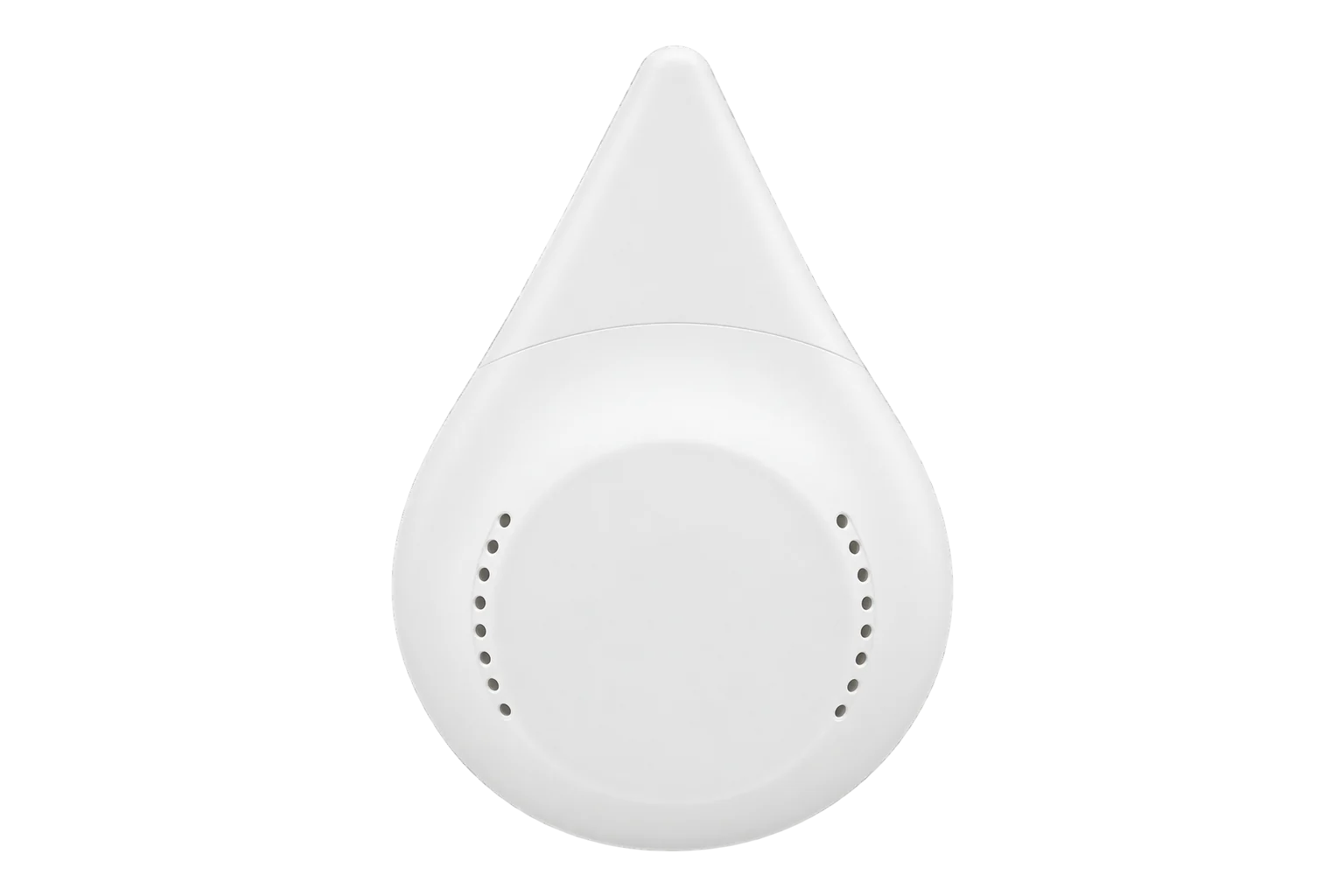
The antenna sits directly above the water-drop icon on the top. Keep that side clear of metal, which weakens the signal.3
Setup
-
Open pairing in Edge
In Edge, open pairing on the Gateway’s Zigbee network, with the sensor close to the Gateway so it joins it directly.
-
Put it into pairing mode
Press firmly on the water-drop icon on top, which is the reset button, and hold it for about 5 seconds until the blue light under the drop blinks.4
-
If it will not join
Hold the button for 5 seconds until it flashes, wait a second, then press it twice briefly. As a last resort, take the cell out and hold the button while you put it back until pairing completes.4
-
Confirm the join
Check that Edge identifies it as Aqara SJCGQ11LM. Battery level may take up to 24 hours to appear.4
-
Close the battery cover
Turn the battery cover until its groove lines up with the metal probes on both sides. The IP67 rating depends on it.3
-
Check one reading
Place it where you want to watch, then bridge the two probes with a wet cloth and confirm the leak state in Edge. Dry the probes afterwards.
Common questions
- Does the SJCGQ11LM need an Aqara hub to work with Edge?
- No. Aqara needs its own hub for the Aqara Home app and Apple Home, but the sensor is a Zigbee device and joins the Zigbee radio on an EpiSensor Gateway, where Edge reads it locally.34
- How long does the battery last?
- Aqara rates the CR2032 cell for over two years under normal use. Edge reports battery level, battery voltage and a low-battery flag.24
- Can it detect water away from the sensor itself?
- Yes. The probes can be loosened with a hex screwdriver and connected to a cable, so the cable reaches the point to watch while the sensor sits higher up.3
- How do I move it from another Zigbee network?
- Switch the old network off before pairing it to the Gateway, so the sensor does not rejoin the network it knew.4
Related devices

Sources
- Water Leak Sensor specifications (opens in a new tab)
- Aqara Water Leak Sensor (opens in a new tab)
- Water Leak Sensor quick start guide (EU) (opens in a new tab) (PDF)
- Aqara SJCGQ11LM device documentation (opens in a new tab)
- Aqara SJCGQ11LM Zigbee definition (opens in a new tab)
Further reading
Product names and trademarks belong to their owners. Publication does not imply endorsement or a commercial relationship.