Heiman HS2TD
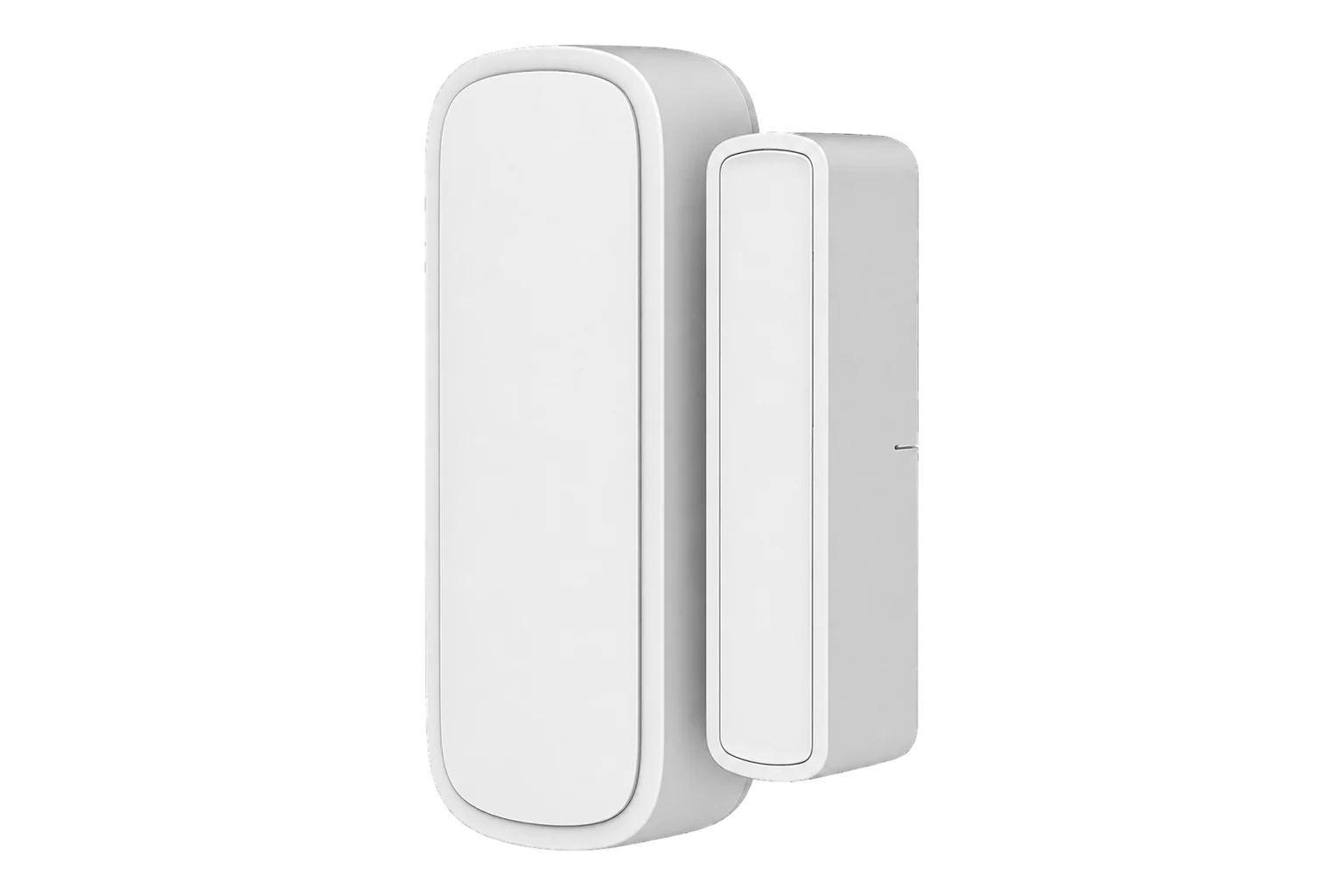
Door sensor with temperature and humidity
A battery-powered Zigbee door contact that also measures room temperature and relative humidity, with writable calibration offsets, derived comfort values and diagnostic counters in the same device.
Compatibility
Compatible with EpiSensor Edge over Zigbee.
Pair it with the Zigbee radio on an EpiSensor Gateway. Edge reads it locally on the Gateway.
Edge reads 16 values from it, listed under Interface.
Connect it with

Specifications
The HS2TD combines a magnetic door contact with a temperature and relative humidity sensor, so one device on a door frame records whether the door is open and what the room is doing. Edge reads the contact state, temperature in °C, humidity in % and the battery level, with a separate low-battery alarm.1
- Power
- Battery. Battery powered, reporting battery level in % and a low-battery alarm.1
- Sensing
- Door contact, temperature and relative humidity1
- Wireless
- Zigbee1
- Temperature offset
- -15 to 15 °C, 0.1 °C steps2
- Humidity offset
- -15 to 15 % RH, 0.1 % steps2
- Calculated values
- Dew point, VPD, temperature-humidity index, heat index1
- Diagnostics
- Daily packet count, rejoin count, reboot count1
- Indicator
- Alarm indicator light, can be switched off1
- Firmware
- Updates over the Zigbee network1
Where it is used
Office and meeting room doors, where one device records both the room's temperature and humidity and whether the door was open.
Indoor environmental monitoringComms room and plant room doors, so a rise in room temperature can be matched to a door left open.
Server room and rack temperature monitoring
Interface
Readings and settings, with units and ranges where Heiman publishes them. readable, readable and writable, writable only.12
| Reading | Unit | Range or values | Access |
|---|---|---|---|
| Measurements 7 | |||
| ContactOpen or closed. | - | Binary state | Read only |
| Temperature | °C | - | Read only |
| HumidityRelative humidity. | % | - | Read only |
| Dew pointCalculated in the device; no unit or scale stated. | - | - | Read only |
| VPDVapour pressure value calculated in the device; no unit or scale stated. | - | - | Read only |
| Temperature-humidity indexCalculated in the device. | - | - | Read only |
| Heat indexCalculated in the device. | - | - | Read only |
| Controls 1 | |||
| IdentifyMakes the device show itself. | - | identify |
Write only |
| Settings 3 | |||
| Temperature offsetCalibration trim in 0.1 °C steps. | °C | -15 to 15 °C | Read and write |
| Humidity offsetCalibration trim in 0.1 % RH steps. | % | -15 to 15 % | Read and write |
| Alarm indicatorTurns the indicator light on the device on or off. | - | Binary state | Read and write |
| Diagnostics 5 | |||
| Battery | % | 0 to 100 % | Read only |
| Battery lowTrue when the battery is almost empty. | - | Binary state | Read only |
| Reported packetsZigbee packets sent in a day. | - | 0 to 60,000 | Read only |
| Rejoin countTimes the device has rejoined the Zigbee network. | - | 0 to 60,000 | Read only |
| Reboot countTimes the device has restarted. | - | 0 to 60,000 | Read only |
Temperature and humidity use the standard Zigbee measurement clusters, humidity on the device's second endpoint. The contact and low-battery alarm come from its IAS zone. Offsets, calculated values, the indicator and the counters sit in a Heiman manufacturer-specific cluster.2
Its Zigbee definition asks for a temperature report at least every hour and whenever temperature changes by 2 °C, and a humidity report at least every hour and whenever humidity changes by 5 % RH, with no more than one report every 10 seconds.2
Setup
-
Open pairing in Edge
In Edge, open pairing on the Gateway’s Zigbee network, then put the sensor into pairing mode as its quick guide describes.
-
Confirm the join
Check that Edge identifies it as Heiman HS2TD. Use Identify from Edge to find which physical sensor it is when you pair several.1
-
Mount it
Fix the sensor to the frame and the magnet to the door, with the two parts beside each other when the door is closed.
-
Trim temperature and humidity
Put a reference instrument beside it, then write the temperature and humidity offsets from Edge, between -15 and 15 in 0.1 steps.2
-
Check one reading
Open and close the door and watch the contact state change in Edge, then confirm the temperature matches the reference.1
Common questions
- Does the HS2TD need a Heiman hub to work with Edge?
- No. It is a Zigbee device and joins the Zigbee radio on an EpiSensor Gateway, where Edge reads it locally.1
- How often does it report temperature and humidity?
- Its Zigbee definition asks for a report at least hourly, and sooner when temperature changes by 2 °C or humidity by 5 % RH. Door openings are reported when they happen.2
- What are the dew point, VPD and heat index readings?
- Values calculated in the device from its own temperature and humidity. The Zigbee definition reads them without a stated unit or scale, so for reporting, calculate them from the temperature and humidity readings instead.2
- How do I find out why it stopped reporting?
- Check its battery level and low-battery alarm first, then its counters: a rising rejoin or reboot count points to a weak signal or a failing battery.1
Related devices


Sources
- Heiman HS2TD device documentation (opens in a new tab)
- Heiman HS2TD Zigbee definition (opens in a new tab)
Further reading
Product names and trademarks belong to their owners. Publication does not imply endorsement or a commercial relationship.