Aqara RTCGQ14LM
Motion sensor
Aqara’s Motion Sensor P1: a Zigbee 3.0 passive infrared sensor with a light sensor, three sensitivity settings and an adjustable detection interval. It covers up to 7 m and runs on two CR2450 cells, rated for up to five years.
Also sold asAqara Motion Sensor P1Aqara MS-S02
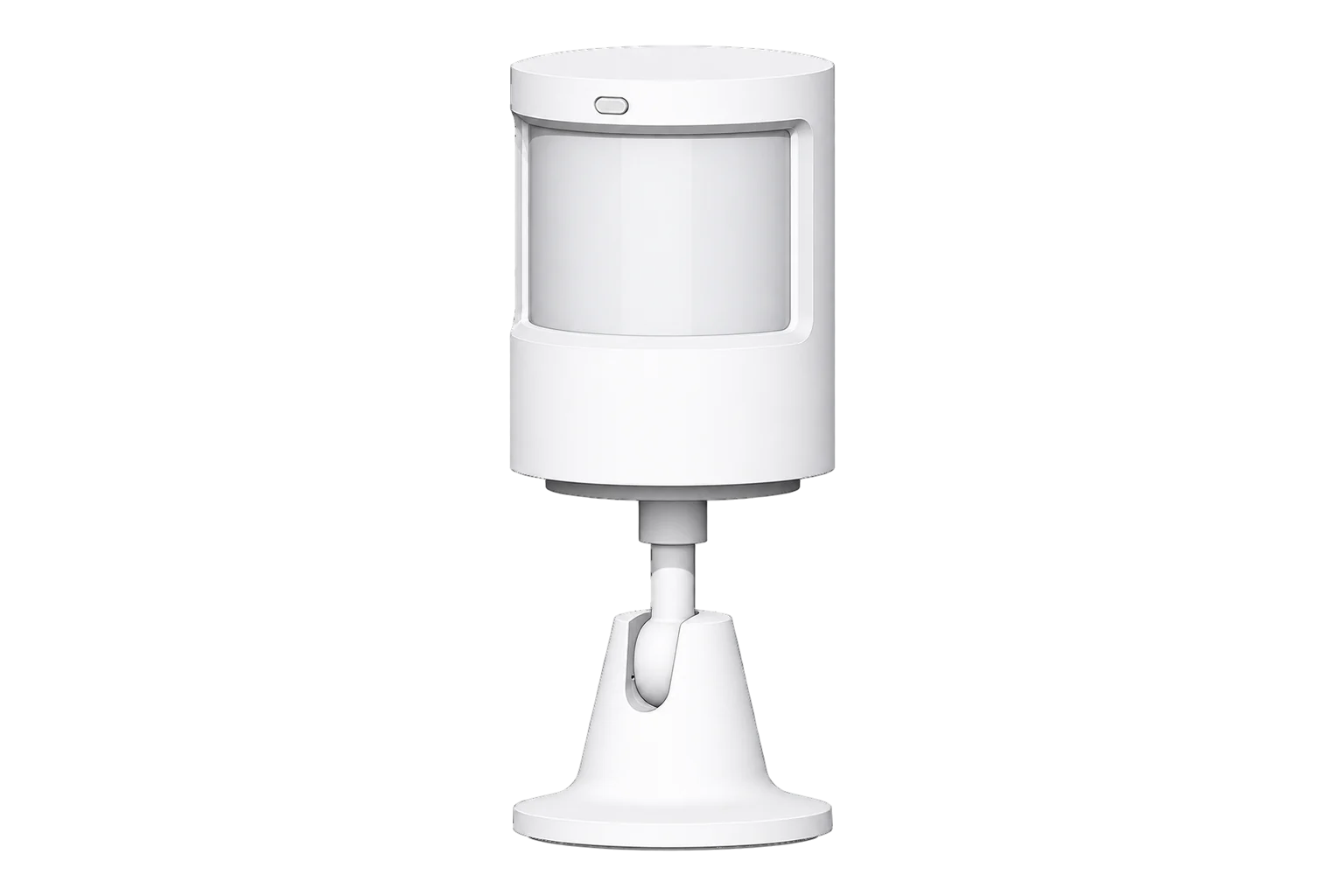
- Zigbee
Motion sensor
Compatibility
Compatible with EpiSensor Edge over Zigbee.
Pair it with the Zigbee radio on an EpiSensor Gateway. Edge reads it locally on the Gateway.
Edge reads 8 values from it, listed under Interface.
Connect it with
-
Gateway ZGW-20From €899 ex VAT Configure Gateway

Specifications
It fixes the main limitation of the older RTCGQ11LM. The detection interval, the time before it reports motion again, is adjustable instead of fixed at one minute: Aqara offers 1 to 200 seconds in its app, and the Zigbee definition accepts 2 to 65,535 seconds. Sensitivity and the motion indicator LED are settable over Zigbee too. The sensor sleeps between reports, so press its button just before changing a setting or the change will fail.25
- Power
- Battery. Two CR2450 coin cells, 1240 mAh in total. Aqara rates them for up to five years with the indicator LED off and a detection interval of at least 30 seconds.2
- Detection method
- Passive infrared, with a separate light detection window1
- Detection distance
- Up to 7 m3
- Field of view
- 170° up to 2 m, 150° up to 7 m2
- Sensitivity settings
- High, medium, low2
- Detection interval in Aqara’s app
- 1 to 200 s2
- Detection interval over Zigbee
- 2 to 65,535 s4
- Recommended mounting height
- 1.2 to 2 m1
- Batteries
- 2 × CR2450, 1240 mAh3
- Operating temperature
- -10 to 55 °C1
- Operating humidity
- 0 to 95 % RH, non-condensing1
- Dimensions
- 33.1 × 33.1 × 41.6 mm1
- Weight
- 33 g3
- Wireless
- Zigbee 3.0, 2405 to 2480 MHz, up to 13 dBm1
- Firmware updates
- Over the air2
Where it is used
Room use next to HVAC and lighting energy, to find plant running for empty rooms, with a short detection interval where quick response matters.
HVAC energy monitoring for commercial buildingsOccupancy and light level beside temperature and humidity in offices and classrooms.
Indoor environmental monitoringCorridors and stores where a low sensitivity setting keeps it from triggering on movement outside the area of interest.
Interface
Readings and settings, with units and ranges where Aqara publishes them. readable, readable and writable.
| Reading | Unit | Range or values | Access |
|---|---|---|---|
| Measurements 2 | |||
| Occupancy | - | Binary state | Read only |
| Illuminance | lx | - | Read only |
| Settings 3 | |||
| Motion sensitivity | - | lowmediumhigh |
Read and write |
| Detection interval | s | 2 to 65,535 s | Read and write |
| Trigger indicator | - | Binary state | Read and write |
| Diagnostics 3 | |||
| Device temperature | °C | - | Read only |
| Battery | % | 0 to 100 % | Read only |
| Voltage | mV | - | Read only |
Motion sensitivity, detection interval and the motion indicator LED are writable. Press the sensor’s button right before you change one; otherwise the sleeping sensor misses the write.5
Occupancy clears after the detection interval plus 2 seconds by default in its Zigbee definition, so the no-motion state follows whatever interval you set.4
Battery percentage is derived from the cell voltage: the Zigbee definition treats 2.85 V as empty and 3.0 V as full.5
Setup
-
Open pairing in Edge
In Edge, open pairing on the Gateway’s Zigbee network and hold the sensor close to the Gateway.
-
Activate it
Pull the insulating tab out from under the battery contact to power the sensor.1
-
Enter pairing mode
Press and hold the reset button for 5 seconds, until the blue light blinks, then release it. If it does not join, try a single short press.4
-
Confirm the join
Check that Edge identifies it as Aqara RTCGQ14LM. A single click of the reset button at the mounting position checks that it can still reach the network from there.1
-
Set it up and walk test
Mount it between 1.2 and 2 m, facing away from heaters and other heat sources. Press the button, set sensitivity and detection interval from Edge, then walk across the area and confirm that motion is recorded.1
Common questions
- Does it need an Aqara hub to work with Edge?
- No. Aqara’s app needs an Aqara Zigbee 3.0 hub, but the sensor is a Zigbee 3.0 device and joins a Zigbee coordinator directly. It pairs with the Zigbee radio on an EpiSensor Gateway and Edge reads it locally.14
- How long do the batteries last?
- Aqara rates the two CR2450 cells for up to five years, with the indicator LED off and a detection interval of 30 seconds or more. The five-year figure assumes those settings.2
- Where should it not be mounted?
- Not on tile, glass, marble or other smooth surfaces that get damp, on lighting tubes or hot objects, or facing heaters and other heat sources, which can cause false triggers. It is for indoor use only.1
Related devices

Sources
- Motion Sensor P1 user manual (opens in a new tab) (PDF)
- Motion Sensor P1 (opens in a new tab)
- Motion Sensor P1 specifications (opens in a new tab)
- Aqara RTCGQ14LM device documentation (opens in a new tab)
- Aqara RTCGQ14LM device definition (opens in a new tab)
Further reading
Product names and trademarks belong to their owners. Publication does not imply endorsement or a commercial relationship.