ABB B23 and B24
Three-phase energy meter
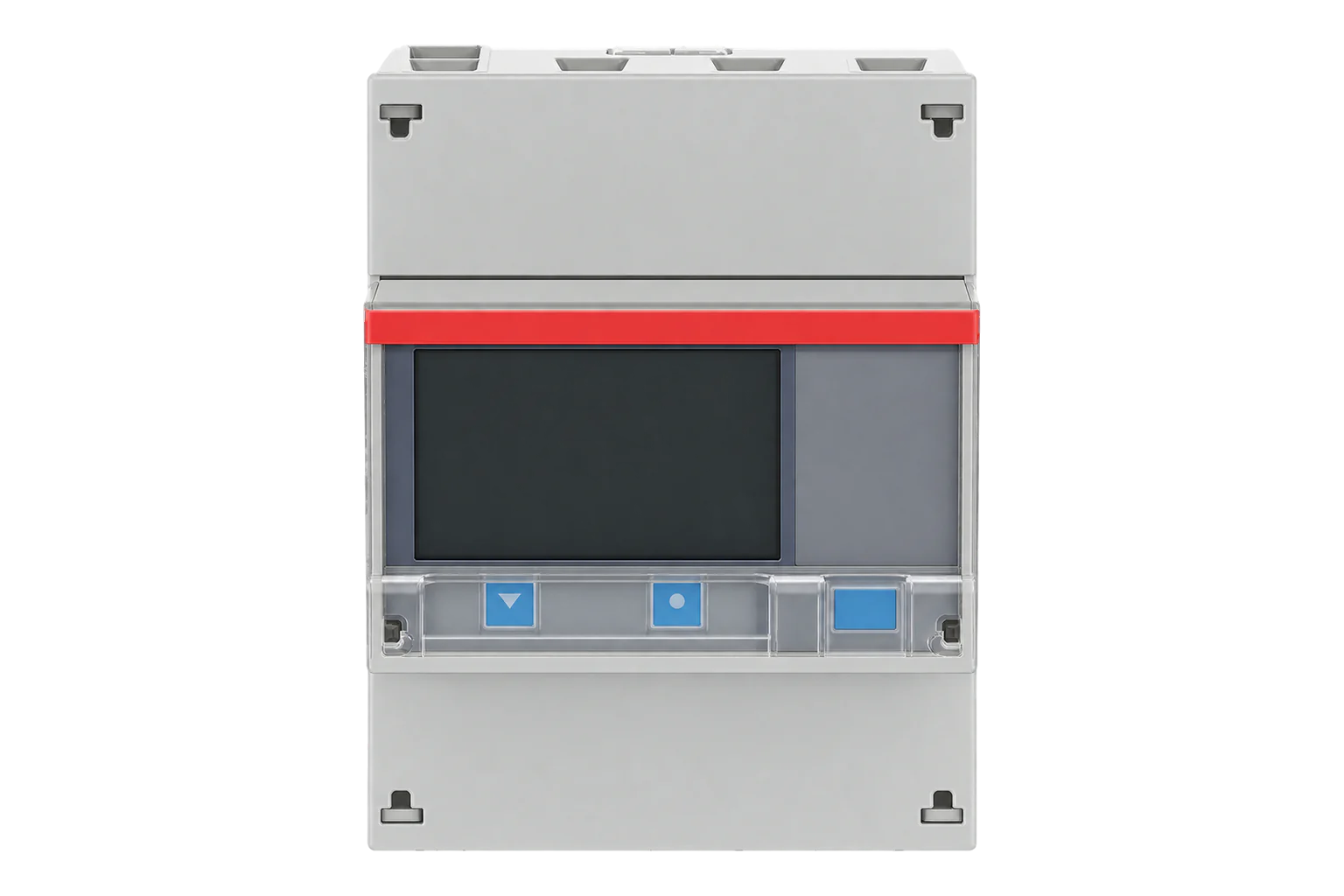
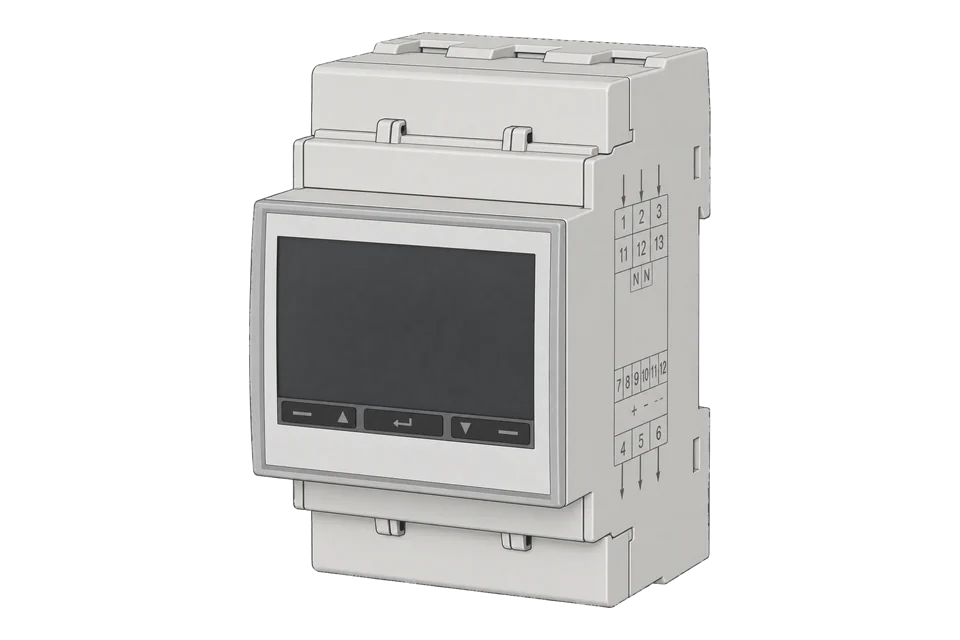
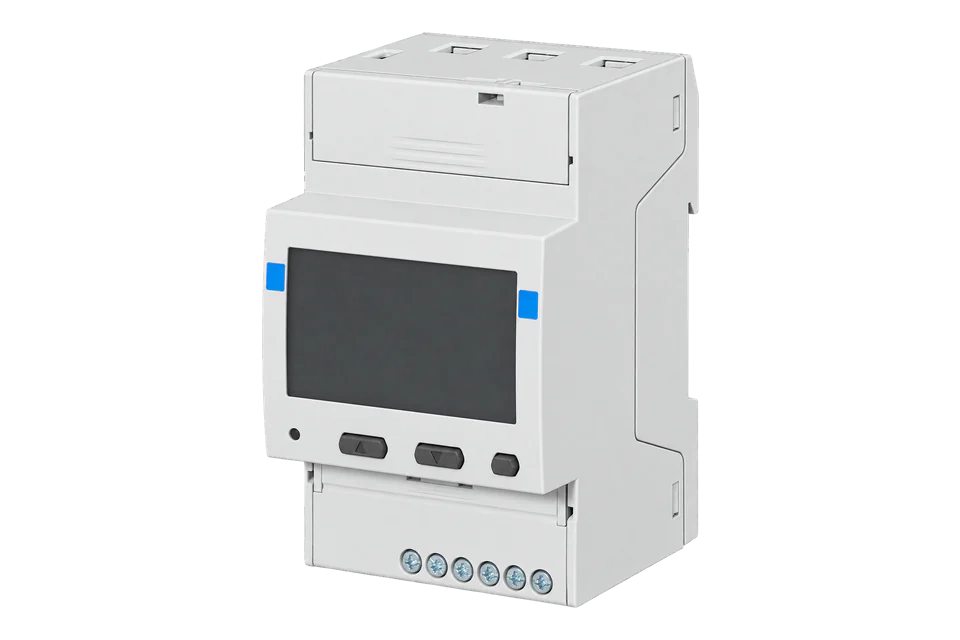
ABB's MID-approved three-phase DIN-rail energy meters: the B23 connects directly up to 65 A and the B24 reads current transformers with a secondary of up to 6 A. Meters with an RS-485 port speak Modbus RTU, with energy, power, voltage and current in one register map.
Compatibility
Compatible with EpiSensor Edge over Modbus RTU.
Connect its RS-485 port to a Modbus Interface or to a serial interface on the Gateway. Edge polls it with its Modbus client.
Edge reads 30 values from it, listed under Interface.
Connect it with
-
Modbus Interface ZMB-3XFrom €399 ex VAT Configure Modbus Interface
-
Gateway ZGW-20From €899 ex VAT Configure Gateway


Specifications
Each comes in three functional levels. Steel meters count active energy import only, at Class 1. Bronze meters add export and reactive energy. Silver meters add tariffs, fixed inputs and outputs and resettable registers, and on the B24 can be Class 0.5 S. The communication port is chosen when you order: RS-485, which speaks Modbus RTU or ABB's EQ-Bus, or M-Bus.1
- Power
- Self-powered from the measured supply. The meter has no auxiliary supply input and runs from its voltage circuits, which dissipate 1.6 VA (0.7 W) in total.1
- Active energy accuracy
- B23: Class B (Class 1); B24: Class B (Class 1) or Class C (Class 0.5 S), EN 50470-31
- Reactive energy accuracy
- Class 2 (IEC 62053-23)1
- Voltage
- 3 × 230/400 V AC nominal, 3 × 220 to 240 V (-20 % to +15 %)1
- Current (B23)
- Direct, 0.25 to 65 A, base current 5 A, starting current under 20 mA1
- Current (B24)
- Through CTs, 1 A rated, 6 A maximum; CT ratio 1/9 to 9999/11
- Frequency
- 50 or 60 Hz, ±5 %1
- Communication options
- RS-485 (Modbus RTU or EQ-Bus) or M-Bus, plus an optical port1
- Legal metrology
- MID mechanical class M1, electromagnetic class E21
- Protection
- IP20 at the terminals, IP51 in a protective enclosure1
- Operating temperature
- -40 to 70 °C1
- Terminals
- B23: 1 to 25 mm² at 3 Nm; B24: 0.5 to 10 mm² at 1.5 Nm1
Where it is used
Tenant and departmental submetering, where the MID approval gives a kWh register fit for billing.
Tenant submetering and cost allocationImport and export metering on a solar PV or battery connection, with Bronze or Silver meters.
Solar PV monitoringMetering EV charger circuits up to 65 A with a B23, alongside the rest of the site load.
EV charging load management
Interface
This register map applies to the B23 and B24.
Communication settings
- Protocol
- Modbus RTU over RS-485, chosen on the meter (the port also speaks EQ-Bus)
- Unit address
- 1 to 247
- Baud rate
- 1200, 2400, 4800, 9600, 19200, 38400, 57600 or 115200 bit/s
- Parity
- None, odd or even
- Functions
- FC03 to read; FC06 and FC16 to write settings
- Registers per read
- 1 to 125, anywhere from 0x1000 to 0x8EFF
- Terminals
- A, B and C, for 0.5 to 1 mm² wire
- Invalid values
- All ones for unsigned values, the highest positive number for signed values
- Identity
- Type designation at 0x8960, serial number at 0x8900
- Read with
- FC03 (holding registers)
- Word order
- High word first on each 32-bit value
- Addresses
- Zero-based PDU addresses, as sent on the bus
From B23/B24 user manual (2CMC485003M0201, revision E)1.
Register map
| Point | Address | Hex | Format | Scale | Unit |
|---|---|---|---|---|---|
| Voltage L1-N | 23296 | 0x5B00 |
UINT32 | ×0.1 | V |
| Voltage L2-N | 23298 | 0x5B02 |
UINT32 | ×0.1 | V |
| Voltage L3-N | 23300 | 0x5B04 |
UINT32 | ×0.1 | V |
| Voltage L1-L2 | 23302 | 0x5B06 |
UINT32 | ×0.1 | V |
| Voltage L3-L2 | 23304 | 0x5B08 |
UINT32 | ×0.1 | V |
| Voltage L1-L3 | 23306 | 0x5B0A |
UINT32 | ×0.1 | V |
| Current L1 | 23308 | 0x5B0C |
UINT32 | ×0.01 | A |
| Current L2 | 23310 | 0x5B0E |
UINT32 | ×0.01 | A |
| Current L3 | 23312 | 0x5B10 |
UINT32 | ×0.01 | A |
| Total Active Power | 23316 | 0x5B14 |
INT32 | ×0.01 | W |
| Active Power L1 | 23318 | 0x5B16 |
INT32 | ×0.01 | W |
| Active Power L2 | 23320 | 0x5B18 |
INT32 | ×0.01 | W |
| Active Power L3 | 23322 | 0x5B1A |
INT32 | ×0.01 | W |
| Total Reactive Power | 23324 | 0x5B1C |
INT32 | ×0.01 | var |
| Reactive Power L1 | 23326 | 0x5B1E |
INT32 | ×0.01 | var |
| Reactive Power L2 | 23328 | 0x5B20 |
INT32 | ×0.01 | var |
| Reactive Power L3 | 23330 | 0x5B22 |
INT32 | ×0.01 | var |
| Total Apparent Power | 23332 | 0x5B24 |
INT32 | ×0.01 | VA |
| Apparent Power L1 | 23334 | 0x5B26 |
INT32 | ×0.01 | VA |
| Apparent Power L2 | 23336 | 0x5B28 |
INT32 | ×0.01 | VA |
| Apparent Power L3 | 23338 | 0x5B2A |
INT32 | ×0.01 | VA |
| Frequency | 23340 | 0x5B2C |
UINT16 | ×0.01 | Hz |
| Total Power Factor | 23354 | 0x5B3A |
INT16 | ×0.001 | - |
| Power Factor L1 | 23355 | 0x5B3B |
INT16 | ×0.001 | - |
| Power Factor L2 | 23356 | 0x5B3C |
INT16 | ×0.001 | - |
| Power Factor L3 | 23357 | 0x5B3D |
INT16 | ×0.001 | - |
| Active Energy Import | 20482 | 0x5002 |
UINT32 | ×0.01 | kWh |
| Active Energy Export | 20486 | 0x5006 |
UINT32 | ×0.01 | kWh |
| Reactive Energy Import | 20494 | 0x500E |
UINT32 | ×0.01 | kvarh |
| Reactive Energy Export | 20498 | 0x5012 |
UINT32 | ×0.01 | kvarh |
ABB gives each value's first register in hexadecimal exactly as it goes on the bus, with nothing to subtract. The addresses on this page are the same numbers in decimal: Voltage L1-N at 0x5B00 is 23296.1
Energy totals are 64-bit counters across four registers. ABB allows reading part of a value, so the map reads the lower two registers of each total as a 32-bit count in 0.01 kWh, which wraps after 42,949,672.95 kWh. Read all four registers if you need the full counter.1
Powers are signed 32-bit values in 0.01 W, so they top out at about ±21 MW. A missing value reads as all ones if unsigned, or the highest positive number if signed.1
Edge template
This JSON file supplies the register map. Applying it to an existing meter replaces its sensor list while retaining the site connection, unit ID and enable state.
| Model | Connection | Points | Version | Updated | Download |
|---|---|---|---|---|---|
| B23 / B24 | Modbus RTU over RS-485, chosen on the meter (the port also speaks EQ-Bus) | 30 | 1.0.0 | Download |
Downloads need a signed-in account with Edge download access.
Use the template in Edge
- Import the JSON file
In Edge, open Settings, then Devices and Templates. Choose Import JSON and select the downloaded file. Confirm that the model and template name match your device.
- Load the map for your meter
For a new Modbus device, use Load Template before entering the manufacturer or model; it fills those fields and the register list. Set the name, site connection and unit ID, check the polling enable state, then test before saving. For an existing device, apply only to the matching model; this replaces its sensor list but retains its connection, unit ID and enable state.
- Test a reading
Use Test in the wizard and compare a known reading with the meter display. Check its unit, sign and scale, then confirm that timestamps keep advancing. These starter maps are read-only and leave exports off until you configure them.
Setup
-
Check the port
Meters with RS-485 have three communication terminals, A, B and C; M-Bus meters have two. Only the RS-485 meters speak Modbus.1
-
Choose Modbus
In the meter's RS485 settings, set the protocol to Modbus rather than EQ-Bus, then set the baud rate from 1200 to 115200 bit/s, an address from 1 to 247 and the parity. Set Edge to match.1
-
Wire the bus
Connect A, B and C to a ZMB-31 or the Gateway's serial interface. The communication terminals take 0.5 to 1 mm² wire at 0.25 Nm.1
-
Set the CT ratio on a B24
Enter the current transformer ratio, from 1/9 to 9999/1, in the meter's ratio settings before you rely on any current, power or energy reading.1
-
Read one register
Import the template and read Voltage L1-N at 23296 (0x5B00) with function code 3. It is an unsigned 32-bit value in 0.1 V steps, so 2301 means 230.1 V.1
-
Enable the map
Once voltage, current and total active power match the display, enable the rest of the map and watch several fresh readings before you add exports or alarms.
Common questions
- Which B23 and B24 meters have Modbus?
- Those with an RS-485 port, set to the Modbus protocol in the meter's RS485 settings. The same port can speak ABB's EQ-Bus instead. Meters ordered with M-Bus do not speak Modbus.1
- What is the difference between the B23 and the B24?
- The B23 is direct connected up to 65 A. The B24 is transformer connected, rated 1 A with a 6 A maximum on the secondary, with a configurable CT ratio, and can be Class 0.5 S.1
- Why do the export registers read FFFF?
- Steel meters count active import only and have no export registers. A value the meter does not have reads as all ones if unsigned.1
- What are the Modbus RS-485 settings?
- Address 1 to 247; 1200, 2400, 4800, 9600, 19200, 38400, 57600 or 115200 bit/s; no, odd or even parity. Reads use function code 3, for 1 to 125 registers at a time.1
Related devices

Sources
- B23/B24 user manual (2CMC485003M0201, revision E) (opens in a new tab)
- mbmd ABB A and B series RS-485 driver (opens in a new tab)
- ABB B23 and B24 register map (opens in a new tab)
Further reading
Product names and trademarks belong to their owners. Publication does not imply endorsement or a commercial relationship.