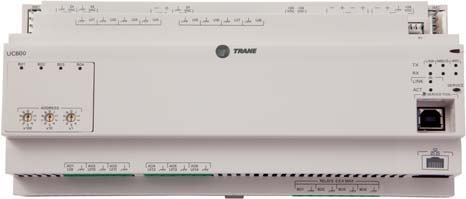
Trane Tracer UC800
Building automation controller
For a CenTraVac chiller with AdaptiView, identify the UC800 controller and the chiller build shown in the service tool. The evaporator status screen distinguishes entering water, leaving water and the active chilled-water setpoint. Specify which of those readings the plant report needs.
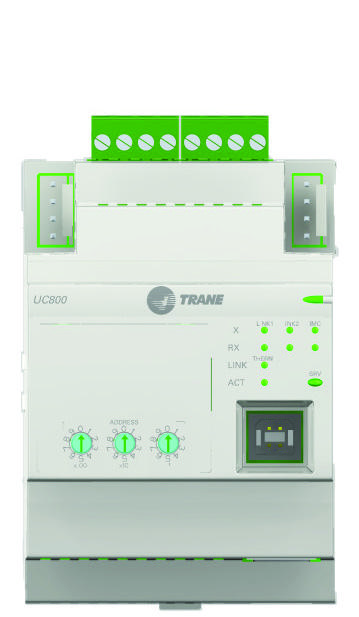
Compatibility
Compatible with Edge through routed BACnet MS/TP
UC800 supports BACnet MS/TP through a site router.
Use the object list from the commissioned equipment and its installed application.
Connect it with

For a UC800 on the MS/TP network
- BACnet
- Edge
- Platforms
Models
| Models | Interface | Route into Edge |
|---|---|---|
| Tracer UC800 | BACnet MS/TP through a site router. | Match the CenTraVac build and AdaptiView application to the site point schedule. |
Interface
Documented measurements and integration boundaries for Tracer UC800.
- Request the entering and leaving evaporator water temperatures. A temperature difference can describe cooling across the evaporator, but a cooling power calculation also needs synchronized water flow and fluid properties.
Assessment
Tracer UC800 on the documented building network.
- InteroperabilityWell supported
- Trane documents UC800 communication over the selected building network.1
- AccuracyNot yet assessed
- The installed equipment and the measurement source determine the meaning of the feedback.2
- SecurityNot yet assessed
- Consult the site controls owner for the permitted network route.1
- ReliabilityNot yet assessed
- Site operation depends on the installed controller and network.1
- RuggednessNot yet assessed
- Confirm the rating of the installed equipment enclosure.2
- ScalabilitySupported with conditions
- Group units by controller, network and loaded application before mapping points.1
- LifecycleSupported with conditions
- Retain the installed application and equipment identifiers with the point list.2
Setup
-
Identify the equipment tag, controller application and commissioned Device instance.
-
Match one leaving-water reading to the local evaporator status at the same time.
If the local status shows no measurement, leave the acceptance check open until a current reading is available.
-
Record the object type and instance, Present_Value, Units and the timestamp alongside the comparison.
Related devices
Sources
- Tracer SC catalogue BAS-PRC031T-EN (opens in a new tab) (PDF)
- Tracer TU service tool guide BAS-SVU047B-EN (opens in a new tab) (PDF)
Further reading
Product names and trademarks belong to their owners. Publication does not imply endorsement or a commercial relationship.