Trane BCI-I
HVAC equipment interface
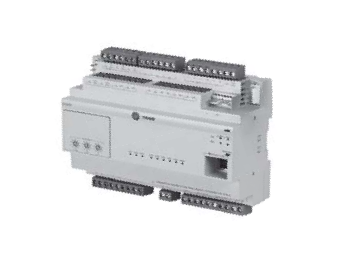
The BCI-I connects IntelliPak I and II rooftop units and IntelliPak commercial self-contained equipment. Record the unit family and the spaces served. Two units with the same interface can publish different readings because their installed options differ.
Compatibility
Compatible with Edge through routed BACnet MS/TP
The BCI-I exposes equipment data over BACnet MS/TP. Edge reads it through a BACnet router on the site network.
Confirm the host, installed interface and sensor options using a dated point list from the unit.
Connect it with

For an IntelliPak unit fitted with BCI-I
- BACnet
- Edge
- Platforms
Models
| Models | Interface | Route into Edge |
|---|---|---|
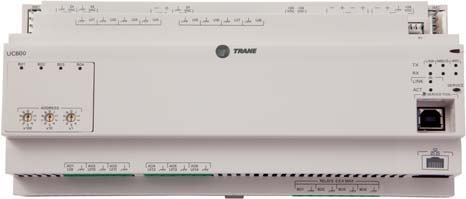
| BCI-I | Tracer UC400 hardware running the BCI-I interface software connects IntelliPak equipment to BACnet MS/TP. | BTL listing 25120 names BCI-I at software 28.0. Use the version beside this model when preparing a tender submittal. |
Interface
Documented measurements and integration boundaries for BCI-I.
- For a ventilation review, request the available supply-air temperature measurement and operating mode. Identify whether the unit serves one zone or a common air system before naming its trends.
- Trane explains that the interface builds its points from the actual equipment configuration. Obtain a fresh object list after a change to that configuration.
Assessment
BCI-I on the IntelliPak unit field network.
- InteroperabilityWell supported
- BTL identifies the MS/TP interface and software 28.0.3
- AccuracyNot yet assessed
- Available measurements depend on the installed sensors and equipment configuration.2
- SecurityNot yet assessed
- Network access is managed on site.3
- ReliabilityNot yet assessed
- The listing records protocol interoperability.3
- RuggednessNot yet assessed
- Match the module to the equipment and mounting location.1
- ScalabilitySupported with conditions
- Retain a point list per unit because similar models can have different options.2
- LifecycleSupported with conditions
- Review the equipment point list when the underlying unit configuration changes.2
Setup
-
Match the unit nameplate to the interface model and the serial segment on the site drawing.
-
Use the IntelliPak operator display to identify a current air-temperature reading.
Match the measurement to a BACnet analog object and compare it with the display before applying the mapping to another rooftop unit.
-
Record the Device instance, object type and instance, Present_Value, Units and reference timestamp for handover.
Related devices
Sources
- IntelliPak interface product description supplied by Trane (opens in a new tab)
- How the interface builds its equipment point list (opens in a new tab)
- BTL listing 25120, Trane equipment interfaces (opens in a new tab) (PDF)
- BCI-I Integration Guide ACC-SVP01B-EN, overview (opens in a new tab)
Further reading
Product names and trademarks belong to their owners. Publication does not imply endorsement or a commercial relationship.