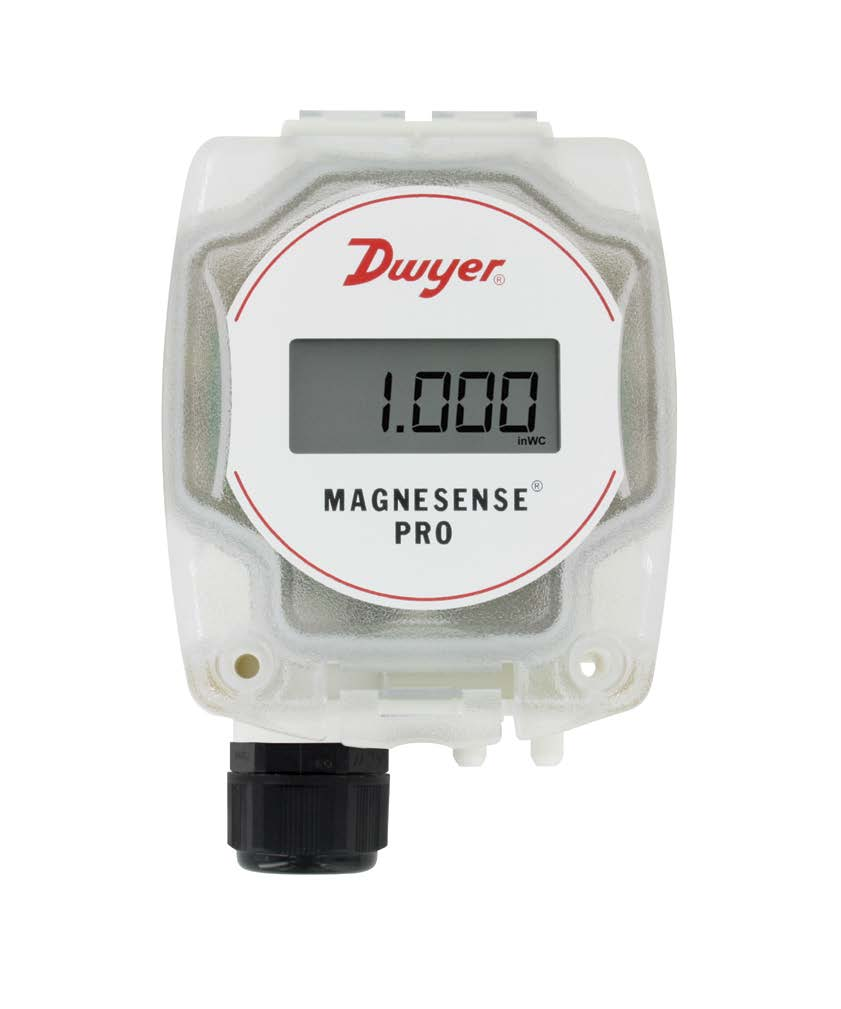
Dwyer Magnesense MSX Pro-Comms
Differential air pressure sensor
On a filter retrofit, record the expected pressure drop at clean and loaded conditions and the fan duty at which the operator compares them. The MSX Pro product range includes analog units and a -COM option. Obtain the complete part number before pricing a network connection.
Compatibility
Compatible with Edge through routed BACnet MS/TP
The communications transmitter serves pressure over RS-485 using BACnet MS/TP. A site BACnet router connects it to Edge.
Confirm the -COM suffix, selected protocol, configured range and direction.
Connect it with

For an instrument operating on a BACnet MS/TP trunk
- BACnet
- Edge
- Platforms
Models
| Models | Interface | Route into Edge |
|---|---|---|
| MSX Pro with -COM option | Serial BACnet MS/TP or Modbus RTU. | Specify an optional LCD if the commissioning engineer needs a value at the transmitter. |
Interface
Documented measurements and integration boundaries for Magnesense MSX Pro-Comms.
- Analog Input 2 reports differential pressure in Pa. Analog Input 1 reports it in inches of water column. These are two representations of the same measured pressure.
- Velocity and volume flow are derived quantities. Use differential pressure directly for a filter loading trend.
Assessment
Magnesense MSX Pro-Comms with the documented serial interface.
- InteroperabilityWell supported
- The manufacturer publishes read-only measurement objects and units for the documented BACnet implementation.1
- AccuracySupported with conditions
- Select the pressure span around expected operating values.1
- SecurityNot yet assessed
- The controls owner determines access to the building network.1
- ReliabilitySupported with conditions
- Compare against a local reference during steady operating conditions.1
- RuggednessSupported with conditions
- The bulletin specifies a NEMA 4X / IP66 enclosure.1
- ScalabilitySupported with conditions
- Record serial settings and Device instance for each sensor on the trunk.1
- LifecycleSupported with conditions
- Keep the full part number and selected range with the commissioning record.2
Setup
-
Identify the high and low taps, configured span and filter or duct served.
Agree a fan operating condition for the comparison.
-
Using bulletin P-MSXP-C, read Present_Value and Units on Analog Input 2 and compare the reading in Pa with a differential manometer across the same taps at the same time.
-
Record sign, range and fan condition before accepting the trend.
Related devices
Sources
- MSX Pro-Comms bulletin P-MSXP-C (opens in a new tab) (PDF)
- MSX Pro communications ordering options (opens in a new tab)
Further reading
Product names and trademarks belong to their owners. Publication does not imply endorsement or a commercial relationship.