Belimo 22DTH
Duct temperature and humidity sensor
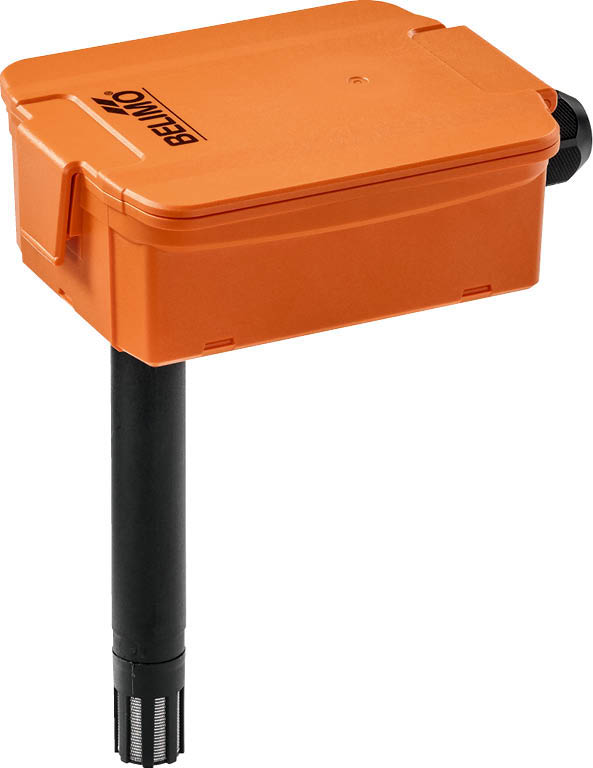
The 22DTH measures duct temperature and humidity. For a humidifier or cooling coil, identify the probe position relative to the plant before comparing readings across equipment.
Compatibility
Compatible with Edge through a BACnet router
Edge reads the sensor through a BACnet/IP-to-MS/TP router on the building network.
Belimo’s interface description covers firmware 2.3. Match the suffix and object to the installed sensor before adding the trend.
Connect it with

For an installed MS/TP segment
- BACnet
- Edge
- Platforms
Models
| Models | Interface | Route into Edge |
|---|---|---|
| 22DTH-16M and 22DTH-56M | The 22DTH-16M takes a 24 V AC/DC supply and also has two voltage outputs. A BACnet reading uses the serial trunk and does not require a spare analogue input. | Record the sensor Device instance, router and serial network number in the point list. |
Interface
Documented measurements and integration boundaries for 22DTH.
- AI 1 is relative humidity in percent. AI 2 is absolute humidity. Keep the intended quantity explicit in the point schedule, particularly when comparing upstream and downstream air.
Assessment
Read-only collection over the installed sensor network.
- InteroperabilityWell supported
- The PICS names the ordering variants and documents ReadProperty and ReadPropertyMultiple on MS/TP.1
- AccuracySupported with conditions
- For the 22DTH-16M, Belimo specifies ±2% RH from 0 to 80% RH at 25 °C. Use the stated test conditions when agreeing a comparison tolerance.2
- SecurityNot yet assessed
- Ask the site controls owner which clients may reach the trunk.1
- ReliabilityNot yet assessed
- Record the most recent successful reading when supervising the sensor.1
- RuggednessSupported with conditions
- The 22DTH-16M housing carries IP65 / NEMA 4X ratings. Check the probe operating limits separately.2
- ScalabilitySupported with conditions
- Belimo specifies up to 32 nodes without a repeater. Include existing devices when checking capacity on a shared segment.1
- LifecycleSupported with conditions
- Record the model suffix and application software version with the point list. Field models share an object table with different available measurements.1
Setup
-
Match the sensor label and its physical location to the building point schedule.
Record the Device instance as well as the object instance.
-
Read Present_Value on Analog Input 1 and compare percent RH with a reference probe at the same duct position.
Take the temperature at the same time and wait for the reference probe to settle.
-
Check Out_Of_Service for the selected object.
The shared interface table includes measurements available only on other sensor types.
Related devices
Sources
- Sensor BACnet object list and PICS, application software 2.3 (opens in a new tab) (PDF)
- 22DTH-16M duct humidity and temperature datasheet (opens in a new tab) (PDF)
Further reading
Product names and trademarks belong to their owners. Publication does not imply endorsement or a commercial relationship.