Belimo 22RTH-5U00D
Room temperature and humidity sensor
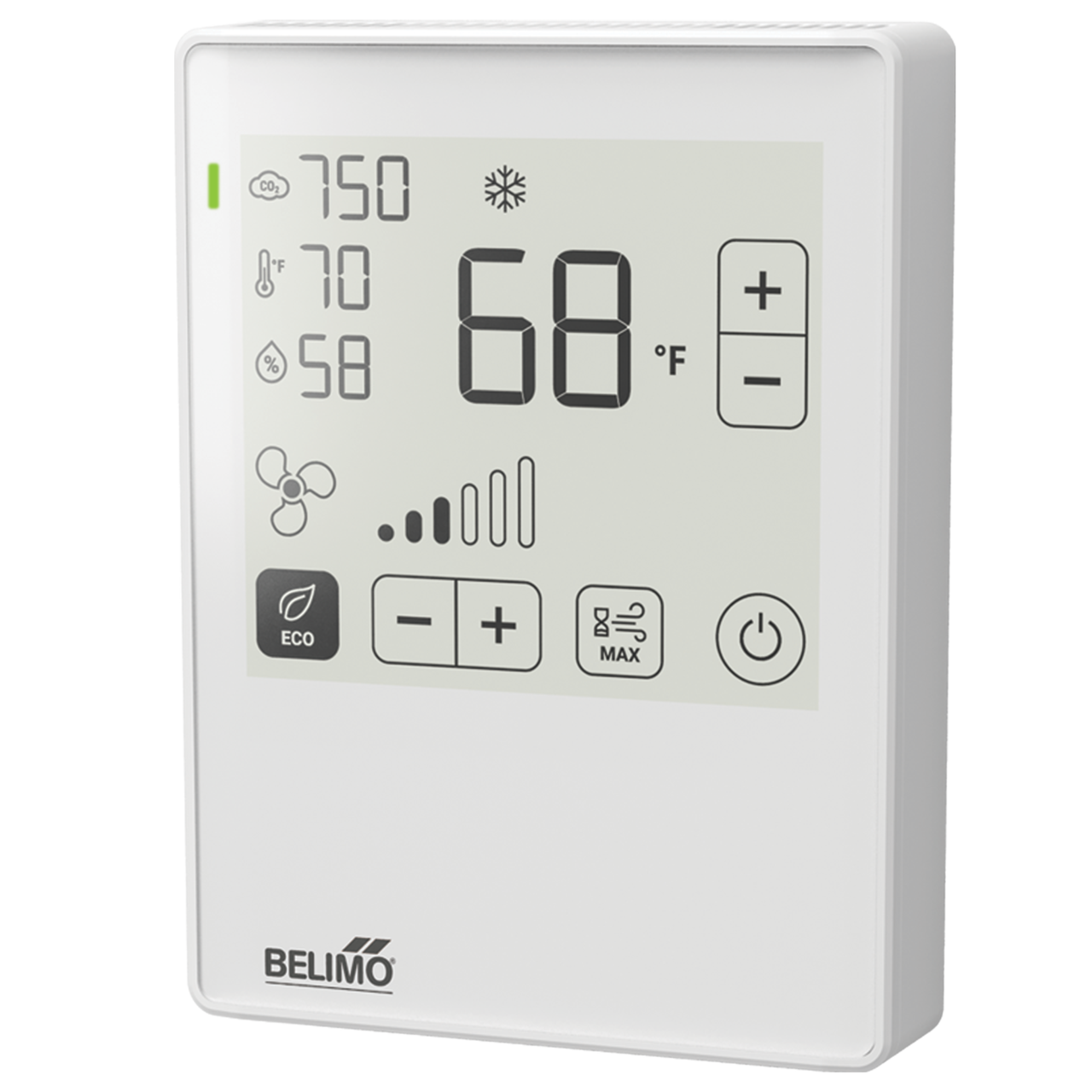
The 22RTH-5U00D suits an occupied room where the operator needs temperature and relative humidity both on the wall and in a trend. Allow for a 24 V AC or DC supply. Where the controls contractor already has this model on a BACnet MS/TP trunk, Edge can collect both readings through the building’s BACnet router.
Compatibility
Compatible with Edge via a BACnet router
The room unit uses RS-485. An IP-to-MS/TP router gives the Edge BACnet/IP client a route to the sensor’s own Device instance.
Record the selected protocol and the router serving this room before ordering additional network equipment.
Connect it with

When the sensor operates in BACnet MS/TP mode
- BACnet
- Edge
- Platforms
When the installed unit uses Modbus RTU
- Modbus
- Edge
- Platforms
Models
| Models | Interface | Route into Edge |
|---|---|---|
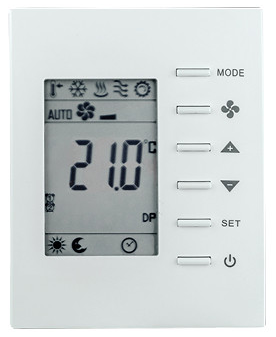
| 22RTH-5U00D | 24 V AC/DC, ePaper touch display, BACnet MS/TP or Modbus RTU. | Use the commissioned serial protocol. For BACnet, identify the room unit on the routed trunk. |
Interface
Documented measurements and integration boundaries for 22RTH-5U00D.
- Analog Input 1 reports room temperature. Record its configured unit. The temperature unit shown on the display can be selected separately.
- Analog Input 2 reports relative humidity from 0 to 100 percent. The 22RTH-5U00D measures these two room conditions. For a CO₂ requirement, specify a model with a CO₂ sensor.
Assessment
Read-only data collection from the 22RTH-5U00D over a routed serial trunk.
- InteroperabilityWell supported
- Belimo publishes both measurement object identifiers for its serial BACnet interface.2
- AccuracySupported with conditions
- The humidity range is 0 to 100% RH and the temperature range is 0 to 50 °C. Check the project tolerance separately from the range.1
- SecurityNot yet assessed
- The interface includes writable configuration objects. The manufacturer evidence used here does not establish access controls for the site network.2
- ReliabilityNot yet assessed
- The unit needs a 24 V supply. Continuity through an outage depends on the room and panel power arrangements.1
- RuggednessNot yet assessed
- The published measurement range describes room readings. It is insufficient to select an enclosure for a wet or exposed location.1
- ScalabilitySupported with conditions
- The humidity object supports a configurable change-of-value increment. Record the installed setting when specifying trend resolution.2
- LifecycleSupported with conditions
- The manufacturer provides separate BACnet and Modbus descriptions. Retain the selected protocol and exact model in the replacement schedule.1
Setup
-
Ask the controls contractor to identify the room and Device instance.
Confirm the installed unit has the 22RTH-5U00D label and record the time at its display.
-
Read Present_Value for Analog Input 2.
Compare it with the relative humidity percentage on the same room display over one update interval. Keep the object type and instance with the room identifier.
-
For temperature, read Analog Input 1 and its Units.
Belimo assigns MV 127 to the network temperature unit and MV 100 to the display unit. Convert between °C and °F if those selections differ before comparing readings.
Related devices
Sources
- 22RTH-5U00D room sensor specifications (opens in a new tab)
- Room operating unit BACnet interface, PICS dated 3 April 2023 (opens in a new tab) (PDF)
Further reading
Product names and trademarks belong to their owners. Publication does not imply endorsement or a commercial relationship.