Schneider Electric CCTFR6000
Underfloor heating controller
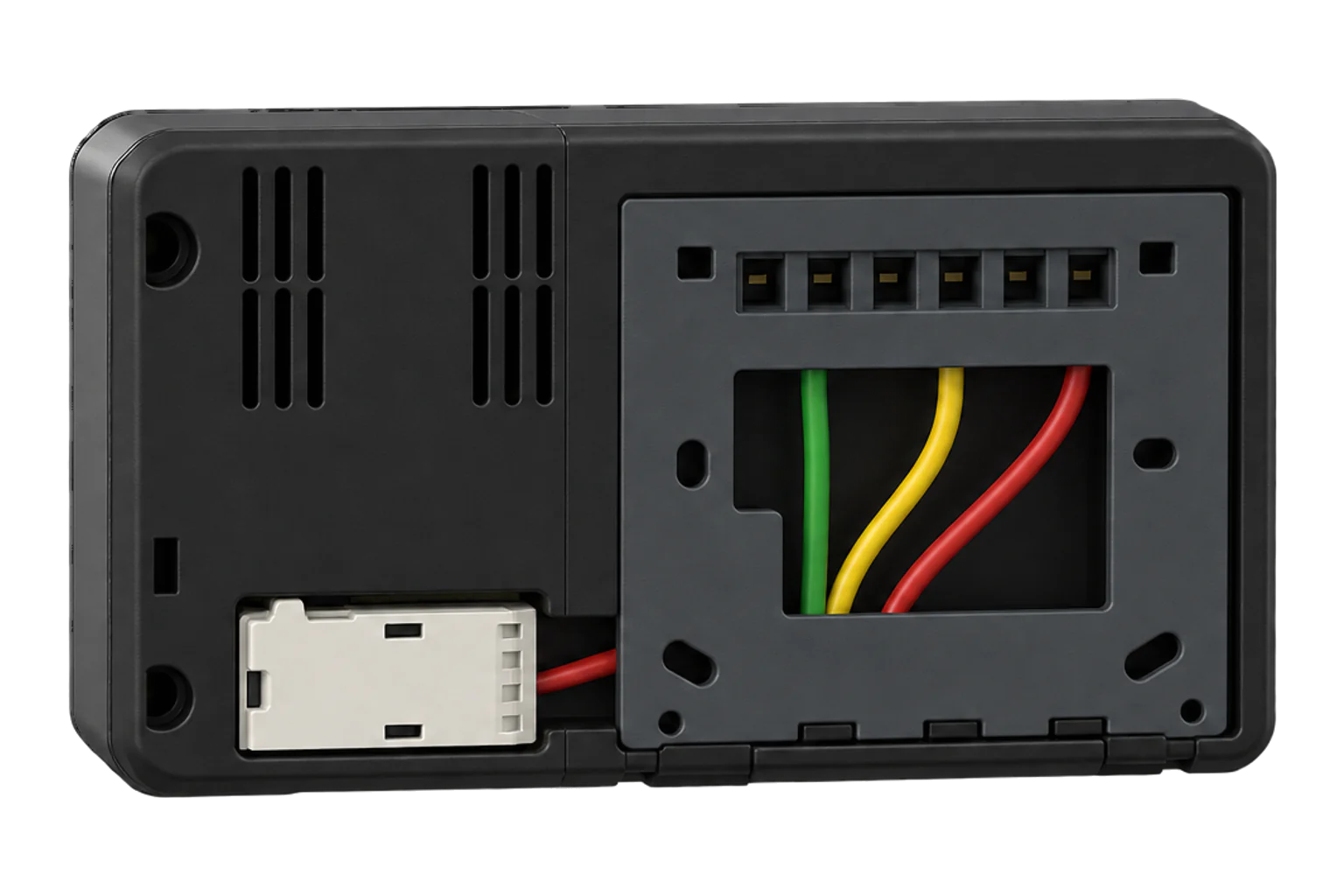
A mains-powered Zigbee wiring centre for hydronic underfloor heating. It switches thermal actuators on six heating channels, plus a pump relay and a boiler relay, as time-proportional outputs.
Also sold asCCTFR6600CCTFR6610
Compatibility
Compatible with EpiSensor Edge over Zigbee.
Pair it with the Zigbee radio on an EpiSensor Gateway. Edge reads it locally on the Gateway.
Edge reads 25 values from it, listed under Interface.
Connect it with

Specifications
Schneider Electric sells this controller as the Wiser Underfloor Heating Controller or Connection Strip. The Heat/Cool version is CCTFR6600 and the Heat version is CCTFR6610. It sits beside the manifold and switches the thermal actuator heads that open and close the flow to each underfloor loop. It also has a volt-free boiler contact on B1 and B2 and a switched pump output on L2 and N2.13
- Power
- Mains. 230 V AC ±10 %, 50 Hz, from a 3 A supply to L and N. A 24 V AC version, CCTFR6620, needs its own 24 V, 2.2 A supply.1
- Versions
- CCTFR6600 Heat/Cool, CCTFR6610 Heat1
- Heating channels
- 6, plus pump and boiler outputs1
- Actuators per channel
- 4 on channels 1 and 2, 2 on channels 3 and 4, 1 on channels 5 and 6 (3 W actuators)1
- Actuators per controller
- 14 × 3 W1
- Relays
- Normally open, 2(1) A; open without power1
- Fuse
- 3.15 A1
- Cycle time
- 300 to 3,200 s; 1,800 s default on channels 1 to 6, 600 s on pump and boiler2
- Wireless
- 2.4 GHz, bidirectional mesh, external antenna supplied1
- Radio range
- 30 m in free space1
- Transmit power
- 14 dBm (25 mW) maximum1
- Operating conditions
- 0 to 50 °C, 25 to 85 % RH non-condensing1
- Protection
- IP30, Class II1
- Terminals
- Screwless, 0.08 to 1.5 mm² (AWG 16 to 28)1
- Dimensions
- 305 × 90 × 65 mm1
Where it is used
Boiler firing demand from the boiler relay, logged beside fuel and heat meters to compare the periods when the heating system is actually called.
Boiler performance monitoringHeat pump systems with underfloor emitters, where the Heat/Cool version can also switch the heat pump and each zone’s demand explains its run time.
Heat pump performance monitoringZone control of underfloor heating in offices, clinics and apartments, with Edge setting each channel from a Zigbee room sensor and a schedule.
Interface
Readings and settings, with units and ranges where Schneider Electric publishes them. readable, readable and writable.
| Reading | Unit | Range or values | Access |
|---|---|---|---|
| Measurements 1 | |||
| Switch | - | - | Read only |
| Controls 8 | |||
| State 1 | - | Binary state | Read and write |
| State 2 | - | Binary state | Read and write |
| State 3 | - | Binary state | Read and write |
| State 4 | - | Binary state | Read and write |
| State 5 | - | Binary state | Read and write |
| State 6 | - | Binary state | Read and write |
| State 7 | - | Binary state | Read and write |
| State 8 | - | Binary state | Read and write |
| Settings 16 | |||
| Demand percentage 1 | % | 0 to 100 % | Read and write |
| Demand percentage 2 | % | 0 to 100 % | Read and write |
| Demand percentage 3 | % | 0 to 100 % | Read and write |
| Demand percentage 4 | % | 0 to 100 % | Read and write |
| Demand percentage 5 | % | 0 to 100 % | Read and write |
| Demand percentage 6 | % | 0 to 100 % | Read and write |
| Demand percentage 7 | % | 0 to 100 % | Read and write |
| Demand percentage 8 | % | 0 to 100 % | Read and write |
| Cycle time 1 | s | 300 to 3,200 s | Read and write |
| Cycle time 2 | s | 300 to 3,200 s | Read and write |
| Cycle time 3 | s | 300 to 3,200 s | Read and write |
| Cycle time 4 | s | 300 to 3,200 s | Read and write |
| Cycle time 5 | s | 300 to 3,200 s | Read and write |
| Cycle time 6 | s | 300 to 3,200 s | Read and write |
| Cycle time 7 | s | 300 to 3,200 s | Read and write |
| Cycle time 8 | s | 300 to 3,200 s | Read and write |
Setting a channel’s state to ON does nothing while its demand is 0. For plain on and off switching, set demand_percentage to 100 once and then switch the channel with its state. Endpoints 7 and 8 leave the factory at a demand of 100.2
There is no fail-safe if control stops. A demand stays in place until it is overwritten, and Zigbee2MQTT’s notes record one persisting for over 40 minutes. Whatever regulates the channels must also switch them off, or send ON with an on_time so the channel turns itself off.2
Demand and cycle time sit in a Schneider Electric manufacturer-specific cluster. The converter reads and writes them on every endpoint, with demand from 0 to 100 % in 1 % steps and cycle time from 300 to 3,200 s.3
The converter exposes no temperatures. The heat probe input on T1 and T2 and the floor temperature limit belong to the Wiser app’s configuration, not to this definition.13
Setup
-
Wire and power it first
Wire the actuators, pump and boiler contact, and power the controller before pairing. The QR label on the controller carries its EUI-64 address and install code.1
-
Open pairing in Edge
In Edge, open pairing on the Gateway’s Zigbee network so the Gateway accepts new devices.
-
Reset it
Hold the setup button for more than 15 seconds until the LED flashes red, and keep holding until the flashing stops. A reset removes the whole controller, every channel, from a Wiser Hub.2
-
Join the Gateway
Hold the setup button again until the LED flashes green, then wait a few seconds for the controller to join. Check that Edge identifies it as Schneider Electric CCTFR6000.1
-
Prove one channel
Set demand_percentage on channel 1 to 100 and its state to ON. The channel LED lights when its relay closes and calls for heat. Switch it OFF again before you configure the rest.1
Common questions
- Does the CCTFR6000 need a Wiser Hub to work with Edge?
- No. Zigbee2MQTT supports it directly, so it pairs with the Zigbee radio on an EpiSensor Gateway without a Wiser Hub. Resetting it to pair with the Gateway removes it from any Wiser Hub it was on.2
- Why does a channel stay off when I switch it on?
- A relay closes only while the channel’s state is ON and its demand_percentage is above 0. Set the demand to 100 for plain switching, or to a lower value for time-proportional control within the cycle time.2
- What happens if Edge or the network stops?
- The controller keeps the last demand until it is overwritten, so a channel left ON keeps heating. Send ON with an on_time, or make sure the control logic switches channels off. If the controller loses power, its normally open relays release and the valves close.12
Related devices


Sources
- Wiser Underfloor Heating Controller / Connection Strip, device user guide (05/2025) (opens in a new tab)
- Schneider Electric CCTFR6000 device documentation (opens in a new tab)
- Schneider Electric CCTFR6000 converter (schneider_electric.ts) (opens in a new tab)
Further reading
Product names and trademarks belong to their owners. Publication does not imply endorsement or a commercial relationship.