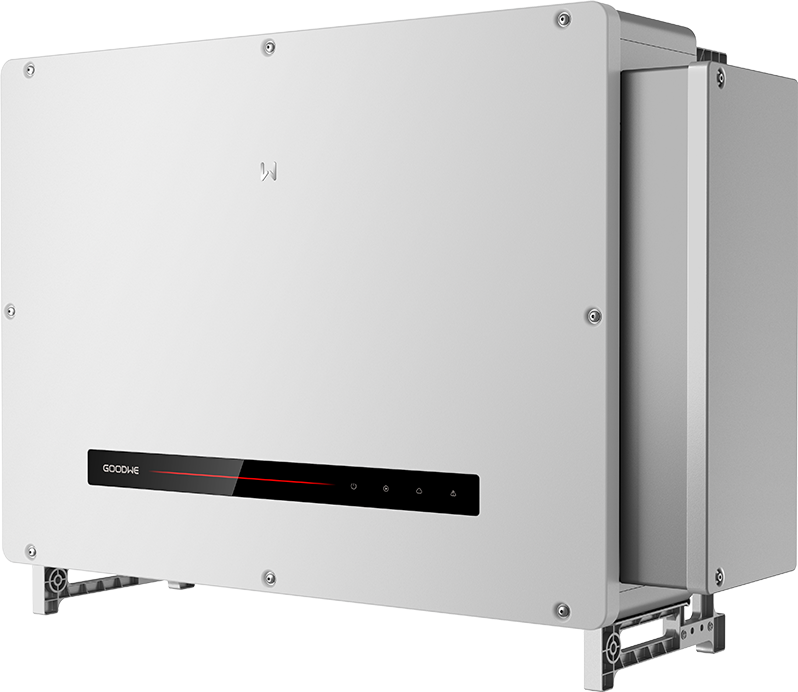
GoodWe UT 320/350 kW
Utility-scale PV inverter
Monitor GoodWe UT 320/350 kW inverters through the SCU3000A’s built-in EzLogger3000U-A. GoodWe documents UT320/350 device acquisition over the plant bus and third-party Modbus TCP forwarding over Ethernet. Configure the forwarding point table, then compare AC power and inverter status with the logger interface.
- Modbus RTU
- Modbus TCP
Utility-scale PV inverter
Compatibility
GoodWe plant bus documented; direct Edge path unverified
The UT V1.6 manual documents the inverter RS485/PLC link to SCU3000A. The SCU V1.4 manual identifies its built-in EzLogger3000U-A, whose user manual explicitly supports UT320/350 and third-party Modbus TCP forwarding. This is a documented logger-mediated starting point; direct inverter polling and a ready-made Edge import are not established.
Use the four EMEA K/KH variants and the installed SCU3000A/EzLogger3000U-A. Preserve the commissioned plant bus. Configure monitoring through the logger’s third-party channel and exported forwarding table, comparing readings with the local interface. Keep plant controls with the commissioning owner.
Models
| Models | Interface | Route into Edge |
|---|---|---|
| GW320K-UT and GW350K-UT | Fifteen MPPTs, two strings each, 30 A maximum input and 50 A maximum short-circuit current per tracker in the EMEA sheet. Both are 800 V AC and 1500 V maximum DC. | Use the commissioned SCU3000A/EzLogger3000U-A forwarding channel for external monitoring, retaining the K nameplate and plant address plan. |
| GW320KH-UT and GW350KH-UT | Twelve MPPTs, two strings each, 40 A maximum input and 60 A maximum short-circuit current per tracker. The H suffix denotes the higher-current PV input variant, not a separate Edge protocol. | Use the KH electrical values and the same documented logger-mediated monitoring procedure; check the installed forwarding table for each inverter. |
Specifications
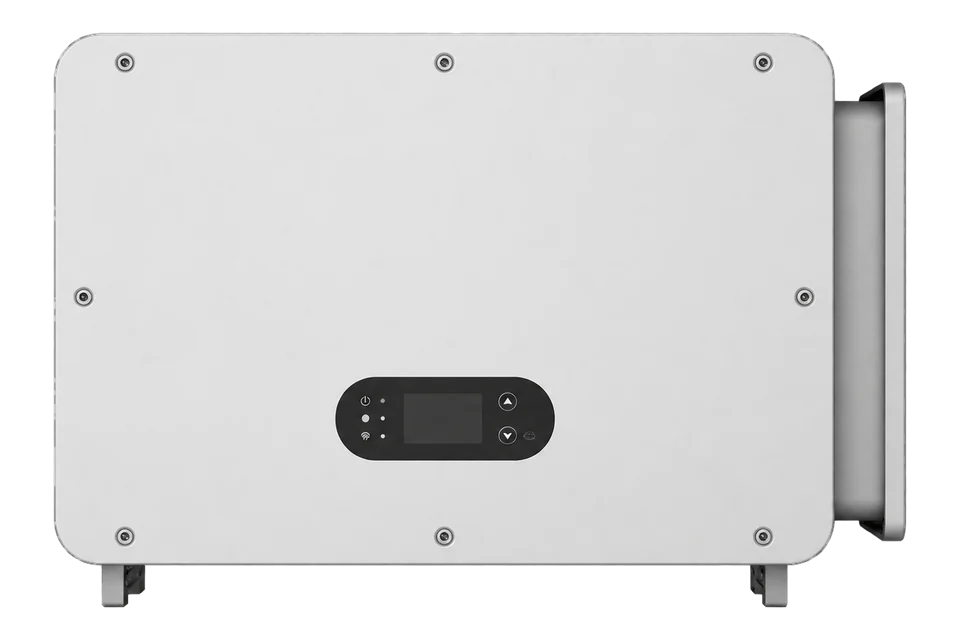
The EMEA product page lists four UT variants at 320/350 kW, with 15 MPPTs on K models and 12 higher-current MPPTs on KH models. The EMEA sheet gives 1500 V maximum PV voltage, 800 V three-phase nominal AC, two strings per tracker, IP66 and full-load operation to 40 °C. It also includes a separate 250 kW variant, excluded here.23
- PV input
- 1500 V maximum DC; 480-1500 V MPPT operating range; two strings per tracker2
- K versus KH trackers
- K: 15 MPPTs at 30 A input/50 A short-circuit each; KH: 12 MPPTs at 40 A/60 A each2
- Grid output
- 800 V, three phase, 3L/PE; confirm 350-class rating against nameplate because EMEA sheet lists 352 kW nominal12
- COM2 RS-485
- Pins 1/3 A1, pins 2/4 B1, pins 5/6 grounding; GoodWe inverter/SCU/logger bus1
- RS-485 chain
- Under 1000 m cable; at most 20 inverters when more than two connect to a GoodWe communication unit/logger1
- PLC over AC cable
- Integrated module to GoodWe unit; up to 1000 m multicore or 800 m single-core cable to box transformer1
- Published protocol
- Inverter bus: Modbus RTU; EzLogger3000U-A Ethernet forwarding: Modbus TCP, default local port 50225
- Enclosure
- IP66; 1120 × 810 × 368 mm; 133 kg; -35 to +60 °C2
Interface
Documented measurements and integration boundaries for UT 320/350 kW.
- UT manual V1.6 assigns COM2 pins 1/3 to RS485_A1, 2/4 to RS485_B1 and 5/6 to grounding. They connect the inverter chain to the SCU/logger. External Ethernet monitoring can use the logger’s forwarding channel without adding a second client to that inverter bus.
- For more than two inverters connected to a GoodWe smart unit/logger, the manual limits one RS-485 daisy chain to 20 inverters and under 1000 m of cable. These are vendor plant-network limits, not an Edge or northbound capacity approval.
- The inverter's integrated PLC module sends data over the AC output cable toward the GoodWe smart unit. The manual gives 1000 m with multicore AC cables or 800 m with single-core cable to the box transformer. PLC is not an Ethernet socket at the inverter.
- The SCU3000A includes EzLogger3000U-A. Its device-addition screen explicitly supports UT320/350 with Modbus RTU acquisition, and its third-party settings provide Modbus TCP forwarding. The acquisition and forwarding point tables are separate: use the forwarding table for the external monitoring client.
- The EMEA sheet tabulates 352 kW nominal AC for GW350K-UT/GW350KH-UT, while the model names and manual label the class 350 kW. Use the installed nameplate and grid approval for electrical design; do not infer a dispatch ceiling from the model name.
Assessment
Four EMEA UT 320/350 kW K/KH variants, with documented SCU3000A/EzLogger3000U-A monitoring and project-selected forwarding tables.
- InteroperabilitySupported with conditions
- GoodWe explicitly documents UT320/350 acquisition and third-party Modbus TCP forwarding through EzLogger3000U-A. Configure the channel and selected forwarding table; direct inverter polling is separate.145
- AccuracyLimited
- The logger provides a local view for comparison with forwarded measurements. Point types, scales and units come from the selected project forwarding table; site accuracy and freshness need a local comparison.125
- SecurityNot yet assessed
- Use the commissioned logger login and restrict the forwarding channel to the monitoring network. The manual does not establish authenticated or encrypted Modbus TCP.5
- ReliabilityNot yet assessed
- The logger exposes device/channel status and northbound link-protection settings. Keep the commissioned protection strategy; check stale readings and reconnect behaviour on the installed monitoring channel.5
- RuggednessSupported with conditions
- The EMEA sheet states IP66, -35 to +60 °C and full-load operation to 40 °C. Maintain required mounting clearances, cooling and sealed cable entries.2
- ScalabilityLimited
- The manual permits up to 20 inverters on one RS-485 chain to a GoodWe unit and gives PLC distances. Those limits do not establish SCU northbound throughput or Edge capacity.1
Setup
-
Identify the regional UT variant
Record the complete K or KH model, firmware, 800 V AC connection, grid-country certificate and SCU/logger revision. Exclude 250 kW and -KR documentation unless the installed nameplate calls for it.
-
Trace the plant communication design
Determine whether the installed units use COM2 RS-485 or integrated PLC over AC cabling. Record the chain, termination, cable length, SCU3000A or other GoodWe logger, transformer and network switch.
-
Check the logger device list
The EzLogger manual describes WEB interface V1.7.9. In Device Maintenance > Device Access, confirm the existing inverter entries use subtype UT320/350 and the commissioned terminal addresses and RS485 or PLC interface. Check that each inverter is online and its values refresh before adding an external monitor. Leave working device addresses and plant control settings intact.
-
Configure Modbus TCP forwarding
In Device Maintenance > Third Parties Setting > Modbus-TCP, add or inspect the monitoring channel. Set the logger Local IP and Local port (default 502), the monitoring system Master IP and Master port, and Point Table Selection. Record the Datalogger Modbus-tcp address from that screen. Obtain the device acquisition and forwarding point tables from GoodWe after-sales; the external client needs the selected forwarding table.
-
Read one forwarded measurement
Start with one AC power row from the selected forwarding table. Use its function code, wire address, register count, signedness, word order, scale and unit, rather than guessing inverter addresses. Compare the result with the same inverter’s power on the logger WEB page at the same time. Then add running state and alarms, checking that an offline inverter produces a missing or stale state rather than a fresh zero. Retain a copy of the selected table and channel settings with the monitoring configuration.
-
Keep monitoring and control separate
For monitoring, send reads only. The logger also provides power-control functions and northbound link protection, so preserve the commissioned strategy and priorities. Agree any future dispatch, reactive-power or export-limit changes separately with the plant operator.
Common questions
- Can Edge poll a GW350K-UT directly over COM2?
- COM2 serves the commissioned inverter RS485 chain. A practical external monitoring route is the SCU3000A’s built-in EzLogger3000U-A: its manual explicitly supports UT320/350 and Modbus TCP forwarding. Use that logger channel and its selected forwarding table instead of adding a second client to the existing inverter bus.145
- Does the SCU3000A LAN link expose Modbus TCP or an API?
- Yes, the SCU3000A contains EzLogger3000U-A, and its manual documents Modbus TCP forwarding to third-party monitoring systems. Open Device Maintenance > Third Parties Setting > Modbus-TCP to configure the channel, local port (default 502), monitoring-system addresses and point-table selection. This is the logger interface, not a TCP socket on each UT inverter.45
- Is HPLC a separate Ethernet network at each inverter?
- No. The integrated PLC module communicates over the AC output cable to the GoodWe unit. The manual gives cabling distance limits and a transformer-side topology, not an Ethernet jack or address on each inverter.13
- Are K and KH units electrically interchangeable?
- No. The EMEA sheet gives K models 15 MPPTs at 30 A maximum input per tracker and KH models 12 MPPTs at 40 A. Confirm string, cable, fuse and grid design against the exact model and regional documentation.2
- Where do the monitoring addresses and units come from?
- The EzLogger manual distinguishes device acquisition tables from forwarding tables and directs users to GoodWe after-sales for both. Ask for the UT320/350 table selected in this plant’s Modbus TCP channel. It should supply the address convention, function, type, scale and unit for the first power read. The channel settings alone are not a register map.5
Related devices
Sources
- UT series user manual V1.6, 16 January 2026 (opens in a new tab) (PDF)
- UT 250-350 kW EMEA datasheet (opens in a new tab) (PDF)
- UT Series EMEA product page (opens in a new tab)
- GoodWe SCU3000/SCU3000A user manual V1.4, 25 August 2026 (opens in a new tab) (PDF)
- GoodWe EzLogger3000U/3000U-A user manual, WEB interface V1.7.9, sections 9.4 and 9.6.2 (opens in a new tab) (PDF)
Further reading
Product names and trademarks belong to their owners. Publication does not imply endorsement or a commercial relationship.