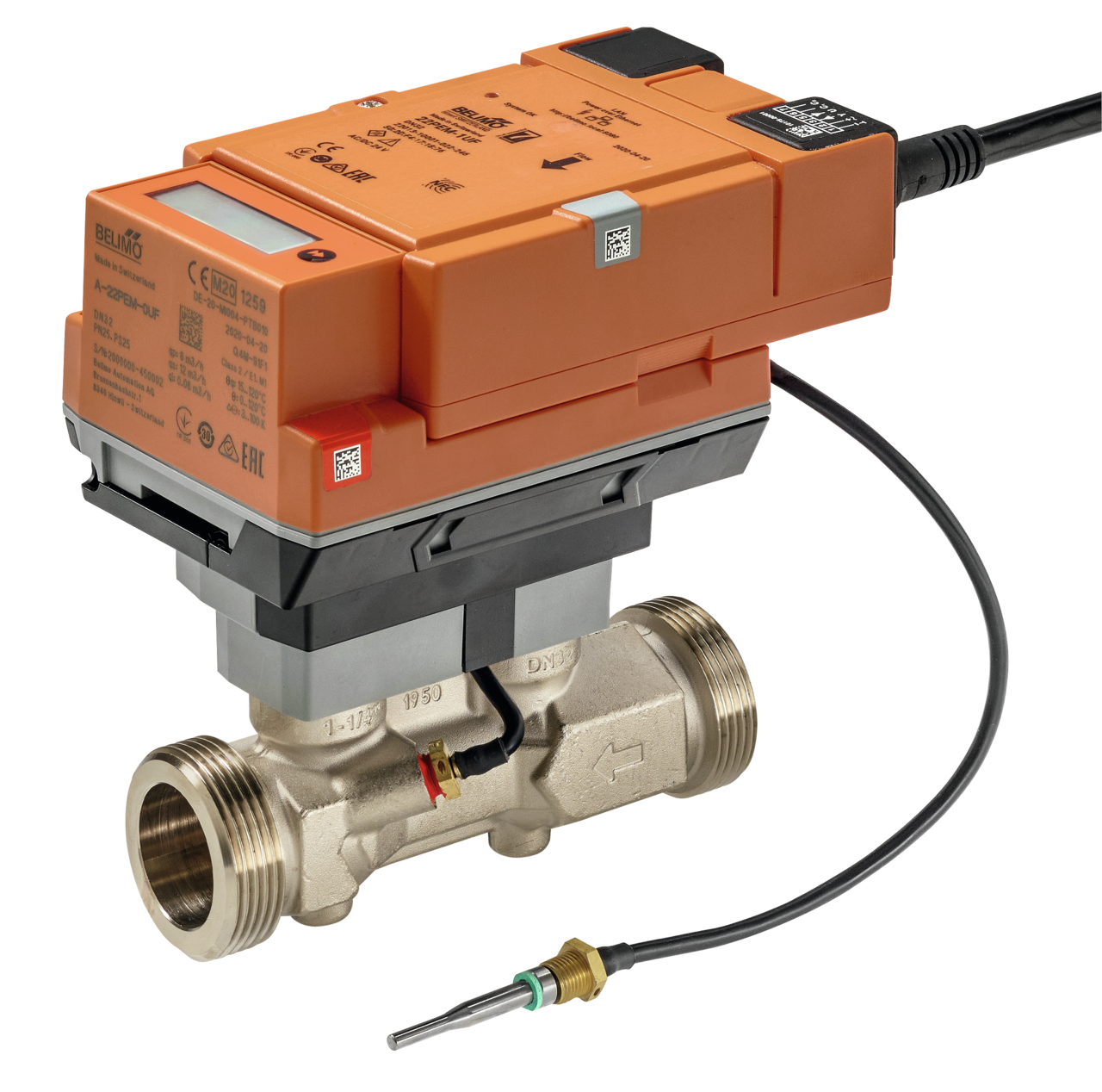
Belimo 22PEM-1UC
Thermal energy meter
The 22PEM-1UC is the DN 15 meter with a nominal flow of 1.5 m³/h. For a new branch, record its expected flow range as well as the pipe connection. For an installed meter, ask which energy total the operator uses and whether the site requires heating, cooling or both.
Compatibility
Compatible with Edge over BACnet/IP or routed BACnet MS/TP
The 22PEM-1U datasheet documents BACnet/IP and BACnet MS/TP. Edge reads the meter over the site Ethernet network or through the router serving its serial trunk.
Match the installed application version to the BACnet object description. The energy objects below use Belimo’s V4.2.0 table.
Connect it with

For a meter commissioned for BACnet/IP
- Wired
- Edge
- Platforms
For a meter commissioned for BACnet MS/TP
- BACnet
- Edge
- Platforms
Models
| Models | Interface | Route into Edge |
|---|---|---|
| 22PEM-1UC | DN 15, G ¾ connection. The type table gives a minimum flow of 0.015 m³/h and a highest flow of 3 m³/h. | Record the complete suffix, circuit service and installed supply. A different DN in the same 22PEM family has different sizing limits. |
Interface
Documented measurements and integration boundaries for 22PEM-1UC.
- Analog Value 48 reports accumulated heating energy and Analog Value 47 reports accumulated cooling energy. Multi-state Value 125 identifies their configured unit.
- Multi-state Value 200 selects the certified or lifetime register. A sensor module change resets the certified register. Retain the selected register and replacement date when reconciling consumption.
Assessment
Read-only energy reporting from a DN 15 22PEM-1UC.
- InteroperabilityWell supported
- Belimo documents Ethernet and serial BACnet interfaces with separate heating and cooling objects.2
- AccuracySupported with conditions
- Compare the expected branch flow with the DN 15 model’s range and verify which energy total the operator requires.1
- SecurityNot yet assessed
- Obtain the approved connection details from the network operator.1
- ReliabilitySupported with conditions
- Battery buffering preserves metering during loss of external power. Ordinary network communication resumes with power.1
- RuggednessSupported with conditions
- The datasheet distinguishes the IP65 sensor module from the logic module, rated IP54 with the specified grommet. Check each installation location.1
- ScalabilitySupported with conditions
- Inventory the installed IP and serial meters by circuit and network before pricing a site rollout.1
- LifecycleSupported with conditions
- Record sensor module replacement as a new baseline for the certified register.2
Setup
-
Identify the supply and return temperature sensors, circuit and meter serial number.
Obtain the energy unit and register used by the operator.
-
For a V4.2.0 meter on a heating branch, read Present_Value from Analog Value 48.
Read MV 125 and MV 200 to identify its unit and register. Compare the increase over an interval of heating with the change on the local display using the same register.
-
For cooling, repeat the interval check with AV 47 during cooling operation.
Record both observations with their timestamps.
Related devices

Sources
- 22PEM-1U series technical datasheet and model sizing table (opens in a new tab) (PDF)
- Thermal Energy Meter V4.2.0 BACnet interface, energy objects (opens in a new tab) (PDF)
Further reading
Product names and trademarks belong to their owners. Publication does not imply endorsement or a commercial relationship.