Heiman HS9MS-E
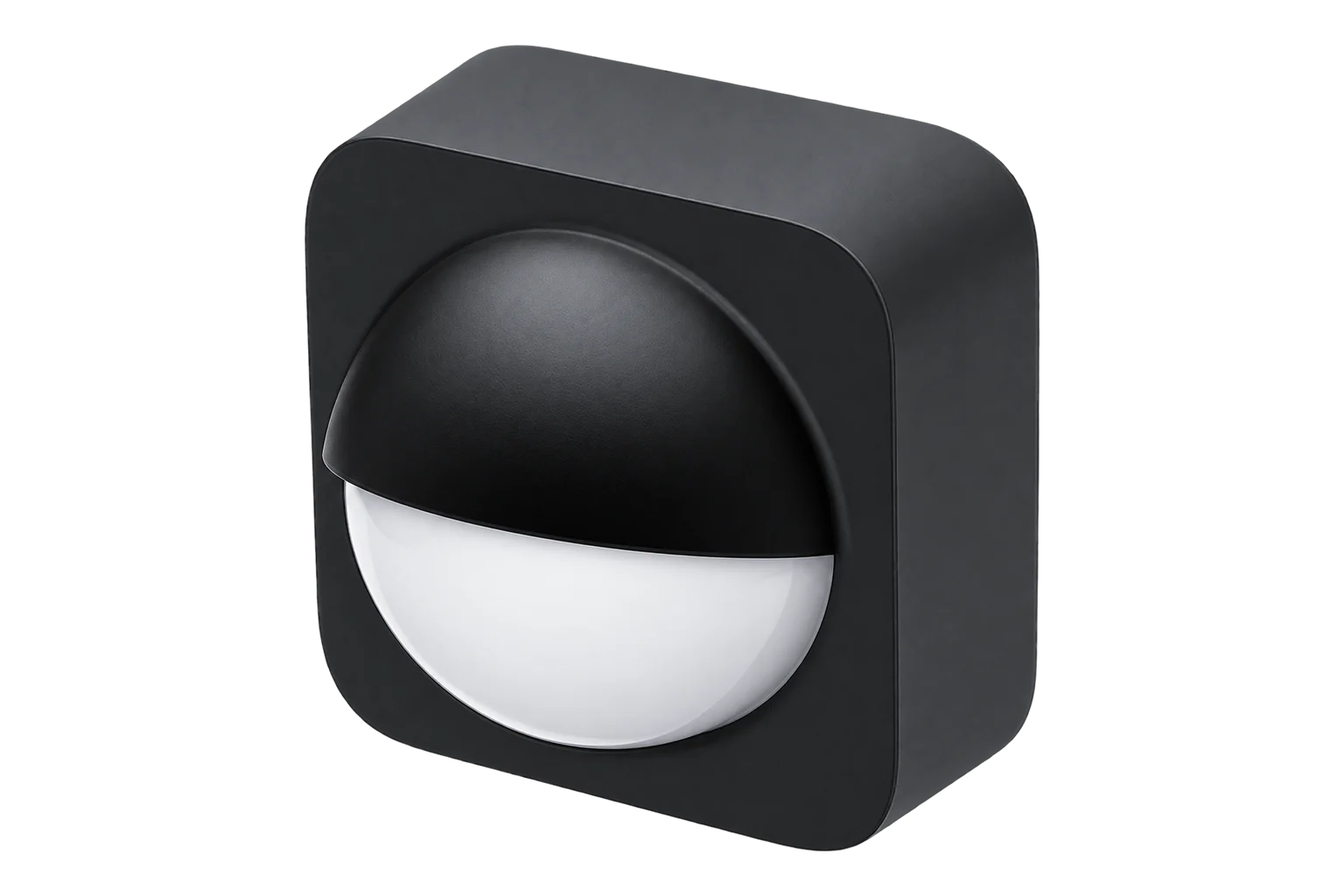
PIR motion sensor with camera
A battery-powered Zigbee PIR motion sensor with a camera that sends pictures over Wi-Fi. Over Zigbee it reports motion, tamper, light level and battery, and takes its camera and Wi-Fi settings.

Compatibility
Compatible with EpiSensor Edge over Zigbee.
Pair it with the Zigbee radio on an EpiSensor Gateway. Edge reads it locally on the Gateway.
Edge reads 25 values from it, listed under Interface.
Connect it with

Specifications
The camera works over Wi-Fi, not Zigbee. The sensor is given a Wi-Fi network, a password and a server address over Zigbee, with a second candidate network and address alongside, and it reports whether each Wi-Fi and server connection is up. Pictures are taken on command, with a picture count of 1 to 20 and a quality setting from 0 to 100, and a test command checks the camera, Wi-Fi and server connection together.12
- Power
- Battery. Battery powered. It reports battery percentage and a low-battery alarm; the cell type is not published.1
- Detector
- PIR, sensitivity disabled, low, medium or high1
- Light level
- Standard illuminance cluster, threshold setting 0 to 1000 lx1
- Alarms
- Motion, tamper and low battery as IAS zone alarms1
- Camera
- Pictures on command, 1 to 20 per request, quality 0 to 1001
- Camera link
- Wi-Fi to a configured server, with a primary and a candidate network1
- Wi-Fi signal
- RSSI reported from -127 to 1271
- Zigbee model ID
- HS9MS-E1
Where it is used
Motion in offices and back rooms, to compare heating, cooling and lighting run hours with the hours a space is actually used.
HVAC energy monitoring for commercial buildingsAfter-hours checks in stores and plant rooms, where a picture on demand shows what triggered the sensor, if pictures to a Wi-Fi server are acceptable on the site.
Interface
Readings and settings, with units and ranges where Heiman publishes them. readable, readable and writable, writable only.1
| Reading | Unit | Range or values | Access |
|---|---|---|---|
| Measurements 2 | |||
| MotionIAS zone alarm | - | Binary state | Read only |
| Ambient lightRaw illuminance attribute; see the note below | lx | - | Read only |
| Controls 2 | |||
| Take a picture | - | active |
Write only |
| Test camera and connectionsTests the camera, Wi-Fi and server connection | - | test |
Write only |
| Settings 11 | |||
| Armed | - | ArmedDisarmed |
Read and write |
| PIR sensitivity | - | disabledlowmediumhigh |
Read and write |
| Illuminance thresholdAbove this level the sensor triggers its local actions | lx | 0 to 1,000 lx | Read and write |
| Pictures per request | - | 1 to 20 | Read and write |
| Picture quality | - | 0 to 100 | Read and write |
| Wi-Fi network | - | - | Read and write |
| Wi-Fi passwordReadable over Zigbee | - | - | Read and write |
| Server address | - | - | Read and write |
| Candidate Wi-Fi network | - | - | Read and write |
| Candidate Wi-Fi passwordReadable over Zigbee | - | - | Read and write |
| Candidate server address | - | - | Read and write |
| Diagnostics 10 | |||
| Tamper | - | Binary state | Read only |
| Battery low | - | Binary state | Read only |
| Battery | % | 0 to 100 % | Read only |
| Camera state | - | unavailablelow_powernormaladvanced |
Read only |
| Wi-Fi status | - | unconfiguratedunconnectedconnectedconnection_timeout |
Read only |
| Server status | - | unconfiguratedunconnectedconnectedapi_timeout |
Read only |
| Candidate Wi-Fi status | - | unconfiguratedunconnectedconnectedconnection_timeout |
Read only |
| Candidate server status | - | unconfiguratedunconnectedconnectedapi_timeout |
Read only |
| Wi-Fi signal | - | -127 to 127 | Read only |
| Camera controller firmware | - | 0 to 255 | Read only |
The light level is passed on as the device reports it in the standard illuminance cluster. The Zigbee Cluster Library defines that attribute as 10,000 × log10(lux) + 1, and no conversion is applied, so check the reading against a lux meter before you use it as lux.13
The Wi-Fi SSID, password and server address, current and candidate, are text attributes in Heiman's manufacturer cluster. They can be written and read back over Zigbee.1
Taking a picture and running the connection test are commands, not stored values, so they never appear in the reported state.2
Setup
-
Open pairing in Edge
In Edge, open pairing on the Gateway’s Zigbee network. The Gateway accepts new devices while pairing is open.
-
Power it and start pairing
Fit the battery and put the sensor into pairing mode as its instruction card describes.
-
Confirm the join
Check that Edge identifies it as Heiman HS9MS-E, and that motion, battery and ambient light appear.1
-
Set sensitivity and arming
Set the PIR sensitivity to low, medium or high and arm the sensor. Leave the Wi-Fi settings empty if you do not use the camera.1
-
Check motion and light
Walk through the area and confirm motion changes in Edge. Compare the ambient light reading with a lux meter before relying on it as lux.3
Common questions
- Does Edge need the camera or Wi-Fi to read motion?
- No. Motion, tamper, battery and light level all arrive over Zigbee. The Wi-Fi settings only matter if you use the camera.1
- Is the Wi-Fi password visible over Zigbee?
- Yes. The current and candidate Wi-Fi passwords are readable text attributes in Heiman's manufacturer cluster. Anyone with access to the Zigbee coordinator can read them back, so leave the camera's Wi-Fi unconfigured if you do not use it.1
Related devices
Sources
- Heiman HS9MS-E device definition (opens in a new tab)
- Heiman HS9MS-E device documentation (opens in a new tab)
- Zigbee Cluster Library specification, revision 8, section 4.2.2.2.1 (opens in a new tab) (PDF)
Further reading
Product names and trademarks belong to their owners. Publication does not imply endorsement or a commercial relationship.