Siemens PXC7.E400.A / PXC7.E400-N.A
Building automation controller
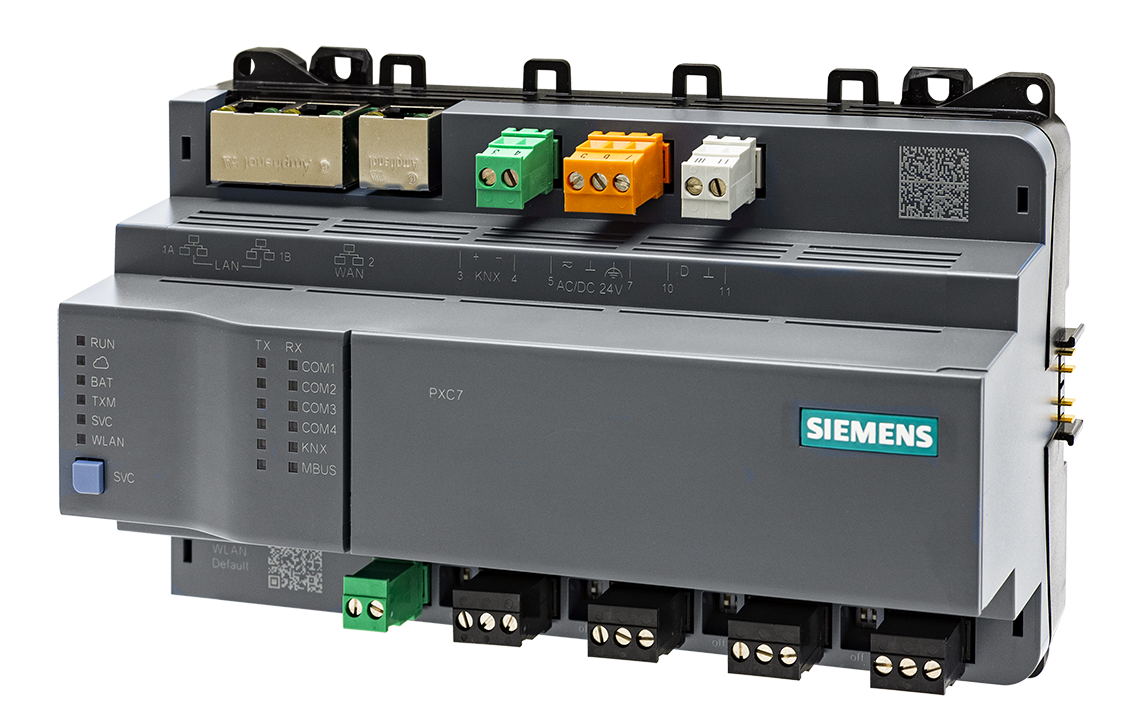
For a campus or plant-room quote, split the signal schedule into local TX-I/O channels and measurements already integrated from field equipment. Siemens describes the station as a 400-data-point model in its PICS and specifies up to 500 TXM inputs and outputs in the hardware table. Use the engineered point schedule to establish spare capacity.
Compatibility
Compatible with Edge over BACnet/IP
Siemens documents BACnet/IP on the North American PXC7.E400.A station. Edge can collect application objects available over that network.
Confirm the full .A model code, Ethernet network mode and point list from the installed project.
Connect it with

For a commissioned BACnet/IP station
- Wired
- Edge
- Platforms
Models
| Models | Interface | Route into Edge |
|---|---|---|
| PXC7.E400.A, S55375-C114 | BACnet/IP on Ethernet with WLAN service support. | Use the building Ethernet network for continuous collection. |
| PXC7.E400-N.A, S55375-C130 | BACnet/IP on Ethernet. This variant omits WLAN. | Arrange wired access to the station when planning the site visit. |
| PXC7.E400.A and PXC7.E400-N.A | BACnet building controller. | BTL listing 31540 names the hardware at firmware V02.20.256.3. |
Interface
Documented measurements and integration boundaries for PXC7.E400.A / PXC7.E400-N.A.
- For a field meter, identify whether the commissioned BACnet object represents instantaneous power in kW or cumulative energy in kWh. Keep the source meter identifier with the station object.
- The hardware table allows up to four configurable EIA-485 interfaces. Record which field network and device supply the reading before copying its mapping.
Assessment
PXC7.E400.A and PXC7.E400-N.A over BACnet/IP.
- InteroperabilityWell supported
- The listing identifies the documented model and firmware.3
- AccuracyNot yet assessed
- The measurement depends on the connected instrument and its programmed scaling.2
- SecurityNot yet assessed
- Confirm the permitted Ethernet network mode on site.2
- ReliabilityNot yet assessed
- The listing records tested BACnet services.3
- RuggednessNot yet assessed
- Identify the enclosure and plant-room location in the installation records.2
- ScalabilitySupported with conditions
- Siemens specifies physical I/O capacity separately from the configured application.2
- LifecycleSupported with conditions
- Use the full station order code when requesting hardware or service.2
Setup
-
Record the station order code, Device instance and object schedule.
-
Read Present_Value and Units from the agreed meter object.
Compare it with the same meter register or display at the same time. For cumulative energy, compare the change across a measured interval.
-
Retain the equipment tag, object identifier, unit and reference timestamp with the accepted point list.
Related devices


Sources
- Desigo PXC.A model table, A6V13495554 (opens in a new tab)
- PXC7.E400.A modular station type summary (opens in a new tab)
- BTL listing 31540 for North American Desigo automation stations (opens in a new tab) (PDF)
Further reading
Product names and trademarks belong to their owners. Publication does not imply endorsement or a commercial relationship.