OWON PC321
Three-phase CT clamp power meter
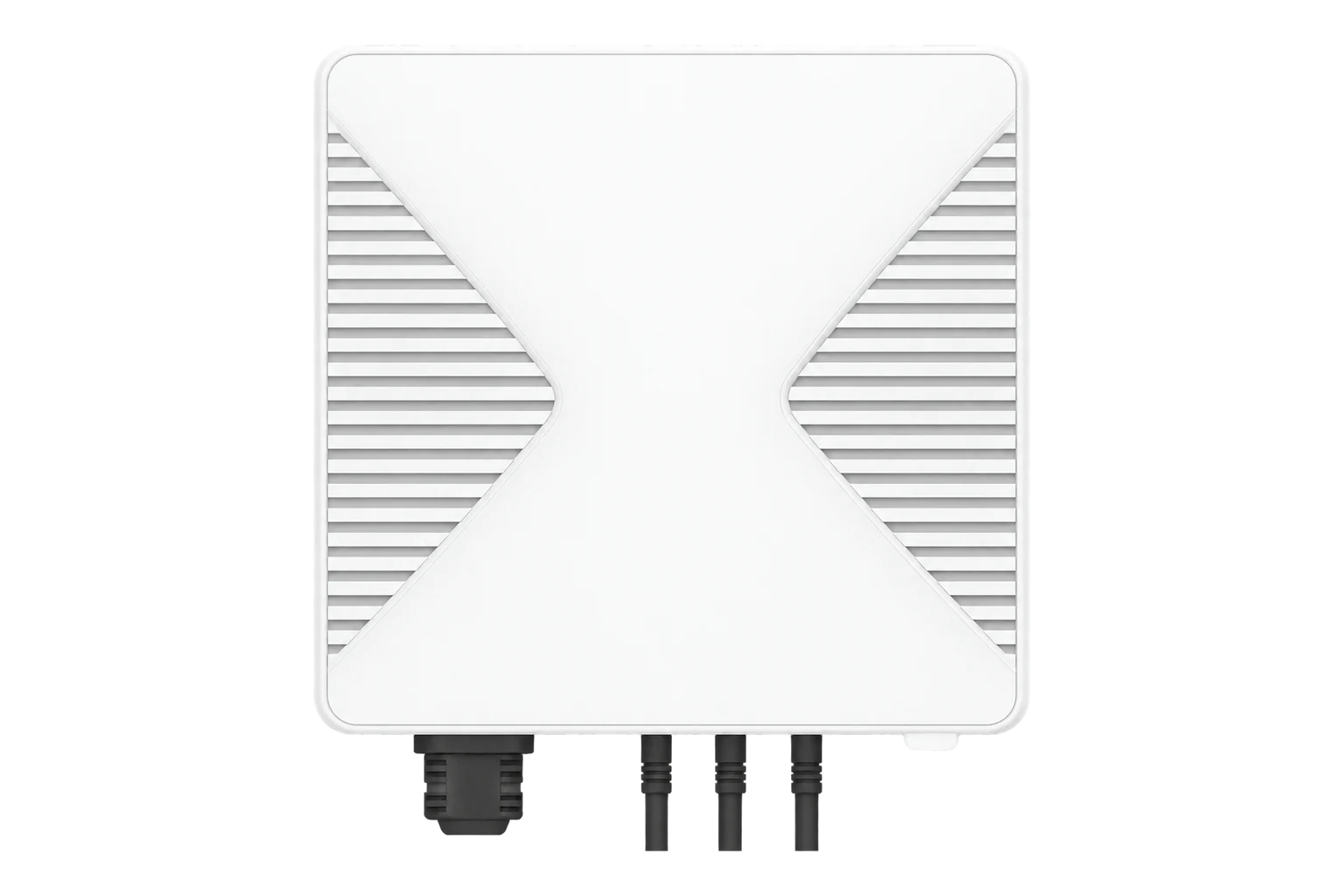
A mains-powered Zigbee power meter with three split-core clamps, for one three-phase supply or three single-phase loads. OWON states ±2 W up to 100 W and ±2 % above, with clamps from 80 A to 300 A.
Compatibility
Compatible with EpiSensor Edge over Zigbee.
Pair it with the Zigbee radio on an EpiSensor Gateway. Edge reads it locally on the Gateway.
Edge reads 27 values from it, listed under Interface.
Connect it with

Specifications
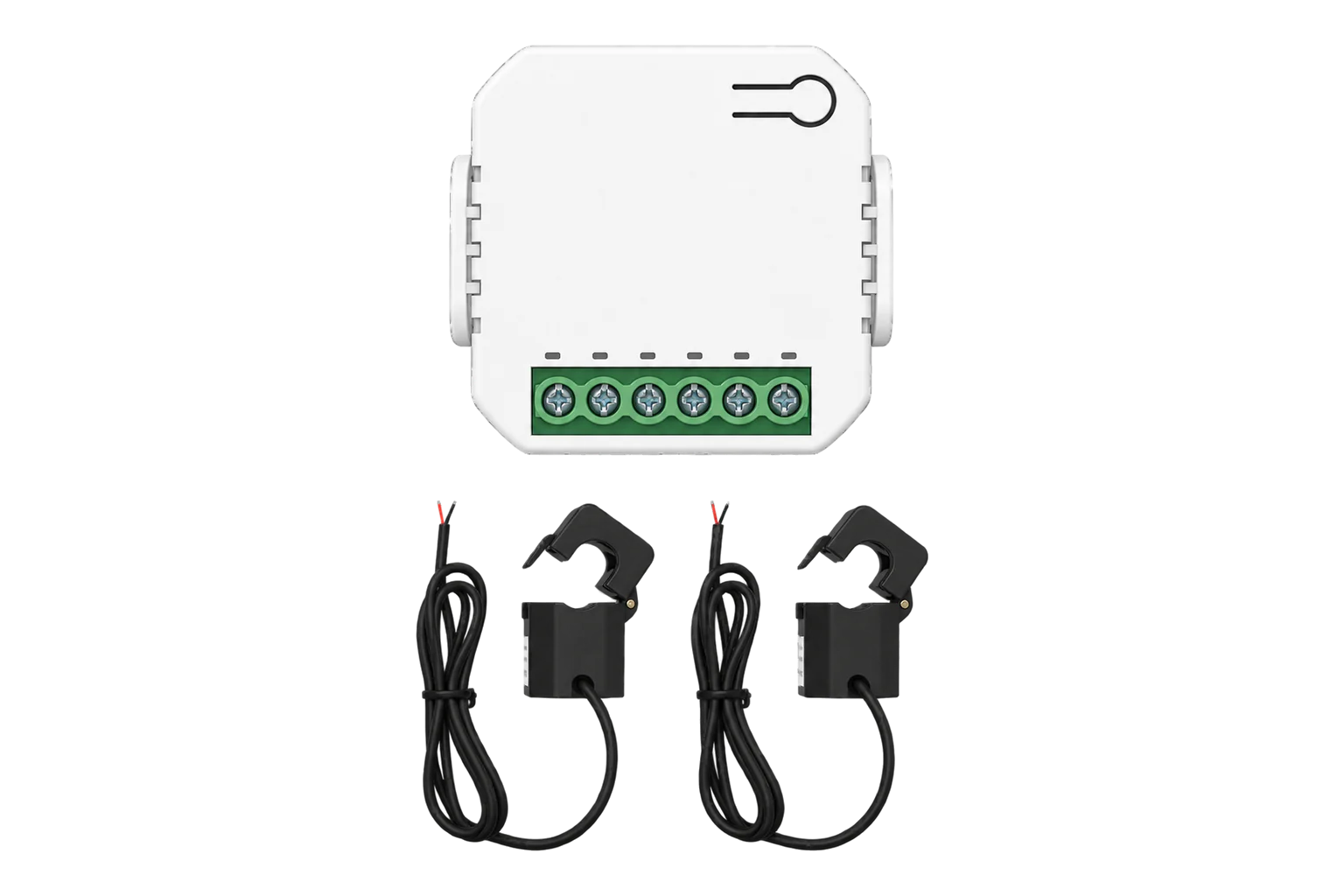
The PC321 is a wall-mounted meter, 86 × 86 × 37 mm, with an AC input cable and three current transformer (CT) cables. The input cable powers the unit and gives it the voltage of each phase; the split-core clamps open to fit around a conductor, so nothing has to be disconnected to measure a load. It reports RMS voltage and current, active and reactive power, and active and reactive energy for each clamp and in total.13
- Power
- Mains. 100 to 240 V AC through its AC input cable, less than 1 W.1
- Accuracy
- Within ±2 W at or below 100 W, within ±2 % above 100 W1
- Measured values
- Irms, Vrms, active power and energy, reactive power and energy1
- Clamp ratings and openings
- 80 A, 10 mm (standard); 120 A, 16 mm; 200 A, 20 mm; 300 A, 24 mm1
- Reporting
- Every 10 s at most when power changes by 1 % or more, at least every 1 min1
- Wireless
- Zigbee 3.0, 2.4 GHz IEEE 802.15.4, up to +19 dBm1
- Range
- 100 m outdoors, 30 m indoors1
- Antenna
- Internal, with an optional external antenna1
- Operating environment
- -20 to 55 °C, up to 90 % RH non-condensing1
- Dimensions
- 86 × 86 × 37 mm1
- Weight
- 415 g1
- Mounting
- Wall bracket with two screws2
Where it is used
Three-phase incomers and sub-mains up to 300 A, where the clamps go on without an outage.
Transformer and distribution board monitoringLarge single loads such as chillers, compressors and air handling units, each with a clamp per phase.
HVAC energy monitoring for commercial buildingsThree separate single-phase circuits from one unit, for sub-metering by area or tenant.
Tenant submetering and cost allocation
Interface
On the Zigbee network it joins as a router and extends the mesh for other devices.1
Readings and settings, with units and ranges where OWON publishes them. readable, writable only.6
| Reading | Unit | Range or values | Access |
|---|---|---|---|
| Measurements 26 | |||
| Total active powerAll three clamps | W | - | Read only |
| Total active energyAll three clamps | kWh | - | Read only |
| Total currentSum of the three clamps | A | - | Read only |
| Total reactive power | var | - | Read only |
| Total reactive energy | kvarh | - | Read only |
| Voltage, L1 | V | - | Read only |
| Current, L1 | A | - | Read only |
| Active power, L1 | W | - | Read only |
| Active energy, L1 | kWh | - | Read only |
| Reactive power, L1 | var | - | Read only |
| Reactive energy, L1 | kvarh | - | Read only |
| Power factor, L1 | - | - | Read only |
| Voltage, L2 | V | - | Read only |
| Current, L2 | A | - | Read only |
| Active power, L2 | W | - | Read only |
| Active energy, L2 | kWh | - | Read only |
| Reactive power, L2 | var | - | Read only |
| Reactive energy, L2 | kvarh | - | Read only |
| Power factor, L2 | - | - | Read only |
| Voltage, L3 | V | - | Read only |
| Current, L3 | A | - | Read only |
| Active power, L3 | W | - | Read only |
| Active energy, L3 | kWh | - | Read only |
| Reactive power, L3 | var | - | Read only |
| Reactive energy, L3 | kvarh | - | Read only |
| Power factor, L3 | - | - | Read only |
| Controls 1 | |||
| Clear energy dataClears the stored energy totals | - | clear |
Write only |
Per-phase values arrive as OWON manufacturer attributes on the metering cluster and are named _l1, _l2 and _l3 after the clamp. The totals without a suffix cover all three clamps.6
OWON’s earlier quick start guide lists the Zigbee Home Automation 1.2 profile; the current datasheet and quick start guide list Zigbee 3.0.13
Setup
-
Wire it with the supply isolated
Switch off the main supply. Connect the AC input cable: red to L1, green to L2, brown to L3 and white to neutral. On a single-phase supply, follow OWON’s single-phase wiring diagram.2
-
Fit the clamps
Join each CT cable to the meter and tighten its latch. Open each clamp around its conductor with the arrow pointing from P1 to P2 in the direction of current flow.2
-
Open pairing in Edge
Switch the supply back on and, in Edge, open pairing on the Gateway’s Zigbee network.
-
Let it join
A new meter flashes red when it is ready to join and joins by itself; the LED goes out once it has joined. If it does not flash red, hold the function button for 10 seconds until the LED flashes green three times.2
-
Check each clamp
Confirm that Edge identifies it as OWON PC321 and compare each clamp’s current with a clamp meter. A clamp that reads zero under load is probably fitted against the arrow.2
Common questions
- Does the PC321 need an OWON gateway to work with Edge?
- No. The current PC321 is a Zigbee 3.0 device, so it joins the Zigbee radio on an EpiSensor Gateway directly and Edge reads it there.1
- Can it measure solar export?
- No. A clamp fitted against the direction of current reads zero, so it only measures consumption in the direction of its arrow. Use a bidirectional meter for PV or battery export.2
- How do I reset it or clear its energy totals?
- Hold the function button for 10 seconds until the LED flashes green three times; the meter then flashes red, ready to join, and keeps its energy data. To clear the energy data, reset it twice with less than 10 seconds between the two resets.2
Related devices
Sources
- PC321 Single/3-phase Power Clamp datasheet (opens in a new tab) (PDF)
- PC321-Z Single/3-phase Power Clamp quick start guide (opens in a new tab) (PDF)
- PC321 Single/3-phase Power Clamp quick start guide (opens in a new tab) (PDF)
- 3-Phase Clamp Energy Meter PC321 (opens in a new tab)
- OWON PC321 device documentation (opens in a new tab)
- OWON PC321 Zigbee definition (opens in a new tab)
Further reading
Product names and trademarks belong to their owners. Publication does not imply endorsement or a commercial relationship.