OWON PCT504
Fan coil thermostat
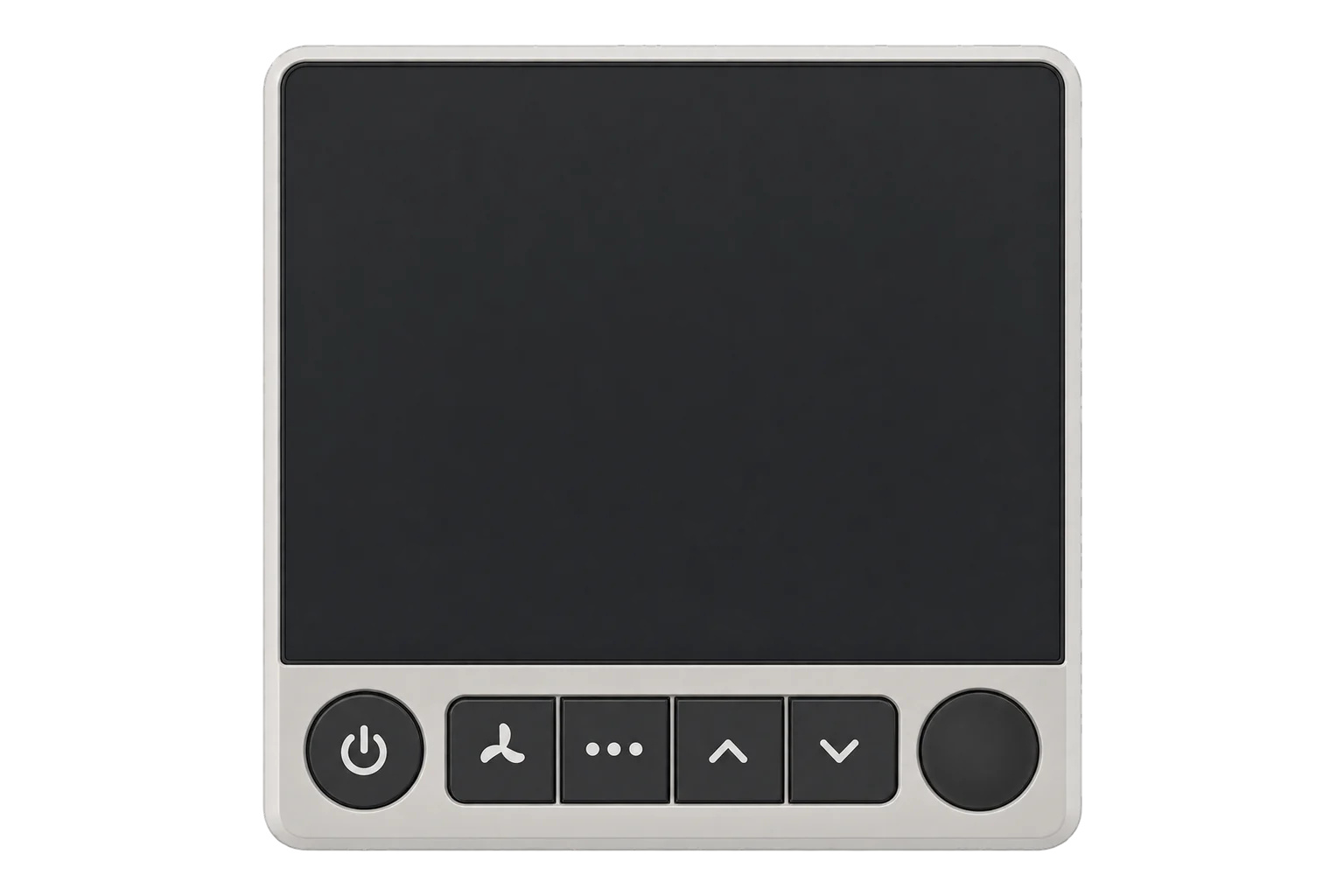
A wall-mounted Zigbee 3.0 thermostat for two-pipe and four-pipe fan coil units, switching the heating valve, cooling valve and three fan speeds, with built-in temperature, humidity and PIR occupancy sensing.
Also sold asOWON PCT504-Z
Compatibility
Compatible with EpiSensor Edge over Zigbee.
Pair it with the Zigbee radio on an EpiSensor Gateway. Edge reads it locally on the Gateway.
Edge reads 20 values from it, listed under Interface.
Connect it with

Specifications
The PCT504 replaces the wall thermostat on a fan coil unit. It drives the heating valve, the cooling valve and the fan at high, medium or low speed from its own relay terminals, and works with four-pipe heat and cool systems as well as two-pipe heat-only or cool-only systems. It has system modes for heat, cool, fan only and off, fan modes auto, low, medium and high, plus sleep and eco modes and an on/off schedule.13
- Power
- Mains. 110 to 250 V AC, 50/60 Hz, 1.4 W rated consumption, hardwired. A 12 V DC version is also made.3
- Compatible systems
- 4-pipe heat and cool; 2-pipe heat only; 2-pipe cool only2
- Outputs
- Heating valve on/off, cooling valve on/off, fan high, medium and low3
- Relay rating (12 V DC version)
- 3 A resistive, 1 A inductive2
- Heating setpoint range
- 5 to 30 °C, 0.5 °C steps5
- Cooling setpoint range
- 7 to 35 °C, 0.5 °C steps5
- Temperature sensing range
- 0 to 46 °C2
- Humidity sensing range
- 0 to 99 % RH2
- Occupancy sensor
- PIR, 6 m, 120°2
- Temperature calibration
- -4 to 4 °C3
- Display
- 2.4 inch LCD, 128 × 64 pixels2
- Wireless
- Zigbee 3.0, 2.4 GHz IEEE 802.15.4, internal antenna2
- Radio range
- 100 m outdoors, 30 m indoors, open area2
- Dimensions
- 86 × 86 × 48 mm2
- Weight
- 198 g2
Where it is used
Fan coil control in hotel rooms and serviced apartments, setting rooms back to unoccupied setpoints when the PIR sees nobody.
HVAC energy monitoring for commercial buildingsOffice floors with fan coil units, where room temperature, humidity and occupancy from each thermostat show which zones are conditioned while empty.
Indoor environmental monitoringRetrofits where new control wiring back to a BMS is costly: each thermostat joins the Zigbee network instead.
Interface
Readings and settings, with units and ranges where OWON publishes them. readable, readable and writable.
| Reading | Unit | Range or values | Access |
|---|---|---|---|
| Measurements 7 | |||
| Humidity | % | - | Read only |
| Occupancy | - | Binary state | Read only |
| Climate | - | - | Read only |
| Local temperature | °C | - | Read only |
| Running mode | - | offheatcool |
Read only |
| Running state | - | idleheatcoolfan_only |
Read only |
| Fan | - | - | Read only |
| Controls 4 | |||
| System mode | - | offheatcoolfan_onlysleep |
Read and write |
| Occupied heating setpoint | °C | 5 to 30 °C | Read and write |
| Occupied cooling setpoint | °C | 7 to 35 °C | Read and write |
| Fan mode | - | lowmediumhighonauto |
Read and write |
| Settings 9 | |||
| Unoccupied heating setpoint | °C | 5 to 30 °C | Read and write |
| Unoccupied cooling setpoint | °C | 7 to 35 °C | Read and write |
| Fan state | - | Binary state | Read and write |
| Programming operation mode | - | setpointeco |
Read and write |
| Keypad lockout | - | unlocklock1lock2 |
Read and write |
| Max heat setpoint limit | °C | 5 to 30 °C | Read and write |
| Min heat setpoint limit | °C | 5 to 30 °C | Read and write |
| Max cool setpoint limit | °C | 7 to 35 °C | Read and write |
| Min cool setpoint limit | °C | 7 to 35 °C | Read and write |
Running mode reports whether the unit is heating, cooling or off, and running state adds fan only and idle. System mode also accepts sleep, which uses the thermostat’s own sleep behaviour.5
Programming operation mode switches between the normal setpoint and eco. The eco setpoints are set on the thermostat: 5 to 18 °C for heating, 15 °C by default, and 25 to 35 °C for cooling, 30 °C by default.34
Keypad lockout has two lock levels, lock1 and lock2, as well as unlock, for guest rooms where the controls should be limited or disabled.4
Setup
-
Wire it to the fan coil
With the fan coil isolated, wire L and N, the fan speeds to G-h, G-m and G-l, the cooling valve to Y-on and Y-off and the heating valve to W-on and W-off. Mount it about 1.5 m above the floor, away from outside walls, radiators and direct sun.3
-
Open pairing in Edge
In Edge, open pairing on the Gateway’s Zigbee network.
-
Power it on
Switch on the thermostat. It joins the open network by itself, and the X on the network indicator at the top right of the screen disappears when it has joined.3
-
If it does not join, reset it
Turn the thermostat off, then hold the Sleep and Eco buttons together for 5 seconds until the screen lights. It returns to the main screen when the reset is done.3
-
Check one reading and one setting
Confirm Edge identifies it as OWON PCT504 and compare temperature and humidity with a reference instrument. Then change the system mode and fan mode from Edge and check the fan coil follows.
Common questions
- Does the PCT504 need an OWON gateway to work with Edge?
- No. It is a Zigbee 3.0 device, so it joins the Zigbee radio on an EpiSensor Gateway directly, without an OWON gateway or cloud.12
- Does it work with two-pipe fan coils?
- Yes. It supports four-pipe heat and cool systems and two-pipe systems that are heat only or cool only. The guide has a wiring diagram for each.23
- Which supply voltage do I need?
- OWON makes a 110 to 240 V AC version for fan coils wired at mains voltage and a 12 V DC version for low-voltage projects. Check the label before wiring; the terminal layout in the guide is for the mains version.13
- Can the fan stop when the valve closes?
- Yes. Setting P5 in the thermostat’s menu ties the fan to the valve output, so the fan stops when the valve closes. It is off from the factory, so the fan runs independently.3
Related devices

Sources
- Zigbee Fan Coil Thermostat PCT504 (opens in a new tab)
- PCT504-Z Zigbee Fan Coil Thermostat (DC12V) datasheet (opens in a new tab) (PDF)
- PCT504 Zigbee Fan-coil Thermostat quick start guide (opens in a new tab) (PDF)
- OWON PCT504 (opens in a new tab)
- OWON device definitions (owon.ts), v26.111.0 (opens in a new tab)
Further reading
Product names and trademarks belong to their owners. Publication does not imply endorsement or a commercial relationship.