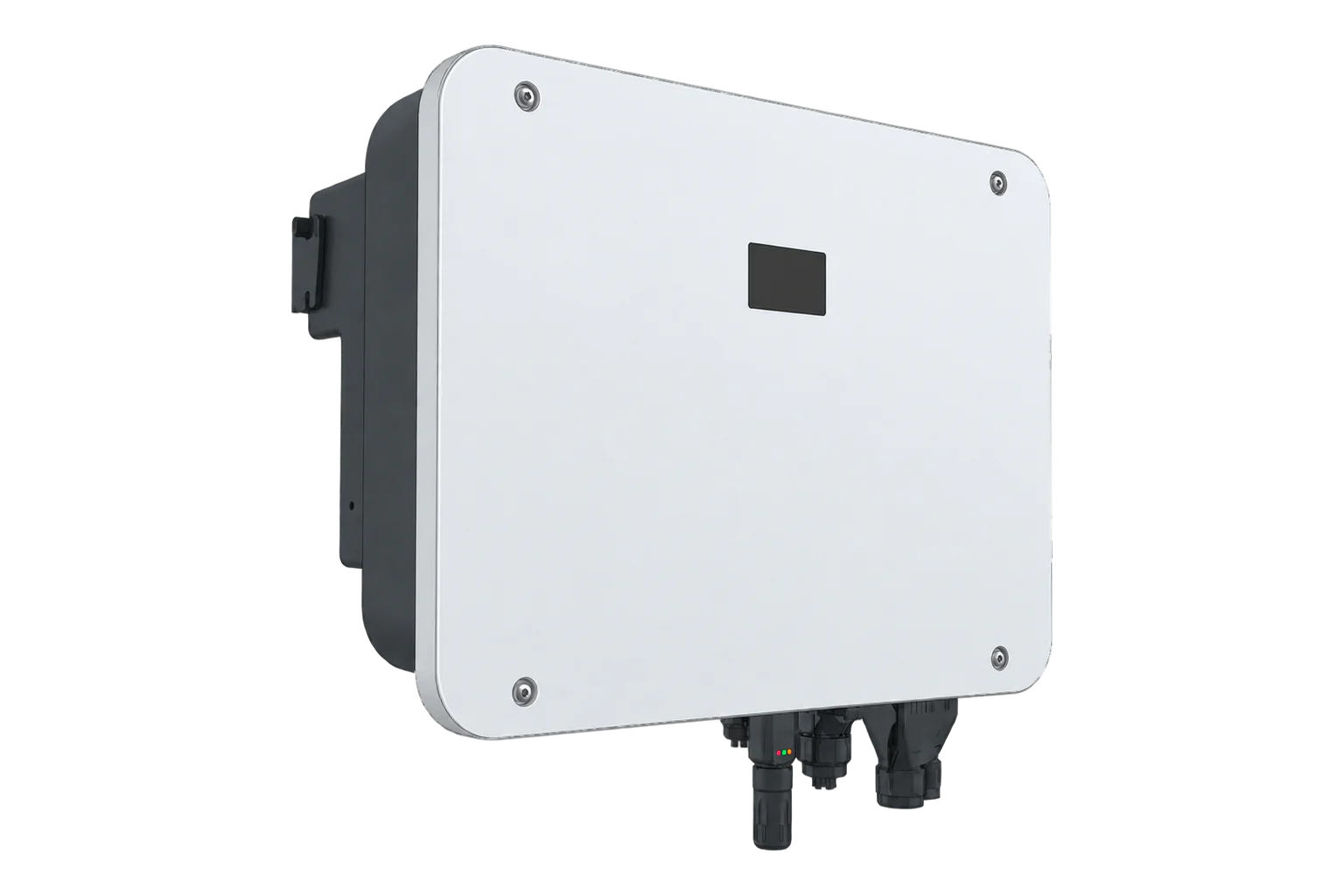
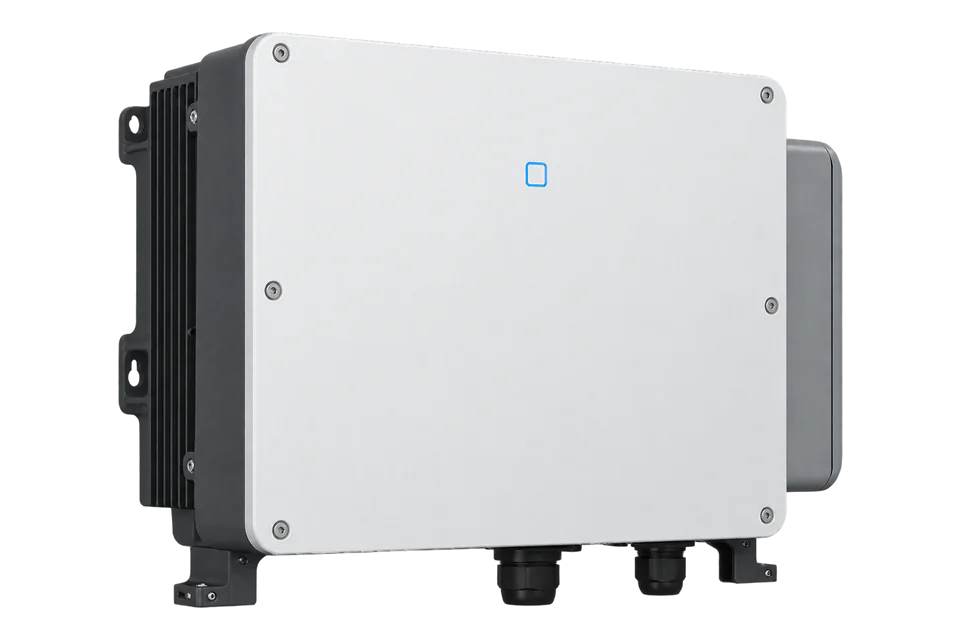
Sungrow SH20T
Three-phase hybrid solar inverter
SH20T is the 20 kW member of Sungrow’s SH15/20/25T three-phase hybrid family. The exact column provides three MPPTs, 40 kWp recommended PV input and a 100–700 V battery range. A December 2025 manufacturer manual documents WiNet-S2 Ethernet and third-party EMS/Logger access through Modbus TCP/IP. The manual also separates the site meter, battery and logger ports, so the physical connection must be identified before read-only polling.
- Modbus TCP
- RS485
- CAN
Three-phase hybrid solar inverter
Compatibility
Documented local Modbus TCP path with conditions
The SH20T manual documents local third-party EMS access via WiNet-S2 LAN Modbus TCP. Hybrid protocol V1.1.17 explicitly lists SH20T type 0x0E26 and its FC04 monitoring points.
SH20T in the SH15/20/25T 230/400 V IEC-family scope, using manual Ver18-202512 and datasheet V3. The /us/ page URL is localization, not US certification. Confirm installed WiNet-S2, firmware, country grid code and approved battery. Read-only monitoring; no inverter on/off, derating, battery dispatch or export writes.
Connect it with
-
Gateway ZGW-20From €899 ex VAT Configure Gateway
-
Evaluation Gateway on a Raspberry Pi Edge with one device licensedFree Set up Evaluation Gateway on a Raspberry Pi

Exact SH20T site has an approved WiNet-S2 Ethernet arrangement and matching protocol documentation
- Modbus
- Edge
- Platforms
Models
| Models | Interface | Route into Edge |
|---|---|---|
| SH20T | 20 kW hybrid, three MPPTs, WiNet-S2 local network | Use hybrid protocol V1.1.17 as the starting map: SH20T identity 0x0E26, SOC and active power reads over WiNet-S2 LAN. |
| SH15T / SH25T | 15 / 25 kW members of the same manual family | Use their own AC, backup and battery power columns; do not inherit SH20T values. |
| SH10RT, SH20RT or regional suffixes | Different model family, hardware or grid approval | Do not reuse a register map or certification by similar model name. |
Specifications
- Rated AC output
- 20,000 W, three-phase 3/N/PE 220/380 to 240/415 V in the cited IEC family3
- PV sizing
- 40,000 Wp recommended maximum PV input; 1000 V absolute DC maximum3
- PV trackers
- Three MPPTs with 2/2/1 string inputs; 150–950 V tracking range subject to full-load limits3
- Battery
- 100–700 V lithium-ion; 50 A maximum charge/discharge current subject to connected battery3
- Battery conversion
- 30 kW maximum charging and 20 kW maximum discharging in the SH20T column; distinct from 20 kW AC output3
- Backup
- 20 kW rated off-grid backup; 32 kW for 10 seconds only with sufficient PV and battery power3
- Monitoring network
- WiNet-S2 Ethernet or WLAN; manual recommends against using both simultaneously2
- Environment
- IP65 and protective installation limits in the exact manual2
Interface
Documented measurements and integration boundaries for SH20T.
- Inverter PV production, AC output, battery charge/discharge, site-meter import/export and backup load each describe different electrical boundaries.
- The supplied smart meter uses its own RS-485 role; battery and logger connections are separate. Do not repurpose those terminals for a second master.
- The published hybrid map gives FC04 identity at wire address 4999, SOC at 13022 with scale 0.1%, and active power at 13033, two-register S32 in W, low word first. Keep these hybrid addresses separate from the PV inverter map.
Assessment
SH20T with WiNet-S2, the cited IEC-family manual and hybrid protocol V1.1.17. The examples are based on published documentation, not a physical Edge test.
- InteroperabilitySupported with conditions
- The manual documents local third-party Modbus TCP through WiNet-S2. The hybrid map explicitly lists SH20T and read registers; use a protected network and read-only requests.24
- AccuracyLimited
- The hybrid protocol documents SOC scaling, signed active power and invalid-value encodings. Inverter, battery and site-meter values retain their separate measurement boundaries; the example establishes no settlement accuracy class.234
- SecurityLimited
- The documented Modbus path includes control capability; network isolation and read-only client discipline are necessary, and protocol authentication is not established.2
- ReliabilitySupported with conditions
- The manual documents protective functions, fault handling and component commissioning; stale telemetry handling remains an integration requirement.2
- RuggednessSupported with conditions
- IP65 and manufacturer mounting/environment limits support the stated outdoor use within installation conditions.2
- ScalabilityLimited
- Multiple inverter/logger scenarios are documented, but concurrent third-party client and polling limits require site qualification.2
Setup
Identify SH20T and read battery SOC
The published hybrid protocol V1.1.17 lists SH20T as 0x0E26. These expected identity and SOC bytes are synthetic examples for the local WiNet-S2 monitoring path.
- Target
- Configured inverter address, default 1; local TCP port 502 by default
- Function
- FC04 Read Input Registers, not FC03
- Document register
- 5000: device type code, U16
- PDU address and length
- 4999 decimal = 0x1387; 1 register
- Request PDU
- 04 13 87 00 01; the TCP client adds its MBAP header
- Expected model response PDU
- 04 02 0E 26: one U16 value 0x0E26
- Active power read
- FC04, wire address 13033 (0x32E9), quantity 2: registers 13034–13035, low word first S32 in W. This hybrid power point differs from the PV inverter point 5031–5032.
- Independent scaling check
- SOC register 13023 uses PDU address 13022 (0x32DE). Bytes 02 DF decode to U16 735, then 735 × 0.1 = 73.5%. U16 0xFFFF means unavailable.
Acceptance: Compare the SH20T identity with the nameplate, then compare a fresh SOC and power read with the local Sungrow interface. Use the published map as the starting point and keep monitoring reads separate from settings and dispatch writes.
-
Identify the installation
Verify SH20T on the nameplate, the country grid configuration, firmware, WiNet-S2 module, battery model and DTSU666-20 site-meter arrangement.
-
Check the electrical limits
Use the SH20T electrical column, keeping 40 kWp recommended PV input, 20 kW AC, 30 kW battery charge and 20 kW discharge as separate limits.
-
Configure the monitoring path
Put WiNet-S2 Ethernet on a protected local network. The manual describes Ethernet/WLAN alternatives and a third-party Modbus TCP/IP EMS/Logger path, including controls; restrict the integration to read-only requests.
-
Preserve assigned buses
Leave the meter and battery buses in their assigned system roles. An RS-485 terminal on COM2 is not by itself an approved spare monitoring endpoint.
-
Read the first points
Use hybrid protocol V1.1.17 as the best-effort starting map. Read FC04 input register 5000 at wire address 4999 and confirm SH20T type 0x0E26. Read SOC at 13022 and active power at 13033 as shown below, then compare the local interface before adding points.
-
Compare live values
Start with a bounded identity and measurement comparison against the Sungrow local interface and site meter under known import/export. Mark failed polls stale instead of replacing them with zero.
Common questions
- Does the /us/ product URL prove US grid approval?
- No. The cited electrical table is for the SH15/20/25T 230/400 V IEC family. Grid approval must be checked for the exact regional order and site.13
- Can Edge use the battery or meter RS-485 wiring as its monitoring port?
- Those COM2 connections have system roles. The manual’s third-party EMS/Logger network path is Modbus TCP/IP through the installed WiNet-S2 arrangement.2
- Why is no register import offered?
- This guide provides a documented starting read rather than a ready-made import file. Configure the local WiNet-S2 endpoint, read the model code, then compare SOC and power with the Sungrow interface. The published V1.1.17 hybrid map supplies the addresses, types and scales.24
Related devices
Sources
- SHT 15/20/25 product page (opens in a new tab)
- SH5/6/8/10/12/15/20/25T user manual Ver18-202512 (opens in a new tab) (PDF)
- SH15/20/25T datasheet V3 (opens in a new tab) (PDF)
- Residential and Small Industrial Hybrid Inverter communication protocol V1.1.17 (30 September 2026) (opens in a new tab) (PDF)
Further reading
Product names and trademarks belong to their owners. Publication does not imply endorsement or a commercial relationship.