Shelly S4PL-00116US
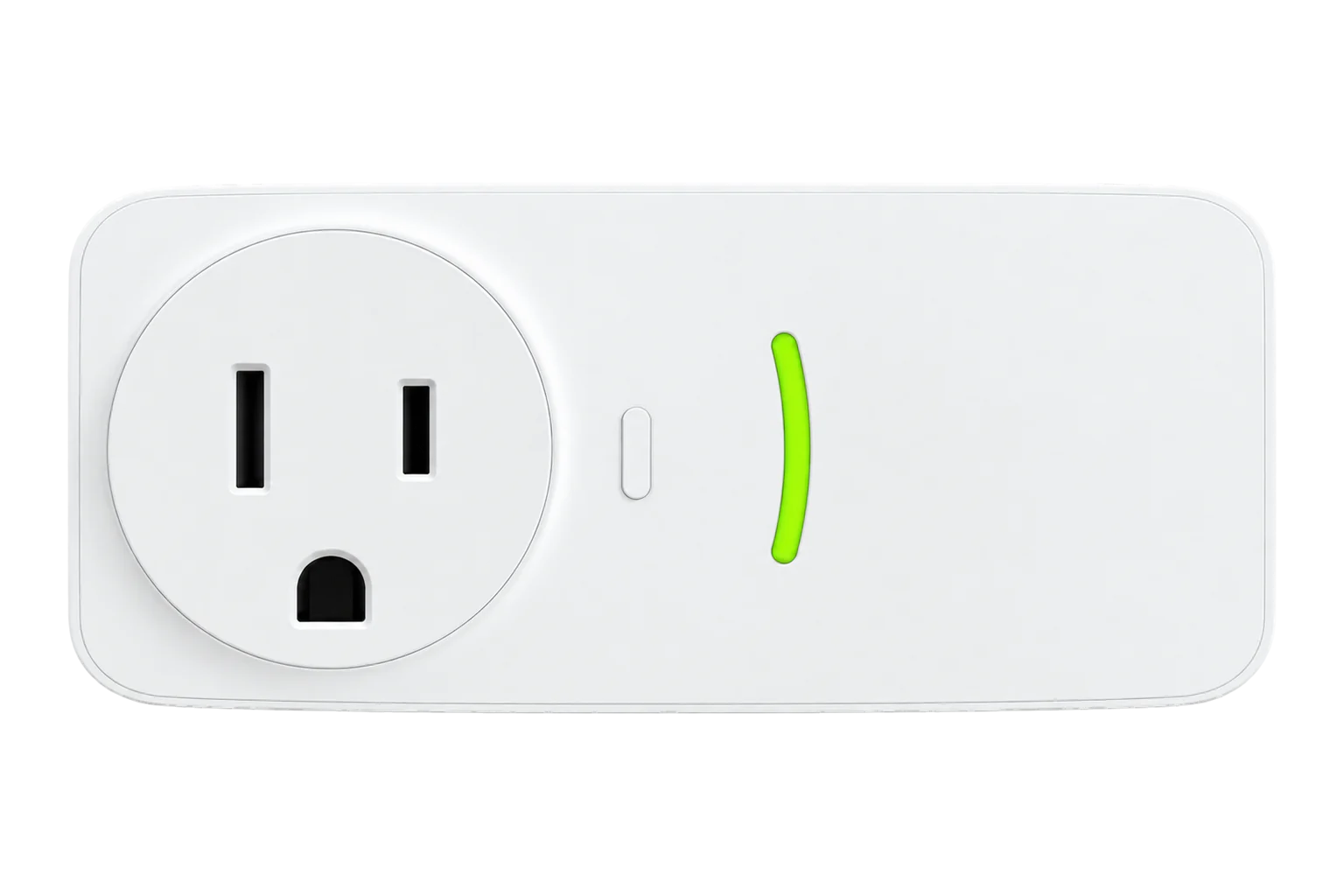
Smart plug with energy metering
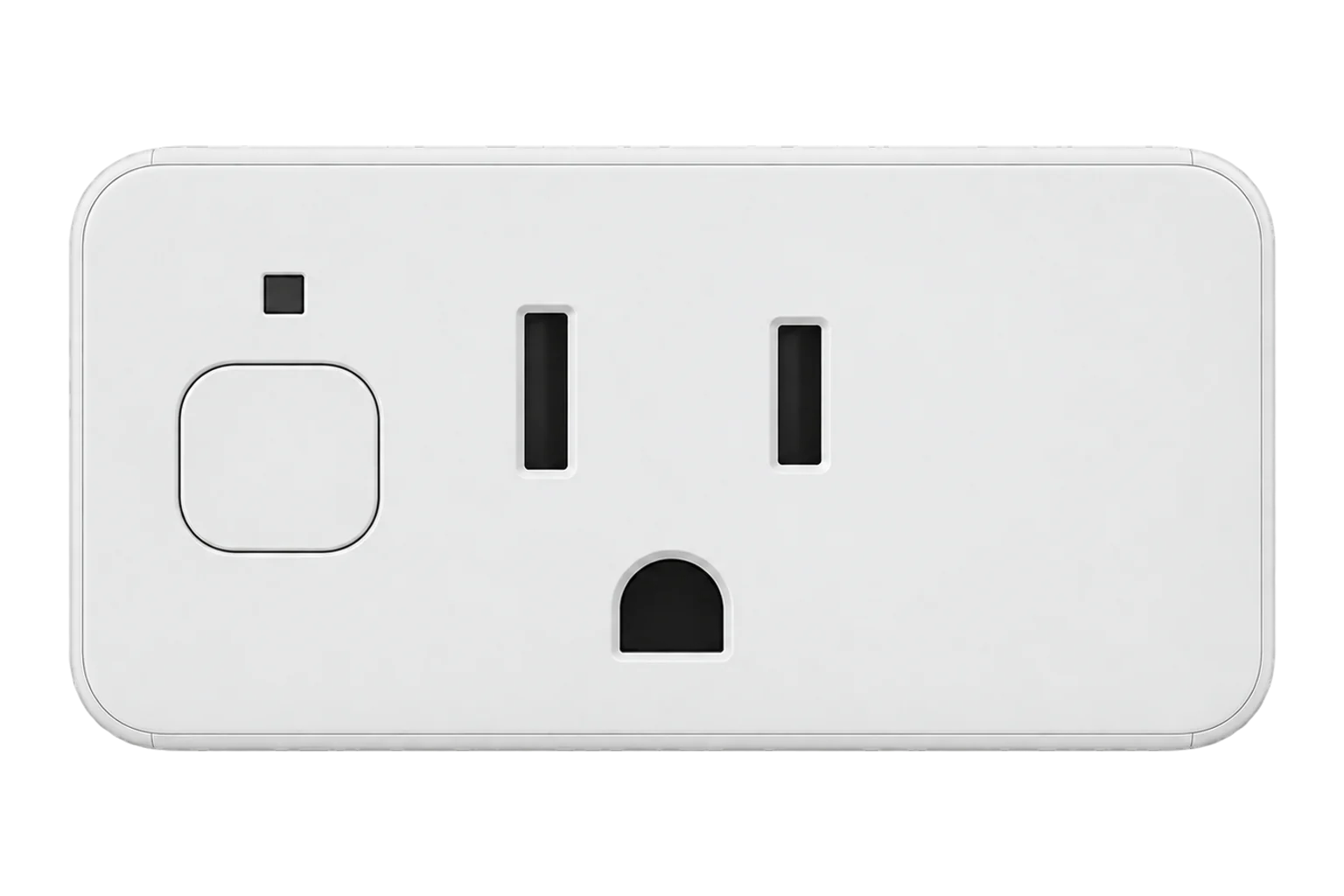
A 120 V plug for North American NEMA 5-15 outlets that switches and meters one load up to 15 A and 1800 W, reporting voltage, current, power and energy over Zigbee once it is moved off its default Matter firmware.
Also sold asShelly Plug US Gen4
Compatibility
Compatible with EpiSensor Edge over Zigbee.
Pair it with the Zigbee radio on an EpiSensor Gateway. Edge reads it locally on the Gateway.
Edge reads 10 values from it, listed under Interface.
Connect it with

Specifications
The Plug US Gen4 is a compact plug-in switch for 120 V, 60 Hz outlets with NEMA 5-15 sockets. Shelly rates it at 15 A and 1800 W for resistive loads, with overheating, overvoltage, overcurrent and overpower protection, and it draws less than 1.5 W itself.1
- Power
- Mains. Powered from the outlet it plugs into at 120 V~, 60 Hz, drawing less than 1.5 W itself.1
- Maximum load
- 15 A, 1800 W (resistive)1
- Metering
- Voltage, current, power and energy1
- Other sensors
- Internal temperature; light level (bright, twilight, dark)1
- Plug and socket
- NEMA 1-15 and 5-15 plug; NEMA 5-15 socket1
- Protection
- Overheating, overvoltage, overcurrent and overpower1
- Overvoltage category
- II1
- Zigbee radio
- IEEE 802.15.4, 2405 to 2480 MHz, < 20 dBm1
- Zigbee device type
- On/Off Plug-in Unit (0x010A), router3
- Operating conditions
- -20 to 40 °C, 30 to 70 % RH, up to 2000 m1
- Dimensions
- 38 × 64 × 51 mm1
- Weight
- 64 g1
Where it is used
Single plug-in loads that run around the clock, such as vending machines, water coolers and under-counter fridges, where the energy between two dates shows what they cost.
Refrigeration energy monitoringOffice and retail equipment switched off out of hours from Edge, across several North American sites.
Multi-site energy monitoringA Zigbee router in a spot where battery sensors need a nearby hop back to the Gateway.
Interface
On the Zigbee network it joins as a router and extends the mesh for other devices.3
Readings and settings, with units and ranges where Shelly publishes them. readable, readable and writable, writable only.14
| Reading | Unit | Range or values | Access |
|---|---|---|---|
| Measurements 4 | |||
| PowerActive power drawn by the connected load. | W | - | Read only |
| EnergyCumulative energy through the plug. | kWh | - | Read only |
| Current | A | - | Read only |
| Voltage | V | - | Read only |
| Controls 1 | |||
| OutputSwitches the socket on and off. | - | ONOFFTOGGLE |
Read and write |
| Settings 2 | |||
| Wi-Fi settingsSSID, password and IP settings for the plug's Wi-Fi interface, set over Zigbee. | - | - | Read and write |
| IdentifyFlashes the LED yellow so the plug can be found on site. | - | - | Write only |
| Diagnostics 3 | |||
| Wi-Fi status | - | - | Read only |
| IP address | - | - | Read only |
| DHCP | - | Binary state | Read only |
Power, voltage and current come from the Electrical Measurement cluster (0x0B04) and energy from the Metering cluster (0x0702), both on endpoint 1.3
The light sensor reports through Shelly's own Light Level cluster (0xFC21) on endpoint 1, not through the standard illuminance cluster, and it is not among the readings in the table.34
The plug's Zigbee definition has no setting for its behaviour after a power cut, so plan for the output state it comes back in rather than configuring it from Edge.5
Setup
-
Update the firmware first
While the plug still runs its Matter firmware, update it in the Shelly app. Firmware cannot yet be updated over Zigbee.4
-
Switch it to Zigbee
Press the button five times in quick succession. The plug switches from its default Matter firmware to Zigbee.1
-
Open pairing in Edge
In Edge, open pairing on the Gateway's Zigbee network.
-
Start Zigbee pairing
Press the button three times in quick succession. The LED flashes purple slowly while the plug looks for a network.1
-
Check one reading
Plug in a load of known rating, such as a kettle or heater, switch it on from Edge and compare the power reading with the load's rating.
Common questions
- Does the Plug US Gen4 need a Shelly hub to work over Zigbee?
- No. Once it runs its Zigbee firmware it joins the Zigbee network on an EpiSensor Gateway directly, and Edge reads and switches it locally without the Shelly cloud.13
- What load can it switch?
- Shelly rates it at 15 A and 1800 W for resistive loads on a 120 V, 60 Hz supply. Its documentation lists resistive, capacitive and inductive loads such as heaters, electronics, fans and refrigerators.12
- Is it a router or an end device on the Zigbee network?
- A router. It is mains powered and Shelly lists it as a Zigbee router, so it relays traffic for battery devices nearby.3
- How do I put it back into Zigbee pairing mode?
- Press the button three times quickly. The LED flashes purple slowly while pairing is open.1
- How do I factory reset it?
- Within 60 seconds of plugging it in, press and hold the button for 10 seconds.1
Related devices

Sources
- Shelly Plug US Gen4: specifications and user guide (opens in a new tab)
- Shelly Plug US Gen4 documentation (opens in a new tab)
- Zigbee device features and clusters (opens in a new tab)
- Shelly S4PL-00116US device documentation (opens in a new tab)
- Shelly device definitions (opens in a new tab)
Further reading
Product names and trademarks belong to their owners. Publication does not imply endorsement or a commercial relationship.