Janitza UMG 103-CBM
Power and energy meter
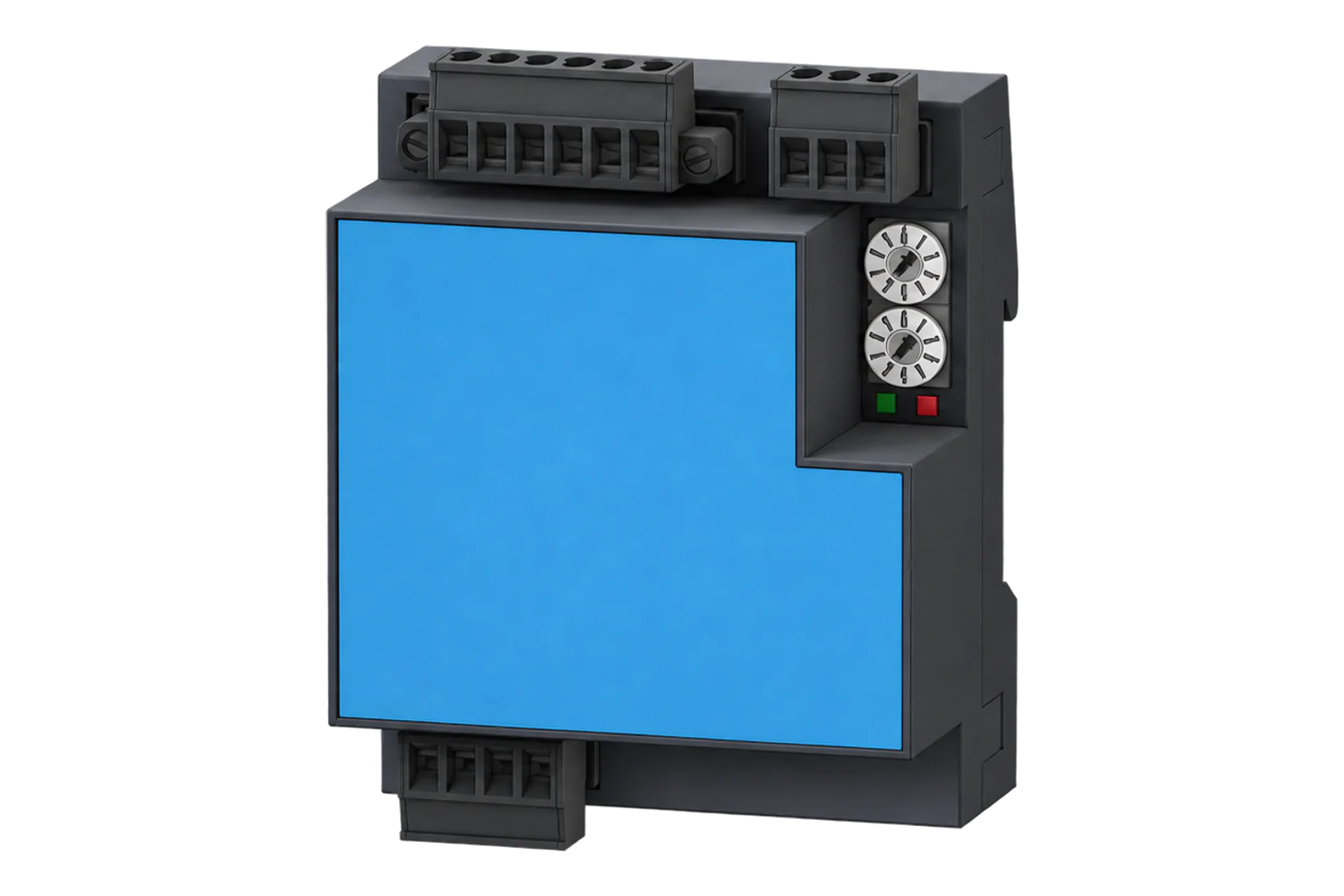
UMG 103-CBM adds a clock and local measurement storage to compact DIN-rail monitoring. Its firmware-scoped Modbus list offers both byte-order address spaces, so choose the documented bank before decoding a value.
Compatibility
Compatible through Modbus RTU
The manufacturer documents local measurement reads that can be configured in an Edge Modbus client.
UMG 103-CBM, using the January 2023 address list for firmware 2.0 and higher. The earlier UMG 103 is a separate device with its own documentation and template. The downloadable starter reads 19 values from the big-endian bank, with complete two-register floats, multiplier 1 and exports disabled. Verify the installed CT/VT ratios first; fundamental power factor and reactive power are not total harmonic-inclusive values.
Connect it with
-
Modbus Interface ZMB-3XFrom €399 ex VAT Configure Modbus Interface
-
Gateway ZGW-20From €899 ex VAT Configure Gateway


For the exact RS-485 model identified below
- Modbus
- Edge
- Platforms
Specifications
The CBM model adds clock, battery and measurement-data storage to the UMG103 approach. That is useful when a communications interruption should not be confused with a loss of all local records. It does not mean a Modbus client automatically backfills that history: instantaneous polling and retrieval of the device’s recorded data are separate integration tasks.2
- Documented item
- 5228001, UMG103-CBM3
- Local data memory
- 4 MB with clock and measurement/energy recording3
- Native interface
- RS-485 Modbus RTU with A, B and GND connection3
- Active energy class
- 0.5S with 5 A CTs on the published technical details; transformer and installation errors remain separate3
- Address-list scope
- January 2023, firmware 2.0 and higher1
- Byte-order spaces
- Printed address = big-endian; add 32768 for the little-endian copy1
- Register update
- 200 ms in the address list; polling faster does not establish a fresher measurement1
Interface
This register map is for the UMG 103-CBM. UMG 103-CBM, firmware 2.0 and higher and UMG 103 without CBM have their own interfaces and are not covered here.
Communication settings
- Interface
- RS-485 Modbus RTU; use the installed address and baud rate
- Serial framing
- 8 data bits, no parity, 2 stop bits on the UMG 103-CBM
- Register bank
- Documented big-endian addresses, FC04
- Read with
- FC04 (input registers)
- Word order
- High word first on every value
- Addresses
- Zero-based PDU addresses, as sent on the bus
From UMG103-CBM Modbus address list1.
Register map
| Point | Address | Hex | Format | Scale | Unit |
|---|---|---|---|---|---|
| Voltage L1-N | 19000 | 0x4A38 |
FLOAT32 | ×1 | V |
| Voltage L2-N | 19002 | 0x4A3A |
FLOAT32 | ×1 | V |
| Voltage L3-N | 19004 | 0x4A3C |
FLOAT32 | ×1 | V |
| Voltage L1-L2 | 19006 | 0x4A3E |
FLOAT32 | ×1 | V |
| Voltage L2-L3 | 19008 | 0x4A40 |
FLOAT32 | ×1 | V |
| Voltage L3-L1 | 19010 | 0x4A42 |
FLOAT32 | ×1 | V |
| Current L1 | 19012 | 0x4A44 |
FLOAT32 | ×1 | A |
| Current L2 | 19014 | 0x4A46 |
FLOAT32 | ×1 | A |
| Current L3 | 19016 | 0x4A48 |
FLOAT32 | ×1 | A |
| Active Power L1 | 19020 | 0x4A4C |
FLOAT32 | ×1 | W |
| Active Power L2 | 19022 | 0x4A4E |
FLOAT32 | ×1 | W |
| Active Power L3 | 19024 | 0x4A50 |
FLOAT32 | ×1 | W |
| Total Active Power | 19026 | 0x4A52 |
FLOAT32 | ×1 | W |
| Total Apparent Power | 19034 | 0x4A5A |
FLOAT32 | ×1 | VA |
| Total Fundamental Reactive Power | 19042 | 0x4A62 |
FLOAT32 | ×1 | VAr |
| Fundamental Power Factor L1 | 19044 | 0x4A64 |
FLOAT32 | ×1 | - |
| Fundamental Power Factor L2 | 19046 | 0x4A66 |
FLOAT32 | ×1 | - |
| Fundamental Power Factor L3 | 19048 | 0x4A68 |
FLOAT32 | ×1 | - |
| Frequency | 19050 | 0x4A6A |
FLOAT32 | ×1 | Hz |
Assessment
UMG 103-CBM, using the January 2023 address list for firmware 2.0 and higher. The earlier UMG 103 is a separate device with its own documentation and template.
- InteroperabilityWell supported
- The address list defines functions, data types and both byte-order address spaces.1
- AccuracySupported with conditions
- Published accuracy and transformer-ratio annotations allow scoped measurement interpretation.3
- SecurityNot yet assessed
- The cited sources do not establish authenticated or encrypted Modbus telemetry.1
- ReliabilitySupported with conditions
- Clock and local measurement memory can retain records; retrieval is separate from instantaneous polling.2
- RuggednessNot yet assessed
- The cited material does not establish installation-specific environmental qualification for the proposed site.3
- ScalabilitySupported with conditions
- Multiple serial rates and explicit update timing support planned RS-485 polling.1
- LifecycleNot yet assessed
- The address list gives a firmware boundary, but no guaranteed support lifetime is established here.1
Edge template
This JSON file supplies the register map. Applying it to an existing meter replaces its sensor list while retaining the site connection, unit ID and enable state.
| Model | Connection | Points | Version | Updated | Download |
|---|---|---|---|---|---|
| UMG 103-CBM | Modbus | 19 | 1.0.0 | Download |
Downloads need a signed-in account with Edge download access.
Use the template in Edge
- Import the JSON file
In Edge, open Settings, then Devices and Templates. Choose Import JSON and select the downloaded file. Confirm that the model and template name match your device.
- Load the map for your meter
For a new Modbus device, use Load Template before entering the manufacturer or model; it fills those fields and the register list. Set the name, site connection and unit ID, check the polling enable state, then test before saving. For an existing device, apply only to the matching model; this replaces its sensor list but retains its connection, unit ID and enable state.
- Test a reading
Use Test in the wizard and compare a known reading with the meter display. Check its unit, sign and scale, then confirm that timestamps keep advancing. These starter maps are read-only and leave exports off until you configure them.
Setup
Read the big-endian voltage entry
The firmware 2.0 address list places L1-N voltage at decimal 19000 as Float in V and supports FC04.
- Request PDU
- 04 4A 38 00 02
- Address calculation
- 19000 decimal = 0x4A38; read two 16-bit registers
- Synthetic data example
- 43 66 00 00 is IEEE-754 float32 big-endian 230.0 V
- Alternate byte-order bank
- 19000 + 32768 = 51768 (0xCA38), the little-endian copy
Acceptance: Keep the requested bank and decoder together. These example data bytes are synthetic, not a captured reply. Validate the actual measurement and the configured measuring ratios before using power or energy totals.
-
Confirm CBM identity and firmware
Record the complete UMG103-CBM identity and firmware. Use this address list only within its firmware 2.0-and-higher scope. Do not import the earlier UMG103 template solely because the names are similar.
-
Set the serial path
Record the installed address and baud rate. The documented serial format is eight data bits, no parity and two stop bits (8N2). Supported rates are 9600, 19200, 38400, 57600 and 115200 bit/s. Match the client to the meter and give every instrument on the segment a unique address.
-
Use one byte-order address space
For the printed big-endian L1-N voltage entry, use decimal 19000 (0x4A38), FC04 and two registers. Do not subtract one. The little-endian copy is 51768 (19000 + 32768), not a different voltage measurement.
-
Check scaling at the chosen entry
The listed voltage and the 19012/19026 Float readings include the configured CT/VT factors, so use multiplier 1. Compare voltage and current with a simultaneous reference before accepting power. The SHORT-format bank and entries explicitly marked CT/VT exclude the corresponding ratio; apply that entry’s documented factor only when selecting those alternate values.
-
Add current, power and frequency
Add L1 current at 19012 (0x4A44) in A, total active power at 19026 (0x4A52) in W and frequency at 19050 (0x4A6A) in Hz. Read each complete value with FC04, quantity 2, big-endian IEEE-754 Float32, multiplier 1. For example, the current request PDU is 04 4A 44 00 02. These Float readings include the configured transformer factors; do not apply CT/VT ratios again. Compare current and signed power with the display under a known load. Keep the printed bank and decoder together; use the separate +32768 bank only with its little-endian decoder.
Common questions
- Is UMG103-CBM the same profile as UMG103?
- No. The CBM model has its own firmware-scoped address list and recording features. This guide does not silently extend the older UMG103 template to it.1
- Why are two addresses available for the same voltage?
- Janitza provides big-endian data at the printed address and little-endian data at that address plus 32768. This is a deliberate alternate representation. Choose the bank and decoder together, rather than changing both until a number looks plausible.1
- What do CT and VT beside an entry mean?
- The address-list legend says the corresponding current or voltage transformer ratio is not included in that value. Apply the documented scaling and ratio for that exact entry; do not transfer assumptions from the frequently used Float table to every other table.1
- Will routine polling retrieve the stored data automatically?
- No. The device has local measurement storage, but reading instantaneous values does not by itself request historical records. Preserve missing intervals honestly until a documented historical-data integration is implemented.2
Related devices

Sources
- UMG103-CBM Modbus address list (opens in a new tab) (PDF)
- UMG 103-CBM product overview (opens in a new tab)
- UMG 103-CBM technical details, item 5228001 (opens in a new tab)
Further reading
Product names and trademarks belong to their owners. Publication does not imply endorsement or a commercial relationship.