Huawei SUN2000-12/15/17/20/25KTL-M5
Commercial PV inverter
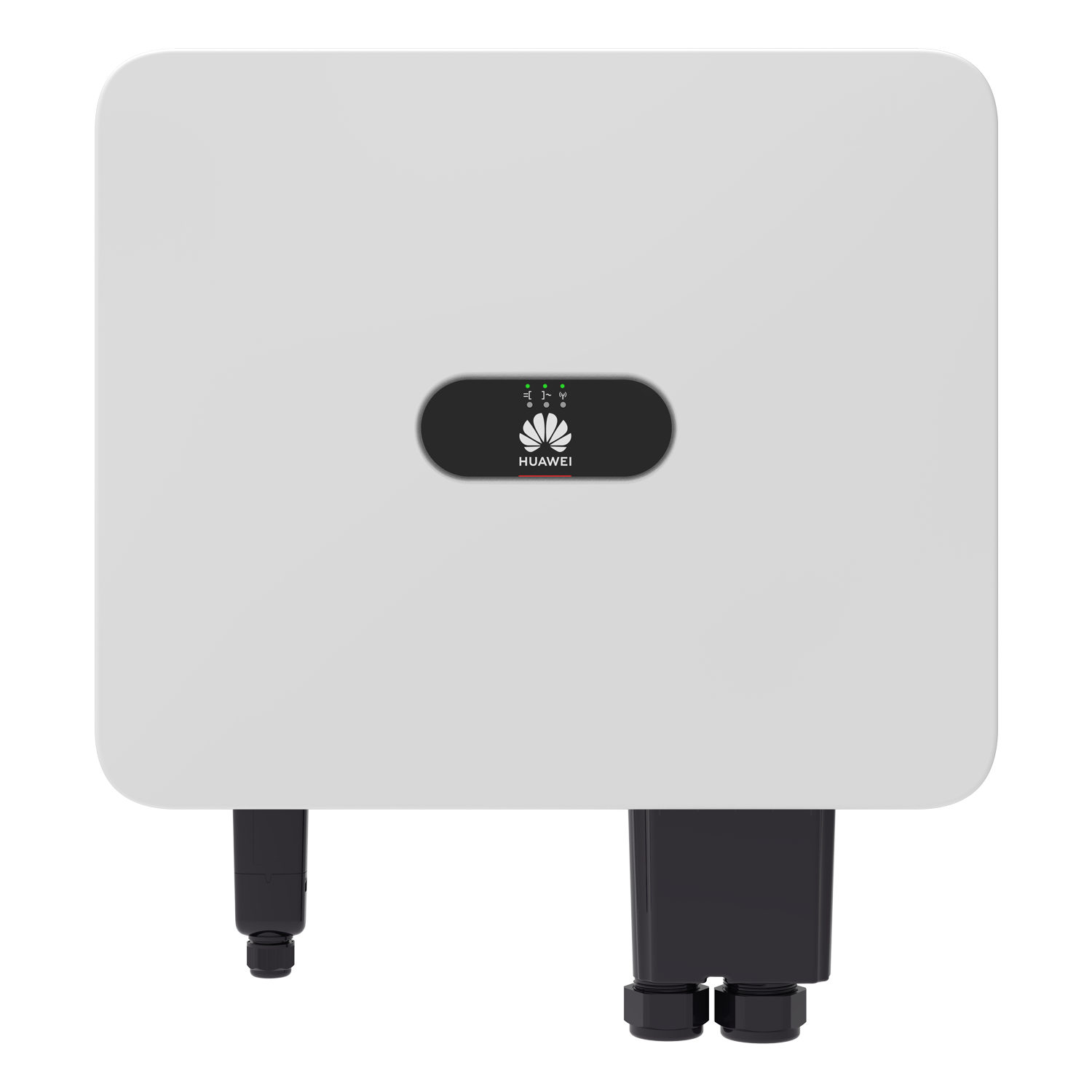
Huawei's five M5 ratings span 12 to 25 kW. The manual assigns pins 9/10 to inverter cascading or a SmartLogger, and pins 11/12 to the power meter. Huawei’s model-listed interface definition supplies read-only identity, power and frequency registers and specifies Modbus RTU over RS485. Use the published revision as a best-effort starting map, confirm identity and compare live values. This does not imply an open TCP server on an optional Smart Dongle or a tested Edge installation.
- Modbus RTU
Commercial PV inverter
Compatibility
Documented Modbus RTU monitoring
Huawei’s model-listed interface definition supplies read-only identity, power and frequency registers and specifies Modbus RTU over RS485. Use the published revision as a best-effort starting map, confirm identity and compare live values. This does not imply an open TCP server on an optional Smart Dongle or a tested Edge installation.
SUN2000-12/15/17/20/25KTL-M5. Published baseline V200R022C10; record actual firmware and compare identity/values. Read-only RS485 monitoring; preserve commissioned meter, battery, export-limit and protection control. No optional Dongle TCP endpoint is assumed.
Connect it with
-
Modbus Interface ZMB-3XFrom €399 ex VAT Configure Modbus Interface
-
Gateway ZGW-20From €899 ex VAT Configure Gateway


An available inverter communications pair is configured for an external Modbus RTU reader; preserve an existing logger/master and the meter/battery bus
- Wired
- Edge
- Platforms
Models
| Models | Interface | Route into Edge |
|---|---|---|
| SUN2000-12KTL-M5 | 12 kW rated AC output; two MPPTs; the M5 manual's logger and meter RS485 pairs | Qualify the installed regional and firmware version before seeking a read-only northbound data source. |
| SUN2000-15/17/20/25KTL-M5 | 15, 17, 20 or 25 kW rated AC output; shared M5 signal-terminal roles | The family wiring diagram does not prove identical third-party points, permissions or limits across deployed versions. |
| SUN2000-ZHM5 and SUN2000-MB0 | Separate variant or generation, excluded from this guide | The shared manual includes ZHM5 chapters; do not apply their electrical specifications to M5 or transfer an MB0 interface. |
Specifications
Huawei's November 2024 M5 datasheet lists five three-phase AC ratings from 12 to 25 kW, two MPP trackers and four PV string inputs. It names RS485 and optional WLAN/Ethernet or mobile Smart Dongles. The model-listed Huawei interface definition supplies the read-only starting map below.13
- Rated AC power
- 12, 15, 17, 20 or 25 kW respectively1
- PV inputs
- Two MPP trackers and up to four string inputs1
- Logger/cascade pair
- Signal pins 9/10: 485A1/485B12
- Power-meter pair
- Signal pins 11/12: 485A2/485B22
- Optional communications
- Huawei WLAN-FE or 4G Smart Dongle; external client access requires its own documentation12
- Enclosure
- IP66; verify site-specific installation and derating1
Interface
Documented measurements and integration boundaries for SUN2000-12/15/17/20/25KTL-M5.
- Pins 9/10 (485A1/485B1) are for inverter cascading or a SmartLogger RS485 signal port. Preserve the existing bus owner when planning third-party observation.
- Pins 11/12 (485A2/485B2) connect to the power meter. They are not a spare generic inverter telemetry pair.
- Huawei lists a WLAN-FE Dongle (SDongleA-05) and 4G Dongles (SDongleA-03 or SDongleB-06) as accessories. A Dongle's Ethernet or mobile uplink is not evidence of a native inverter Modbus TCP server.
- The manual recommends specific Huawei-compatible meters and notes firmware boundaries for some. Grid import and export require the commissioned point-of-connection meter, its sign convention and freshness, not just inverter output.
- The five dry-contact inputs include grid-scheduling functions and a rapid-shutdown signal. No third-party write, export-limit or VPP dispatch path is established by this selection guide.
Assessment
SUN2000-12/15/17/20/25KTL-M5. Published baseline V200R022C10; record actual firmware and compare identity/values. Read-only RS485 monitoring; preserve commissioned meter, battery, export-limit and protection control. No optional Dongle TCP endpoint is assumed.
- InteroperabilitySupported with conditions
- Huawei lists this model family and Modbus RTU read registers; available bus role and optional network accessories remain site-specific.23
- AccuracyNot yet assessed
- OEM identity, signed power, frequency, types and gains are documented. Installed measurement accuracy and physical polling behavior have not been measured.123
- SecurityNot yet assessed
- A read-only account and network-permission model for the actual logger or Dongle are not documented here.2
- ReliabilityNot yet assessed
- The public Modbus definition establishes response format; installed polling capacity, stale-data handling and recovery have not been measured.23
- RuggednessSupported with conditions
- The datasheet lists IP66 and an outdoor temperature range; the installed mounting, cable sealing and derating still require site review.1
- ScalabilityNot yet assessed
- Cascade wiring is documented, but third-party address capacity and polling load are not established.2
Setup
Identify the inverter and read active power
A best-effort read-only start from the model-listed Huawei interface definition. Use the configured inverter address and serial framing on an available, installer-approved RS485 link. Keep the meter/battery bus and existing plant master separate. Addresses below are literal Modbus PDU addresses.
- Read identity
- FC03 model name at 30000, 15 registers: PDU 03 75 30 00 0F. Serial number at 30015, 10 registers: 03 75 3F 00 0A. Model ID at 30070, one U16: 03 75 76 00 01. Compare the returned name and serial with the nameplate; use the model-ID table for this family, not an ID from another SUN2000 generation.
- Signed active power
- FC03 address 32080, quantity 2: PDU 03 7D 50 00 02. Active power is signed I32 with gain 1000, unit kW. Join the most-significant word first and divide by 1000. Synthetic 00 00 13 88 gives 5000 ÷1000 = 5.000 kW; FF FF EC 78 gives -5.000 kW. These are decoder fixtures, not measurements. Do not treat the pair as Float32 or divide twice when displaying W.
- Frequency and comparison
- FC03 address 32085, quantity 1: PDU 03 7D 55 00 01. Frequency is U16, gain 100, in Hz. Synthetic 13 88 gives 5000 ÷100 = 50.00 Hz. Compare fresh active power and frequency with Huawei’s local view. Keep inverter production distinct from the site meter’s signed import/export and storage measurements.
- Addressing and response quality
- Use the configured slave address and standard RTU CRC16; the PDUs above omit that envelope. Keep exceptions, incomplete responses and timeouts unavailable rather than zero. If identity fails, check slave address, serial framing and A/B polarity first. Do not copy a SunSpec unavailable-value sentinel into this Huawei map. Begin with a small read-only point set and preserve the existing bus master.
Acceptance: The published map provides a concrete monitoring start; verify identity and values on the installed equipment. Physical Edge operation remains untested. Battery, export-limit, grid and protection writes stay with the commissioned plant owner.
-
Confirm the M5 and plant topology
Record the complete nameplate, country configuration and firmware. Identify every cascaded inverter, SmartLogger, Smart Dongle and grid-point meter. Keep ZHM5 and MB0 outside this M5 guide.
-
Trace both signal pairs
Use the applicable Issue 17 wiring diagram to identify pins 9/10 for the SmartLogger or cascade and pins 11/12 for the meter. Do not disturb an occupied or protection-related circuit.
-
Identify the inverter and read active power
FC03 model name at 30000, 15 registers: PDU 03 75 30 00 0F. Serial number at 30015, 10 registers: 03 75 3F 00 0A. Model ID at 30070, one U16: 03 75 76 00 01. Compare the returned name and serial with the nameplate; use the model-ID table for this family, not an ID from another SUN2000 generation.
-
Prove one value against Huawei's view
With installer authorisation and the matching point document, compare a live inverter power value and timestamp against the commissioned Huawei view. Reject stale data before adding further measurements.
-
Measure flexibility at the right boundary
For import, export or flexibility reporting, document the grid-point meter and direction convention separately. Do not infer site demand or dispatch availability from inverter power alone.
Related devices
Sources
- SUN2000-12/15/17/20/25KTL-M5 technical specification, version 01-202411 (opens in a new tab) (PDF)
- SUN2000-(12K-25K)-M5 Series User Manual, Issue 17, 30 March 2026 (opens in a new tab)
- Huawei SUN2000MB Modbus Interface Definitions, Issue 02, 1 February 2024 (public mirror) (opens in a new tab) (PDF)
Further reading
Product names and trademarks belong to their owners. Publication does not imply endorsement or a commercial relationship.