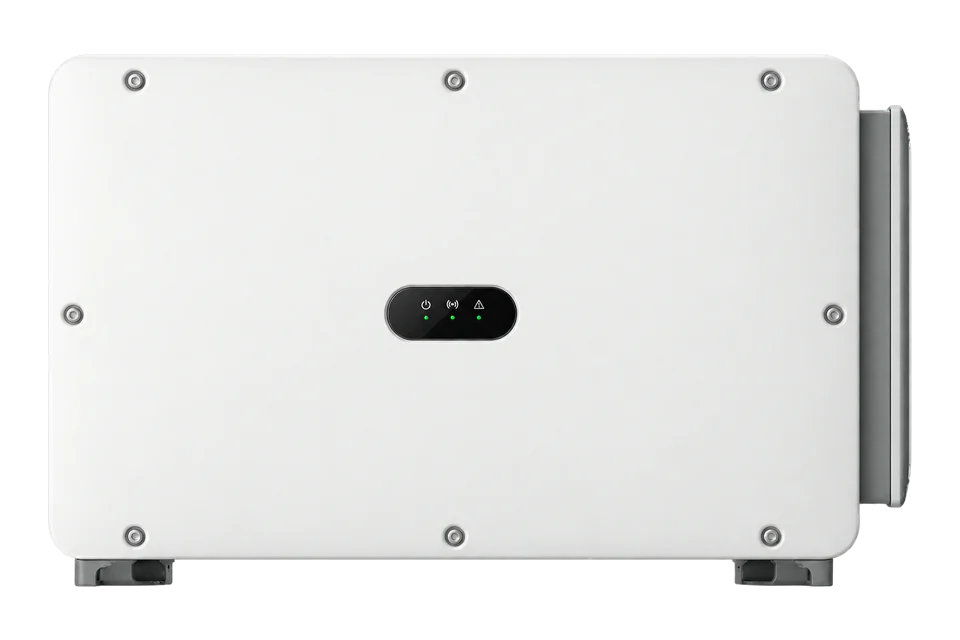
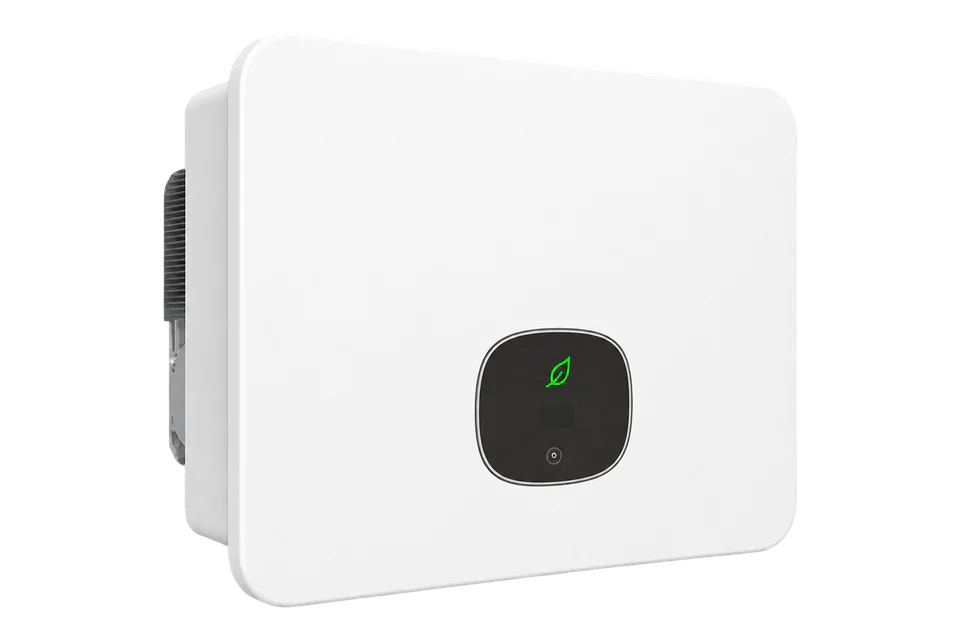
Huawei SUN2000-100KTL-M2
Commercial PV inverter
The SUN2000-100KTL-M2 communicates with its plant logger over RS485 or MBUS. On a site commissioned with SmartLogger3000, Huawei documents a Modbus TCP handoff for monitoring. Start with the logger identity and aggregate plant-power read below; keep individual inverter output and grid-meter import/export separate.
- RS485
- Modbus RTU
- Modbus TCP
Commercial PV inverter
Compatibility
Documented monitoring through SmartLogger3000
Huawei’s SmartLogger map and user manual provide a concrete northbound TCP monitoring start. This route requires an installed SmartLogger3000, not an assumed inverter Ethernet service or optional Dongle endpoint. The example reads the logger’s aggregate inverter/PCS output.
Use Issue 43 as a best-effort starting map and compare decoded values with the installed logger WebUI. Preserve the commissioned inverter/meter buses and plant controller. Physical Edge polling has not been tested; this guide includes no control commands.
The M2 plant uses an installed SmartLogger3000 and an approved local Modbus TCP monitoring connection
- M-Bus
- Edge
- Platforms
Models
| Models | Interface | Route into Edge |
|---|---|---|
| SUN2000-100KTL-M2 | 100 kW nameplate, ten MPP trackers, RS485 and optional Smart Dongle | Record the exact inverter, SmartLogger or Dongle and published point profile before considering a read-only site observer. |
| SUN2000-110KTL-M2 and 115KTL-M2 | Other ratings in the user-manual family | Do not carry this 100 kW rating or country-specific electrical limits across to a sibling. |
| SUN2000-100KTL-M1, H0, H1 or H2 | Different generations with similarly named 100 kW products | Do not reuse their communications, register or electrical assumptions for the M2. |
Specifications
Huawei's 100KTL-M2 datasheet identifies a nominal 100 kW AC active-power inverter, ten MPP trackers and RS485 communications. The exact-model user manual shows RS485 and MBUS networks to a SmartLogger or Smart Dongle rather than an unrestricted Ethernet reader attached to the inverter.12
- Exact model
- SUN2000-100KTL-M2; confirm regional suffix and firmware2
- Nominal AC active power
- 100 kW at the documented 400 V configuration1
- PV tracking
- Ten independent MPP trackers; up to two inputs per tracker1
- RS485-1 role
- Cascade inverters or connect to a SmartLogger2
- RS485-2 role
- Connect a downstream RS485 device; a grid meter may occupy it for point-of-connection power control2
Interface
Documented measurements and integration boundaries for SUN2000-100KTL-M2.
- Issue 43 register 40525 reports total output active power of connected inverters/PCSs. It is not the output of a selected M2, and it is not grid-point import/export.
- RS485-1 is used to cascade inverters or connect the SmartLogger. RS485-2 may connect a grid power meter in Smart Dongle or single-inverter power-control scenarios. It is not a spare generic telemetry pair.
- Huawei's MBUS plant-network option is separate from an M-Bus utility meter and separate from Edge's local client transport.
- Inverter generation cannot by itself establish grid import or export. Qualify the actual feed-in meter and its measurement boundary.
- Do not issue inverter setpoints, grid-code settings, export-limit or VPP dispatch writes from this selection guide.
Assessment
SUN2000-100KTL-M2 in a commissioned SmartLogger3000 plant, read-only logger-level TCP monitoring using Issue43; no direct inverter TCP or plant-control claim.
- InteroperabilitySupported with conditions
- The retained Huawei documents define a TCP endpoint, logger addressing and aggregate power read through the installed SmartLogger3000.2356
- AccuracyNot yet assessed
- The map defines signed kW and aggregate inverter/PCS output. Installed measurement accuracy and downstream completeness have not been measured.256
- SecurityNot yet assessed
- The manual documents IP-limited clients and identifies standard Modbus TCP as unauthenticated and unencrypted. Installed network isolation has not been inspected.356
- ReliabilityNot yet assessed
- The map defines responses; installed polling, downstream loss and recovery behavior have not been measured.356
- RuggednessSupported with conditions
- Huawei publishes an IP66 rating and commercial inverter technical specification; actual site, regional and maintenance conditions still apply.1
Setup
Read SmartLogger identity and aggregate plant power
Use the installed SmartLogger3000 TCP endpoint on the approved site network. The published Issue 43 map is the starting revision; the register numbers below are literal Modbus PDU addresses.
- Identity
- Issue43 logger-level Unit ID 0: FC03 address 40713, quantity 10, STR equipment serial number. PDU 03 9F 09 00 0A. Compare ESN with the SmartLogger WebUI before accepting production data.
- Aggregate active power
- FC03 address 40525, quantity 2: PDU 03 9E 4D 00 02. Read signed I32, high word first, divide by 1000 for kW. Synthetic 00 01 86 A0 decodes 100000 ÷1000 = 100.000 kW; FF FE 79 60 gives -100.000 kW. These are decoder examples, not field measurements.
- Measurement boundary
- 40525 sums output active power of all connected inverters/PCSs. It cannot identify a particular M2 or replace the site meter. Match the configured communications/logical addressing for downstream equipment separately; do not reuse logger Unit ID 0 as an inverter address.
- Response and troubleshooting
- Include the TCP MBAP header with the configured Unit ID; the PDUs omit that envelope. Check endpoint, client allow-list, listening port and logger addressing first if reads fail. Exceptions, incomplete responses and timeouts stay unavailable rather than zero. Compare fresh values with the WebUI before expanding polling.
Acceptance: A bounded logger-level monitoring start from retained Huawei documentation. Installed Edge operation remains untested; inverter-specific telemetry and site-meter measurements use their own identities and maps. Control stays with the commissioned plant owner.
-
Identify the exact M2 and plant owner
Record the SUN2000-100KTL-M2 nameplate, country variant and firmware. Identify the SmartLogger or Smart Dongle, whether the plant uses RS485 or MBUS, and which system owns export and grid control.
-
Trace both RS485 roles
Map the inverter's RS485-1 uplink and RS485-2 downstream devices. Preserve the commissioned SmartLogger bus and any meter used at the grid connection point.
-
Enable the local logger monitoring handoff
In Settings > Comm. Param. > Management System, configure the third-party Modbus TCP link. Prefer Enable(Limited) with the reader’s fixed IP; record the configured listening port and address mode. Huawei permits up to five preset clients. This standard TCP mode has no authentication or encryption, so keep it on a protected site network. Do not change the existing controller’s settings.
-
Read the logger before adding inverter points
Read logger ESN at 40713, ten registers, and compare it with the WebUI. Then read 40525 as signed I32 with gain 1000 and unit kW. Issue 43 assigns logger-level TCP Unit ID 0; use the worked check below and confirm addressing against the installed configuration.
-
Qualify site energy separately
For self-consumption, import, export or flexibility reporting, document the grid-point meter, direction convention and sampling freshness separately from inverter output.
Common questions
- Can Edge plug directly into the SUN2000-100KTL-M2 over Ethernet?
- This guide does not establish a native inverter Ethernet service. Huawei documents RS485 or MBUS plant networking and optional logger or Dongle equipment. The actual third-party route must be identified at the commissioned site.12
- Can RS485-2 be used as a spare Edge bus?
- Do not assume so. Huawei documents RS485-2 for a downstream device, including the grid-point power meter when that meter supports plant power control. Trace the existing wiring before proposing any new connection.2
Related devices
Sources
- SUN2000-100KTL-M2 technical specification (opens in a new tab) (PDF)
- SUN2000-(75KTL-M1, 100KTL-M2, 110KTL-M2, 115KTL-M2) user manual, issue 24 (opens in a new tab) (PDF)
- SmartLogger3000: setting RS485 communications parameters (opens in a new tab)
- SmartLogger3000A, B and C family technical specification (opens in a new tab) (PDF)
- Huawei SmartLogger ModBus Interface Definitions, Issue 43, 21 October 2023 (public mirror) (opens in a new tab)
- Huawei SmartLogger3000 User Manual, Issue 33, 15 April 2026 (SKE-hosted copy) (opens in a new tab) (PDF)
Further reading
Product names and trademarks belong to their owners. Publication does not imply endorsement or a commercial relationship.