Frient EMIZB-151
P1 smart meter interface
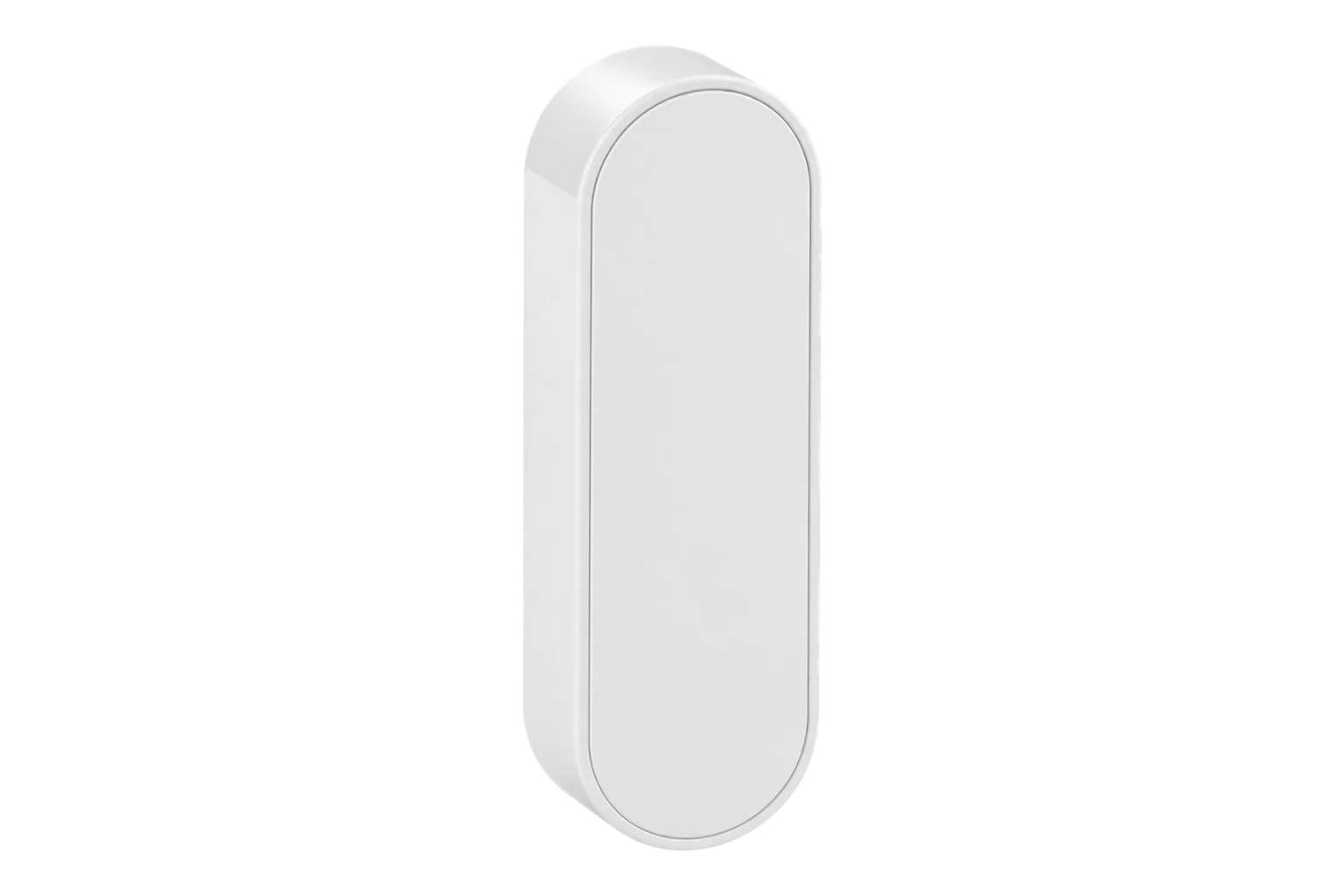
A Zigbee 3.0 reader that plugs into the P1 port of a DSMR 4.2 or 5.0.2 smart electricity meter and reports its imported and exported energy, tariff registers, power, voltage and current. It takes its power from the P1 port, so there is no battery to replace.
Compatibility
Compatible with EpiSensor Edge over Zigbee.
Pair it with the Zigbee radio on an EpiSensor Gateway. Edge reads it locally on the Gateway.
Edge reads 15 values from it, listed under Interface.
Connect it with

Specifications
The EMIZB-151, sold by Frient as the Electricity Meter Interface 2, P1, reads the customer port on a smart electricity meter instead of measuring the circuit itself. It connects with the RJ12 plug on its 800 mm cable, takes 5 V from the port and passes what the meter reports to a Zigbee 3.0 network. Frient lists DSMR 4.2 and 5.0.2 for the P1 interface, and the meter’s P1 port has to be enabled.1
- Power
- Bus powered. Powered from the meter’s P1 port at 5 V; no battery.1
- Meter interface
- P1 port, DSMR 4.2 and 5.0.21
- Connector and cable
- RJ12, 800 mm1
- Wireless
- Zigbee 3.0, sensitivity -100 dBm at 1 % PER, output +10 dBm1
- Zigbee device type
- Meter Interface (0x0053), Home Automation profile2
- Update rate
- 10 s intervals plus each meter tick4
- Operating temperature
- 0 to 50 °C1
- Humidity
- 5 to 85 % RH, non-condensing1
- Protection
- IP2X1
- Dimensions
- 30 × 90 × 18 mm (W × D × H)1
- Weight
- 44.2 g1
- Firmware updates
- Over the air through the Zigbee OTA Upgrade cluster2
- Approvals
- CE, RED, Low Voltage and RoHS directives; Zigbee 3.0 certified1
Where it is used
Whole-building import and export at sites with a DSMR smart meter, read from the fiscal meter without new CTs.
Multi-site energy monitoringGrid import and export at a solar PV site, from the meter’s own exported energy registers.
Solar PV monitoringLive net power at the connection point, to hold EV charging within the available supply.
EV charging load management
Interface
On the Zigbee network it joins as a sleepy end device.2
Readings and settings, with units and ranges where Frient publishes them.2
| Reading | Unit | Range or values | Access |
|---|---|---|---|
| Measurements 15 | |||
| Imported energyOBIS 1.8.0, or tariff 1 plus tariff 2 | kWh | - | Read only |
| Exported energyOBIS 2.8.0, or tariff 1 plus tariff 2 | kWh | - | Read only |
| Imported energy, tariff 1OBIS 1.8.1 | kWh | - | Read only |
| Imported energy, tariff 2OBIS 1.8.2 | kWh | - | Read only |
| Exported energy, tariff 1OBIS 2.8.1 | kWh | - | Read only |
| Exported energy, tariff 2OBIS 2.8.2 | kWh | - | Read only |
| Active powerImport minus export; see the note below the table | W | - | Read only |
| Active power, L2OBIS 41.7.0 minus 42.7.0 | W | - | Read only |
| Active power, L3OBIS 61.7.0 minus 62.7.0 | W | - | Read only |
| Voltage, L1OBIS 32.7.0 | V | - | Read only |
| Voltage, L2OBIS 52.7.0 | V | - | Read only |
| Voltage, L3OBIS 72.7.0 | V | - | Read only |
| Current, L1OBIS 31.7.0 | A | - | Read only |
| Current, L2OBIS 51.7.0 | A | - | Read only |
| Current, L3OBIS 71.7.0 | A | - | Read only |
Onics maps the meter’s total net demand (OBIS 1.7.0 minus 2.7.0) to the metering cluster and L1 net power (21.7.0 minus 22.7.0) to the electrical measurement cluster; both are published as power. On a single-phase meter they are the same. On a three-phase meter, add the three phase powers for the total.26
Gas, water or heat meters that the electricity meter relays on its sub-meter channels (OBIS 0-1 to 0-4:24.2.1) appear on Zigbee endpoints 0x40 to 0x43. The Zigbee definition behind this page reads only the electricity endpoint.26
Attributes the meter does not send stay empty. A single-phase meter, for example, leaves the L2 and L3 values unset.2
Setup
-
Check the P1 port
Find the P1 port on the electricity meter and make sure it is enabled. The interface only works with a meter whose P1 port is active.1
-
Open pairing in Edge
In Edge, open pairing on the Gateway’s Zigbee network.
-
Plug it in
Plug the RJ12 connector into the P1 port. The interface powers up from the port and, if it has never joined a network, searches for one with its yellow LED flashing once a second.2
-
Reset it if it was paired before
Open the casing and hold the button for about 15 seconds. The LED blinks once, then twice, then continuously; release it and the interface resets and starts searching.2
-
Check the status and one reading
Press the button briefly: one yellow blink means OK, three mean network trouble. Confirm Edge identifies it as Frient EMIZB-151 and compare imported energy with the meter’s display.2
Common questions
- Does the EMIZB-151 need batteries or its own supply?
- No. It is powered by the P1 port at 5 V, so it needs no battery and no mains supply.1
- Does it report solar export?
- Yes. It reports exported energy from OBIS 2.8.0, or the sum of tariffs 1 and 2 when the meter sends only those, and net power is import minus export.2
Related devices
Sources
- Electricity Meter Interface 2, P1 datasheet (opens in a new tab) (PDF)
- EMI 2, P1 (EMIZB-151) technical manual (opens in a new tab) (PDF)
- Electricity Meter Interface 2, P1 (opens in a new tab)
- EU Data Act factsheet, Electricity Meter Interface 2 P1 (opens in a new tab) (PDF)
- Frient EMIZB-151 device documentation (opens in a new tab)
- Frient EMIZB-151 Zigbee definition (opens in a new tab)
Further reading
Product names and trademarks belong to their owners. Publication does not imply endorsement or a commercial relationship.