Carel pRack pR100 and pR300
Refrigeration compressor rack controller
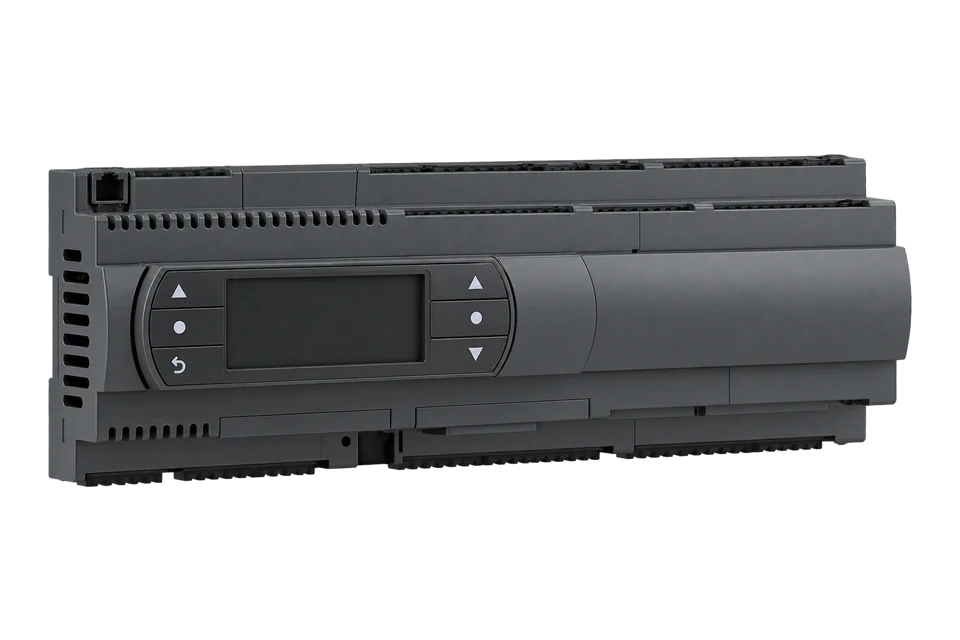
The Carel pRack pR100 and its successor the pR300 run the compressors and condenser fans of a refrigeration rack. With the supervisor protocol set to MODBUS SLAVE they are compatible with EpiSensor Edge over Modbus RTU through a ZMB-31 Modbus interface. EpiSensor's Modbus profile reads suction and condensing pressure, superheat and suction, discharge and oil temperatures, which show how hard the rack is working.
Compatibility
Compatible with EpiSensor Edge over Modbus RTU through a ZMB Modbus interface
Carel documents a supervisor port on the pRack with a selectable protocol that includes MODBUS SLAVE, default address 196 and 19200 bit/s. On the pR300 it is the BMS2 port on terminal J25 of the main board, or a PCOS004850 card in BMS1. A ZMB-31 on that port reads the rack and sends the values to the Gateway running Edge. The addresses come from EpiSensor's Modbus profile for the pRack.
Carel supplies the complete pRack supervisor variable list on request, so the six starter points come from EpiSensor's profile; compare suction pressure with the pRack display once. The rack's commissioned units (barg and °C, or psig and °F) set the units. Setpoints, compressor and fan control stay with the refrigeration contractor.
Connect it with
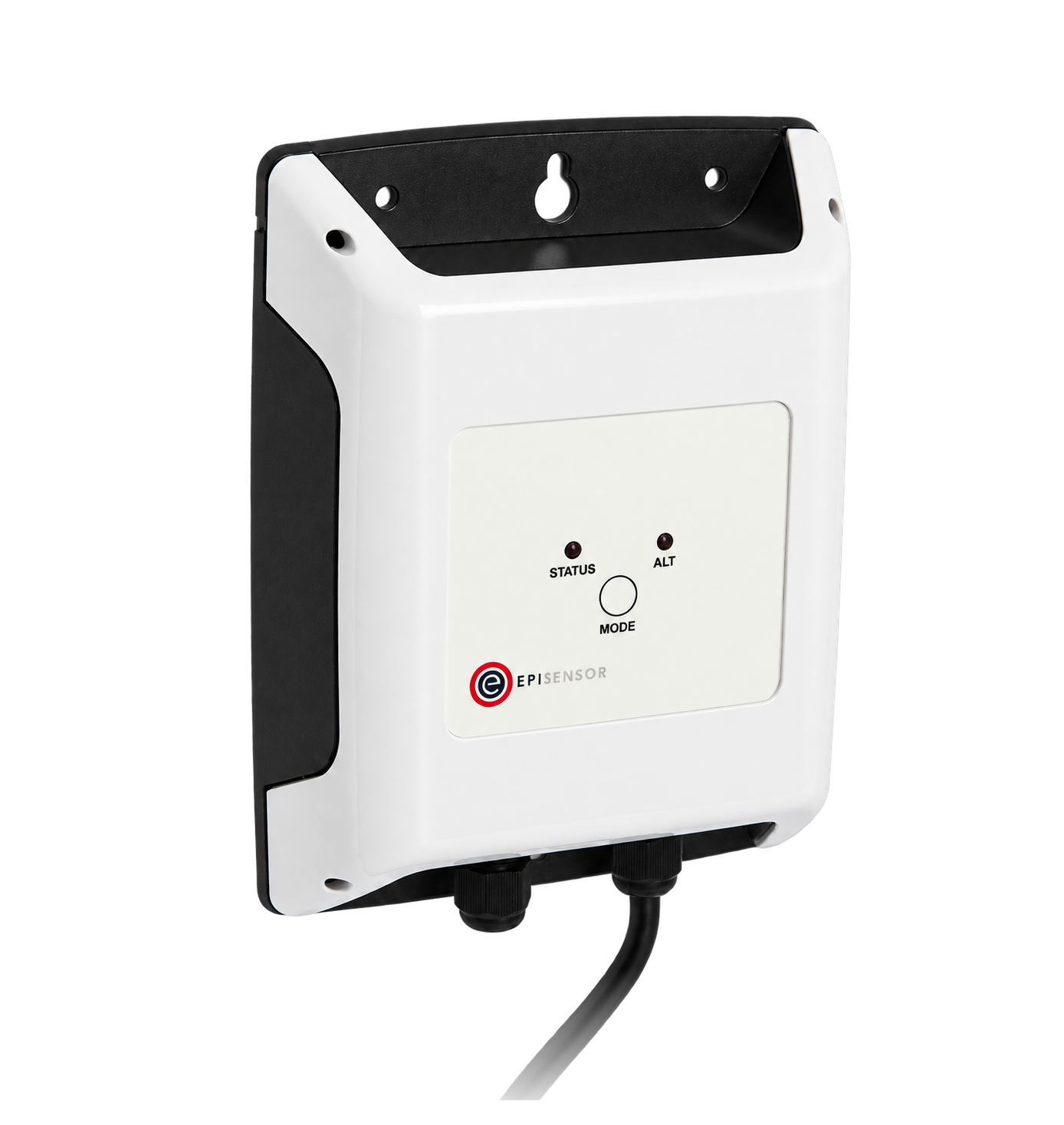
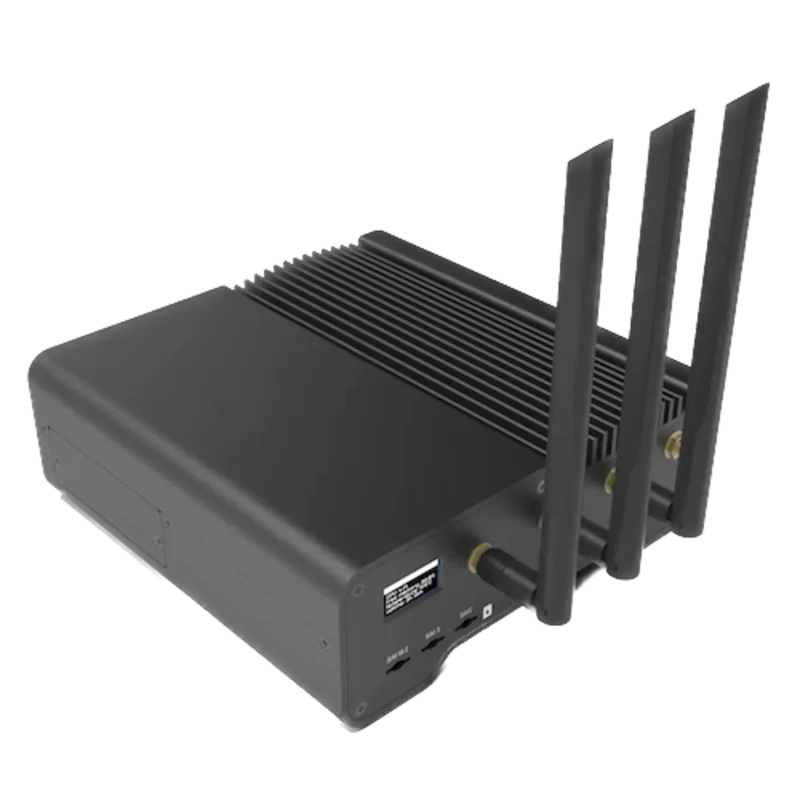
For a pR300 on its BMS2 port (J25), or a pR100 or pR300 with a PCOS004850 card in BMS1
- Modbus
- Wireless
- Edge
- Platforms
Specifications
Carel's pR300 manual describes a programmable rack controller in S, M, D and L hardware versions with an external pGDE or built-in display. It manages up to 12 scroll or reciprocating compressors per line, up to two screw compressors on line 1 and up to 16 fans per line, with inverters on suction and condensing lines.1
- Power supply
- 24 Vac (+10/-15 %) or 28 to 36 Vdc1
- Units
- Temperature °C or °F; pressure barg or psig, chosen at start-up, every pressure also converted to temperature1
- Lines and compressors
- Up to 2 suction and 2 condensing lines; up to 12 compressors and 16 fans per line1
- Supervisor ports (pR300)
- BMS1 card (PCOS004850 RS485); BMS2 on J25, optically isolated RS485 slave, 3-pin plug-in, up to 1000 m1
- Supervisor settings
- Screen Fca01: address 196 (0 to 207), protocol pRACK MANAGER by default or MODBUS SLAVE, 19200 bit/s (1200 to 19200)1
- Size
- SMALL 13 DIN modules, 110 x 227.5 x 60 mm; MEDIUM and LARGE 18 DIN modules, 110 x 315 x 60 mm1
- Operating temperature
- -40 to 70 °C without built-in terminal, 90 % RH non-condensing1
- Front protection
- IP40 on the front panel, or IP20 on models with USB port or Ultracap module1
Interface
This register map applies to the pRack pR100 and pR300. pR300T has its own interface and is not covered here.
Communication settings
- Protocol
- MODBUS SLAVE, selected on screen Fca01; the default is pRACK MANAGER
- Serial port
- BMS2 on terminal J25 of the pR300 main board (E-, E+, GND), or the BMS1 card PCOS004850
- Unit address
- 196 by default, 0 to 207
- Baud rate
- 19200 bit/s by default, 1200 to 19200
- Parity and stop bits
- Not stated by Carel; EpiSensor's Modbus profile uses no parity and 1 stop bit
- Read with
- FC03 (holding registers)
- Addresses
- Zero-based PDU addresses, as sent on the bus
- Route into Edge
- ZMB-31 on the BMS port set to MODBUS SLAVE. The pR300 is the evolution of the pR100 and keeps its supervisor settings.
From pRack pR300 user manual +0300025EN rel. 1.5, 17.02.20201 and EpiSensor Modbus profile for the Carel pRack3.
Register map
| Point | Address | Hex | Format | Scale | Unit |
|---|---|---|---|---|---|
| Suction pressure | 1 | 0x0001 |
INT16 | ×0.1 | barg |
| Suction temperature, probe 1 | 4 | 0x0004 |
INT16 | ×0.1 | °C |
| Suction superheat | 5 | 0x0005 |
INT16 | ×0.1 | K |
| Condensing pressure | 7 | 0x0007 |
INT16 | ×0.1 | barg |
| Discharge temperature, probe 2 | 10 | 0x000A |
INT16 | ×0.1 | °C |
| Oil temperature, probe 3 | 21 | 0x0015 |
INT16 | ×0.1 | °C |
Assessment
pRack pR100 and pR300 on a BMS port set to MODBUS SLAVE, line 1 values from EpiSensor's Modbus profile. Alarms, compressor states, line 2 and the pR300T need Carel's variable list.
- InteroperabilitySupported with conditions
- Carel documents MODBUS SLAVE with its address and baud rate. The variable list is supplied on request, so the starter map comes from EpiSensor's profile.13
- AccuracySupported with conditions
- The rack's transducers and probes are the controller's own. Units follow the commissioned barg or psig choice, which the template must match.1
- SecurityNot yet assessed
- The manual describes User, Service and Manufacturer passwords on the terminal, not protection on the supervisor port.1
- ReliabilitySupported with conditions
- BMS2 is optically isolated on the pR300 main board. Edge timestamps each read, so a lost port shows as missing data.1
- RuggednessWell supported
- Rated -40 to 70 °C without the built-in terminal, for DIN-rail mounting in the rack panel.1
- ScalabilitySupported with conditions
- One controller covers up to two suction and two condensing lines. Line 2 and per-compressor values need Carel's variable list.1
Edge template
This JSON file supplies the register map. Applying it to an existing meter replaces its sensor list while retaining the site connection, unit ID and enable state.
| Model | Connection | Points | Version | Updated | Download |
|---|---|---|---|---|---|
| pR100 and pR300 | BMS1 card PCOS004850, BMS2 on J25 (pR300), MODBUS SLAVE selected on Fca01, address 196, 19200 bit/s | 6 | 1.0.0 | Download |
Downloads need a signed-in account with Edge download access.
Use the template in Edge
- Import the JSON file
In Edge, open Settings, then Devices and Templates. Choose Import JSON and select the downloaded file. Confirm that the model and template name match your device.
- Load the map for your meter
For a new Modbus device, use Load Template before entering the manufacturer or model; it fills those fields and the register list. Set the name, site connection and unit ID, check the polling enable state, then test before saving. For an existing device, apply only to the matching model; this replaces its sensor list but retains its connection, unit ID and enable state.
- Test a reading
Use Test in the wizard and compare a known reading with the meter display. Check its unit, sign and scale, then confirm that timestamps keep advancing. These starter maps are read-only and leave exports off until you configure them.
Setup
Read suction pressure on line 1
EpiSensor's Modbus profile places suction pressure at holding register 1 as a signed value in tenths.
- Request PDU
- 03 00 01 00 01, sent to address 196 (0xC4)
- Address
- 1 decimal = 0x0001, zero-based, one register
- Decode
- Signed 16-bit, divide by 10: a synthetic reply of 00 23 is 35, which is 3.5 barg
- Compare with
- Suction pressure on the pRack display or pGDE terminal, in barg or psig as commissioned
Acceptance: Accept the map when suction pressure agrees with the display. The reply bytes are an example, not a captured reply. A value near zero with the rack running usually means the port is still set to pRACK MANAGER or the address is wrong.
-
Pick a free supervisor port
Check which port carries pRack Manager or an existing supervisor. Use the other one: BMS2 on J25 of a pR300, or a PCOS004850 card in BMS1.
-
Select MODBUS SLAVE
On screen Fca01 (or Fca02 for the second port) set the protocol to MODBUS SLAVE, keep or set the address (196 by default) and the baud rate (19200 bit/s).
-
Wire the port to a ZMB-31
Connect E+, E- and GND to the ZMB-31 with shielded twisted pair and terminate the bus. Set the ZMB to 19200 bit/s, 8 data bits, no parity and 1 stop bit.
-
Read suction pressure once
Read holding register 1 with FC03 at address 196 and divide by 10. Compare it with the suction pressure on the pRack display, in the rack's own units.
-
Add the other points
Import the template and check the rack's units. Name each point after its line, for example suction line 1, and request Carel's variable list for anything else.
-
Meter the rack's supply
Fit a ZEM-65 or ZDR-2X on the rack's electrical supply so Edge can relate energy to suction and condensing pressure.
Common questions
- Why does the pRack not answer Modbus out of the box?
- The supervisor protocol defaults to pRACK MANAGER on the pR100 and pR300. Select MODBUS SLAVE on screen Fca01 (or Fca02) and keep the address, 196 by default.12
- Are the pressures in bar or °C?
- Pressures are in barg, or psig if the rack was commissioned in imperial units. Carel also converts each pressure to a saturated temperature. The template reads them as barg, not °C.13
- Where is the full list of pRack Modbus variables?
- Carel's pR100 and pR300 manuals say the complete supervisor variable list, with addresses and descriptions, is supplied on request. Ask Carel or the rack builder for the list matching the installed software.12
- Which ZMB should I use on a pRack?
- A ZMB-31, since a rack needs no probe of its own. Every ZMB reads 8 or more Modbus registers, up to 16 or more depending on the model, so the six starter points fit on one.4
Related devices
Sources
- pRack pR300 user manual +0300025EN rel. 1.5, 17.02.2020 (opens in a new tab)
- pRack pR100 user manual +0300011EN rel. 1.3, 10.11.2015 (opens in a new tab)
- EpiSensor Modbus profile for the Carel pRack (opens in a new tab)
- ZMB-3X Modbus interface datasheet EPI-195-00 (opens in a new tab) (PDF)
Further reading
- ApplicationHACCP temperature monitoring
- ApplicationRefrigeration energy monitoring
- ApplicationSupermarket energy monitoring
- ApplicationRefrigeration demand response
- ToolModbus register address converter
- ToolModbus data decoder
- GuideReading refrigeration controllers over Modbus
- GuideModbus commissioning over RS-485
- GuideCarel MPXPRO
- GuideCarel ir33+ platform
- ManufacturerCarel devices
- ProtocolModbus devices and register maps
- CategoryRefrigeration controllers
Product names and trademarks belong to their owners. Publication does not imply endorsement or a commercial relationship.