Carel MPXPRO
Refrigeration controller
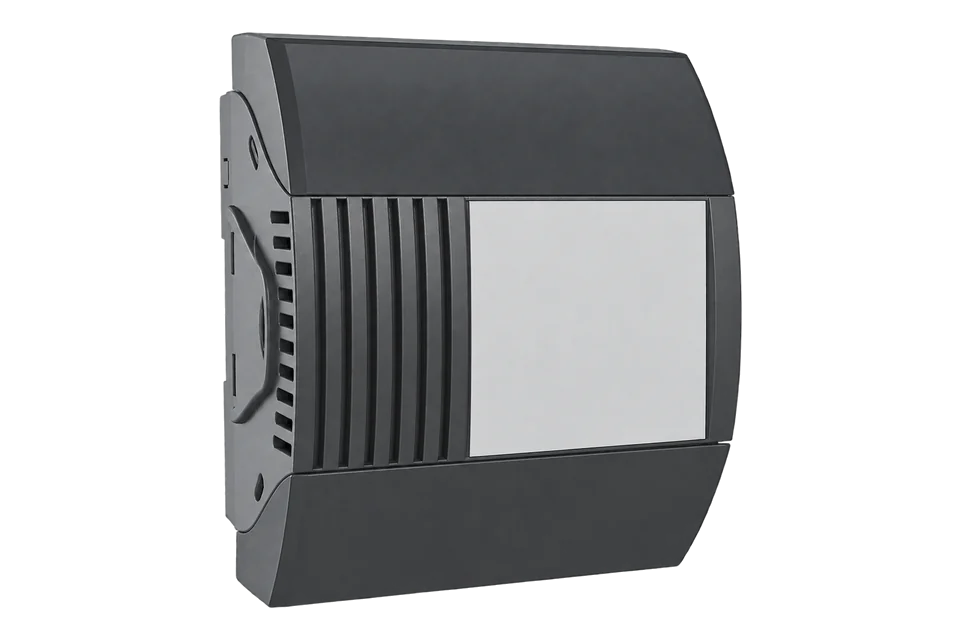
The Carel MPXPRO runs one display case or cold-room evaporator from up to seven inputs. Its Master board has an RS485 port that recognises CAREL and Modbus RTU automatically, so it is compatible with EpiSensor Edge over Modbus RTU through a ZMB-31 or ZMB-30 Modbus interface. EpiSensor's Modbus profile reads probes S1 to S3, the setpoint and the differential.
Compatibility
Compatible with EpiSensor Edge over Modbus RTU through a ZMB Modbus interface
Carel documents an RS485 supervisor port on the MPXPRO Master that recognises CAREL and Modbus RTU automatically, at 19200 bit/s, 8 data bits, no parity and 2 stop bits. A ZMB-31 or ZMB-30 on that port reads the controller over Modbus RTU and sends the values to the Gateway running Edge. EpiSensor's Modbus profile for the MPXPRO gives the probe, setpoint and differential addresses.
Carel's public manual does not print the MPXPRO supervisory variable table, so the five addresses come from EpiSensor's own profile. Compare probe S1 with the controller display once, then keep the map. Setpoint and parameter writes stay with the refrigeration contractor.
Connect it with
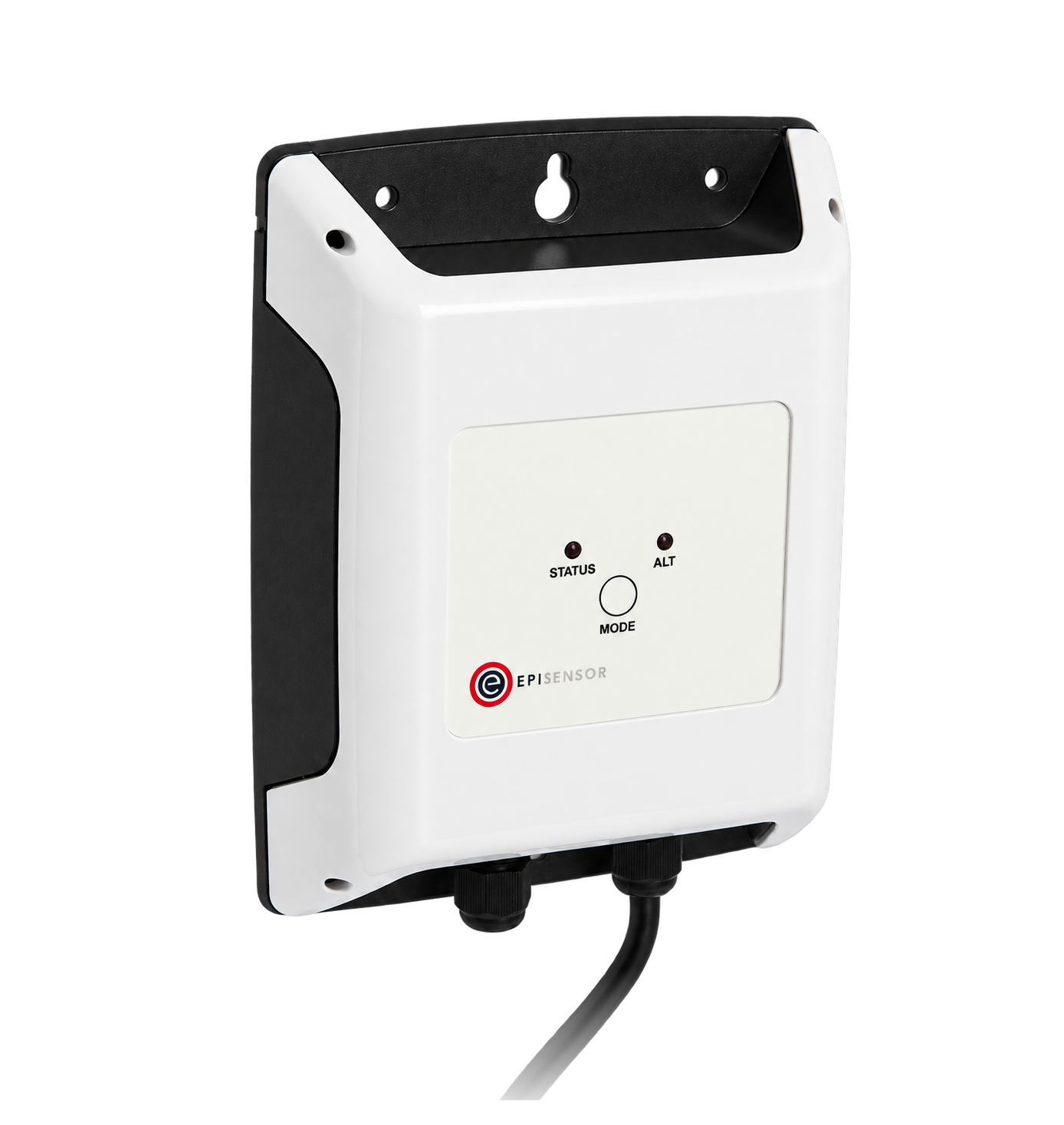
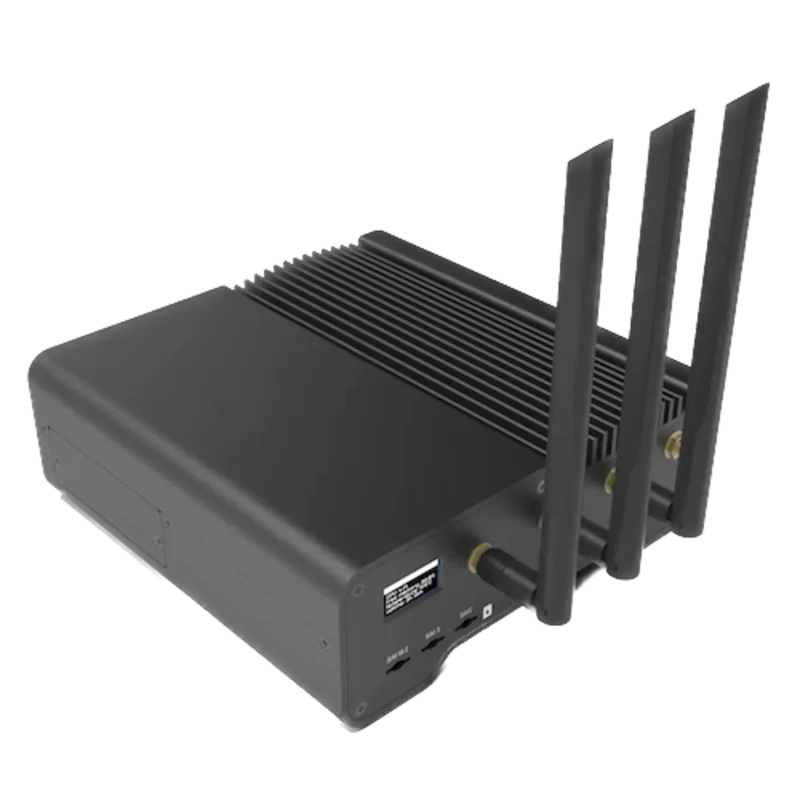
For an MPXPRO Master board (MX30M), or a Slave fitted with the MX3OP48500 card
- Modbus
- Wireless
- Edge
- Platforms
Specifications
Carel's MPXPRO manual describes a modular controller for showcases and cold rooms with Master and Slave boards, optional electronic expansion valve drivers (MX30*25 for E2V stepper valves, MX30*24 for PWM valves) and HACCP alarm management. The Master carries the RTC and RS485 supervisor port; Slaves join the Master over the tLAN.1
- Power supply
- 110 to 230 V~, 50/60 Hz; 11.5 VA, or 23 VA on MX3xxxx(3,5,6)H models1
- Probe inputs
- S1 to S3 NTC, or NTC, PTC, PT1000 and NTC L243 by model; S4 to S7 probe or digital input; S6 and S7 also 0 to 5 V, S7 also 4 to 20 mA or 0 to 10 V1
- NTC range and error
- Carel NTC 10 kΩ at 25 °C, -50 to 90 °C; 1 °C error from -50 to 50 °C1
- Relay outputs
- R1, R4, R5 6 (4) A; R3 10 (2) A; R2 10 (10) A at 250 V~, by model1
- Supervisor port
- RS485 on the Master only, CAREL and Modbus auto-recognised, 19200 bit/s, 8 data bits, no parity, 2 stop bits1
- Network address
- H0, 0 to 199, default 199; up to 5 Slaves per Master, 199 controllers in total on one supervisor line1
- Operating temperature and protection
- -10 to 60 °C (-10 to 50 °C on M, N, O versions); IP00, DIN-rail mounting1
- ZMB register capacity
- 8 or more Modbus registers, up to 16 or more depending on the model; the ZMB-30 adds one 2.5 m waterproof temperature probe3
Interface
This register map is for the MPXPRO MX30.
Communication settings
- Protocol
- Modbus RTU or CAREL, recognised automatically, on the Master's RS485 port
- Unit address
- Parameter H0, 0 to 199, default 199; a Slave adds its own address to the Master's
- Baud rate
- 19200 bit/s
- Data bits, parity and stop bits
- 8 data bits, no parity, 2 stop bits
- RS485 terminals
- Tx/Rx+, Tx/Rx- and GND on the Master board; a Slave needs the MX3OP48500 card to become a Master
- Read with
- FC03 (holding registers)
- Addresses
- Zero-based PDU addresses, as sent on the bus
- Route into Edge
- ZMB-31 or ZMB-30 on the Master's RS485 port. Slaves (MX30S) answer through the Master at the Master's H0 address plus their own.
From MPXPRO electronic controller user manual +0300055EN rel. 1.7, 18.10.20231 and EpiSensor Modbus profile for the Carel MPXPRO2.
Register map
| Point | Address | Hex | Format | Scale | Unit |
|---|---|---|---|---|---|
| Probe S1 (outlet Sm by default) | 7 | 0x0007 |
INT16 | ×0.1 | °C |
| Probe S2 (defrost Sd by default) | 8 | 0x0008 |
INT16 | ×0.1 | °C |
| Probe S3 (intake Sr by default) | 9 | 0x0009 |
INT16 | ×0.1 | °C |
| Setpoint St | 39 | 0x0027 |
INT16 | ×0.1 | °C |
| Differential rd | 41 | 0x0029 |
UINT16 | ×0.1 | °C |
Assessment
MPXPRO MX30 Master and Slave boards read through the Master's RS485 port with EpiSensor's Modbus profile. Valve-driver, defrost and alarm variables are outside this starter map.
- InteroperabilitySupported with conditions
- Carel documents Modbus RTU on the Master with fixed serial settings and Slave addressing. The register addresses come from EpiSensor's profile, not a published Carel table.12
- AccuracySupported with conditions
- Carel states NTC range and error per probe type. The probes are placed for control, so a product-temperature record needs an independent probe.1
- SecurityNot yet assessed
- The manual describes no access control on the supervisor port.1
- ReliabilitySupported with conditions
- The manual gives probe fault alarms, HACCP alarms and clock back-up behaviour. Edge timestamps each read, so a lost bus shows as missing data rather than a held value.1
- RuggednessSupported with conditions
- The board is IP00 for DIN-rail mounting inside an electrical panel, rated -10 to 60 °C.1
- ScalabilityWell supported
- One Master serves up to five Slaves on one supervisor address range, with up to 199 controllers on a supervisor line.1
- LifecycleSupported with conditions
- Carel still publishes the MX30 manual (rel. 1.7, October 2023). Newer MPXPRO boards have their own manual, so record the board part number.1
Edge template
This JSON file supplies the register map. Applying it to an existing meter replaces its sensor list while retaining the site connection, unit ID and enable state.
| Model | Connection | Points | Version | Updated | Download |
|---|---|---|---|---|---|
| MPXPRO (MX30) | RS485 on the Master (MX30M), CAREL or Modbus RTU, recognised automatically, 19200 bit/s, 8N2 | 5 | 1.0.0 | Download |
Downloads need a signed-in account with Edge download access.
Use the template in Edge
- Import the JSON file
In Edge, open Settings, then Devices and Templates. Choose Import JSON and select the downloaded file. Confirm that the model and template name match your device.
- Load the map for your meter
For a new Modbus device, use Load Template before entering the manufacturer or model; it fills those fields and the register list. Set the name, site connection and unit ID, check the polling enable state, then test before saving. For an existing device, apply only to the matching model; this replaces its sensor list but retains its connection, unit ID and enable state.
- Test a reading
Use Test in the wizard and compare a known reading with the meter display. Check its unit, sign and scale, then confirm that timestamps keep advancing. These starter maps are read-only and leave exports off until you configure them.
Setup
Read probe S1 on the Master
EpiSensor's Modbus profile places probe S1 at holding register 7 as a signed value in tenths of a degree.
- Request PDU
- 03 00 07 00 01
- Address
- 7 decimal = 0x0007, zero-based, one register
- Decode
- Signed 16-bit, divide by 10: a synthetic reply of FF D3 is -45, which is -4.5 °C
- Compare with
- The S1 reading on the MPXPRO display or remote terminal, read within a few seconds
Acceptance: Accept the map when S1 agrees with the display to the display's resolution. The reply bytes are an example, not a captured reply. If S1 reads another probe, check /FA, /Fb and /Fc before changing addresses.
-
Identify the Master and its Slaves
Read the board part numbers. Only an MX30M Master (or a Slave with the MX3OP48500 card) has the RS485 port. Note the Master's H0 address and the number of Slaves (Sn) on its tLAN.
-
Wire the RS485 port to the ZMB
Connect the Master's Tx/Rx+, Tx/Rx- and GND to the ZMB's RS-485 terminals with shielded twisted pair, and terminate the two ends of the bus. Keep the cable away from relay and supply wiring.
-
Set the serial format
Configure the ZMB for Modbus RTU at 19200 bit/s, 8 data bits, no parity and 2 stop bits. The MPXPRO recognises the protocol by itself.
-
Read probe S1 once
Read holding register 7 with FC03 at the Master's address and divide by 10. Compare it with the probe value on the display or the remote terminal. Then add S2, S3, St and rd.
-
Add each Slave
Poll each Slave at the Master's H0 address plus the Slave's own address with the same map, and name every point after its case or room.
-
Place the record probe
Fit an independent probe at the warmest product position for the temperature record, and set alarm limits and delays in Edge to match the site's HACCP plan.
Common questions
- Can Edge read MPXPRO Slaves?
- Yes, through the Master. Carel's manual says only the Master connects to the RS485 line, and each Slave answers the supervisor at the Master's address plus its own. The same register map applies at each address.1
- Where do the register addresses come from?
- From EpiSensor's Modbus profile for the MPXPRO. Carel's public MPXPRO manual does not print the supervisory variable table, so compare probe S1 with the display before saving the map.12
- Is the controller probe enough for a HACCP temperature record?
- Use it as a second signal. The MPXPRO's probes measure air at the evaporator for control. An independent probe at the warmest product position gives the record, and Carel recommends periodic verification of the measuring chain to EN 13486.13
Related devices
Sources
- MPXPRO electronic controller user manual +0300055EN rel. 1.7, 18.10.2023 (opens in a new tab)
- EpiSensor Modbus profile for the Carel MPXPRO (opens in a new tab)
- ZMB-3X Modbus interface datasheet EPI-195-00 (opens in a new tab) (PDF)
Further reading
- ApplicationHACCP temperature monitoring
- ApplicationCold chain temperature monitoring
- ApplicationRefrigeration energy monitoring
- ApplicationSupermarket energy monitoring
- ToolModbus register address converter
- ToolModbus data decoder
- GuideReading refrigeration controllers over Modbus
- GuideModbus commissioning over RS-485
- GuideCarel ir33+ platform
- GuideCarel pRack compressor rack controller
- ManufacturerCarel devices
- ProtocolModbus devices and register maps
- CategoryRefrigeration controllers
Product names and trademarks belong to their owners. Publication does not imply endorsement or a commercial relationship.